
- Category Business
- Available on PC, Mobile, Surface Hub, HoloLens
- OS Windows 10 version 17763.0 or higher
- Mouse Integrated Mouse
- languages English (United States)
Streamlining Your Document Workflow with Scan to PDF for Windows
In today's fast-paced digital world, managing paper documents efficiently is essential for individuals and businesses alike. Scan to PDF for Windows by NZ Software emerges as a straightforward yet powerful tool designed to transform your physical papers into easily shareable digital PDFs, all from your Windows device.
Who's Behind It? Developers & Key Features
Developed by NZ Software, a company known for creating practical productivity tools, Scan to PDF for Windows aims to simplify document digitization. With a focus on user-friendly design, it packs several notable features:
- High-Quality Scanning & Conversion: Easily convert your physical documents into crisp, searchable PDFs right from your scanner or camera input.
- Multi-Page Document Handling: Seamlessly compile multiple scans into a single PDF, perfect for receipts, reports, or lengthy forms.
- Quick Editing & Annotating: Basic editing capabilities like rotating, cropping, and annotating to tailor your PDFs before sharing.
- Intuitive User Interface: Designed with simplicity in mind, making it accessible even for first-time users while still offering robust features.
Geared toward busy professionals, students, or anyone needing a reliable document digitization solution, the app caters to those looking for a hassle-free way to manage paper files digitally.
Introducing the App as a Friendly Guide to Digital Transformation
Imagine transforming a cluttered pile of paper into a sleek, portable digital file with just a few taps—Scan to PDF makes this possible. Its clean design and straightforward workflows feel like having a friendly assistant guiding you through the process, turning what used to be tedious chores into quick, satisfying tasks. Whether you're digitizing receipts after a shopping spree or archiving important contracts, this app aims to make each step smooth and effortless, like a well-rehearsed dance routine.
Deep Dive Into Core Features
Effortless Scanning & Conversion
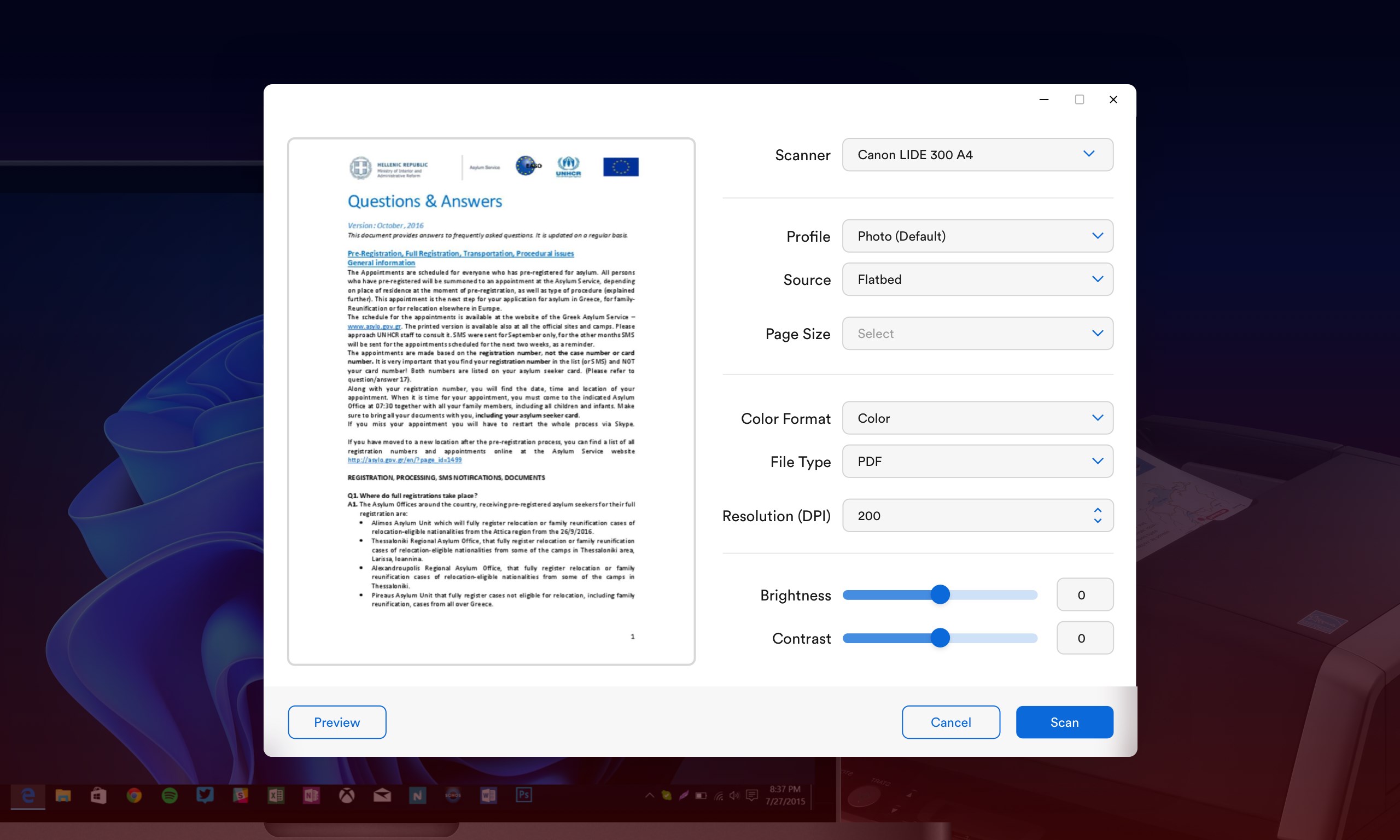
The core strength of Scan to PDF lies in its ability to turn physical documents into digital PDFs swiftly. Connect your scanner or use your device's camera, and the app's intelligent detection ensures sharp images, which it then seamlessly converts into searchable, PDF files. Its automatic cropping and deskewing functions save you from fiddling with every single scan, acting like a meticulous editor who ensures everything looks perfect before you move forward.
Organized Multi-Page Document Handling
Say goodbye to juggling multiple files and cluttered folders. The app's multi-page management feature allows you to combine various scans into one cohesive document. It's like assembling a photo album, but for documents—ordering and organizing pages just the way you want. Adding, deleting, or reordering pages is as easy as flipping through a photo album, giving you full control over your digital archives.
User Experience & Differentiators
The interface is intuitive and clutter-free, with clear buttons and minimal learning curve—perfect for quick, everyday use. The app operates smoothly, with rapid processing that keeps your workflow flowing without frustrating delays. Compared to other business-oriented PDF solutions, Scan to PDF stands out for its simplicity fused with essential editing tools, making it ideal for users who need straightforward digitization rather than complex PDF management systems.
One of its most unique aspects is the combination of rapid scanning with collaborative work features—users can annotate PDFs or prepare them for sharing within minutes. This makes it not just a scanner app but a handy piece in your digital collaboration toolkit, especially useful for team projects or remote work scenarios.
Final Recommendations: Who Should Use & When
If you're seeking a reliable, easy-to-use scanning app that integrates smoothly into your daily routine, Scan to PDF for Windows deserves a spot on your device. It's best suited for those who prioritize simplicity and efficiency without sacrificing essential features. For small businesses, students, or busy professionals managing large volumes of paper, this app offers a practical solution to modernize document handling.
While it may not replace advanced PDF editors or enterprise-grade document management systems, its specialization in quick, quality scans and collaborative annotations makes it a valuable addition to your digital toolbox. I recommend giving it a try if you want an approachable yet capable document scanner app that feels more like a helpful companion than a complex software suite.
Pros
- Intuitive and user-friendly interface
- High-quality scan resolution
- Multiple file management options
- OCR functionality included
- Supports multiple input sources
Cons
- Limited editing features after conversion
- Occasional scan quality inconsistency
- Basic OCR accuracy in complex layouts
- Limited export options
- No cloud storage integration











