
- Category Business
- Available on PC, Mobile, Surface Hub, HoloLens
- OS Windows 10 version 17763.0 or higher
- Mouse Integrated Mouse
- languages English (United States)
Introduction: Simplifying Data Extraction with Elegance
Imagine transforming a handful of scattered documents into a neatly organized spreadsheet with the mere scan of a page—that's exactly what Scan to WSD for Windows promises. Designed to streamline workflows and reduce manual effort, this tool turns cumbersome data extraction into a swift, effortless task. Whether you're handling invoices, receipts, or business cards, this application offers a smart shortcut to digitize and manage information efficiently.
Core Features That Make a Difference
1. Intelligent Document Recognition and Data Extraction
The standout feature of Scan to WSD is its advanced OCR (Optical Character Recognition) capability combined with a WSD (Word-Spot Detection) engine. This duo works like a seasoned detective persisting through the clutter to find and extract relevant data points. Whether it's numbers from a receipt or contact details from a business card, the app preserves data accuracy while minimizing user intervention. This intelligent recognition is especially useful for professionals juggling numerous documents daily, providing a fast, reliable readout ready for immediate use.
2. Seamless Integration with Workflow and Collaboration
What truly sets this app apart from other similar tools is its focus on collaborative work features. Users can easily export extracted data into common formats such as Excel or CSV, making it simple to integrate into existing workflows. The app also supports cloud synchronization, allowing team members to access and verify data remotely, fostering team collaboration without the hassle of email chains or manual file transfers. Think of it as having a digital assistant that not only digitizes your documents but also plays well with your team's collective efforts.
3. User-Friendly Interface and Efficient Processing
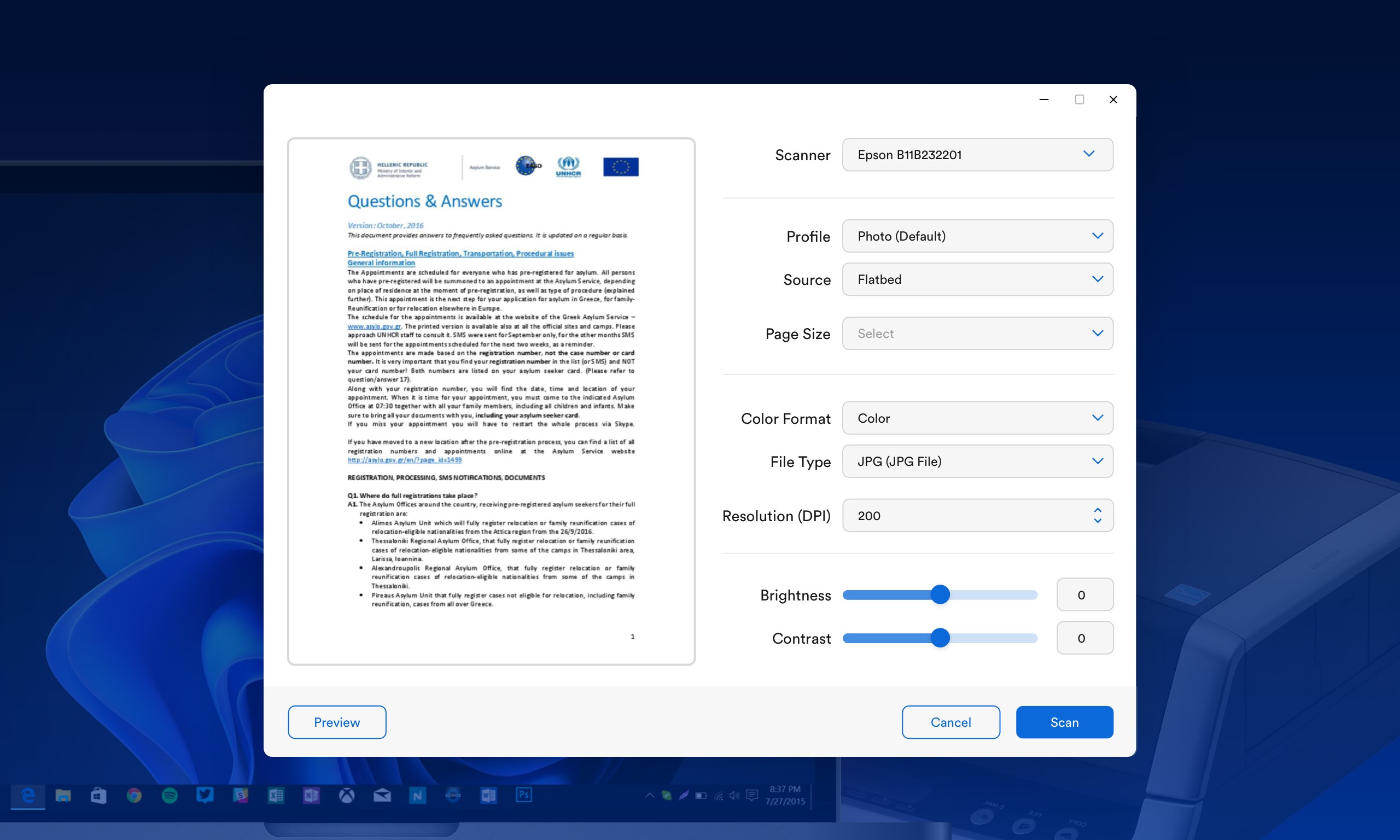
While some data extraction tools feel like navigating a maze, Scan to WSD offers a clean, intuitive interface that welcomes both tech novices and seasoned professionals. The workflow is straightforward—simply scan or upload your documents, select the area of interest, and let the app do its magic. Processing speeds are impressively quick, thanks to optimized algorithms, ensuring users are not kept waiting. The learning curve is gentle, meaning you can start extracting data within minutes rather than hours of tutorial hunting.
Experience and Usability: Friendly and Functional
The interface design of Scan to WSD is akin to a well-organized workshop—nothing is cluttered or intimidating. Its minimalistic aesthetic contributes to a smooth navigation experience, which is essential when you need quick results in a busy environment. During testing, operations felt fluid and responsive, giving a sense of reliability. The app's clarity minimizes user errors, which is crucial when dealing with sensitive data. For newcomers, the guided prompts and logical layout help flatten the learning curve, making the tool accessible yet robust.
What Makes It a Standout in Business Applications?
Compared to other document scanning and data extraction apps, Scan to WSD shines brightest in its collaborative capabilities. While many competitors focus solely on individual workflows, this tool emphasizes teamwork—highlighted by features like easy data sharing, cloud syncing, and multi-user support. Its unique focus on Word-Spot Detection enhances accuracy for specific data points even in cluttered pages or low-quality scans, outperforming generic OCR solutions. Essentially, it combines precision and teamwork in a single package, making it ideal for office environments where collaboration and speed are paramount.
Final Thoughts: Worth a Try for Smarter Data Handling
If you're seeking a reliable, user-friendly app that not only extracts data with precision but also promotes seamless teamwork, Scan to WSD for Windows deserves your attention. It's straightforward enough for beginners yet packed with features that support professional needs. I recommend it for small to medium-sized teams looking to digitize their documents quickly and collaborate effortlessly. While it may not replace high-end enterprise solutions, for everyday business tasks, it offers a commendable balance of simplicity and functionality—making your data management tasks less of a chore and more of a breeze.
Pros
- Easy to Scan Documents
- Integration with Microsoft Ecosystem
- Supports Multiple Device Types
- User-Friendly Interface
- Automated Document Processing
Cons
- Limited Customization Options
- Occasional Connection Dropouts
- Slow Scanning Speed for Large Documents
- Limited Support for Non-Microsoft Devices
- Minimal Offline Functionality











