
Frequently Asked Questions
How do I start playing Scrabble US on this app?
Download and install the app, open it, and follow the on-screen instructions to set up a new game against the computer.
How do I drag and drop letters to form words?
Tap and hold a letter tile, then drag it to the desired position on the board, and release to place it.
Can I choose different difficulty levels?
Yes, go to Settings > Difficulty Level to select from easy to expert for varied gameplay challenge.
How does the game help me improve my English vocabulary?
The app provides gameplay that encourages word formation, helping enhance your vocabulary through practice.
Can I see the definitions of words I form?
Yes, tap on a word during your turn to view its definition if this feature is available in settings.
Is there any in-app purchase or subscription?
Yes, optional in-app purchases or subscriptions may unlock additional features; check Settings > Subscription for details.
How do I subscribe or manage my subscription?
Go to Settings > Account > Subscription to view or change your subscription plan and payment options.
Does the app support offline gameplay?
Yes, you can play against the computer offline without an internet connection.
What should I do if the app crashes or freezes?
Try restarting the app or reinstalling it. If issues persist, contact support through Settings > Help.
Can I play multiplayer against friends?
Currently, the app supports playing against the computer only; multiplayer options may be available in future updates.
You May Like

The Oregon Trail
for Windows
4.8
Universe Sandbox
for Windows
4.7
Kids Toddler & Preschool Games
for Windows
4.6
Kids Games: For Toddlers 3-5
for Windows
4.5
Webkinz®
for Windows
4.4
ABC Kids - Tracing and Phonics
for Windows
4.4
Coloring Games: Coloring Book & Painting
for Windows
4.4
Math Games: Math for Kids
for Windows
4.4
Math Kids: Math Games For Kids
for Windows
4.3
Drawing Games: Draw & Color For Kids
for Windows
4.2
Baby Games: Piano & Baby Phone
for Windows
4.2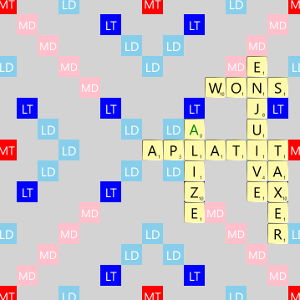
scrabble us
for Windows
1.5