


- Category Productivity
- Developer Mixilab LLC.
- Available on PC, Surface Hub
- OS Windows 10 version 17763.0 or higher
- DirectX Version 11
- Memory 1 GB
- languages Chinese (Simplified), English (United States), French, German, Italian, Japanese, Korean, Polish, Portuguese (Brazil), Russian, Spanish, Ukrainian
An Introduction to ScreenMix - Screen Recorder by Mixilab: Your Reliable Windows Screen Capture Companion
ScreenMix by Mixilab LLC positions itself as a user-friendly yet powerful screen recording tool designed to streamline content creation, tutorials, and presentations on Windows. Its straightforward interface and feature set aim to balance functionality with ease of use, making it suitable for both casual users and professional creators alike.
What Makes ScreenMix Stand Out?
Developed by Mixilab LLC, a team committed to exploring efficient productivity tools, ScreenMix offers three main highlights:
- High-Quality Recording with Multiple Formats: Capture crisp videos in various formats tailored to your needs, from development tutorials to team walkthroughs.
- Intuitive Editing & Annotation Tools: Seamlessly add annotations, highlights, and voiceovers within the app, reducing the need for multiple third-party tools.
- Built-in Screen Capture & Snapshot Features: Quickly grab screenshots and embed them into recordings, enhancing storytelling clarity.
The app targets content creators, educators, remote workers, and IT professionals seeking an integrated, efficient screen recording solution on Windows.
Capturing Attention: The Fun & Functional Take on ScreenMix
Imagine sitting at your desk, trying to craft a crisp tutorial or record a game session, but wrestling with clunky tools that feel more like puzzles than plot devices. Enter ScreenMix—a tool that invites you to focus on your story, not the technology. Its interface is clean and inviting, like a well-organized workspace, guiding you effortlessly from setup to finished product. Whether you're a newbie or a seasoned producer, the learning curve feels like a gentle slope, making the recording process feel more like a creative flow than a technical hurdle.
Core Functionality Deep Dive
Advanced Recording Capabilities
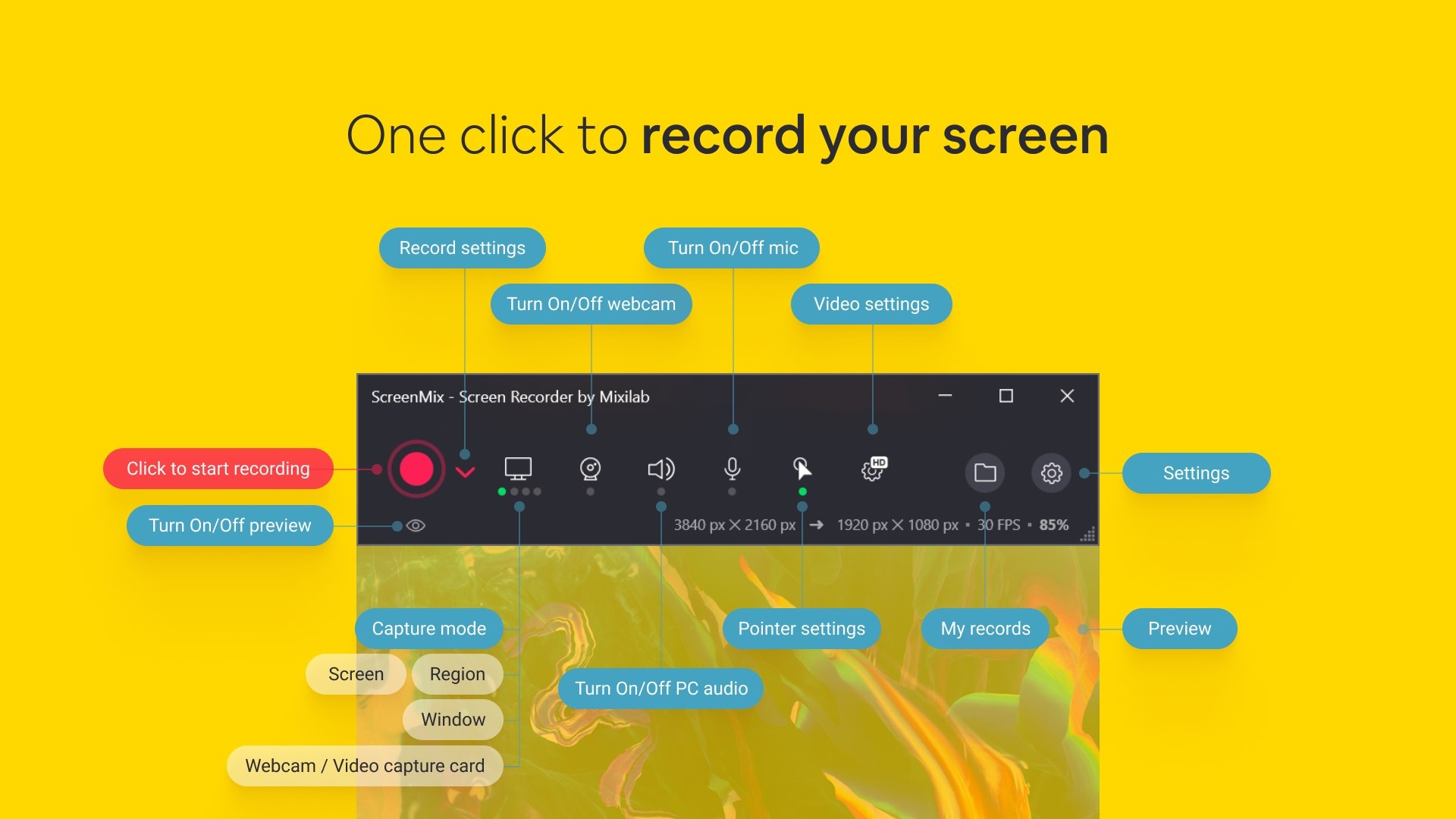
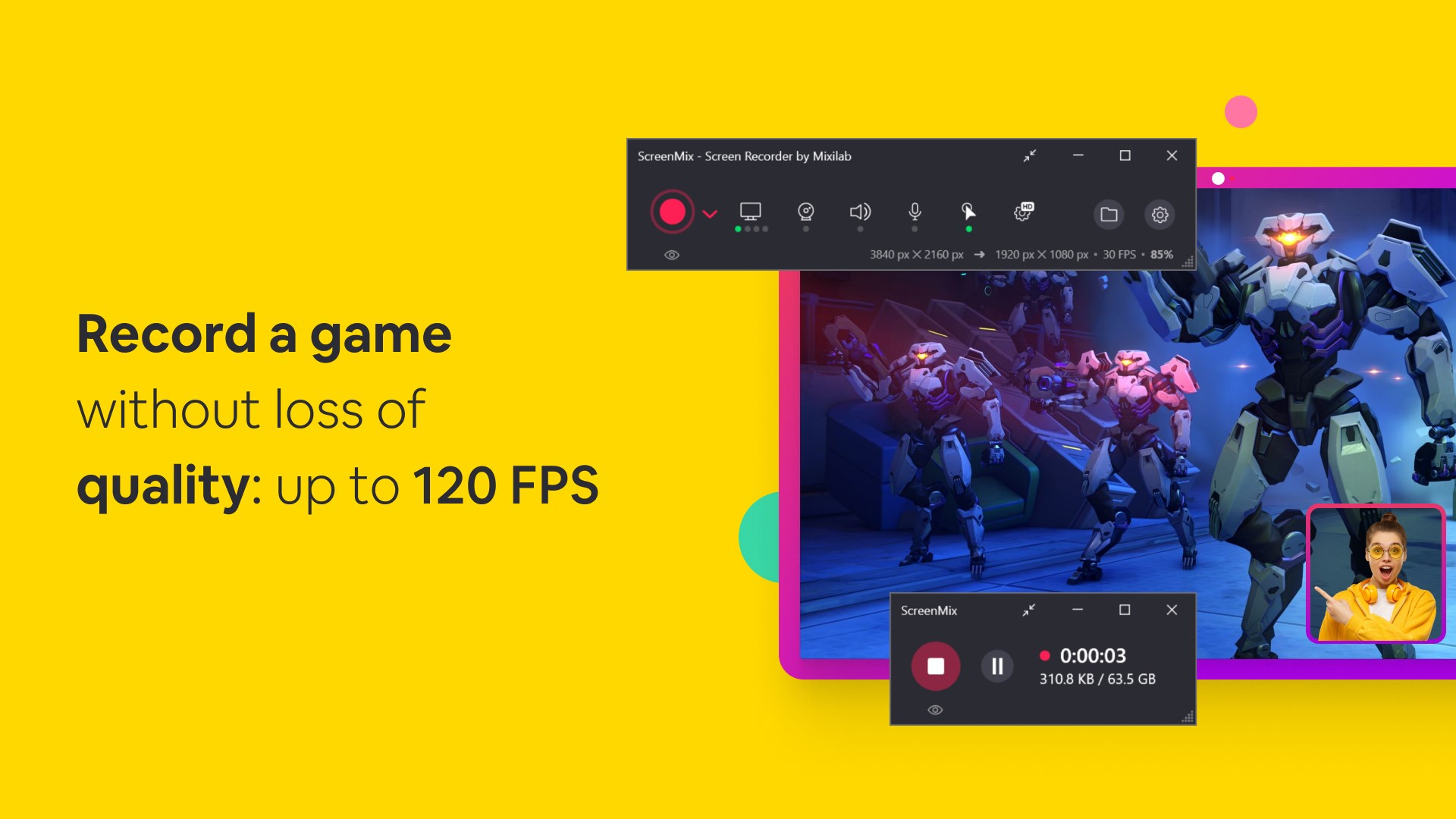
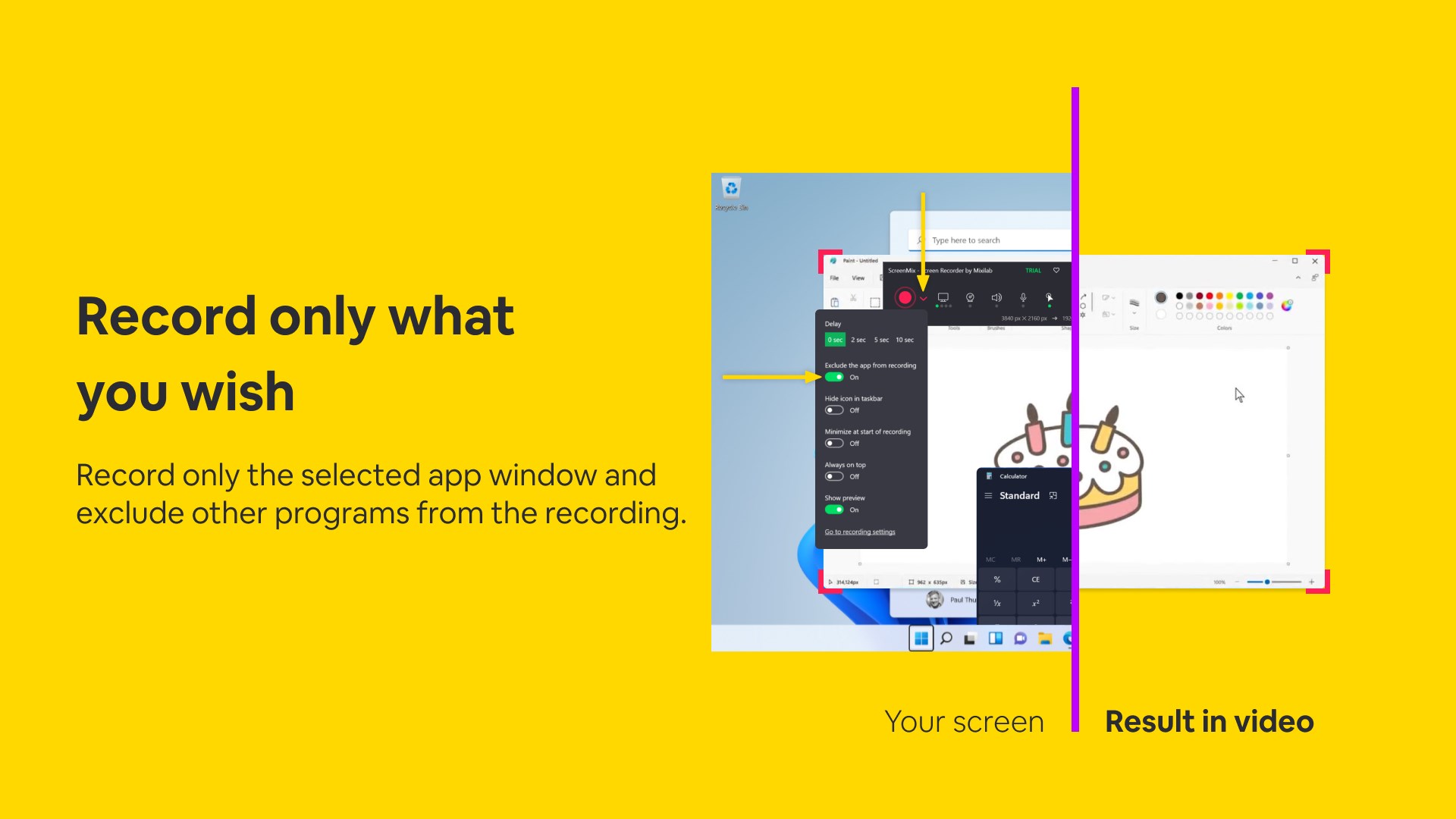
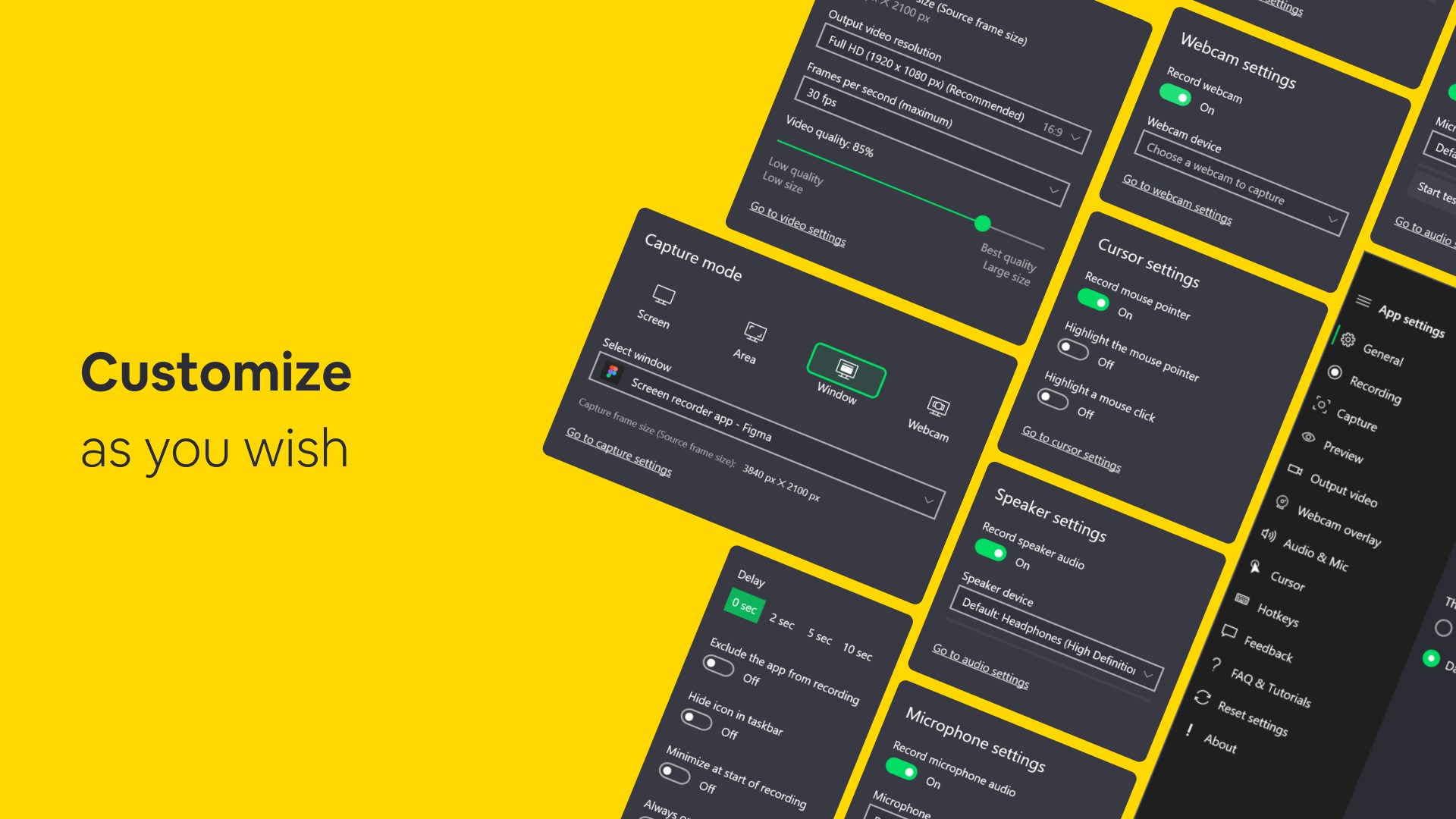
ScreenMix excels in offering high-definition recording options that capture your screen activities with remarkable clarity. You can choose to record the entire screen, specific windows, or custom regions—think of it as a camera lens with adjustable focus. The app also includes options to record audio from your microphone or system sounds, making it perfect for narrations or commentary. The real magic lies in its background recording feature, which continuously captures your actions without occupying your workspace—like having a silent assistant always ready to record the next big idea.
Editing and Annotation – Making Your Recordings Shine
Post-recording workflows can often be tedious, but ScreenMix simplifies this with its built-in editor. Highlight important details with annotations, draw circles around key elements, or add captions, all within the same interface. For instance, imagine you're explaining a complex software feature; pinning annotations directly onto your video ensures viewers stay engaged and informed. The editing tools are lightweight yet effective, enabling quick adjustments without the burden of traditional editing software.
User Interface & Experience
From a user experience standpoint, ScreenMix feels like a well-organized toolbox—everything you need is within reach, but it's not cluttered. Its layout is minimalistic, resembling an intuitive control panel rather than a jam-packed dashboard. The app performs smoothly, without lag or crashes, even when handling high-resolution recordings. This fluidity is critical for maintaining focus, especially during longer sessions. The onboarding process is straight to the point, reducing the cognitive load typically involved in mastering new tech tools, making it accessible to users of varying proficiency levels.
Distinguishing Features and Workflow Integration
Compared to other productivity apps, ScreenMix's standout feature is its seamless integration of recording and editing within a single platform—saving users from juggling multiple software. Its workflow feels like an assembly line designed for efficiency: record, annotate, and export—all in a few clicks. Unlike more complex solutions that emphasize feature bloat, ScreenMix reduces cognitive load by focusing on core functions, allowing users to produce polished content without confusion or frustration. This balance of simplicity and capability makes it particularly advantageous for fast-paced environments or educational settings where time and clarity are paramount.
Final Recommendations: Is ScreenMix the Right Choice?
Given its streamlined interface, solid feature set, and focus on workflow efficiency, I recommend ScreenMix to anyone seeking an accessible yet capable screen recorder for Windows. It's especially well-suited for educators, content creators, and remote teams who value ease of use and quick turnaround. For those who need in-depth editing, it might not replace specialized software, but for integrated recording and annotation tasks, it's a noteworthy contender. Overall, ScreenMix is like a trusty sidekick—reliable, straightforward, and ready to help you capture your ideas effortlessly.
Pros
- High-Quality Screen Recording
- User-Friendly Interface
- Multiple Recording Options
- Built-in Editing Tools
- No Watermark in Free Version
Cons
- Limited Export Formats
- Occasional Performance Drop
- Lack of Audio Editing Features
- Limited Customization Options
- No Cloud Storage Integration











