

- Category Social
- Developer Signal Messenger, LLC
- Available on PC
- OS Windows 10 version 0.0 or higher
- languages English, Afrikaans, Albanian, Arabic, Azerbaijani, Basque, Bosnian (Latin), Bulgarian, Catalan, Chinese, Chinese (Simplified), Chinese (Traditional Chinese), Croatian, Czech, Danish, Dutch, Estonian, Filipino, Finnish, French, Galician, Georgian, German, Greek, Gujarati, Hebrew, Hindi, Hungarian, Indonesian, Irish, Italian, Japanese, Kannada, Kazakh, Khmer, Kiswahili, Korean, Kyrgyz, Latvian, Lithuanian, Macedonian, Malay, Malayalam, Marathi, Norwegian, Persian/Farsi, Polish, Portuguese, Portuguese (Brazil), Portuguese (Portugal), Punjabi, Romanian, Russian, Serbian, Slovak, Slovenian, Spanish, Swedish, Tamil, Telugu, Thai, Turkish, Ukrainian, Urdu, Uyghur, Vietnamese
A Secure and Intuitive Messaging Experience on Windows
Signal Private Messenger for Windows offers a streamlined desktop extension of the popular encrypted messaging app, blending privacy with user-friendly design to keep your conversations safe and accessible right from your computer.
Robust Foundations Backed by a Trusted Developer
Developed and published by Signal Messenger, LLC, this application inherits the same core principles of security and transparency that have made Signal a favorite among privacy-conscious users worldwide. As a dedicated team with a clear focus on safeguarding user communications, they have crafted an app that prioritizes encryption, simplicity, and reliability.
Key Features That Stand Out
- End-to-End Encrypted Messaging: Like stepping into a private vault, all your messages are end-to-end encrypted, ensuring that only you and your recipient can read the contents, whether on mobile or desktop.
- Seamless Cross-Device Syncing: The app effortlessly syncs your messages across devices, so whether you're typing on your phone or your Windows PC, your conversations remain together as if by magic.
- Enhanced Privacy Controls and Verification: Users can verify contacts' identities with safety codes, adding an extra layer of trust—think of it as a digital handshake you've always wanted.
- User Profile Customization & Authenticity Verification: Unique features allow users to customize profile details and verify contacts, helping to prevent impersonation and ensuring your chats are with real people.
Vivid Review: A Desktop Companion That Respects Your Privacy
Imagine having a secure, silent confidant always ready at your fingertips—this is what Signal for Windows feels like. From the moment you launch, there's a sense of trustworthiness, complemented by a clean, uncluttered interface that feels both modern and functional. Whether you're exchanging jokes, confidential work messages, or sensitive information, Signal makes sure your privacy isn't compromised—a true testament to its mission of secure communications.
Interface Design and User Experience
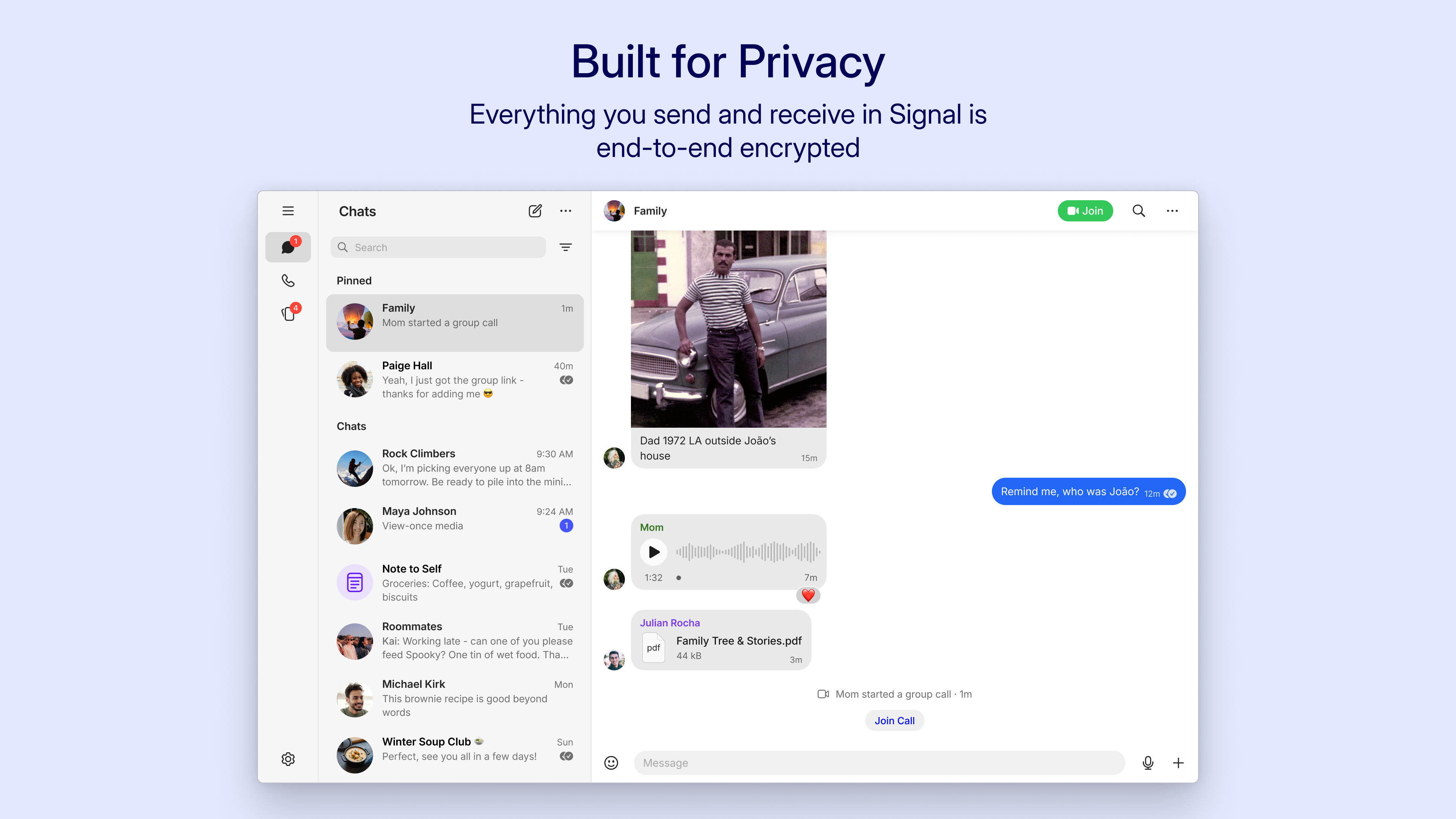
The interface strikes a balance between simplicity and utility. The chat windows resemble familiar messaging apps, yet there's an emphasis on clarity and security cues. Recognizing the chat list and settings is effortless, even for first-time users. Switching between conversations is swift, thanks to a smooth scrolling experience that feels like gliding through a well-oiled machine. Learning curve-wise, it's straightforward—most users will feel comfortable navigating within minutes—making it ideal for those who appreciate security without complexity.
Core Functionalities in Detail
One of Signal's standout features is its commitment to privacy through robust encryption practices. This encryption isn't just an afterthought; it's woven into every message, voice call, and media transfer—creating a fortress where privacy is the default setting. Additionally, the app's cross-device sync allows users to begin conversations on their mobile and effortlessly pick up from their desktop, making multitasking seamless and natural, much like having your personal secure courier at your service.
Another particularly interesting aspect is Signal's emphasis on contact verification and profile authenticity. Unlike traditional messaging apps that simply display static profiles, Signal allows users to verify contact identities via safety numbers. This feature provides both reassurance and authenticity—think of it as a secure handshake that confirms you're chatting with the real deal, not an imposter. The connection discovery feature further enhances this by helping you find trusted contacts within your network, avoiding the maze of spam or fake profiles often seen elsewhere.
Final Thoughts & Recommendations
Overall, Signal for Windows stands out as a reliable, privacy-oriented messaging solution tailored for users who value security without sacrificing usability. Its core strengths—end-to-end encryption and contact verification—are particularly compelling in today's digital climate where privacy is more important than ever.
Given its straightforward interface, cross-device functionality, and focus on safety, I recommend Signal for anyone who needs a trustworthy communication tool on their desktop—whether for personal use or for maintaining professional confidentiality. For those already familiar with Signal's mobile app, this desktop version acts as a perfect companion to keep your conversations synchronized and secure. If your priority is privacy and authenticity, this app deserves a top spot in your digital toolkit.
Pros
- Strong end-to-end encryption
- Open-source codebase
- Cross-platform support
- Self-destruct messages
- No user tracking or ads
Cons
- Limited multimedia support
- User interface can feel complex for newcomers
- No built-in cloud backup for messages
- Limited customization options
- Occasional delays in message delivery










