
- Category Business
- Developer Furnace Creek Software
- Available on PC, Mobile
- OS Windows 10 version 17763.0 or higher
- languages English (United States)
Simplefax – Effortless Faxing without Subscriptions on Windows
If you're tired of endless subscriptions and complicated setups just to send a simple fax, Simplefax offers a fresh perspective—bringing straightforward, subscription-free faxing directly to your Windows device. Developed by Furnace Creek Software, this app aims to streamline one of the older forms of business communication into a more accessible, user-friendly experience. Whether you're a small business owner, freelancer, or an individual needing to send occasional faxes, Simplefax positions itself as a no-nonsense tool that cuts through the clutter.
Basic Information: Clear and Concise
Simplefax is a Windows application designed to provide users with an easy way to send faxes without the hassle of recurring subscriptions or steep fees. Crafted by Furnace Creek Software, the app's core appeal lies in its simplicity and affordability.
Developer and Publisher
Furnace Creek Software is both the developer and publisher of Simplefax, focusing on practical solutions tailored for everyday users seeking efficient communication tools.
Main Features and Highlights
- Subscription-Free Faxing: Send faxes without ongoing fees—pay only for what you send, making it budget-friendly for occasional use.
- Simple User Interface: Clean and intuitive design that minimizes the learning curve, enabling rapid adoption even for first-time users.
- Direct Integration with Windows: Seamlessly runs on Windows PCs, avoiding cloud dependencies and ensuring fast, local document handling.
- Multi-Page Document Support: Send multi-page documents effortlessly, accommodating most standard business needs.
Revved Up: An Engaging Review
Imagine sitting comfortably at your desk, drafting an important document, and all you want is to fax it over—Simplefax turns that daily task into a breeze, like having a friendly assistant ready to send your documents at a moment's notice. Its straightforward operation feels less like a technical chore and more like passing a note in class—you press a few buttons, and voilà, your fax is on its way.
User Interface and Ease of Use
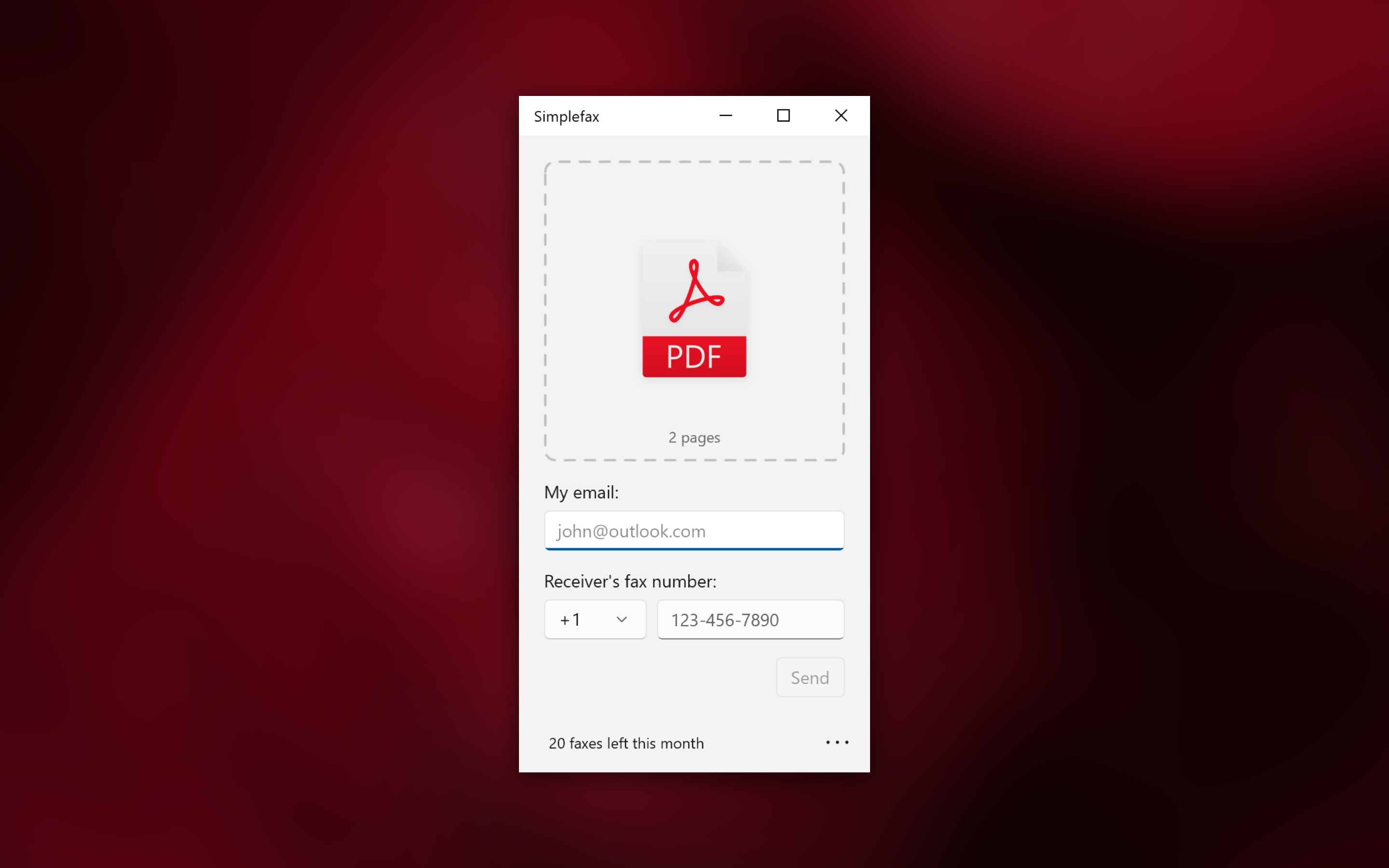
One of Simplefax's standout features is its minimalistic interface. Designed with clarity in mind, it resembles a familiar desktop app rather than a labyrinth of menus. Icons are clearly labeled, and the layout guides you smoothly from loading your document to sending the fax. Even first-time users will feel at home, as most options are self-explanatory. The app runs flawlessly on Windows 10 and 11, delivering swift, lag-free performance that keeps the experience fluid and frustration-free.
Core Functionalities: Power in Simplicity
- Fax Sending Made Easy: The main draw is the ability to fax documents directly from your PC without subscribing to a service. Upload your file, enter the recipient's number, and hit send—just like sending an email but with a few more clicks. This makes Simplefax ideal for occasional or emergency fax needs.
- Multiple Document Support: The app handles multi-page PDFs and images efficiently, allowing you to bundle several pages in one go. This feature saves you from the hassle of multiple transmissions and keeps your workflow efficient.
- Contact Management: Simplefax allows for easy storage of frequently used fax numbers, turning routine tasks into quick, one-click actions. This is a subtle but valuable efficiency booster, especially if you frequently communicate with the same parties.
Comparative Edge: What Sets It Apart?
While many business fax solutions focus on cloud-based features and collaborative workflows, Simplefax's standout trait lies in its focus on straightforward, local, and pay-as-you-go faxing. Unlike apps that require cloud storage or subscriptions, Simplefax offers a zero-commitment model that appeals to users wary of recurring bills. Additionally, in contrast to complex collaboration tools with task management, Simplefax emphasizes operational simplicity—think of it as the reliable bicycle of fax apps versus the flashy sports car.
Its capability to operate without the internet dependency for core functions, combined with transparent pay-per-use pricing, makes it uniquely suited for individuals and small businesses seeking no-nonsense communication tools.
Recommendation and Best Use Cases
Overall, Simplefax is highly recommended for users who need quick, occasional faxing without the overhead of subscriptions or complicated platforms. It's particularly suitable for small enterprises, legal professionals, or freelancers who prefer straightforward tools that integrate seamlessly into their existing Windows environment.
However, if your faxing needs are high-volume or part of a larger collaborative workflow requiring integrated task management, you might find more comprehensive solutions better suited. Nonetheless, for those who value brevity, affordability, and ease of use, Simplefax stands out as an effective, no-fuss option.
Pros
- User-Friendly Interface
- No Subscription Fees
- Support for Multiple Formats
- Quick Fax Transmission
- Cross-Device Compatibility
Cons
- Limited Free Credits
- Basic Feature Set
- File Size Restrictions
- No Offline Mode
- Customer Support Availability











