

- Category Multimedia design
- Developer Sketchbook, Inc.
- Available on PC
- OS Windows 10 version 17763.0 or higher
- Memory Not specified
- languages Chinese (Simplified), Chinese (Traditional), English (United States), French, German, Italian, Japanese, Korean , Portuguese (Brazil), Russian, Spanish (Spain)
Sketchbook Pro for Windows: A Robust Digital Sketching Companion
Designed for artists and creative minds seeking a comprehensive yet intuitive digital drawing experience, Sketchbook Pro for Windows offers a feature-rich platform that balances power with ease of use. Whether you're a seasoned digital illustrator or just dipping your toes into the art world, this application aims to be your reliable partner on your creative journey.
About the Developer and Main Highlights
Produced by Sketchbook, Inc., a company renowned for its dedication to quality digital art tools, Sketchbook Pro for Windows brings professional-grade features to a user-friendly interface. Its key strengths lie in:
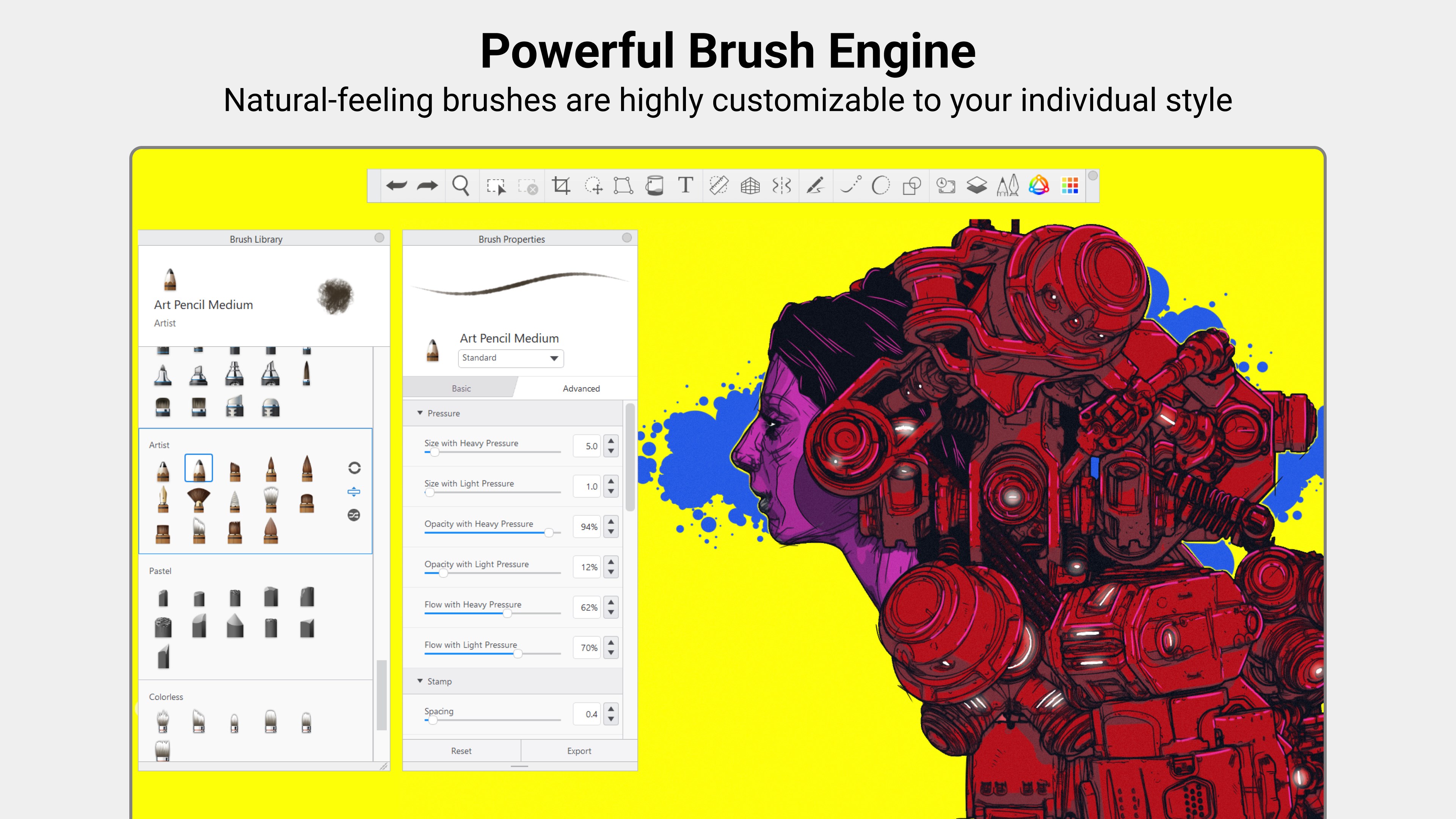
- Natural Drawing Experience: A brush engine that mimics real-world media closely, offering a natural and responsive feel.
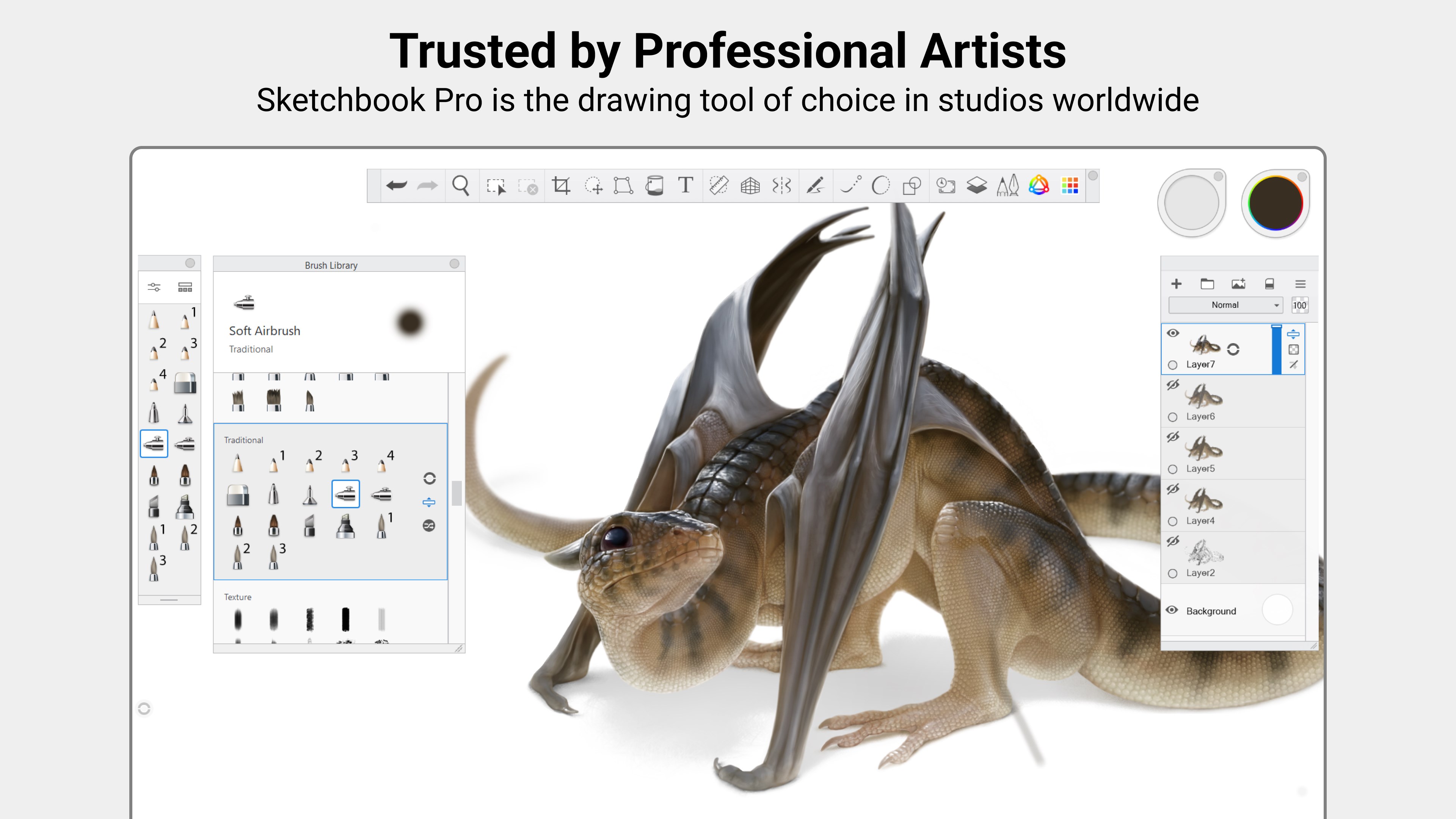
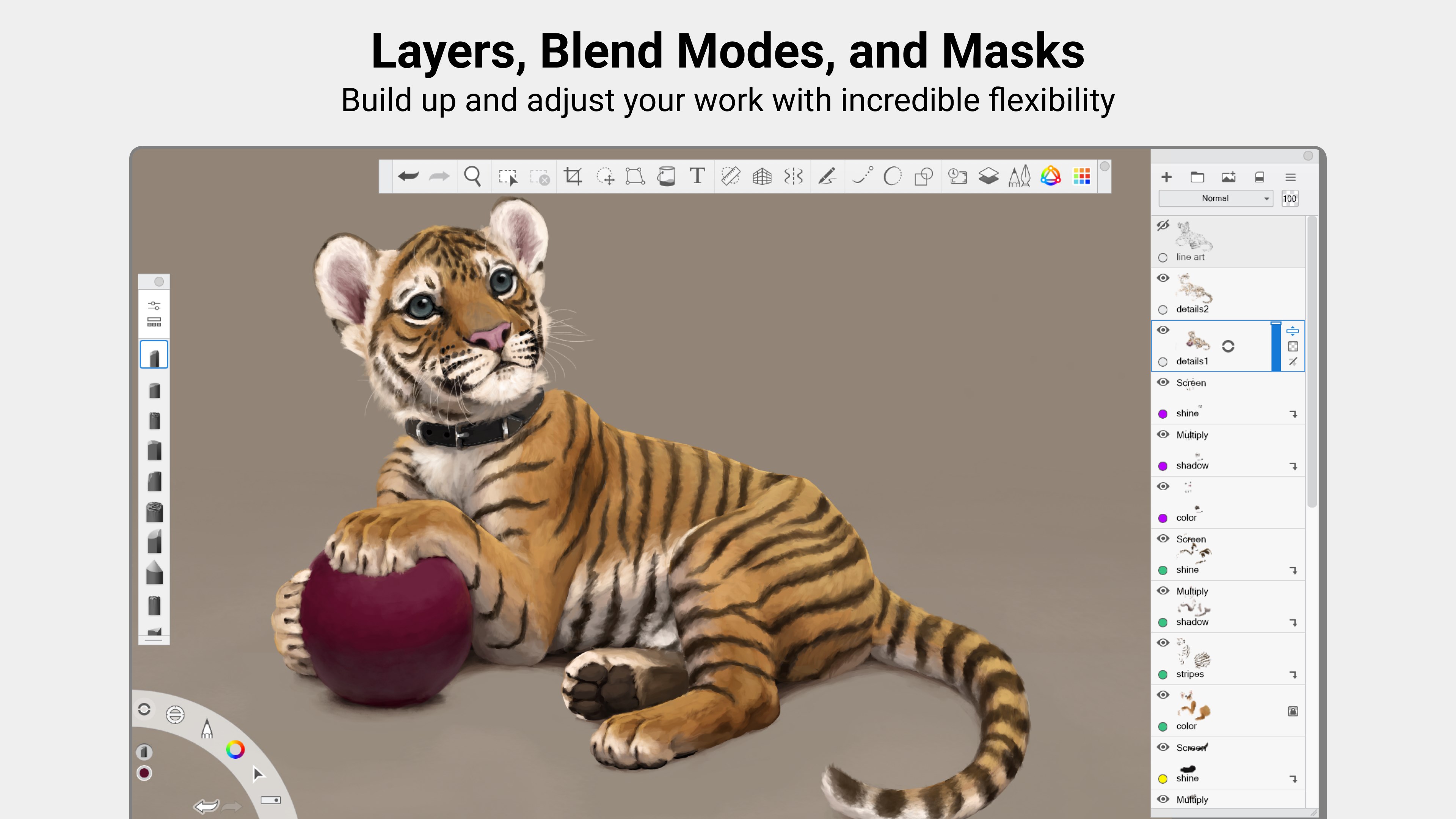
- Advanced Layer Management: Supports multiple layers with blending modes, masks, and adjustments to keep creative options flexible.
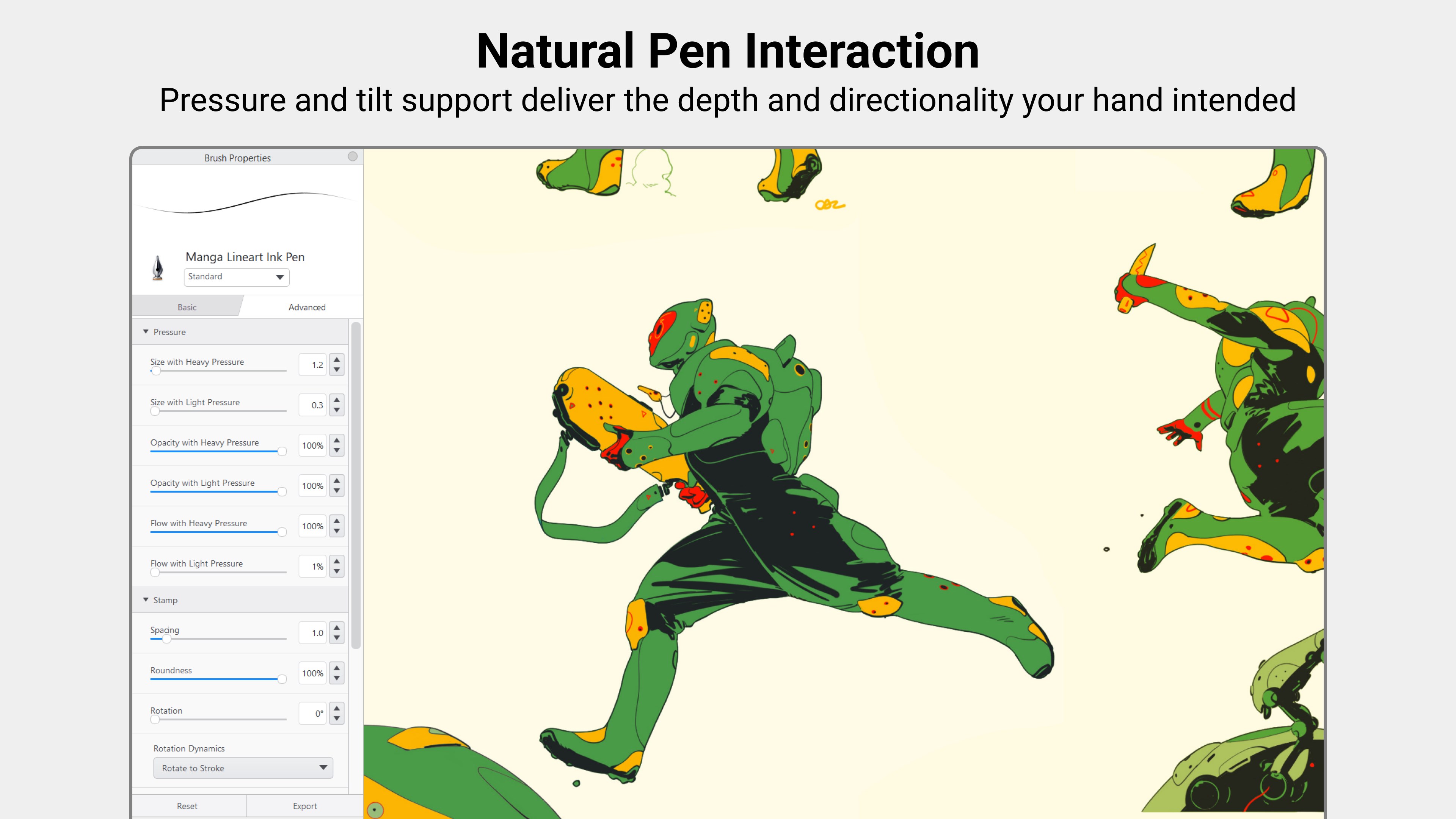
- Customization and Flexibility: Extensive pen and brush customization, supporting pressure sensitivity to suit individual artistry styles.
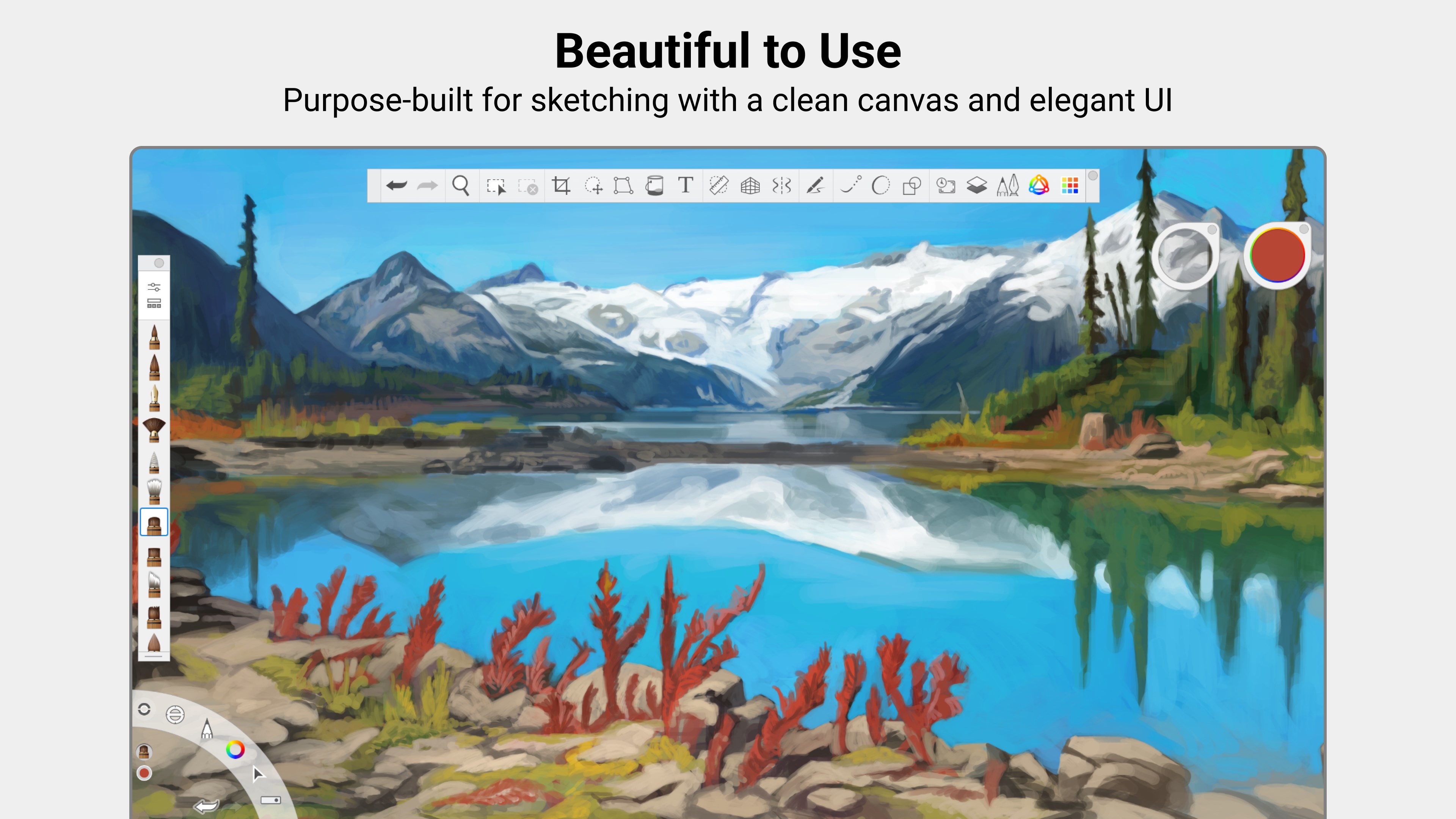
- Intuitive Interface: Clean layout with customizable workspace designed to minimize distractions and maximize productivity.
The app targets digital artists, illustrators, designers, and hobbyists eager to harness powerful tools without a steep learning curve, making it suitable for both beginners and experienced professionals.
An Artistic Playground with a Touch of Elegance
Imagine opening a stylish art studio where every brushstroke responds to your whimsy, where editing code is replaced with creating artwork. That's the essence Sketchbook Pro for Windows captures. Its sleek, modern interface dispels the fear of complicated menus, inviting you smoothly into your creative zone. The workspace is thoughtfully organized, giving artists quick access to brushes, layers, and tools, all while maintaining a clutter-free environment that sparks inspiration rather than chaos. The responsive performance breathes life into every stroke, ensuring your digital canvas feels as natural as working on paper – just with an added layer of infinite possibilities.
Core Features Explored in Depth
Brush Engine and Customization
The standout feature of Sketchbook Pro is its versatile brush engine. It offers a vast library of brushes that can be tweaked to mimic everything from watercolor washes to ink pens. But what truly sets it apart is its customization capability—artists can fine-tune brushes with a detailed menu for size, opacity, flow, and texture. This means your digital tools aren't just generic—they are an extension of your own hands. The pressure sensitivity support works seamlessly with styluses, making strokes feel fluid and responsive, perfectly capturing the nuances of your artistic gesture.
Layer Management & Masking
Layer control in Sketchbook Pro is both intuitive and robust. You can organize your artwork into multiple layers, each with its own blending mode, opacity control, and masking capabilities. This flexibility is vital for complex illustrations or editing, where non-destructive adjustments allow experimentation without fear of ruining your work. The layer stack is visually clear, and switching between layers is snappy, encouraging artists to think in terms of building their artwork step-by-step rather than rushing or feeling limited.
User Experience & Unique Advantages
The application's interface is designed with an emphasis on ease of use. Even novices can find their way around quickly, while experienced artists benefit from customization options that suit professional workflows. Compared to some other multimedia design apps, Sketchbook Pro's minimalistic approach cuts out unnecessary clutter, focusing instead on the essential tools that matter most. Its real standout feature is the natural drawing feel combined with versatile tools, making it feel less like manipulating a digital device and more like working with real media. This combination of responsiveness, customization, and clarity differentiates it from competitors like Krita or Clip Studio Paint, which can sometimes be overwhelming for new users.
Final Thoughts and Recommendations
In summary, Sketchbook Pro for Windows is a compelling choice for artists looking for a professionally capable yet approachable drawing app. Its natural brush responsiveness and flexible layer management are particularly impressive, providing a free-flowing creative environment. It's especially recommended for those who value a clean interface and a tool that feels like an extension of their hand. While it may lack some advanced features found in heavy-duty software like Photoshop or Corel Painter, it excels in providing a streamlined, high-performance experience tailored for digital sketching and illustration.
Overall, I would rate it a solid "Highly Recommended" for hobbyists and professionals alike. For anyone seeking a reliable digital canvas for brainstorming, sketching, or final illustrations, Sketchbook Pro for Windows deserves serious consideration—your creative adventure will thank you for it.
Pros
- User-friendly interface
- Wide range of brushes and tools
- High-resolution canvas support
- Layer management features
- Seamless cloud syncing
Cons
- Limited advanced features in the free version
- Occasional lag with complex artwork
- Basic file export options
- Learning curve for advanced tools
- Mobile version has fewer features than desktop











