

- Category Productivity
- Developer FlickApp
- Available on PC, Mobile, Surface Hub, HoloLens
- OS Windows 10 version 14393.0 or higher
- languages English (United States)
Streamlining Your Printing and Driver Management with Smart Printer & Drivers for Windows
In an age where efficiency and simplicity reign supreme, managing printers and drivers can often feel like navigating a digital jungle. Enter Smart Printer & Drivers for Windows—an app designed to turn what used to be a tedious task into a straightforward, almost effortless experience. Whether you're a busy professional, a student juggling multiple devices, or an office manager overseeing various printers, this application promises to be your digital ally in maintaining harmony between hardware and software.
Who's Behind the Curtain? The Developers and Core Features
Developed and published by FlickApp, this utility is tailored for Windows users seeking a smarter way to handle print tasks and driver updates. FlickApp has aimed to craft an intuitive tool that simplifies routine printer management while reducing technical hurdles. The main features that stand out include seamless driver updates, quick printer troubleshooting, and efficient workflow integration—all wrapped in an easy-to-navigate interface.
Why Should You Care? The App's Core Strengths
- Automated Driver Updates: Imagine never having to manually hunt down the latest drivers again. This app scans your system for outdated drivers and delivers timely updates, ensuring your printer always performs at its peak with minimal effort.
- One-Touch Troubleshooting: Encounter a printing hiccup? A few clicks and the tool diagnoses and attempts to fix common issues, saving you from the headaches of trial-and-error troubleshooting or digging through forums.
- Workflow Integration: Designed to slot into your daily routines effortlessly, it offers quick access and management options that harmonize with your existing system, reducing interruptions and keeping productivity flowing.
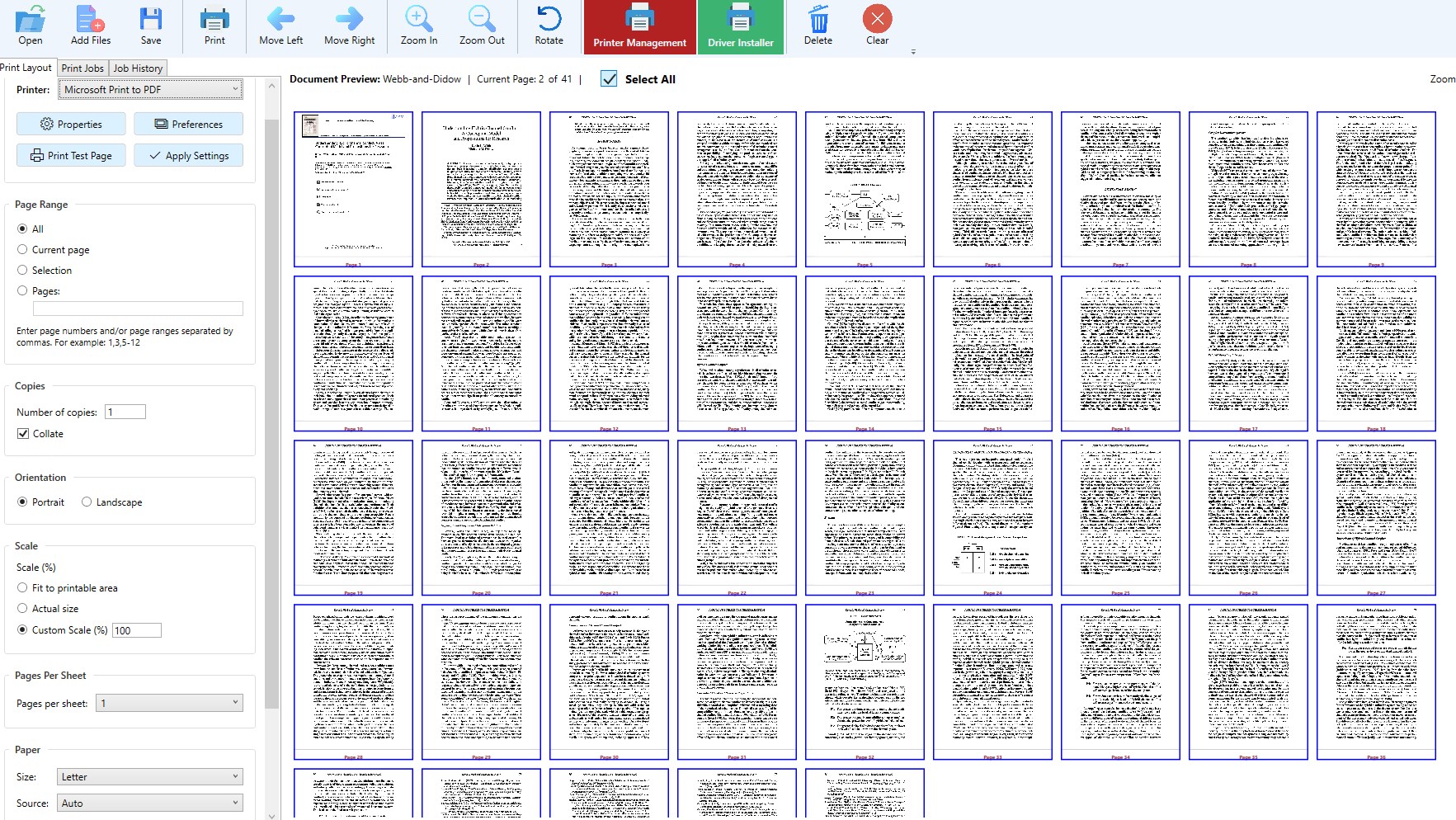
- Device Management Dashboard: Keep track of multiple printers, drivers, and statuses within a unified interface—simplifying management in multi-device environments, like an office or a classroom.
Experience and User Journey: Navigating the App's Interface and Performance
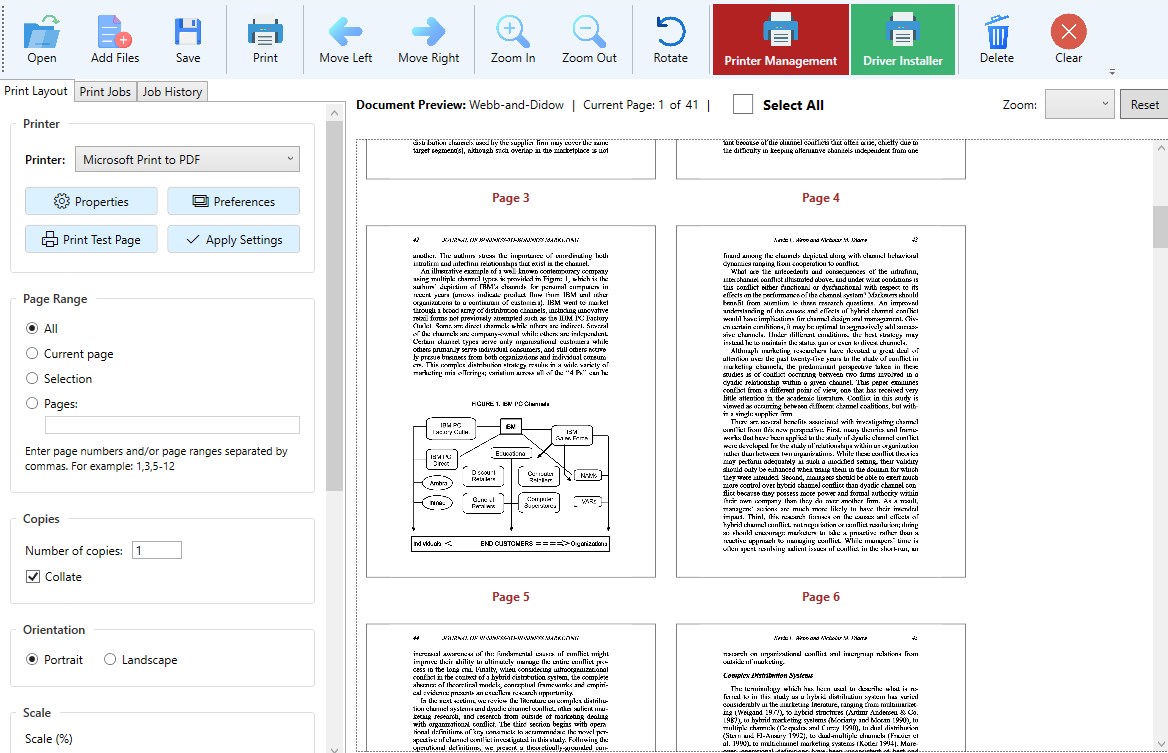
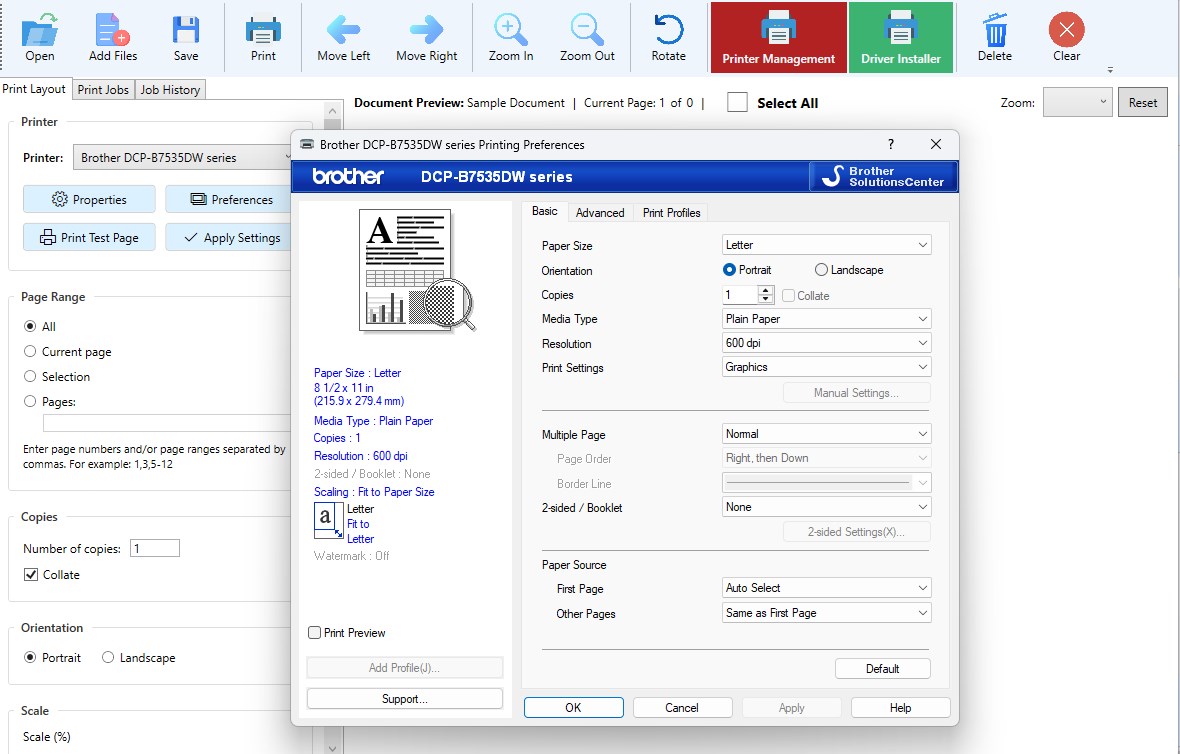
Right from the first launch, the app greets you with a clean, modern interface that feels more like a dashboard than a technical tool. The design uses crisp icons and intuitive menus, making navigation akin to flipping through a well-organized toolbox rather than deciphering a foreign language. The operation flow is remarkably fluid, with actions like scanning for driver updates or troubleshooting taking just a few seconds—no lag, no fuss.
For newcomers, the learning curve is gentle. The app's guided prompts and clear labels help users quickly grasp core functions without drowning in technical jargon. Even those with limited IT knowledge will find themselves managing printer drivers as easily as sending a quick email.
Standing Out in a Crowded Field
Compared to other productivity tools, Smart Printer & Drivers for Windows offers several distinguishing traits. Most notably, its emphasis on workflow efficiency sets it apart. Instead of a cluttered suite packed with features that might overwhelm the average user, this app sharpens its focus on reducing cognitive load. It automates tedious tasks like driver updates and diagnostics, freeing users from juggling multiple utilities or navigating complex setups. This approach minimizes mental fatigue and operational friction, transforming printer management from an obstacle into a seamless part of your workflow.
Additionally, its integration capability means it can work quietly in the background, providing essential updates and fixes without disrupting your tasks. This subtle yet effective approach ensures that users spend less time fixing problems and more time focusing on meaningful work.
Recommendations and Usage Suggestions
I'd recommend this app to anyone who regularly deals with printers—be it in a home office, school setting, or corporate environment—especially if you value reliability and ease of use over complex, feature-heavy solutions. It's particularly effective for those who prefer automation and minimal manual intervention.
For optimal results, pairing this app with a regular system check routine ensures your printers remain in top condition, reducing unforeseen downtimes. IT professionals managing multiple devices will also appreciate its centralized dashboard for monitoring and quick fixes.
In summary, if you're looking for a straightforward, reliable, and intelligently designed tool to handle printer driver updates and troubleshooting, Smart Printer & Drivers for Windows is worth adding to your digital toolbox. It transforms a potentially frustrating chore into a smooth, almost invisible part of your daily routine—like having a dedicated printer assistant at your fingertips.
Pros
- User-Friendly Interface
- Wide Printer Compatibility
- Automated Driver Updates
- Remote Printing Capability
- Regular Updates
Cons
- Occasional Printer Connection Failures
- Limited Customization Options
- Slow Driver Installation
- Occasional UI Bugs
- Limited Support for Older Printers











