
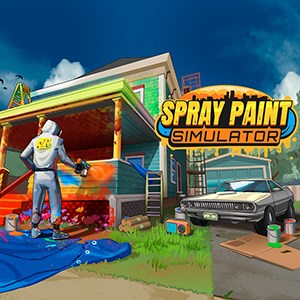
- Category Simulation
A Fresh Take on Creativity: Spray Paint Simulator for Windows
If you're someone who dreams of becoming a street artist or simply loves experimenting with colors and shapes, Spray Paint Simulator for Windows offers an engaging virtual canvas that captures the essence of graffiti art without stepping outside your door. Developed by Whitethorn Games, this application aims to blend artistic expression with simulation accuracy, allowing users to explore spray painting in a safe, controlled environment.
Core Features Highlight the Artistic Spirit
Realistic Spray Mechanics with Adjustable Settings
The game's standout feature is its meticulous replication of spray paint physics. Users can tweak nozzle pressure, spray distance, and paint flow, mimicking real-world spray cans. This precise control ensures that each spray renders with authentic texture and diffusion, making the virtual graffiti feel almost tangible. Whether you're creating thick bold lines or delicate details, the mechanics respond seamlessly to your inputs, elevating the artistic experience.
Intuitive User Interface and Creative Tools
Designed with a clean, user-friendly interface, Spray Paint Simulator makes setup and customization effortless. The palette offers a wide array of colors, with quick-access controls for switching between brushes, spray cans, and layering options. The drag-and-drop simplicity helps beginners get started quickly, while still offering depth for more experienced users to experiment and refine their designs. The intuitive interface encourages spontaneous creativity without the frustration of complex menus.
Variety of Virtual Surfaces and Environments
The application features a selection of different surfaces—walls, cars, large canvases—each with unique textures that respond differently to spray strokes. This variability allows users to practice on various materials and understand how spray paint interacts with different surfaces, enhancing the realism. Furthermore, different lighting conditions and backgrounds add an immersive dimension, making the digital environment feel lively and authentic.
Assessing User Experience and Unique Selling Points
The interface design strikes a balance between simplicity for newcomers and depth for seasoned artists, akin to a well-organized art studio that inspires creativity. Fluidity is another core strength—drawing, filling, erasing, and layering flow smoothly, enabling users to focus purely on their art without technical distractions. Learning curves are gentle, as basic functions are accessible immediately, while advanced options gradually reveal themselves as users grow more confident.
Compared to similar simulation apps, Spray Paint Simulator distinguishes itself primarily through the realism of its physics and the transferability of skills. The physics engine does not just approximate; it closely mimics how paint drips, spreads, and interacts with different surfaces. For artists and students, this provides valuable insights into actual spray techniques, making it more than just a game but a learning tool that bridges digital and real-world art skills.
One of its most compelling aspects is how it supports experimentation—creating complex compositions, testing colors, and understanding spray behavior—all within a safe virtual environment. This makes it particularly appealing to aspiring graffiti artists who want to hone their craft without hazards or legal consequences.
Final Thoughts: Is It Worth Your Time?
In conclusion, Spray Paint Simulator for Windows offers a well-rounded, realistic, and accessible platform for digital graffiti creation. Its most notable features—particularly the realistic physics and surface interactions—set it apart from more generic coloring or painting apps. The tool fosters learning and experimentation, making it suitable for beginners eager to explore street art or even seasoned artists seeking a digital sketchpad.
While it may not replace real-world spray cans for serious mural work, it provides an excellent practice field that enhances understanding of spray mechanics and surface dynamics. Overall, I recommend this application to creative individuals looking for a sophisticated yet user-friendly graffiti simulation experience. Start your virtual spray can journey today, and discover how digital art can be as captivating and nuanced as the real thing.
Pros
- Intuitive interface
- Realistic spray effects
- Variety of colors and tools
- Smooth performance on most devices
- Educational potential
Cons
- Limited tutorials or guidance
- Occasional spray inaccuracies
- Limited canvas sizes
- Lack of multiplayer features
- Graphics could be more detailed











