
Frequently Asked Questions
How do I set Stars at Night as my desktop wallpaper?
Download and install the app, then select your preferred theme from the interface and click 'Apply' to set it as your desktop wallpaper.
Can I customize the time-lapse images in the app?
Stars at Night provides pre-made themes; customization options are limited. You can choose different themes via Settings > Themes.
What are the core features of Stars at Night?
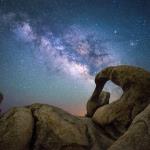
It offers stunning time-lapse landscape images blending night sky and terrain, with 19 different themes to enhance your desktop background.
How often are new themes added or updated?
Currently, the app includes 19 themes; updates depend on developer releases. Check Settings > About for update notifications.
Is there a feature to preview themes before applying?
Yes, you can preview each theme in the app interface before applying them to your desktop.
Are there any in-app purchases or premium features?
Stars at Night is free with all 19 themes included. No additional purchases are required for core features.
How do I upgrade to a premium version if available?
Currently, all themes are free; if future premium options are added, you can upgrade via Settings > Account > Subscriptions.
What should I do if the app isn't applying the wallpaper correctly?
Try restarting your device or reapplying the theme through Settings > Themes. Ensure your desktop background permissions are enabled.
You May Like

Blooming Dimensions
for Windows
5
Monotype Handwriting Font Pack
for Windows
5
Hues of Nature
for Windows
5
Dreamscapes
for Windows
5
Tales of the Teenage Mutant Ninja Turtles Theme
for Windows
5
Neon Dreams
for Windows
4.9
Cats Anytime
for Windows
4.9
Japanese Landscapes
for Windows
4.9
Sun and Sand
for Windows
4.9
Live Wallpaper Engine Plus
for Windows
4.8
Chicks and Bunnies
for Windows
4.8
Mountain Dwellings
for Windows
4.8