
- Category Business
- Available on PC, Mobile, Surface Hub, HoloLens
- OS Windows 10 version 17763.0 or higher
- Keyboard Integrated Keyboard
- Mouse Integrated Mouse
- languages English (United States)
Tax2PDF for Windows: Your Reliable Tax Document Companion
In the world of managing taxes digitally, Tax2PDF for Windows stands out as a straightforward yet potent tool designed to streamline your tax document conversions. Developed by SM Software, this application caters to professionals and individuals alike who seek a hassle-free way to convert various tax-related files into PDF format with ease and accuracy.
Essential Details at a Glance
Positioning and Core Highlights
Tax2PDF is a dedicated Windows application tailored to convert diverse tax documents seamlessly into PDF, ensuring compliance and ease of sharing.
- Developer: SM Software
- Main Features: Multi-format conversion capability, batch processing for efficiency, and preservation of document integrity during conversions.
- Target Audience: Tax professionals, accountants, small business owners, and anyone needing reliable PDF conversions of tax-related files.
A Closer Look: Elevating Your Tax Workflow
A User-Friendly Interface That Escorts You Effortlessly
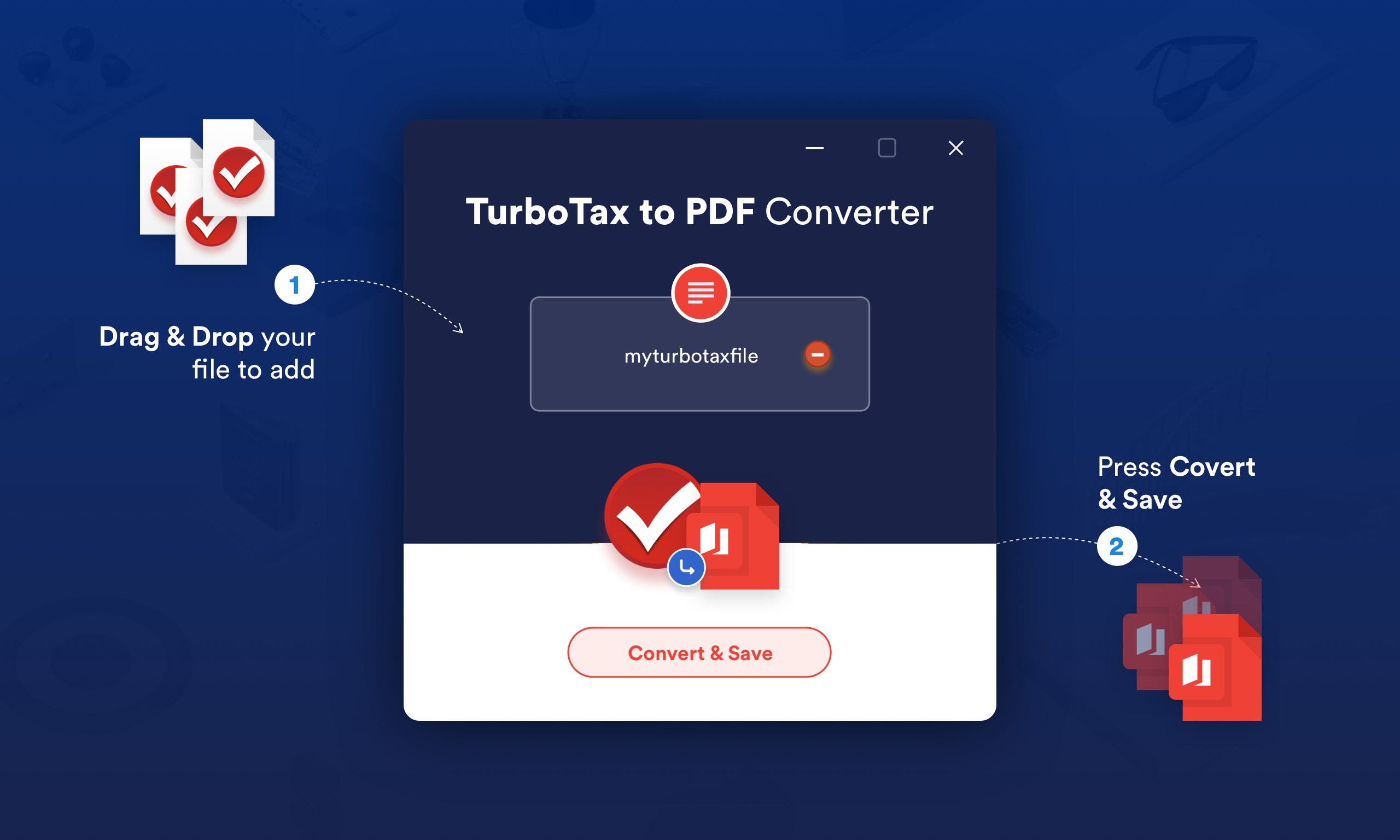
From the moment you launch Tax2PDF, its clean and intuitive interface invites you in like a friendly guide. The straightforward layout minimizes clutter, allowing users to focus on their core task—converting files without fuss. Navigating through options feels natural, akin to having a helpful assistant at your side, explaining each step clearly. For newcomers, the learning curve is gentle, almost like unfolding a familiar map that leads you straight to your destination.
Powerful Conversion Capabilities That Actually Deliver
The heart of Tax2PDF lies in its robust conversion engine. Supporting a variety of source formats—such as DOCX, XLSX, and image files—it ensures that whether you're dealing with invoices, spreadsheets, or scanned receipts, the output is consistently high-quality PDF. A standout feature is batch processing; you can convert multiple files at once, much like a well-oiled assembly line, saving you valuable time during busy tax season. Additionally, the app maintains the original formatting, font styles, and layout, making sure the final PDFs look professional and faithful to the original documents.
Effortless User Experience and Unique Differentiators
Beyond basic functionality, Tax2PDF excels in providing a smooth and responsive user experience. Transitions between tasks are quick, and operations are reliably snag-free—imagine gliding smoothly on a well-paved road. Unlike many competitors that may require complex configurations, this app emphasizes simplicity, making it accessible for users of all tech levels.
What truly sets Tax2PDF apart is its focus on batch processing combined with its capacity to preserve detailed formatting—a crucial factor when dealing with tax documents that demand precision. Moreover, its ability to handle a variety of input formats makes it a versatile tool in your tax toolkit. When comparing it with other business applications, Tax2PDF's specialization in accurate, multi-format PDF conversion and its user-centric design stand out as notable advantages—especially for users who need to process multiple documents swiftly without sacrificing quality.
Should You Give It a Try? Recommendations and Usage Tips
If you're frequently dealing with tax documents that need to be converted into a shareable, standard PDF, Tax2PDF is a solid choice. Its combination of simplicity and power makes it suitable for both seasoned accountants and everyday users. For optimal use, organize your files in batches beforehand and utilize the app's batch processing feature; it's like setting up stations on an assembly line, maximizing efficiency.
While it may lack some advanced editing features found in more comprehensive PDF editors, for the core task of file conversion, Tax2PDF performs reliably and with remarkable fidelity. I'd recommend this app to anyone looking for a dependable, no-nonsense tool to simplify tax document management—it's like having a dependable trusty sidekick for your financial paperwork.
Pros
- User-Friendly Interface
- Fast Conversion Speed
- Reliable Output Quality
- Supported File Formats
- Lightweight App
Cons
- Limited Customization Options
- Occasional Conversion Errors
- Lack of Batch Processing Support
- Minimal Offline Functionality
- Basic Security Features











