

- Category Social
- Available on PC
- OS Windows 10 version 19041.0 or higher
- Memory 2 GB
- languages English (United States)
Meet Threads: Instagram's Fresh Take on Windows Social Connectivity
Threads for Windows is a new social media app crafted by Instagram to bridge the gap between mobile-centric sharing and desktop browsing, offering a seamless way to stay connected with your friends and community right from your PC. With its sleek design and thoughtful features, it aims to enhance your social experience on a platform you already love.
Basic Information: What's in the Box?
Threads for Windows positions itself as a dedicated companion to Instagram, focusing on real-time updates and effortless sharing. Developed by Instagram, a part of Meta Platforms, the app brings the social network's vibrant community to the desktop environment.
- Main features highlights:
- Fast and responsive interface designed for Windows users
- Real-time feed updates for instant content consumption
- Direct messaging and multimedia sharing optimized for desktop use
- Enhanced connection discovery tailored for PC browsing
- Target audience: Primarily aimed at social media enthusiasts, influencers, and casual users who prefer managing their Instagram interactions via a bigger screen and keyboard, including individuals who value seamless connectivity and improved content management on Windows devices.
A Fresh Perspective on Social Media—A Promising New Chapter
Imagine sitting comfortably at your desk, coffee in hand, scrolling through your favorite social channel without feeling cramped by a tiny mobile screen. That's where Threads for Windows shines—transforming the way we engage with Instagram by offering a desktop experience that feels natural, intuitive, and refreshingly smooth. From the moment you launch the app, you'll notice a crisp, modern interface that echoes Instagram's mobile aesthetics, but with the added advantage of larger real estate for exploration and interaction.
Core Features Jump into Focus
Streamlined Content Feed and Notification System
The heartbeat of any social app is its feed, and Threads for Windows handles it with grace. The app delivers real-time updates, ensuring your content stays fresh and relevant. Designed with a clean layout, it allows quick scrolling, double-tapping, and easy engagement. Notifications pop up unobtrusively, so you're always in the loop without feeling overwhelmed—a vital feature for maintaining a natural flow of interaction throughout your workday or leisure time.
Enhanced Connection Discovery and User Interaction
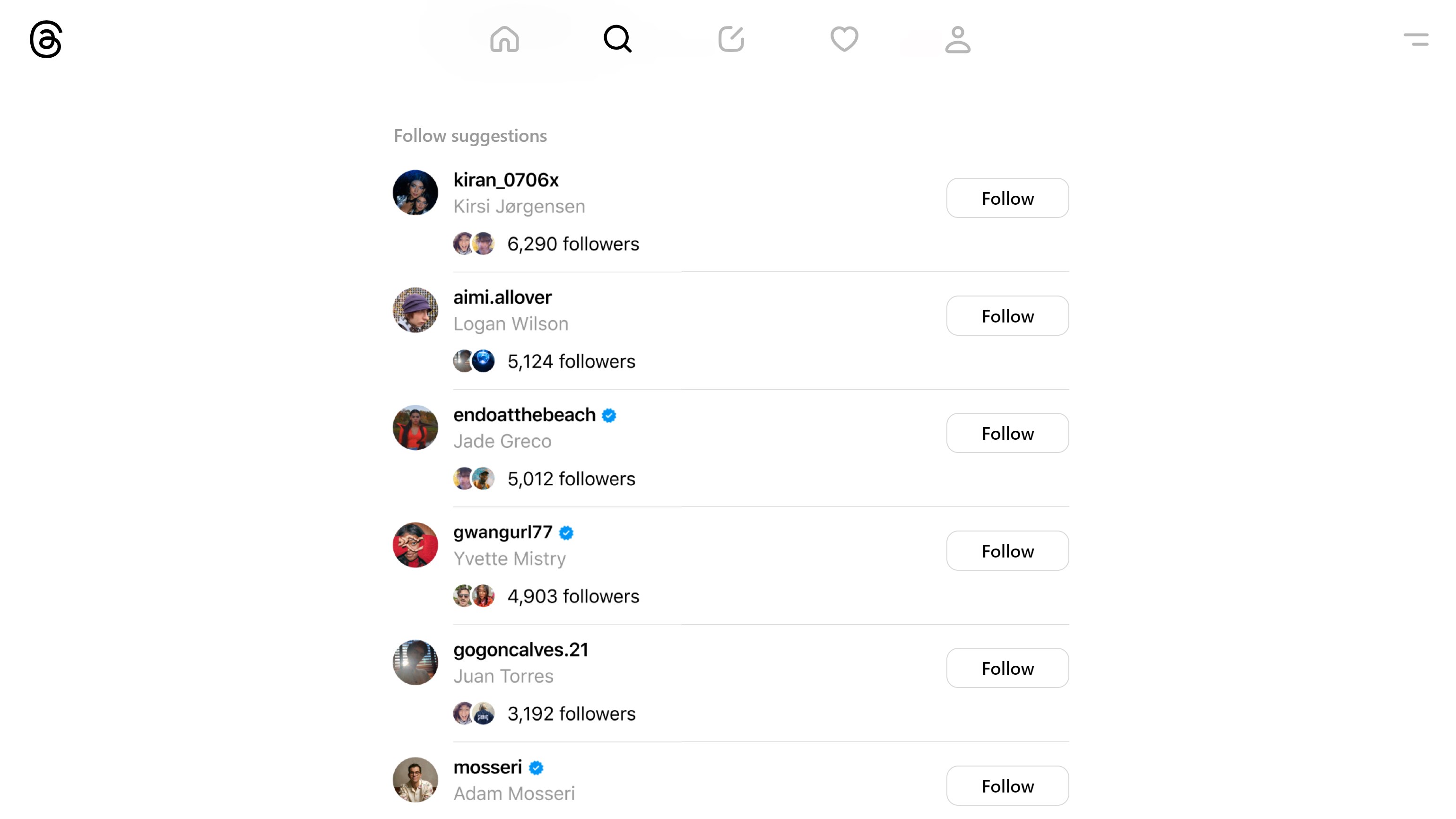
One of the standout attributes of Threads is its focus on connection discovery. Unlike traditional social platforms that rely heavily on random explorations or manual searches, Threads intelligently suggest your contacts, friends, or new followings based on your activity and preferences. This feature, combined with simplified direct messaging that supports multimedia sharing, makes chatting lively and effortless. The app cultivates a sense of authenticity, emphasizing real interactions over superficial engagement.
Intuitive Interface and User Experience
The app's design strikes a perfect balance—think of it as a finely tailored suit that's both sleek and comfortable. Navigation feels natural, with familiar icons and minimal clutter. The responsiveness of the interface ensures a fluid experience; clicking, scrolling, and typing are buttery smooth, making it easier for users to get into their groove without a steep learning curve. Even those less tech-savvy will find themselves comfortable, thanks to thoughtfully arranged menus and clear visual cues.
What Makes Threads Distinct? The Two Gems
While multiple social apps crowd the market, Threads offers two particularly notable advantages:
- User Profile Customization & Authenticity: Unlike many platforms that merely allow superficial profile edits, Threads emphasizes genuine personalization and verification, helping users present a more authentic and trustworthy identity. This focus on authenticity encourages meaningful exchanges, reducing spam or fake profiles that often dilute user experiences elsewhere.
- Connection Discovery: The app's smart algorithms create a more curated and relevant discovery process. Users are guided toward connections that match their interests and activity, fostering a community that feels both personal and engaging—much like finding your tribe in a bustling digital metropolis.
Final Verdict: Worth a Spot on Your Desktop?
All told, Threads for Windows is a promising addition to the social media landscape, especially if you spend significant time on Instagram and want a more accessible, comfortable interface for your daily interactions. Its main strengths lie in authentic user profiles and intelligent connection discovery, making it a compelling choice for those seeking genuine engagement rather than superficial scrolling.
We recommend giving it a try if you're looking to streamline your social experience or prefer managing your Instagram community from your desktop. While it's not a complete replacement for the mobile app, it acts as a useful companion, enhancing overall connectivity and content management—think of it as a friendly digital hub that keeps your social world within arm's reach.
Pros
- User-friendly Interface
- Real-time Updates
- Strong Integration with Instagram
- Enhanced Privacy Settings
- Fast Performance
Cons
- Limited Features Compared to Instagram
- Occasional App Crashes
- Resource Consumption
- Limited Content Customization Options
- Language Support is Limited










