
- Category Productivity
- Developer Peter Foot
- Available on PC
- OS Windows 10 version 20000.0 or higher
- Keyboard Not specified
- Mouse Not specified
- languages English (United Kingdom), English (United States)
Thy Phone for Windows: Bridging Your Mobile and Desktop Worlds
Thy Phone for Windows is a seamless application designed to connect your Android device directly to your Windows PC, enabling smooth data sharing and notification management without the hassle of complex setups orThird-party cloud solutions. Developed by Peter Foot and published by In The Hand Ltd, this app aims to simplify your workflow and keep you effortlessly connected.
Key Features That Make Your Life Easier
1. Instant Notification Mirroring
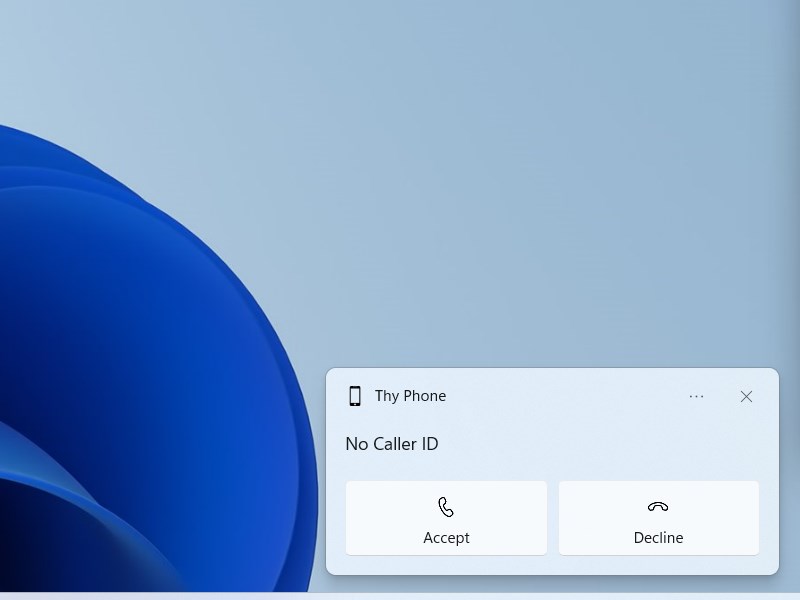
Imagine your PC acting as an extended dashboard for your Android device—receiving call alerts, messages, and app notifications right on your Windows desktop. Thy Phone for Windows brings real-time notifications, allowing you to stay updated without switching screens. This feature helps reduce the cognitive load by consolidating essential alerts into a single, centralized platform, making interruptions less disruptive and multitasking more intuitive.
2. Seamless Photo and Media Transfer
Ever felt the frustration of transferring photos or videos from your phone to your PC? Thy Phone simplifies this with direct, wireless media transfer—akin to having a personal courier at your fingertips. You can browse and copy media files effortlessly, streamlining your workflow especially when preparing presentations or archiving memories. Its straightforward interface ensures even those less tech-savvy can perform transfers with confidence, reducing hesitation and learning time.
3. Messages and Call Management
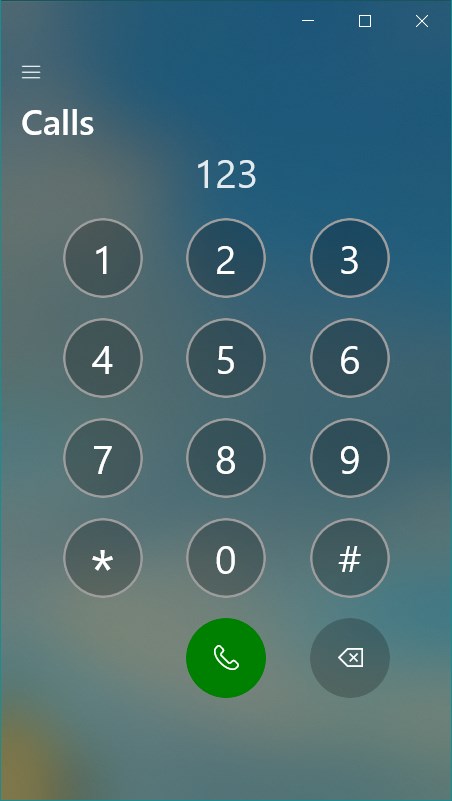
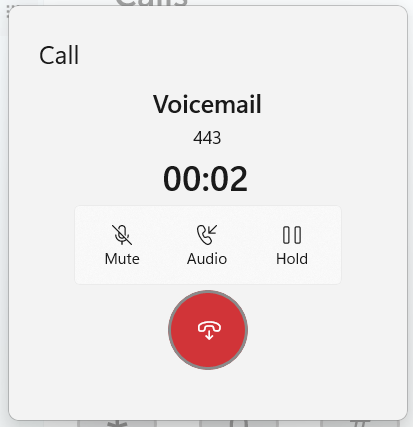
Much like having a virtual secretary, the app allows you to read, reply, and manage messages directly from your PC. Incoming calls can be answered or declined through your computer screen, making multitasking during busy workdays more fluid. This feature diminishes workflow interruptions and helps maintain focus, especially valuable for professionals juggling multiple tasks. Unlike many productivity tools, Thy Phone's tight integration with Android ensures reliable, immediate communication management with minimal user effort.
User Experience and Design: Easy, Efficient, and Pleasant
The interface of Thy Phone for Windows strikes a clean, modern balance—similar to a well-organized workspace—where everything is intuitively placed, reducing the need to search or learn complex commands. Setup is straightforward: connect your Android device via Bluetooth or Wi-Fi, and within moments, the app syncs. The responsiveness is impressive; transitions and data transfers happen smoothly, akin to gliding on a well-oiled conveyor belt. Users new to such integrations will find the learning curve gentle, thanks to clear instructions and logical navigation.
Distinctive Advantages Over Similar Productivity Tools
While many apps claim to connect smartphones to PCs, Thy Phone for Windows distinguishes itself by prioritizing workflow efficiency and lowering cognitive load. Its design focuses on reducing unnecessary features that complicate user experience. Unlike comprehensive solutions that bombard users with options, this app emphasizes core functionalities—notification syncing, media transfer, and messaging—executed with minimal steps. This streamlined approach enhances productivity by providing quick, focused access, similar to having a dedicated assistant that anticipates your essential needs, rather than overwhelming you with options.
Final Thoughts and Recommendations
All in all, Thy Phone for Windows serves as a trustworthy companion for anyone looking to harmonize their mobile and desktop environments. It's particularly recommended for professionals who need quick access to notifications, media, and messaging without switching devices or apps. If your workflow demands efficiency and simplicity, this app deserves a spot on your toolbox. Though it might not replace more comprehensive management suites, its focus on key features makes it a lightweight yet reliable solution to keep your digital life seamlessly connected.
Pros
- Seamless Android and Windows integration
- User-friendly interface
- Quick app installation and setup
- Supports notifications syncing
- Regular updates and improvements
Cons
- Limited app compatibility
- Initial setup can be slow
- Occasional connectivity issues
- Limited features on non-Windows devices
- Some features require latest OS updates











