
Frequently Asked Questions
How do I start a new game and understand the basic gameplay?
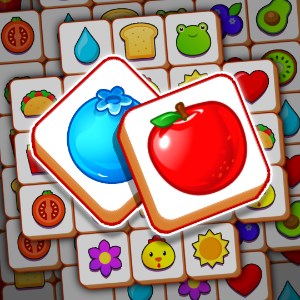
Open the app, tap 'Play', and you'll see a board with tiles. Your goal is to find three matching tiles and tap to collect them. No prior setup is needed to begin.
Can I play the game without any time limits?
Yes, the game allows you to play at your own pace without any time restrictions. Simply select your levels and enjoy matching tiles freely.
How do I find and match the same tiles effectively?
Look for three identical tiles on the board, tap to select them, and they will move to the collection bar. Matching tiles clear space and increase your score.
What are the key features that help me when I am stuck?
You can use 'Hints' available in the game to get suggestions on matching tiles. Access hints from the bottom menu whenever needed.
How do I shuffle tiles or undo my last move?
Tap the 'Shuffle' button to rearrange tiles or the 'Undo' button to take back your last move, both found in the game interface for better strategy.
Does the game support multiple languages and how do I change it?
Yes, you can change languages via Settings > Language. Choose from options like English, Spanish, French, and more to customize your experience.
Are there in-app purchases or subscriptions I should be aware of?
Yes, the game offers optional in-app purchases for power-ups and ad removal. You can manage subscriptions in Settings > Account > Subscriptions.
How can I access premium features or remove ads?
Go to Settings > Account > Subscriptions to purchase premium upgrades or ad-free versions for an enhanced gaming experience.
What should I do if the game crashes or has technical issues?
Try restarting your device or reinstalling the app. If problems persist, contact support via Settings > Help & Support for assistance.
You May Like

Clockmaker: Match 3 Puzzle Games
for Windows
4.9
Zoo Life: Animal Park Game
for Windows
4.9
Snood Original
for Windows
4.9
Roller Coaster Life: Theme Park
for Windows
4.8
Build a City: Community Town
for Windows
4.8
Zoo Island: Wild Family Park
for Windows
4.8
WordGuess
for Windows
4.8
City Island 4 - Town Sim: Village Builder
for Windows
4.7
City Island 6: Building Town
for Windows
4.7
Strongblade - Match 3 Puzzle Game
for Windows
4.7
Microsoft Mahjong
for Windows
4.7
Cradle of Maya: Match 3 Adventure
for Windows
4.7