
Frequently Asked Questions
How do I start playing Top Eleven 2026 as a new user?
Download the app, select 'Quick Start,' and follow the prompts to create your club, sign players, and begin managing your team seamlessly.
How can I customize my stadium in Top Eleven 2026?
Tap on 'Campus' feature from the main menu, then choose 'Stadium Customization' to modify its look and feel with available options.
What are Surges and how do they work in motivating my players?
Surges are powerful boosts you activate during matches to motivate players, increasing their performance and the chance of winning. Access them via the 'Fan Engagement' menu during events.
How do I participate in competitions and tournaments?
Join competitions through the 'Seasons' tab, where you can enter up to 3 events per 28-day season to earn trophies and rewards.
How do I sign new players in the real-time auctions?
Go to the 'Transfers' menu, access 'Auctions,' bid on players during live bidding events, and successfully sign your preferred soccer stars.
How can I join or create an association with friends?
Tap on 'Clubs,' select 'Create or Join' in the 'Associations' section, then invite friends or search for existing groups to compete together.
Are there in-game purchases, and how do I disable them?
Yes, optional purchases are available. To disable, go to your device Settings > Apps > Top Eleven > In-app Purchases, and turn off the feature.
What should I do if I experience login issues or app crashes?
Try restarting your device, ensure your app is updated, and check your internet connection. If problems persist, contact support via the 'Help' section in settings.
Can I play Top Eleven 2026 offline?
Most features require internet access for live matches and events. Some offline options include managing your club settings and training players.
Are there any subscription options or premium features in Top Eleven 2026?
The game is free to play, with optional in-game purchases for items and boosts. To view or manage, go to Settings > In-App Purchases within the app.
You May Like

eFootball™
for Windows
4.7
Top Eleven Be a Soccer Manager
for Windows
4.6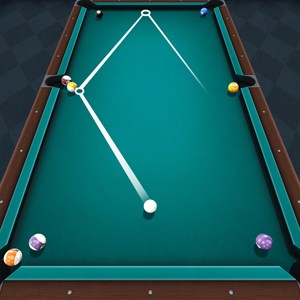
Pool Billiard Championship
for Windows
4.5
Golf Rival - Multiplayer Game
for Windows
4.4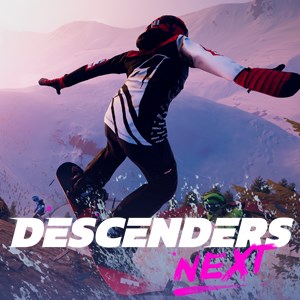
Descenders Next (Game Preview)
for Windows
4.2
Shredders
for Windows
4
ESPN
for Windows
3.9
Galaxy Bowling
for Windows
3.3
Race Monitor
for Windows
3.2
MyWhoosh HD
for Windows
3.2
Cricket 24: The Official Game Of The Ashes
for Windows
3.2
REMATCH
for Windows
3.2