

- Category Business
- Available on PC
- OS Windows 10 version 14316.0 or higher
- languages English (United States)
Clear and Sticky: An Introduction to Transparent Sticky Notes for Windows
Imagine having a set of digital sticky notes that seamlessly blend into your desktop environment, providing quick reminders and collaborative features without cluttering your workspace. That's exactly what Transparent Sticky Notes for Windows aims to deliver—an unobtrusive yet powerful way to manage your notes, especially suited for those who value aesthetic minimalism paired with functionality.
Who's Behind the Curtain?
Developed by LiHe, this application is part of an emerging wave of productivity tools designed for modern Windows users. With a focus on simplicity and efficiency, LiHe crafts software that enhances everyday workflows without overwhelming users with complex interfaces or unnecessary features.
Top Highlights: What Makes This App Stand Out?
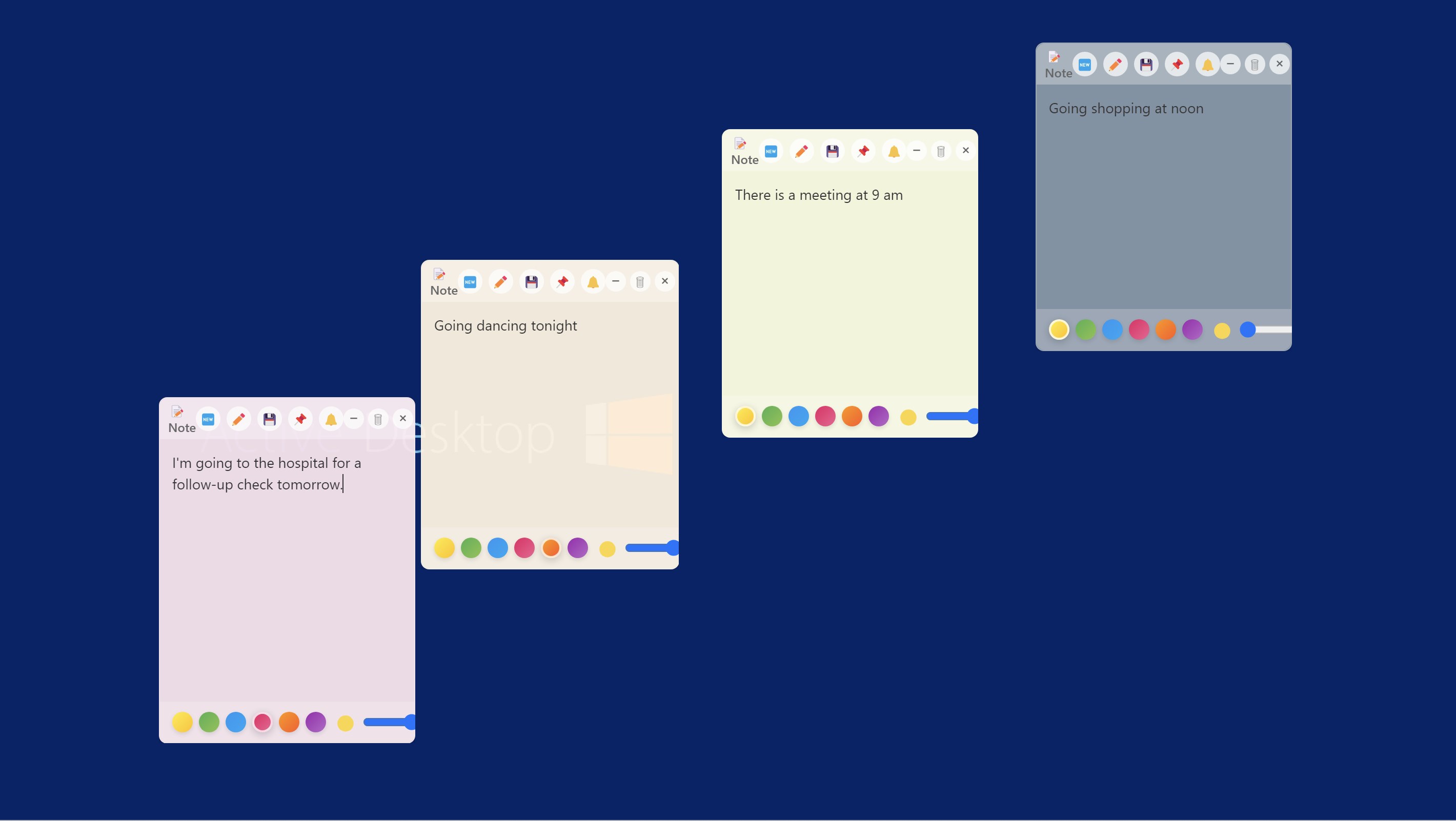
- Transparency and Customization: The core feature of this app is its transparent background, allowing notes to hover over your desktop like whispers rather than loud blocks—perfect for maintaining an aesthetic balance.
- Multi-Note Management: Users can create multiple sticky notes, each customizable in size, color, and content, providing a flexible digital canvas for different needs—be it quick reminders, project notes, or snippets of information.
- Lightweight and Non-Intrusive: Unlike bulky desk management apps, this one runs quietly in the background, conserving system resources and keeping your workspace clean and organized.
- Easy-to-Use Interface: Streamlined and intuitive, it caters both to tech-savvy professionals and casual users seeking a straightforward note-taking experience.
Delving into the User Experience
Design and Visual Appeal
The interface of Transparent Sticky Notes for Windows is a breath of fresh air. Its minimalist design expands the potential for customization—think of it as a set of delicate, floating paper notes that you can tweak to match your workflow. The transparency feature allows notes to seamlessly integrate into the desktop scenery, making your workspace feel less cluttered and more elegant.
Ease of Operation and Fluidity
Using this app is akin to gliding a marker across a glass surface—smooth, effortless, and satisfying. Creating, editing, and moving notes requires just a few clicks, with almost no lag or hiccups. The app's responsiveness ensures that even when handling multiple notes, your workflow remains uninterrupted.
Learning Curve and User Engagement
For first-time users, the onboarding process is straightforward, thanks to a clean layout and clear options. There's little need to consult a manual; instead, you can dive right in and start your note-taking journey. Over time, discovering advanced options like resizing or color tweaking adds to the app's charm without feeling overwhelming.
Standing Out in a Crowd: Collaborate and Manage Tasks
Unlike many traditional sticky note apps, Transparent Sticky Notes for Windows subtly integrates features conducive to collaborative work. While it isn't a full-fledged task management suite, it allows users to share note files or export notes—making teamwork more seamless. Its transparency and visual clarity foster a shared understanding during group projects, where notes act as visual cues rather than intrusive pop-ups. When compared to other business-oriented applications, this app's strength lies in its unobtrusive nature combined with quick accessibility, allowing teams to keep critical info visible without cluttering digital workspaces.
Final Thoughts: Is It Worth Your Click?
All in all, Transparent Sticky Notes for Windows presents itself as a refined module in digital note management—particularly for users who appreciate subtlety and aesthetics. Its standout features—transparency and simplicity—make it a practical choice for individuals and small teams alike. I'd recommend giving it a try if you're seeking a lightweight, visually sleek way to keep your thoughts organized, especially if you often juggle multiple tasks visually. While it might not replace comprehensive project management tools, it's an efficient companion for daily reminders and spontaneous notes, quietly enhancing your productivity without shouting for attention.
Pros
- Intuitive Sticky Note Interface
- Transparent Background Customization
- Multiple Note Support
- Synchronization Across Devices
- Lightweight and Fast Performance
Cons
- Limited Editing Features
- No Search Functionality
- Basic Customization Options
- Syncing Delay
- Limited Export Options










