


- Category Security
- Available on PC
- OS Windows 10 version 0.0 or higher
- Memory 2 GB
- languages English, Chinese (Traditional Chinese), Danish, Dutch, French, German, Indonesian, Italian, Korean, Norwegian, Portuguese, Russian, Spanish, Swedish, Thai, Turkish, Vietnamese
Overview: A Reliable Shield for Your Digital Life
Trend Micro Internet Security for Windows is a comprehensive cybersecurity solution designed to safeguard your personal data and online presence. With a reputation for robust protection and user-friendly features, this application aims to create an invisible yet sturdy barrier between your device and the digital threats lurking in the cyber world.
Devoted Developers: Who's Behind the Shield?
Developed by Trend Micro Inc., a globally recognized cybersecurity firm with decades of experience, the application benefits from cutting-edge security research and an extensive threat intelligence network. Their commitment is to deliver user-centric security solutions that adapt to evolving cyber threats.
Key Features That Make a Difference
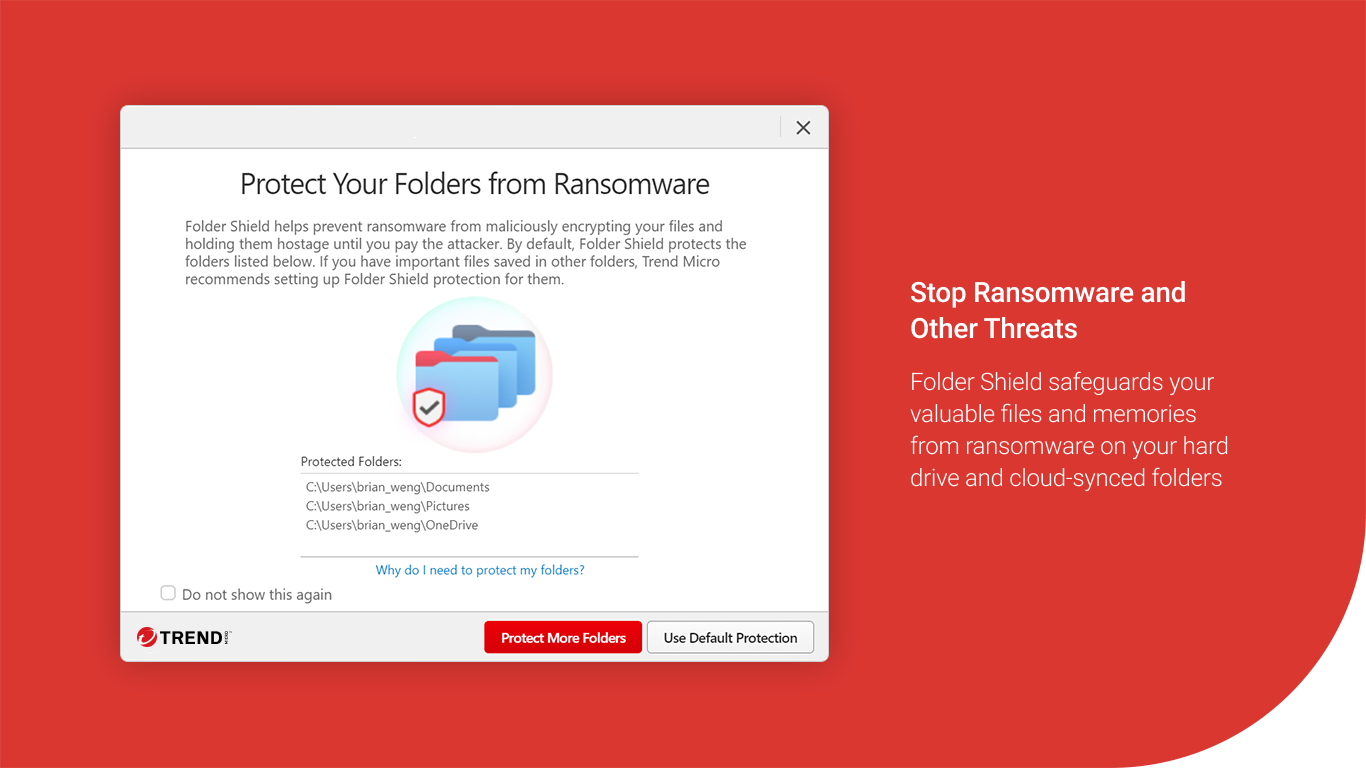
- Real-Time Threat Detection and Blocking: Continuously monitors your system for malware, ransomware, phishing attempts, and other cyber threats, proactively blocking malicious activity before it can cause harm.
- Privacy Protection and Data Security: Protects sensitive information with features like Safe Browsing, anti-phishing, and Wi-Fi security tools, ensuring your online activities remain confidential.
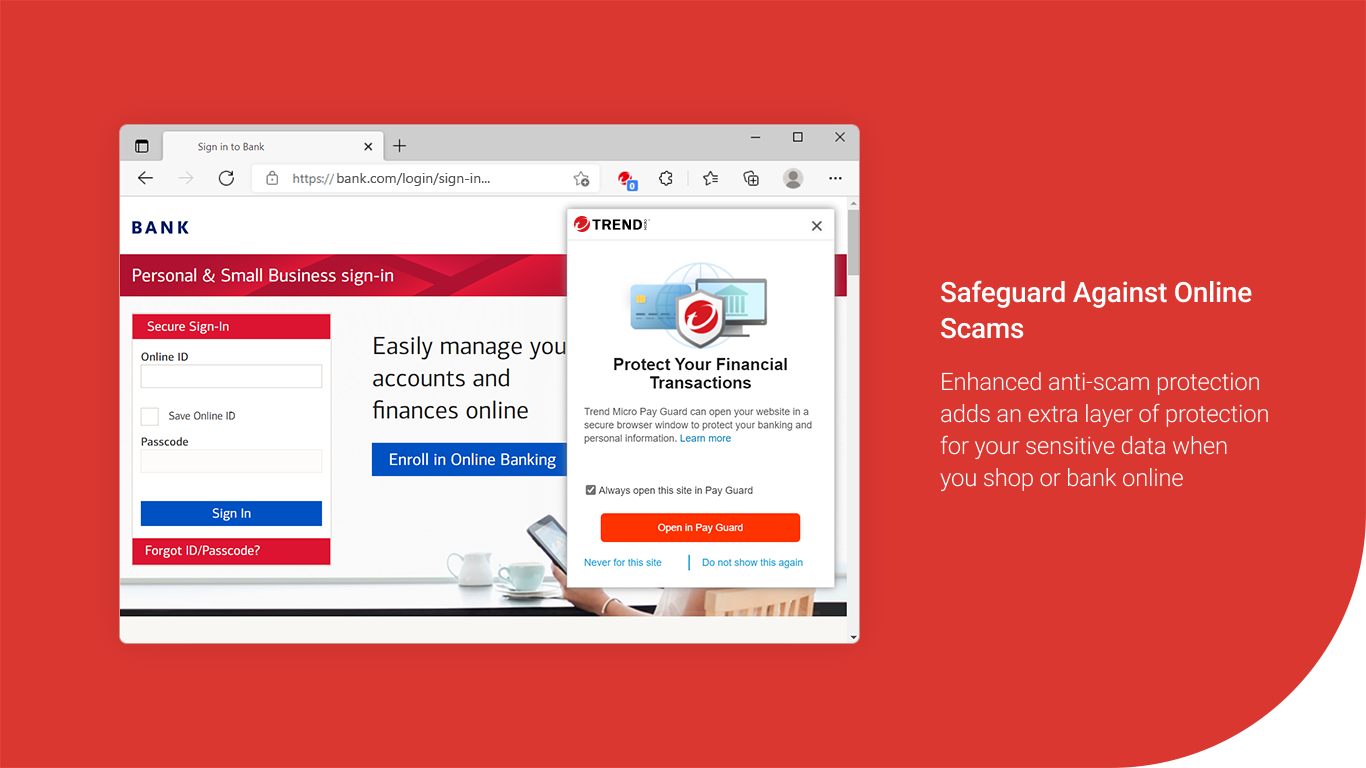
- Safe Digital Payments: Provides a secure environment for online transactions with a dedicated payment shield, giving you peace of mind during financial activities.
- Device Optimization & Performance: Offers tools that help keep your system running smoothly by managing startup items and removing unnecessary files, all while maintaining security.
Targeted mainly at individual users, families, and small businesses, this app balances robust security with simplicity, making it approachable for those who may not be cybersecurity experts but want reliable protection.
A Friendly yet Powerful Guardian for Your Windows PC
Imagine your PC as a castle; Trend Micro Internet Security acts as the vigilant knight, ever on watch for intruders. Setting up the software is straightforward—almost like unlocking a trusted door—and once inside, you'll discover a clean, organized interface that invites exploration rather than intimidation. Navigating through its dashboard is smooth, like cruising down a well-maintained highway, with instant access to critical functions and minimal learning curve.
Core Functionality Deep Dive
Shielding Against Cyber Threats
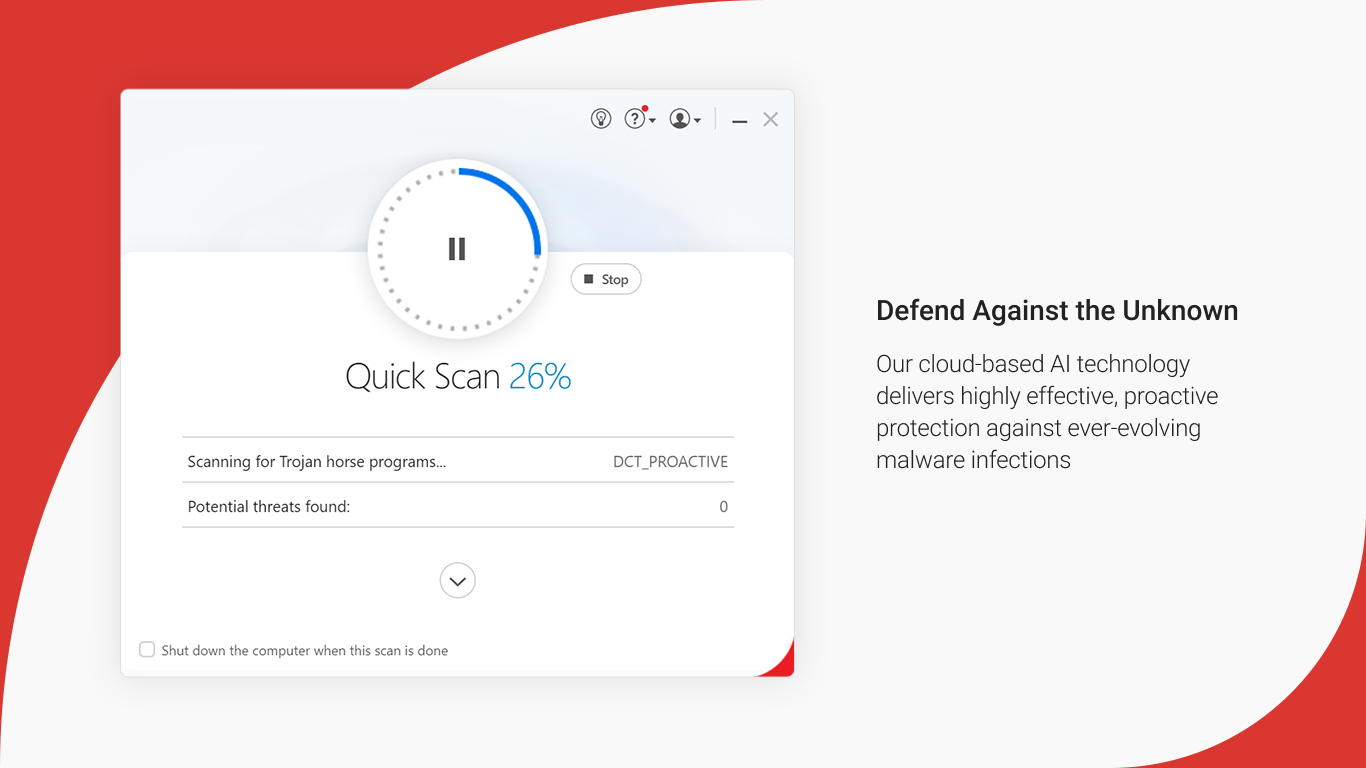
The core strength of this application lies in its real-time threat detection engine. Powered by intelligent algorithms and a vast threat database, it continually scans files, emails, and browsing activities. This is akin to having a vigilant security guard scanning through every corner of your house for suspicious activity—quick to react and highly accurate. Unlike some competitors that rely solely on signature-based detection, Trend Micro's behavioral analysis adds an extra layer of vigilance, catching zero-day attacks and newer malware strains.
Privacy and Safe Browsing
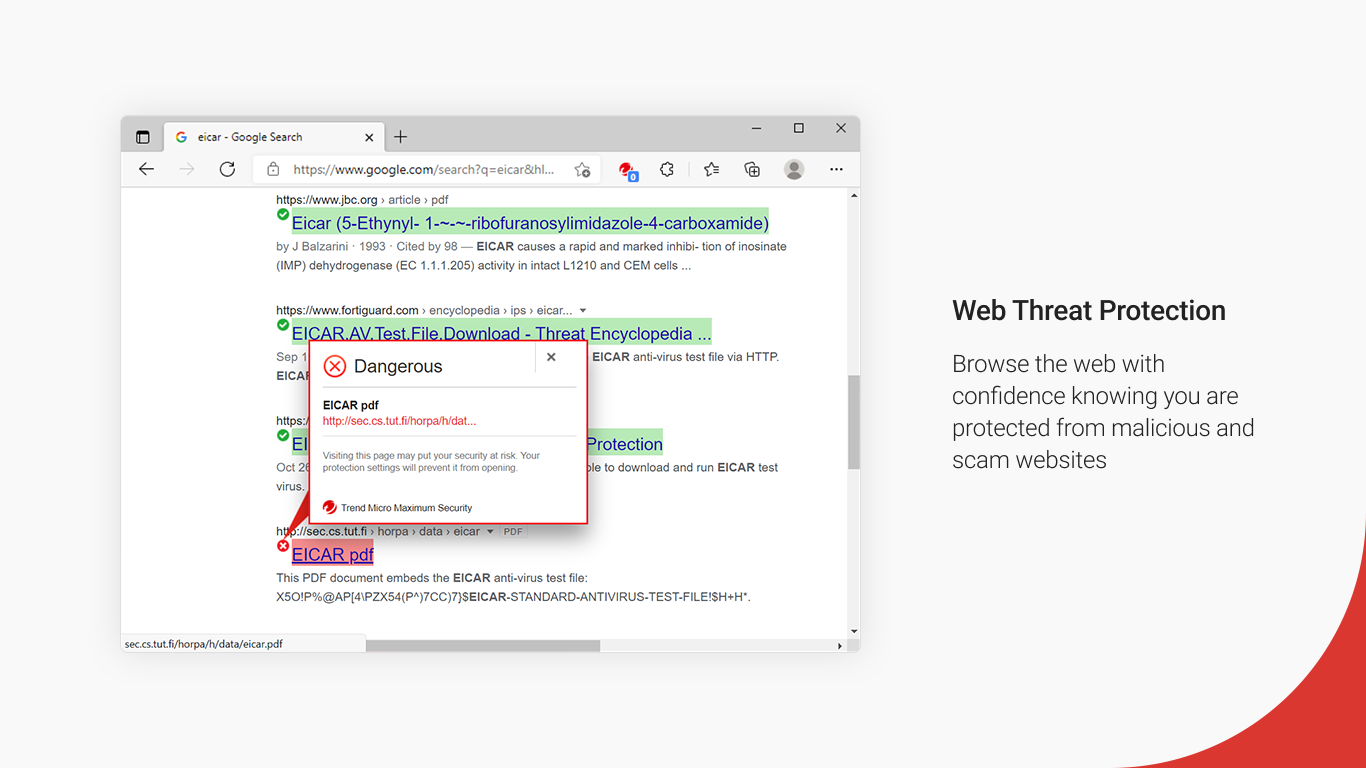
The application excels in protecting your sensitive data. Its anti-phishing capabilities are like a personal bodyguard—alerting you instantly if a website seems suspicious or malicious. The Safe Browsing feature automatically alerts you when visiting unsafe sites, preventing identity theft and data breaches. Additionally, Wi-Fi scanning ensures that your home or public network is not compromised, offering a comprehensive view of your connection's security status.
Intuitive User Experience and Design
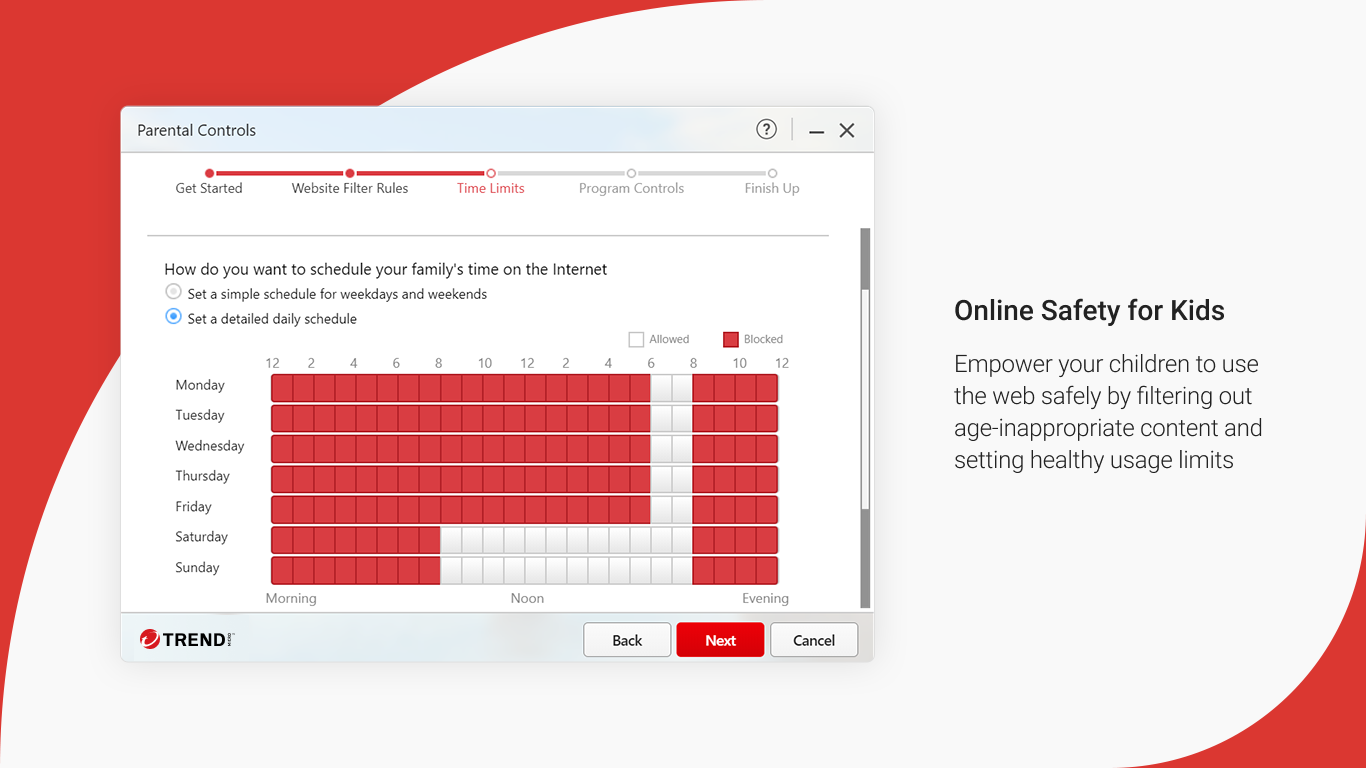
From a user perspective, Trend Micro Internet Security strikes a comfortable balance—think of it as the ergonomic chair for your cybersecurity needs. The UI is sleek and uncluttered, with clear icons and straightforward options. It makes managing security settings feel like a friendly chat rather than reading a manual. The app's efficiency means minimal resource consumption, ensuring your system's performance isn't bogged down, which is crucial for users who juggle multiple applications daily.
What Sets It Apart?
Compared to other security suites, Trend Micro's standout feature is its focus on real-time multi-layered threat protection combined with lightweight operation. Its behavior-monitoring engine detects evolving threats, not just relying on known signatures—an advantage in today's rapidly changing cyber landscape. Furthermore, its user-centric design makes robust security accessible without overwhelming novices, setting it apart from more complex or opaque tools.
Final Word: Is It Worth Your Trust?
For everyday users seeking a dependable, easy-to-use security solution, Trend Micro Internet Security for Windows offers a compelling combination of protection, usability, and performance. While it may not have the bells and whistles of more enterprise-focused products, its core strengths align perfectly with personal and small business needs. We recommend it especially to those who want a set-it-and-forget-it solution that doesn't compromise on security or speed. With its innovative threat detection and user-friendly interface, it's worth considering as your digital guardian.
Pros
- Excellent malware detection rate
- Real-time threat monitoring
- User-friendly interface
- Comprehensive privacy protection
- Regular automatic updates
Cons
- High system resource usage
- False positives may occur
- Occasional update delays
- Limited VPN features in basic version
- On-screen notifications can be frequent











