Developer
Canonical Ltd. and the OpenSource community
Available on
PC
OS
Windows 10 version 16215.0 or higher
Keyboard
Integrated Keyboard
Memory
4 GB
Mouse
Not specified
languages
English (United States)
**Ubuntu 22.04.5 LTS for Windows: A Bridge Between Windows and Linux**
If you've ever dreamt of seamlessly blending the best of Windows and Linux worlds, Ubuntu 22.04.5 LTS for Windows might just be your new best friend. Imagine being able to run a full-fledged Ubuntu environment right inside your Windows OS, without the hassle of dual booting or virtual machines—this app offers an elegant, integrated solution that brings open-source power to your fingertips.
**Developed by Canonical Ltd. and the Open Source Community**
This application is a collaborative effort from Canonical Ltd., the company behind Ubuntu, along with members of the open-source community. It embodies the collective expertise of developers committed to making Linux accessible and user-friendly on a Windows platform.
**What Makes It Stand Out? Key Highlights**
- **Native Linux Environment on Windows:** Provides an authentic Ubuntu 22.04.5 LTS shell that runs natively within Windows, ensuring high performance and compatibility.
- **Easy Installation & Unified Experience:** Simple access through the Microsoft Store makes installation straightforward and integrates seamlessly with Windows.
- **Built-in Package Management:** Leverage Ubuntu's advanced package tools like APT to install, update, and manage software effortlessly.
- **Persistent & Customizable Linux Filesystem:** Maintain your Linux environment with persistent storage, backups, and configuration options tied directly into your Windows system.
**Who Is This App For?**
Ideal for developers, system administrators, students, or tech enthusiasts who want the power and flexibility of Ubuntu Linux without leaving their Windows environment. It's particularly useful for those involved in cross-platform development, scripting, or open-source projects needing a Linux shell on demand.
---
### A Fresh Take on Cross-Platform Compatibility: Dive Into Ubuntu on Windows
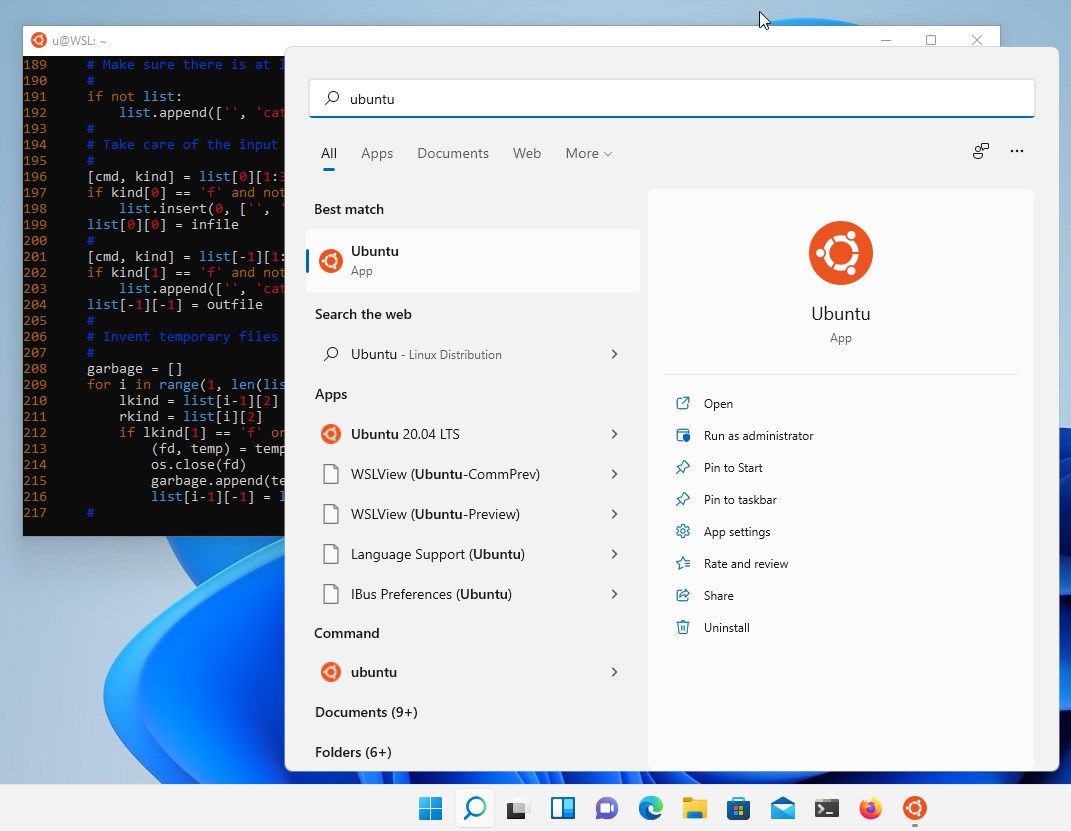
Stepping into the world of Ubuntu on Windows feels like discovering a secret passage that opens into a vibrant Linux garden, all within the cozy confines of your familiar Windows landscape. The experience is fluid and surprisingly intuitive, making the transition from Windows to Linux a delightful breeze rather than a steep climb. The installation process is as simple as installing any Windows app, and once launched, it opens a terminal window that feels as responsive as a native application. From the get-go, you're greeted with a familiar Linux command line, ready to explore or build.
---
### Core Features That Make a Difference
**1. Seamless Integration with Windows: The Best of Both Worlds**
This application leverages the Windows Subsystem for Linux (WSL) 2 architecture, meaning it runs very close to native performance. It allows you to access your Windows files directly from the Linux environment and vice versa—imagine having two worlds intertwined like lovers in a well-choreographed dance. This tight integration lets you run Linux commands, scripts, and tools alongside your Windows applications without any lag or hiccups, making your workflow smoother and more productive.
**2. Robust Package Management and Customization: Think of it as a Personal Linux App Store**
With Ubuntu on Windows, managing software becomes as easy as browsing an app store. Use familiar commands like `apt-get` or `apt` to install up-to-date tools, languages, and dependencies directly within the Linux shell. This level of control makes it ideal for testing, development, or running Linux-exclusive software—think of having a custom toolkit tailored to your projects, always ready and accessible.
**3. Persistent Systems and File Management: Your Linux Environment, Fully Yours**
Unlike some virtualized solutions, this app offers persistent storage, meaning your Linux configurations, files, and installs stay intact across sessions. It's like having your own mini Linux server nestled inside Windows, with options to back up or clone your setup. This feature enables continuous work without the fear of losing everything when you close the app—an essential feature for serious developers or researchers.
---
### User Experience: Friendly, Efficient, and Slightly Playful
The interface feels akin to a well-organized workshop—clean, straightforward, and geared for productivity. Navigating your Linux environment within Windows is akin to opening a drawer that's both familiar and unexpectedly efficient. The learning curve is gentle; basic commands work right away, and advanced users will appreciate the ability to customize and integrate their workflows.
Performance-wise, it runs with fluidity comparable to native Linux installations, thanks to the optimized WSL 2 backend. You won't find choppy performance or lag here—just a smooth, dependable experience. For newcomers, the initial setup might raise an eyebrow, but Canonical has packaged this app in a way that minimizes complexity, making Linux accessible even for those new to the platform.
---
### What Sets It Apart from Similar Tools?
Unlike traditional virtual machines or dual-boot setups, Ubuntu 22.04.5 LTS for Windows feels more like installing a powerful app rather than configuring a complex system. Its integration with Windows is tight, acting almost as an extension of your OS rather than a separate environment. For developers, this means less overhead in configuring environments and more focus on coding and experimentation.
Moreover, this app's commitment to stability and long-term support (LTS) makes it particularly attractive—the precise, predictable environment is ideal for professional use. Its ability to run smoothly alongside Windows applications also makes it a versatile tool in mixed workflows, from software development to data analysis.
**Most Special Features:**
- Native performance thanks to WSL 2 integration.
- Persistent, customizable Linux filesystem environment that stays intact between sessions.
---
### Final Verdict: A Solid, Friendly Gateway into Linux
If you're looking for a reliable, easy-to-use way to bring Linux into your Windows world, Ubuntu 22.04.5 LTS for Windows deserves your attention. It's like having a trusted Linux partner sitting right on your desktop—ready to assist with development, experimentation, or learning. While it's not a full replacement for dedicated Linux hardware, it offers a practical, efficient, and remarkably seamless bridge between two powerful computing worlds.
**Recommendation:** Strongly recommended for developers, tech enthusiasts, and anyone interested in exploring Linux without the hassle of traditional setup. Ideal for those who value stability, performance, and integration with Windows.
---
In a nutshell, this app transforms your PC into a bilingual device—fluent in both Windows and Linux—making your digital life more versatile and efficient. Give it a try, and you might find yourself wondering how you ever worked without it.
Pros
User-friendly Ubuntu environment integration
Regular updates and long-term support
Supports GUI applications via WSLg
Integration with Windows file system
Convenient installation through Microsoft Store
Cons
Limited hardware acceleration for certain applications
Initial setup may be complex for beginners
Certain Linux features are not fully supported
Performance overhead compared to native installation