

- Category Developer tools
- Developer Canonical Ltd. and the OpenSource community
- Available on PC
- OS Windows 10 version 16215.0 or higher
- Keyboard Integrated Keyboard
- Memory 4 GB
- Mouse Not specified
- languages English (United States)
Introducing Ubuntu 24.04.1 LTS for Windows: Bridging the Linux-Windows Gap
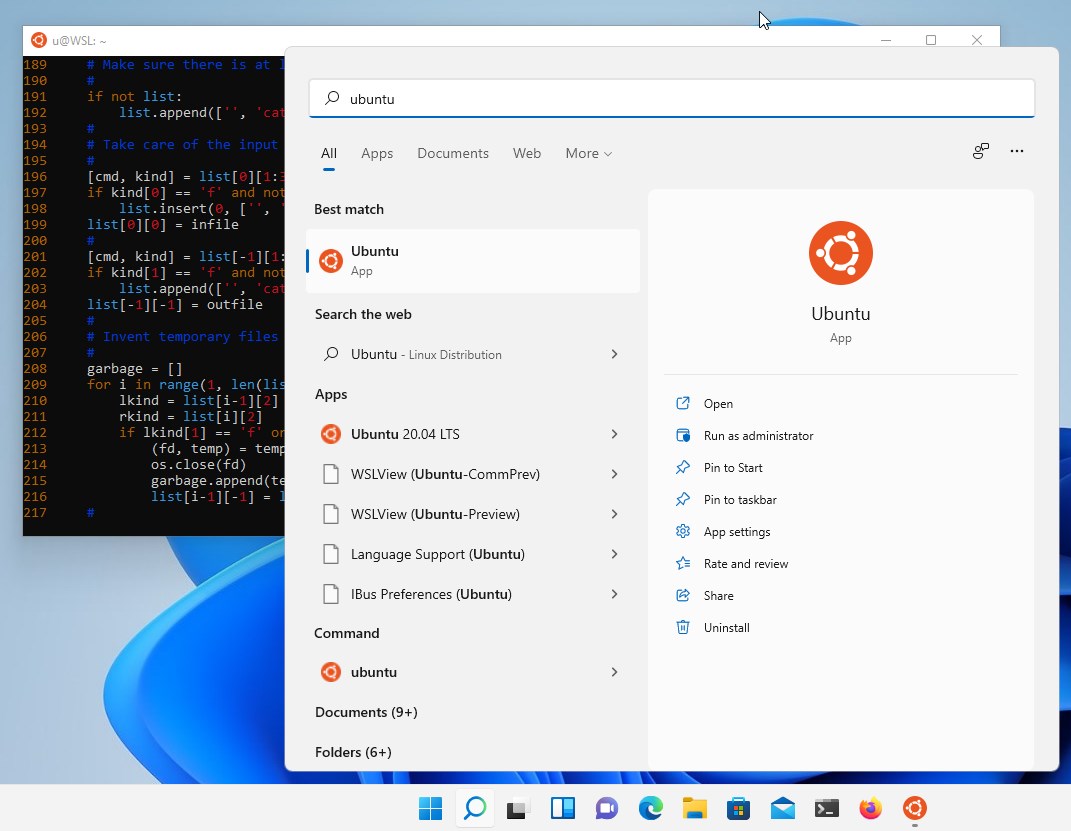
Ubuntu 24.04.1 LTS for Windows is a seamless integration that allows Windows users to harness the power of a full-fledged Ubuntu Linux environment directly within their familiar OS. It's designed to bring the open-source world closer to Windows users, offering a bridge for development, scripting, and Linux-based workflows.
Developed by Canonical Ltd. and the OpenSource Community
Created by Canonical Ltd., the organization behind Ubuntu, along with significant contributions from the thriving open-source community, this app embodies collaborative innovation. The development team focused on ensuring stability, security, and ease of use while maintaining the flexibility that Linux fans cherish.
Key Features that Make It Shine
- Full Linux Shell Access within Windows: Provides a native-like Ubuntu terminal experience without the need for dual-booting or virtualization.
- Seamless Integration with Windows Files and Apps: Allows easy access to Windows filesystem from Ubuntu and vice versa, simplifying cross-platform workflows.
- Regular LTS Updates and Stability: Ensures users get a reliable, long-term supported environment with continuous updates from Canonical.
- Customizable and Extensible: Supports installing a wide range of Linux applications and tools, making it highly versatile for development and scripting tasks.
An Engaging Dive into Ubuntu on Windows
Imagine wielding a Swiss Army knife in your digital toolbox—versatile, reliable, and ready to adapt to any task. Ubuntu 24.04.1 LTS for Windows transforms your Windows PC into a dual-capability device, where Linux commands and Windows apps coexist in harmony. Setting it up feels like unlocking a new dimension of productivity—no more rebooting into separate OSes, just smooth, instant transitions between worlds.
Deep Dive into Core Functionalities
Native Command Line Experience with Ubuntu
The core of this app is the Ubuntu terminal — a command-line interface that feels just like running Linux natively. It provides access to thousands of packages via APT, enabling developers to compile, test, and deploy software without leaving Windows. The environment runs through a lightweight Hyper-V-based virtualization, maintaining system performance while delivering authentic Linux behavior.
Cross-Platform File and App Integration
One of its standout features is the seamless access to Windows file systems from within Ubuntu, making file transfers and script executions effortless. Drag-and-drop functionalities and path mapping allow users to manipulate Windows files as if they were part of their Linux environment. This interoperability reduces friction and skyrockets productivity, especially for developers who work across both platforms.
User Experience and Interface Design
The interface feels familiar to Windows users; the terminal window employs a clean, minimalistic design with customizable themes, enhancing aesthetic comfort. The setup process is straightforward—almost like opening a new window rather than installing a new OS. Performance-wise, it's smooth and responsive, with command executions feeling immediate. Its learning curve is gentle enough for Windows users new to Linux but comprehensive enough to satisfy seasoned Linux advocates.
What Sets It Apart from Similar Developer Tools
Compared to other Windows-based Linux solutions like virtual machines or Docker, Ubuntu 24.04.1 LTS for Windows offers a lightweight, integrated experience. Unlike containers that isolate environments tightly, this app presents a full Ubuntu user space practically indistinguishable from a native install. Its strongest advantage lies in running real Linux commands directly within Windows without complex setup—making it a practical and accessible option for developers wanting quick, close-to-native Linux capabilities.
Final Recommendations: A Friendly Nudge
Overall, I'd recommend Ubuntu 24.04.1 LTS for Windows to developers, system administrators, and open-source enthusiasts who crave Linux power without leaving their Windows comfort zone. It's particularly ideal for those involved in cross-platform development, scripting, or learning Linux fundamentals. If ease of use, stability, and seamless integration are your priorities, this app deserves a solid place in your toolkit. Just keep in mind it's best suited for those who appreciate an authentic Linux shell rather than a graphical desktop environment.
Pros
- Seamless integration with Windows Subsystem for Linux (WSL)
- Updated with Ubuntu 24.04.1 LTS features and security patches
- User-friendly interface and straightforward installation process
- Supports a wide range of Linux applications and utilities
- Good performance and stability within the Windows environment
Cons
- Initial setup may require enabling WSL and configuring the environment
- Some hardware integration issues, such as GPU acceleration, may occur
- Limited GUI support outside of terminal applications
- Occasional bugs in app updates or repositories
- Some users report slower file system access compared to native Linux installs










