

- Category Productivity
- Developer Free VPN Planet
- Available on PC
- OS Windows 10 version 17763.0 or higher
- Keyboard Integrated Keyboard
- Memory 1 GB
- Mouse Not specified
- languages English (United States), French, German, Russian, Spanish (Spain)
Introducing VPN - Planet VPN for Windows: Your Gateway to Secure Browsing
In an age where digital privacy and unrestricted internet access are more vital than ever, VPN - Planet VPN for Windows positions itself as a straightforward yet robust solution for everyday users eager to surf securely. Developed by Free VPN Planet, this application aims to simplify VPN usage while delivering essential features for both novice and experienced users.
Key Features that Stand Out
Effortless VPN Connection with One Click
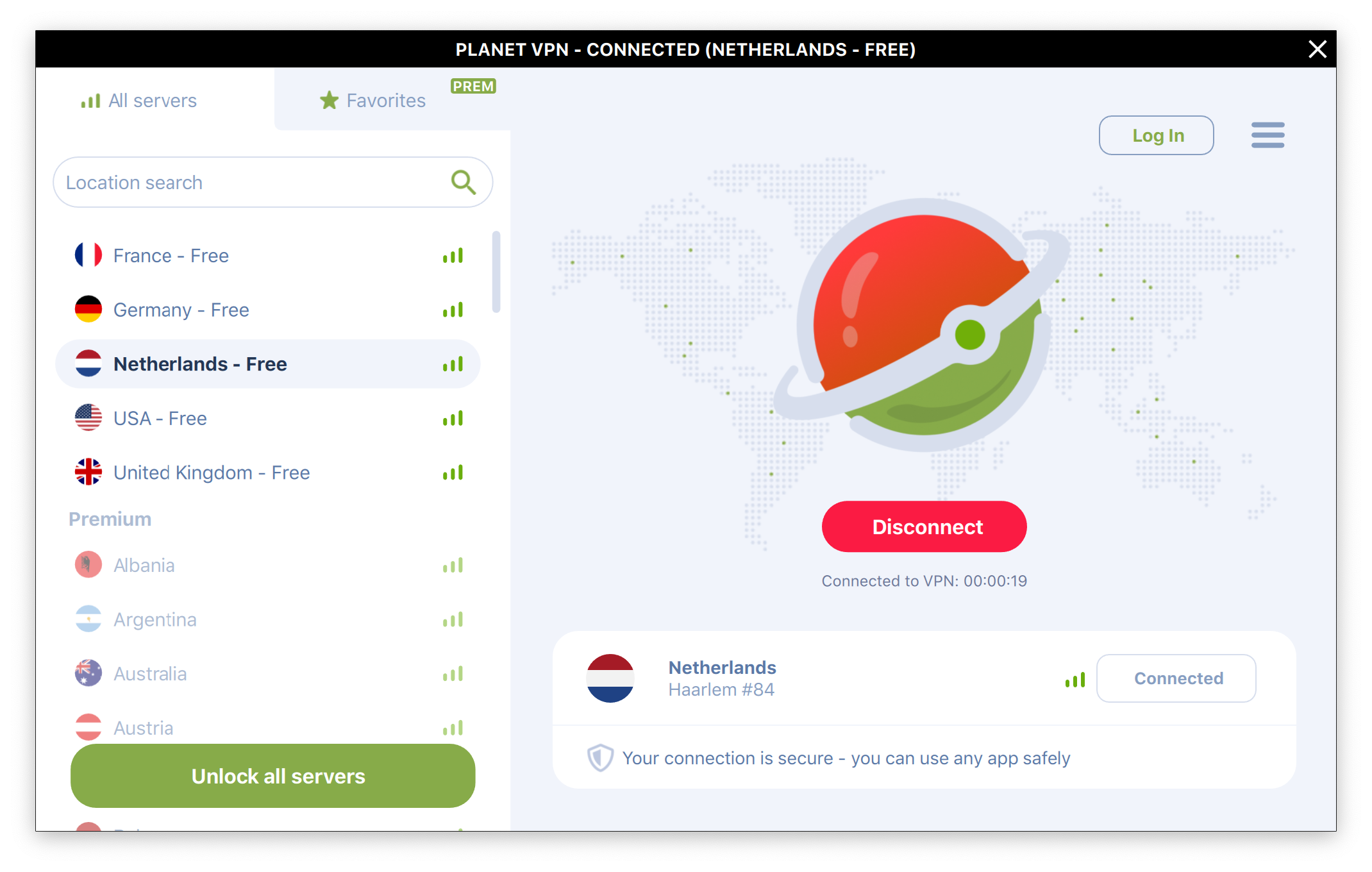
One of the app's chief selling points is its user-friendly interface that allows you to connect to a VPN server with just a single click. Imagine entering a secure tunnel as easily as opening a door—no complicated setups, no fuss. This feature makes it ideal for users who want quick protection without navigating confusing menus or technical configurations.
Multiple Server Locations for Global Access
VPN - Planet VPN offers a variety of server locations across different regions, enabling users to bypass geo-restrictions effortlessly. Whether you're accessing content from overseas or trying to avoid local censorship, this extensive server network ensures flexibility and broader internet freedom. This feature particularly benefits streamers, remote workers, and travelers seeking seamless access wherever they are.
Automatic Kill Switch for Continuous Security
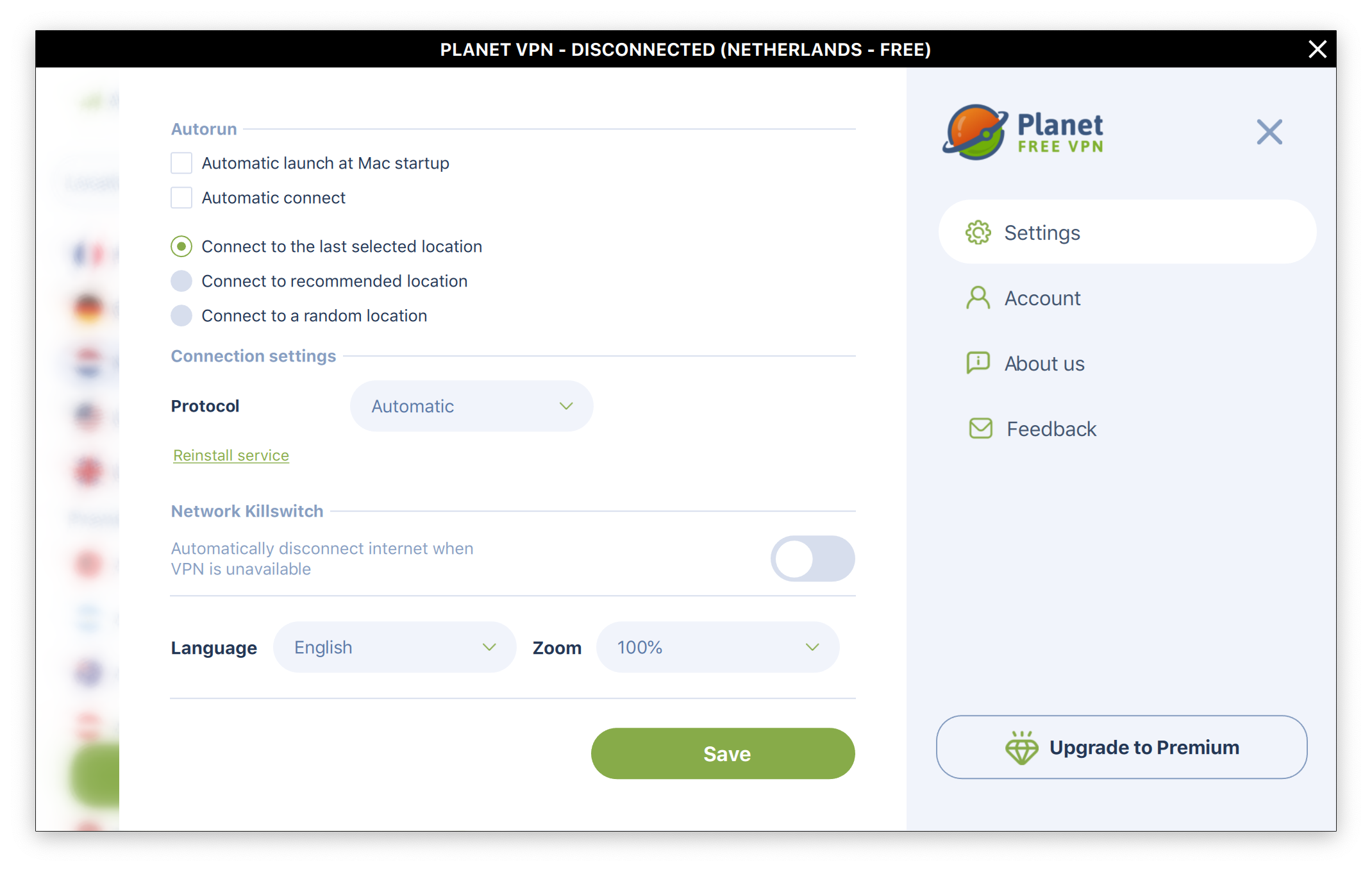
Security isn't just about connecting; it's about staying protected. The application's automatic kill switch feature ensures that your internet connection is severed if the VPN unexpectedly disconnects, preventing any accidental data leaks. It's like having a vigilant guard that steps in the moment your VPN falters, giving users peace of mind with minimal manual intervention.
Deep Dive into User Experience and Design
Clean, Intuitive Interface and Seamless Operation
Upon launching the app, users are welcomed with a clean, approachable interface—think of it as a smart dashboard that's easy to navigate even for VPN novices. The main screen prominently features the connect button and server selector, reducing cognitive load and enabling rapid decision-making. The app operates smoothly, with nearly instantaneous response times when switching servers or toggling features, which makes the experience feel almost like flipping a light switch rather than wrestling with complicated settings.
Ease of Use and Learning Curve
Designed with simplicity in mind, VPN - Planet VPN enables new users to get up and running within minutes. The onboarding process is straightforward, with clear instructions and minimal technical jargon, making it accessible for users of all ages and experience levels. The low learning curve means less frustration and more effortless protection.
Workflow Integration and Differentiation
What truly sets VPN - Planet VPN apart from similar lightweight VPN solutions is its focus on reducing cognitive load while maintaining feature simplicity. Unlike feature-heavy VPNs that often bombard users with options and settings—leading to decision fatigue—this app streamlines the experience. It integrates seamlessly into your daily workflow by requiring minimal attention, thus minimizing distractions. Essentially, it reduces the mental effort needed to stay protected, functioning more like a reliable background assistant than a complex puzzle. This approach not only speeds up connection times but also enhances user confidence in maintaining privacy proactively without juggling multiple configurations.
Recommendation and Usage Suggestions
Based on its clean design, reliability, and focus on straightforward security, I would recommend VPN - Planet VPN for users seeking a hassle-free and dependable VPN experience. It's particularly suitable for casual users, remote workers, or anyone who prioritizes swift, secure access over extensive customization. However, for power users needing advanced features like detailed protocol selection or complex routing, this app's simplicity might feel limiting.
To maximize benefits, I suggest using it for routine browsing, streaming, or accessing region-restricted content. Its automatic features and minimal interface make it an excellent “set and forget” tool that won't clutter your workspace or demand constant attention. Keep in mind that while it excels in ease of use, those requiring granular control may want to explore more feature-rich options.
Final Thoughts
VPN - Planet VPN for Windows strikes a commendable balance between simplicity and security, making it a compelling choice for users who value quick setup, reliable protection, and an unobtrusive experience. Its standout features—notably the one-click connection and automatic kill switch—serve as the backbone of its user-centric design. While it may not appeal to VPN experts craving in-depth customization, it's a trustworthy companion for everyday internet activities, helping keep your online journey safe and smooth with minimal effort. Think of it as your digital guardian angel, quietly working in the background so you can focus on what matters most—your day's adventures online.
Pros
- User-friendly interface
- Fast connection speeds
- Reliable VPN servers in multiple locations
- Strong encryption protocols
- Affordable pricing options
Cons
- Limited server locations in some regions
- Occasional connectivity issues
- No free trial period available
- App may consume significant battery during long sessions
- Limited customization options for advanced users











