

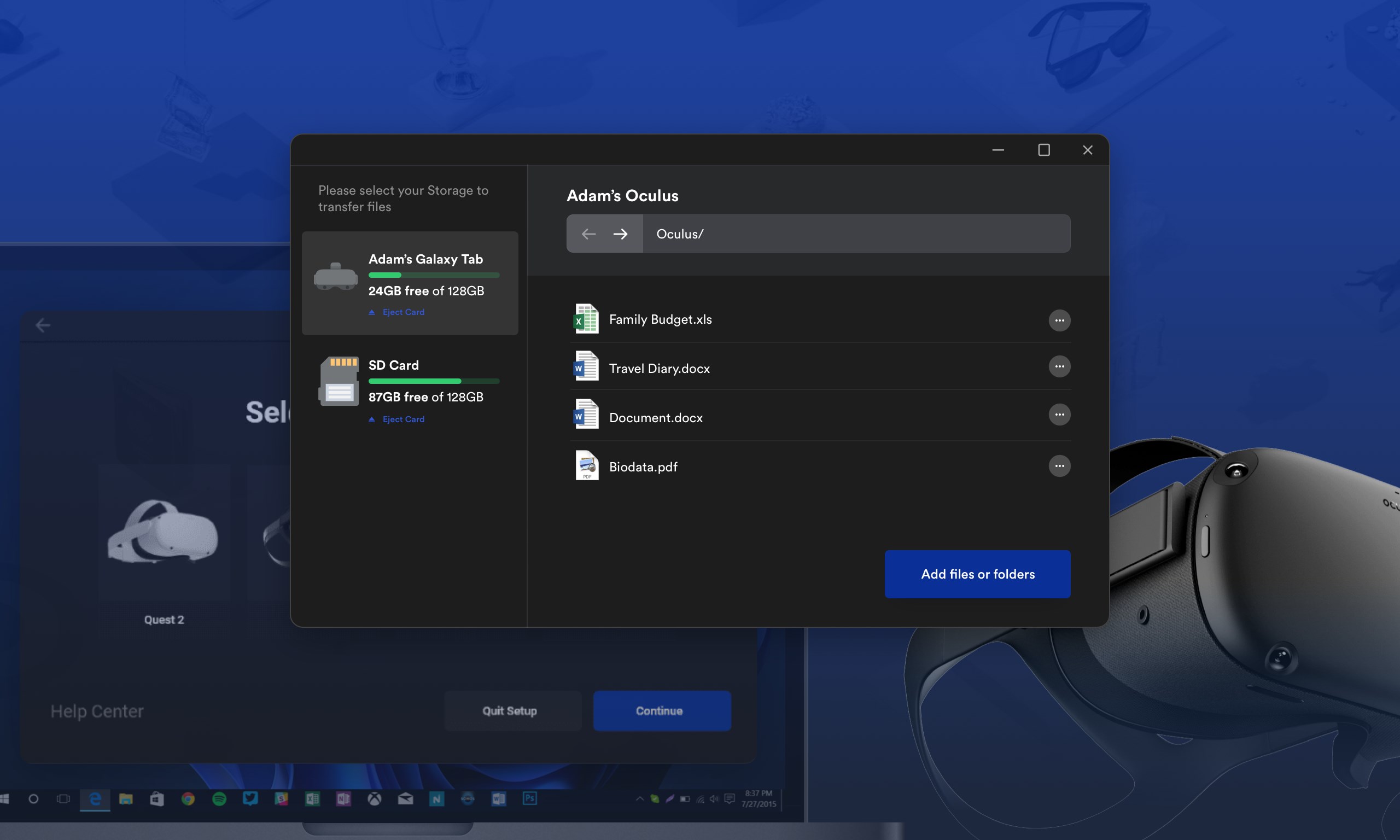
- Category Business
- Available on PC, Mobile, Surface Hub, HoloLens
- OS Windows 10 version 17763.0 or higher
- Keyboard Integrated Keyboard
- Mouse Integrated Mouse
- languages English (United States)
Introducing VR Connect (File Transfer) for Windows: Seamless Wireless Data Sharing for VR Enthusiasts
VR Connect (File Transfer) is a streamlined Windows application designed to facilitate quick and secure file sharing between your PC and various VR devices, making your virtual reality experience more integrated and hassle-free.
Developer and Core Features
Developed by APP Software, this app stands out as a dedicated tool targeting users who frequently transfer files to and from VR headsets without messing around with cables or complicated setups. Its main features include fast wireless data transfer, intuitive device discovery, and cross-platform compatibility, all packed into a clean and user-friendly interface. The app aims to serve VR gamers, developers, and content creators demanding efficient workflows.
Engaging User Experience and Functional Highlights
Stepping into VR Connect feels like entering a well-organized workspace where everything just clicks. The app embraces the sleek minimalism typical of modern software—think of it as the Swiss Army knife for your VR data needs, but wrapped in a tidy window that's easy to navigate even for first-timers. Setting it up is straightforward: once installed, it automatically detects your VR device if connected over the same Wi-Fi network, turning what could be a convoluted process into a simple, almost magic-like experience.
Wireless Transfer Speed and Reliability
One of VR Connect's standout attributes is its ability to transfer large files—think high-resolution textures or extensive game mods—at impressive speeds without the tedium of cables. The stability of these transfers also boosts productivity and reduces frustration, particularly when dealing with hefty multimedia files, making it a reliable companion during content creation or routine data swaps.
Object Discovery and Device Management
Another core strength lies in its automatic device detection feature. Imagine having a smart assistant that instantly spots all compatible VR headsets or devices on your network, presenting them neatly in the interface. This not only accelerates workflow but also minimizes the risk of selecting the wrong device. Managing multiple VR devices is simplified, especially for developers or business users handling a fleet of headsets, as VR Connect keeps everything organized under one roof.
User Interface and Overall Experience
The interface strikes a balance between functional clarity and aesthetic appeal—it's akin to navigating a sleek dashboard that feels both modern and familiar. Operations are fluid; clicking transfer or refresh buttons feels instant, and the app responds without lag. The learning curve is gentle enough for newcomers, yet it packs enough features to satisfy power users who want control over their transfers and device connections.
Differentiation from Competitors: Collaboration & Task Management
While many file transfer tools focus solely on raw speed or compatibility, VR Connect introduces a unique edge through its integrated collaborative features. Unlike traditional applications that handle transfers in isolation, this app emphasizes task management—allowing multiple files to be queued, monitored, and prioritized seamlessly. For example, content creators working with a team can coordinate multiple devices and transfers from a single interface, greatly enhancing productivity and reducing the coordination chaos often seen with standalone transfer apps. This focus on collaboration within a VR ecosystem makes VR Connect particularly appealing to professionals who need to manage complex workflows effortlessly.
Final Verdict and Recommendations
Overall, VR Connect (File Transfer) for Windows exemplifies a well-thought-out, efficient, and user-friendly tool designed specifically for VR users who want speedy and reliable wireless data exchanges. Its standout features—smooth transfer speeds, intelligent device management, and collaborative task handling—set it apart from similar applications. I recommend this app to VR enthusiasts, developers, and business teams seeking an integrated solution that simplifies data management without sacrificing performance. If you're tired of tangled cords or slow transfers, VR Connect might just become your new go-to companion in the VR universe.
Pros
- Seamless File Transfer
- User-Friendly Interface
- High Transfer Speed
- Cross-Platform Compatibility
- Reliable Connection Stability
Cons
- Limited File Management Features
- Occasional Connection Drops
- No Built-in Security Features
- Initial Setup Can Be Confusing
- Limited Customization Options











