
- Category Personalization
- Available on PC, Mobile, Surface Hub, HoloLens
- OS Windows 10 version 14393.0 or higher
- languages English (United States)
Introduction to Wallpaper for Windows: A Fresh Take on Desktop Personalization
Looking to spice up your Windows desktop with captivating visuals? Wallpaper for Windows by SuperFizz App offers a streamlined yet versatile approach to customizing your workspace, making it feel more personally you. Whether you're a casual user wanting beautiful scenery or a digital artist seeking inspiration, this app aims to elevate your desktop experience effortlessly.
About the App: Basic Information
Wallpaper for Windows is a user-friendly application dedicated to providing high-quality wallpapers and customizable themes to enhance your desktop aesthetics. Developed by SuperFizz App, a team known for creating intuitive and reliable personalization tools, this app stands out for its focus on ease of use and diverse visual options.
Major features include:
- Extensive collection of high-resolution wallpapers spanning nature, abstract, anime, and more.
- Customizable slideshow modes that allow dynamic wallpaper changes at preset intervals.
- Support for integrating system themes with wallpapers for a cohesive visual experience.
- Lightweight design ensuring quick access without burdening system resources.
- Extensive wallpaper library
- User-friendly interface
- Regular updates
- Customization options
- Free to use
- Limited personalization features
- Small preview images
- Occasional slow loading times
- Limited category filters
- No offline browsing mode
Target users encompass Windows enthusiasts who enjoy decked-out desktops, creative professionals seeking inspiration backgrounds, and everyday users aiming for a more personalized computing environment.
Enchanting Visuals and Easy Navigation
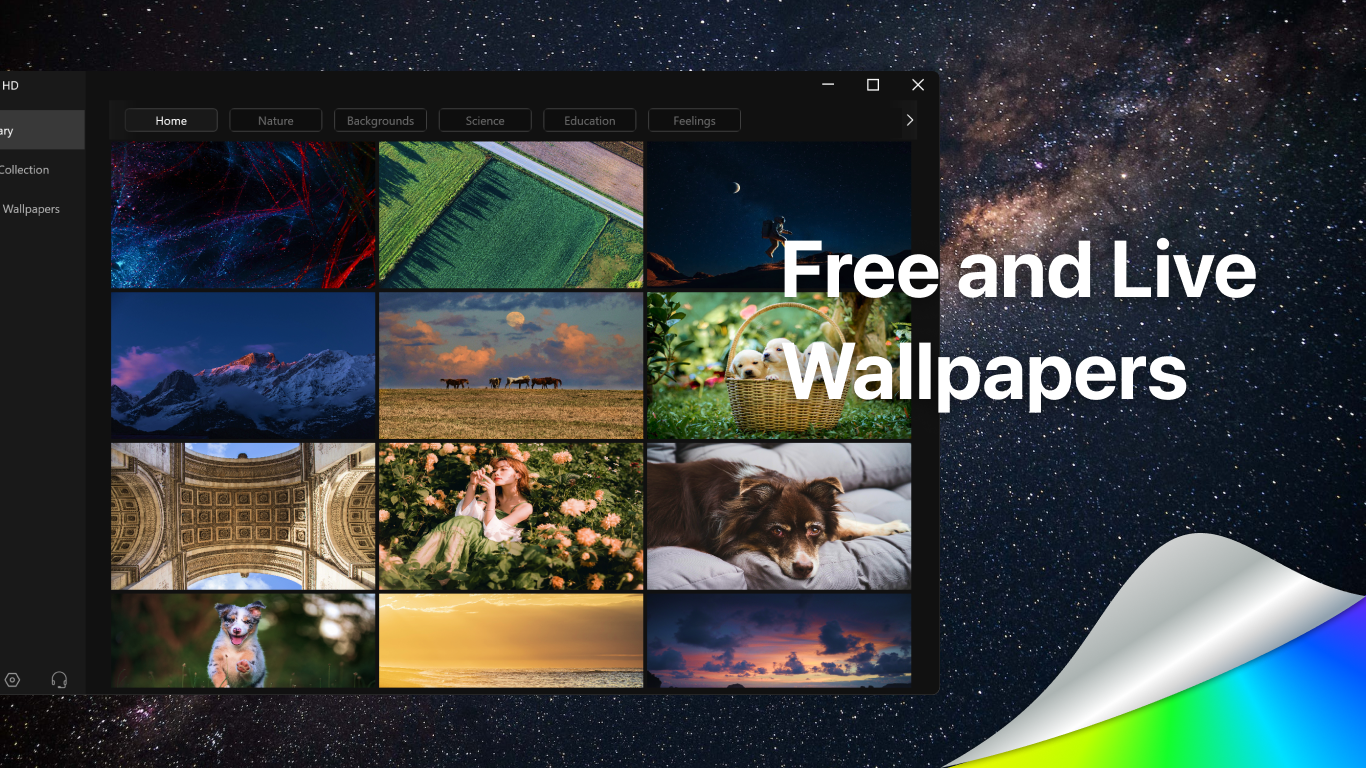
From the moment you launch Wallpaper for Windows, you're greeted with a clean, visually appealing interface that invites exploration. Imagine opening a virtual gallery where every image is a potential masterpiece for your screen. The app's design is intuitive, with neatly organized categories and a sleek menu, making it a breeze for even less tech-savvy users to find their preferred wallpapers.
Switching backgrounds is as simple as a click—be it static images or dynamic slideshows. The transition animations are smooth, ensuring a seamless swap without distracting flickers. The app's minimalistic approach keeps your focus on the visuals rather than complex settings, providing a stress-free customization experience.
Core Features Spotlight: Customization Options & Theme Synchronization
Vast Customization Options
One of the standout features of Wallpaper for Windows is its impressive variety of customization options. Not only can you select from a broad library of images, but you also have control over slideshow intervals, transition effects, and even permission to add your own images seamlessly. This flexibility transforms your desktop from a static background into an ever-evolving canvas tailored exactly to your tastes. Unlike many competing apps that limit you to preset images, this app champions user creativity by allowing full personalization.
Theme Compatibility & System Cohesion
What truly sets Wallpaper for Windows apart is its thoughtful integration with Windows themes. The app intelligently synchronizes wallpapers with your system's light/dark modes and accent colors, creating a harmonious visual environment. For example, when you switch to dark mode, the background adjustments happen gracefully, ensuring your desktop looks polished and professional. This level of compatibility means your personalized wallpapers genuinely complement your overall user interface, preserving aesthetic consistency—an area where many personalization apps fall short.
Heralding a New Era of Desktop Personalization
Overall, Wallpaper for Windows emerges as a reliable and innovative choice for users who want more than just a static wallpaper. Its key strengths—namely the extensive customization options and stellar theme synchronization—offer a personalized experience that feels both natural and inspiring. The app performs smoothly, with a user-friendly interface that minimizes the learning curve, making it accessible whether you're a newbie or a seasoned techie.
While there are many personalization apps out there, few manage to blend ease of use with deep customization as elegantly as Wallpaper for Windows. Its modular design and compatibility focus create a unique environment crafted to suit individual preferences.
For casual users craving fresh visuals and professionals seeking an inspiring workspace, this app comes highly recommended. Its balance between simplicity and depth ensures that your desktop remains a reflection of your personality, without complicated setups or performance hits.
In conclusion, Wallpaper for Windows by SuperFizz App is a commendable choice for elevating your Windows experience, especially if you value a harmonious, ever-changing visual environment that adapts to your system settings effortlessly. Give it a try—you might find yourself opening your desktop just to admire your new digital scenery every day.











