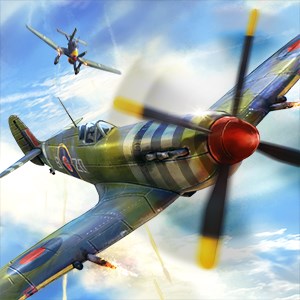
Warplanes: WW2 Dogfight
- score
- 4.3
- DirectX
- Version 10
- DirectX
- Version 9
- Memory
- 750 MB

Open the main menu, select 'Campaigns', choose your country, and tap 'Start' to begin a new mission.
The game features intuitive touch controls and flight mechanics; access control settings in Settings > Controls for customization.
Go to the Hangar, select your plane, then choose 'Upgrade' or 'Customize' to repaint, modify, or improve its capabilities.
Yes, access the Base menu to recruit, train pilots, build structures, and manage resources for strategic advantage.
Missions include dogfights, ground protection, naval attacks, bomber targets, across varied terrains like Europe, Africa, and Asia.
Navigate to the Store section via the main menu; use in-game currency or real money to buy planes and recruit pilots.
Yes, you can buy premium packs, aircraft upgrades, or subscribe for extra benefits via Settings > Store or Subscriptions.
Try restarting your device, ensure your app is updated, and clear cache via device settings. Contact support if issue persists.
Yes, access the 'Help' section from the main menu for tutorials, controls, and gameplay tips to help new players.
Yes, go to Settings > Language to select your preferred language, including English, Russian, German, and Japanese.
for Windows
5for Windows
4.9for Windows
4.8for Windows
4.8for Windows
4.8for Windows
4.8for Windows
4.8for Windows
4.8for Windows
4.8for Windows
4.8for Windows
4.8for Windows
4.8










