

- Category Business
- Available on PC, Mobile, Surface Hub, HoloLens
- OS Windows 10 version 17763.0 or higher
- Keyboard Integrated Keyboard
- Mouse Integrated Mouse
- languages English (United States)
Introducing Web Video Caster for Windows: Your Ultimate Streaming Companion
Web Video Caster for Windows, developed by Screen Mirroring Apps, is designed to bridge your browsing experience with seamless media casting, allowing users to effortlessly stream videos from their browser directly onto larger screens. Whether you're a casual viewer or a dedicated media enthusiast, this app aims to simplify and enrich your multimedia experience with intuitive features and robust performance.
Core Features That Shine Bright
1. Effortless Web Content Casting
The standout feature of Web Video Caster is its ability to detect videos embedded within web pages and cast them wirelessly to smart TVs, Chromecast, or other cast-enabled devices. This removes the hassle of downloading files or juggling multiple apps—simply browse, tap, and enjoy your favorite online videos on a larger display. The process feels as natural as tossing a pebble into a pond, with the ripples translating your content onto big screens seamlessly.
2. Universal Device Compatibility
The app boasts broad compatibility within the Windows ecosystem and supports a variety of cast devices, including Chromecast, Roku, and DLNA-compatible TVs. This flexibility ensures you're not restricted by hardware, providing a universal solution for media streaming across different devices in your home or office environment. Imagine it as a universal translator, bridging the gap between your device and your TV, regardless of brand or model.
3. User-Friendly Interface & Smooth Operations
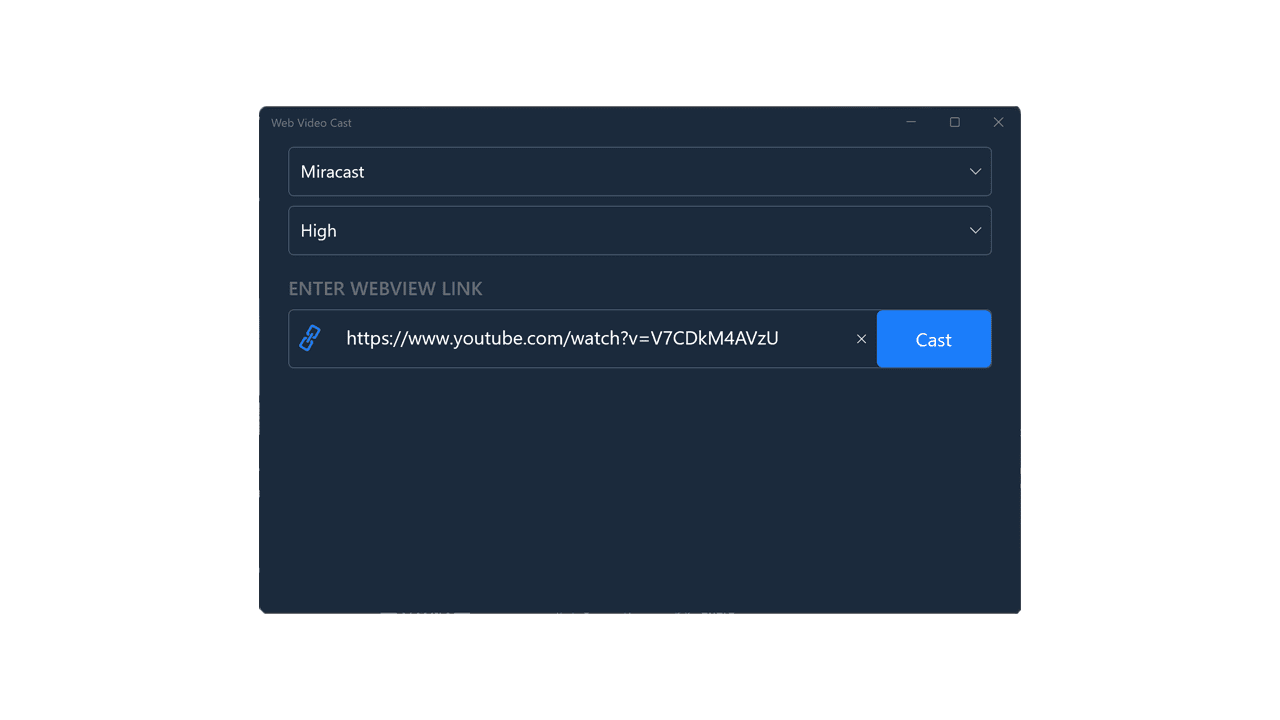
The interface design is clean yet inviting, akin to a well-organized control panel that's easy to navigate. Users will appreciate the minimal learning curve—just a few taps to start casting. The app's responsiveness enhances the user experience, with smooth transitions and minimal lag, making it feel as though your content is "flying" directly from the web to your screen with no hiccups or interruptions.
Exploring the User Experience in Depth
The app's design strikes a fine balance between simplicity and functionality. When launching Web Video Caster, the intuitive layout guides users from discovering video content to casting it in a matter of seconds—this is akin to having a friendly assistant that knows exactly what you want. The casting process is quick, and the app manages buffering and streaming efficiently, reducing frustration even with variable network conditions.
Learning to master its features is straightforward; most users will require only a few minutes to become proficient. The app's responsiveness and clean interface ensure that even less tech-savvy users can navigate effortlessly—think of it as having a GPS that always points you to your media destination without detours.
What Sets It Apart From Other Casting Tools?
Unlike many generic media cast apps, Web Video Caster's integration with web browsers transforms it into a dynamic extension of your browsing experience. Its ability to recognize in-page videos automatically and cast them without the need for external downloads is a major edge.
From a collaborative perspective, its unique ability to handle multiple streams and manage different devices simultaneously makes it more than just a streaming tool—it can serve small groups or family gatherings with synchronized content sharing. Its task management features, although basic, support user control over queued videos and prioritize streams—an advantage when managing multiple devices or users.
This focus on web integration and multi-device management makes Web Video Caster particularly appealing for casual viewing and small collaborative settings, setting it apart from more static or device-limited apps.
Final Verdict and Usage Suggestions
Web Video Caster for Windows is a solid choice for users seeking a straightforward yet powerful web-to-TV streaming solution. Its key strengths—automatic video detection, broad device compatibility, and user-friendly interface—make it an appealing option for everyday media enjoyment. While it lacks some advanced collaborative features found in enterprise solutions, its simplicity and efficiency suit most personal or small-group scenarios well.
If your goal is to seamlessly enjoy online videos on your big screen without fuss, this app deserves a thumbs-up. I recommend it especially for families or individuals who value ease of use and quick access over extensive customization. For professional or collaborative environments requiring advanced task management and multi-user control, you might want to explore other options, but for home media streaming, Web Video Caster hits all the right notes.
Pros
- User-friendly interface
- Supports multiple streaming protocols
- High-quality video playback
- Built-in ad blocker
- Lightweight and fast app performance
Cons
- Limited free features
- Occasional connection stability issues
- Basic customization options
- Support for certain devices is sporadic
- In-app advertising in free version











