

- Category Security
- Available on PC
- OS Windows 10 version 14393.0 or higher
- languages English
Introducing the Webcam Motion Detector Recorder for Windows
If you're on the hunt for a reliable, easy-to-use webcam motion detection app that transforms your existing camera setup into a vigilant guard, then the Webcam Motion Detector Recorder for Windows by EvlarSoft LLC might just be your new best friend. Designed to be straightforward yet powerful, this app captures motion-triggered records, making it perfect for security enthusiasts, DIY home monitors, or anyone wanting a simple surveillance solution without complicated setups.
Core Features That Shine
Smart Motion Detection & Recording
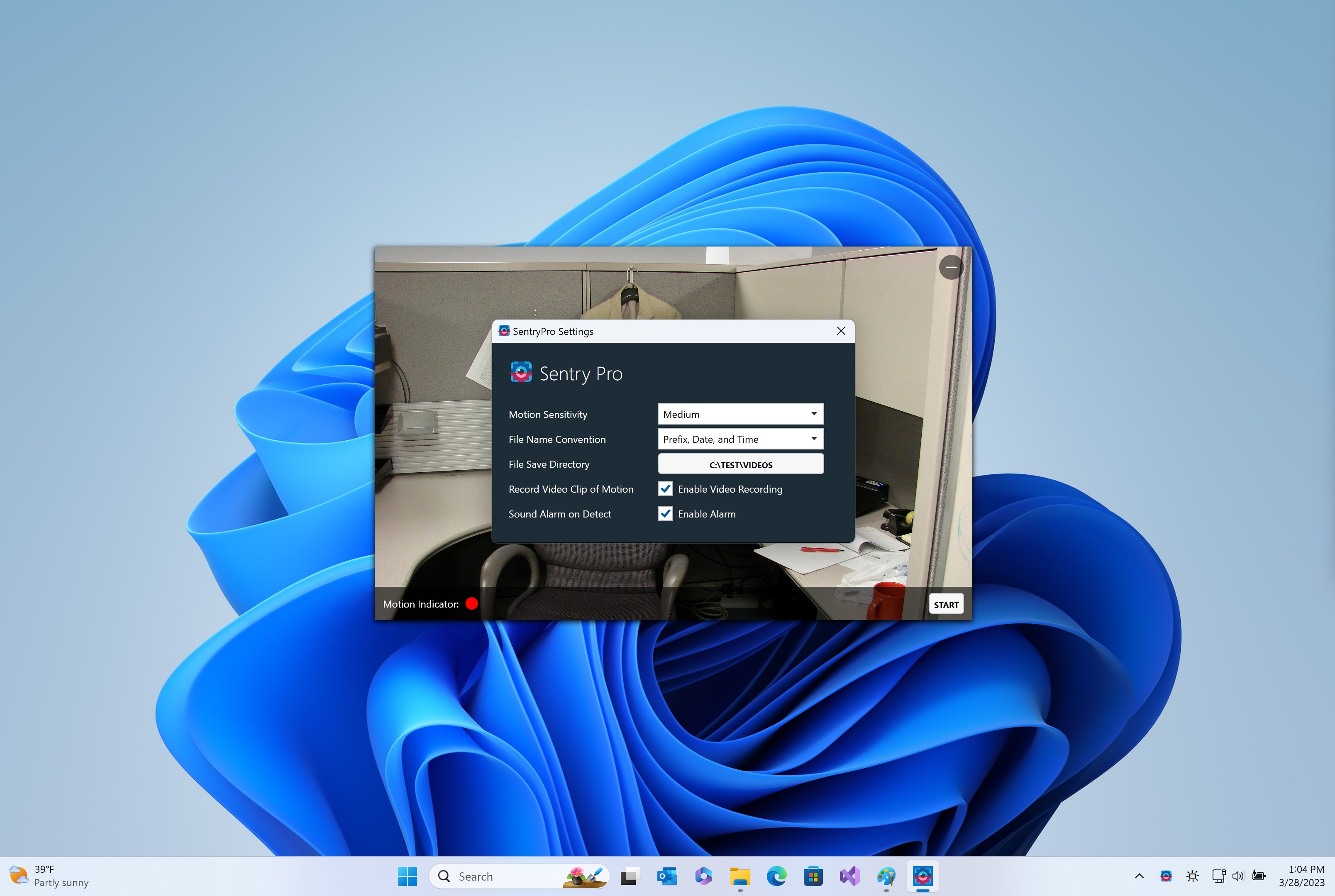
At the heart of this application is its intelligent motion detection algorithm. Unlike basic apps that randomly record or require constant manual activation, this app squares off against unwanted motion—like a laser-focused watchdog. It efficiently activates recording only when movement is detected within the camera's view, helping conserve storage and ensuring you only get footage that matters. The sensitivity settings can be adjusted to ignore minor movements, such as pets or tree branches swaying, making it surprisingly adaptable to your environment.
Seamless Playback & Event Management
Managing recordings can sometimes feel like hunting for a needle in a haystack, but this app simplifies that process. It provides an intuitive interface where users can easily browse through motion events, view footage directly within the app, or export clips for further analysis. This organized approach to event management ensures that users spend less time searching and more time reviewing pertinent footage, whether for security or casual monitoring purposes.
User-Friendly Interface & Ease of Use
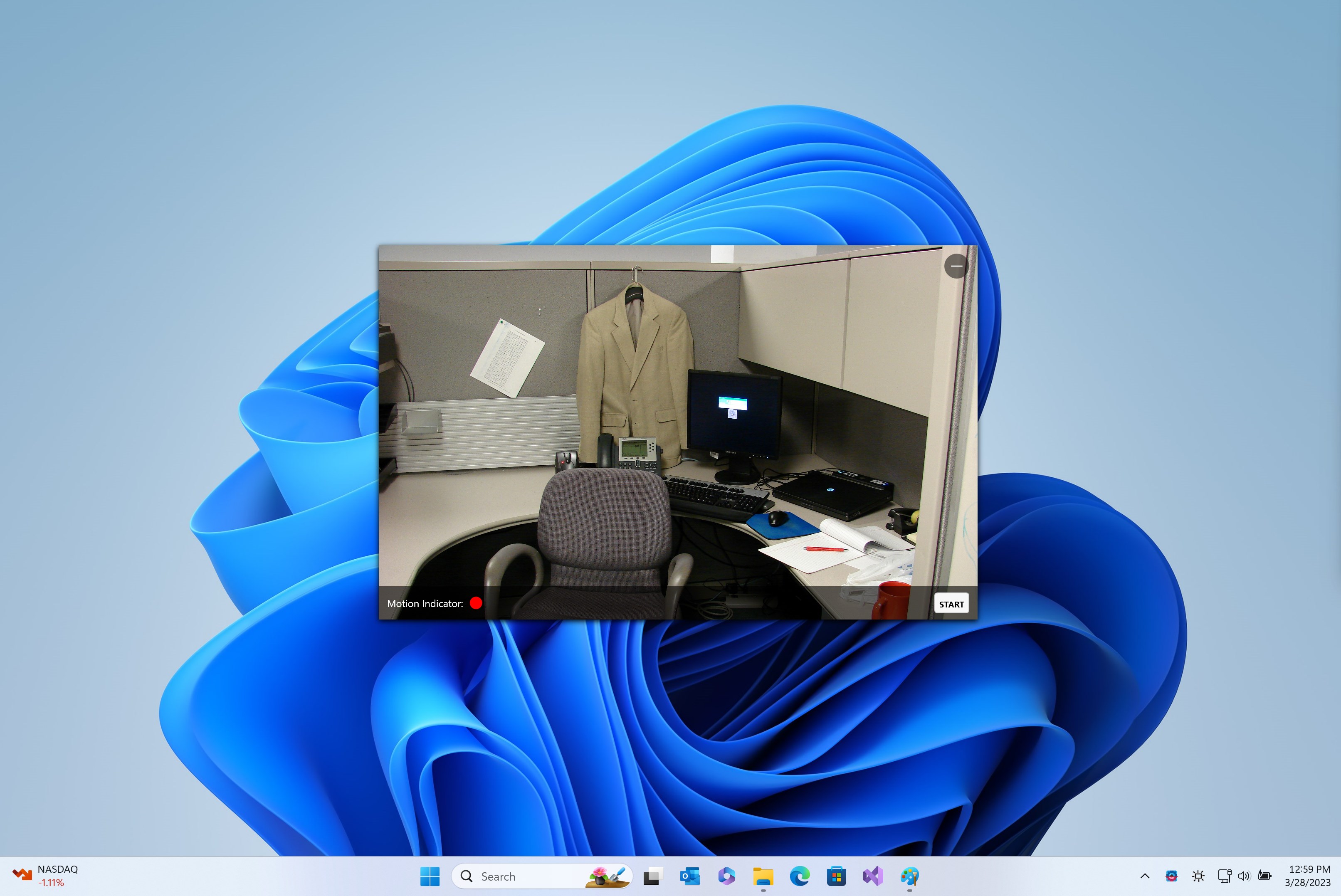
From the moment you open the app, it's like stepping into a sleek control room. The clean, minimalistic interface reduces clutter and presents core functions—start/stop monitoring, configure sensitivity, view recordings—in a logical layout. The setup process is straightforward, with guided prompts that make it accessible even for non-technical users. Furthermore, the app's responsiveness and smooth operation mean you can monitor live feeds or review recordings without frustrating lag or hiccups, making it a joy to use daily.
Distinctive Strengths & Unique Advantages
While many security apps promise motion detection, this software sets itself apart with its focus on simplicity paired with effective detection capabilities. One standout feature is its adaptive motion sensitivity, which intelligently filters out minor disturbances, reducing false alarms—a common pain point in many security solutions. Additionally, its efficient recording management, with easy access to event clips, makes reviewing footage less of a chore.
Compared to heavier, feature-burdened surveillance systems, this app offers a streamlined experience that's perfect for users who want dependable detection without drowning in configuration options. Its compatibility with Windows and the support for common webcams make it a versatile addition to anyone's home or small office security setup.
Final Recommendations and Usage Tips
This application is highly recommended for users seeking a straightforward, reliable motion-activated recorder. Whether you want to monitor a baby's room, keep an eye on your pets, or set up a budget-friendly home security system, this app simplifies the process while offering essential features. For best results, spend a few minutes adjusting the detection sensitivity to suit your environment—this will significantly reduce false alarms and improve your overall experience.
In conclusion, Webcam Motion Detector Recorder for Windows stands out as a practical tool that combines core security features with a user-friendly interface. It's particularly suitable for those who prioritize ease of use and effective detection over complex, multi-layered security functionalities. Give it a try if you're looking for a no-fuss yet dependable motion recording solution—a small app that acts like a vigilant guardian in the background, always ready to record when needed.
Pros
- User-Friendly Interface
- Real-Time Motion Alerts
- Continuous Recording Capability
- Easy Storage Management
- Low System Resource Usage
Cons
- Limited Customization Options
- Video Quality Variability
- Occasional False Alarms
- Battery Dependency for Mobile Devices
- Limited Support for External Cameras











