

- Category Photo & video
- Available on PC
- OS Windows 10 version 0.0 or higher
- Keyboard Integrated Keyboard
- Mouse Integrated Mouse
- Memory 300 MB
- DirectX Version 9
- languages Arabic, Bulgarian, Bulgarian, Chinese (Simplified), Chinese (Simplified) (China), Croatian, Croatian (Bosnia and Herzegovina), Croatian, English, English (Bulgaria), English (United States), French, German, German (Austria), German, German (Liechtenstein), German (Luxembourg), German (Switzerland), Hebrew, Hebrew, Hungarian, Hungarian, Italian, Italian, Italian (Switzerland), Norwegian, Norwegian (Bokmål), Norwegian (Bokmål), Norwegian (Nynorsk), Norwegian (Nynorsk), Norwegian (Bokmål), Portuguese, Portuguese (Brazil), Portuguese (Portugal), Russian, Russian (Armenia), Russian (Belarus), Russian (Kazakhstan), Russian, Russian (Ukraine), Serbian, Spanish, Spanish (Åland Islands), Spanish (Albania), Spanish (American Samoa), Spanish (Americas), Spanish (Andorra), Spanish (Angola), Spanish (Anguilla), Spanish (Antarctica), Spanish (Antigua and Barbuda), Spanish (Argentina), Spanish (Aruba), Spanish (Azerbaijan), Spanish (Bahamas, The), Spanish (Barbados), Spanish (Belize), Spanish (Benin), Spanish (Bermuda), Spanish (Bhutan), Spanish (Bolivia), Spanish (Bonaire, Saint Eustatius and Saba), Spanish (Bosnia and Herzegovina), Spanish (Botswana), Spanish (Bouvet Island), Spanish (British Indian Ocean Territory), Spanish (British Virgin Islands), Spanish (Brunei), Spanish (Burkina Faso), Spanish (Burundi), Spanish (Cameroon), Spanish (Canada), Spanish (Cape Verde), Spanish (Cayman Islands), Spanish (Central African Republic), Spanish (Chad), Spanish (Chile), Spanish (Christmas Island), Spanish (Cocos (Keeling) Islands), Spanish (Colombia), Spanish (Comoros), Spanish (Congo (DRC)), Spanish (Congo), Spanish (Cook Islands), Spanish (Costa Rica), Spanish (Côte d'Ivoire), Spanish (Cuba), Spanish (Curaçao), Spanish (Djibouti), Spanish (Dominica), Spanish (Dominican Republic), Spanish (Ecuador), Spanish (El Salvador), Spanish (Equatorial Guinea), Spanish (Eritrea), Spanish (EU), Spanish (Falkland Islands (Islas Malvinas)), Spanish (Faroe Islands), Spanish (Fiji), Spanish (French Guiana), Spanish (French Polynesia), Spanish (Gabon), Spanish (Gambia, The), Spanish (Georgia), Spanish (Ghana), Spanish (Gibraltar), Spanish (Greenland), Spanish (Grenada), Spanish (Guadeloupe), Spanish (Guam), Spanish (Guatemala), Spanish (Guernsey), Spanish (Guinea-Bissau), Spanish (Guinea), Spanish (Guyana), Spanish (Haiti), Spanish (Heard Island and McDonald Islands), Spanish (Honduras), Spanish (Jamaica), Spanish (Jersey), Spanish (Kiribati), Spanish (Kyrgyzstan), Spanish (Laos), Spanish (Latin America), Spanish (Lesotho), Spanish (Liberia), Spanish (Libya), Spanish (Macao SAR), Spanish (Madagascar), Spanish (Malawi), Spanish (Maldives), Spanish (Mali), Spanish (Marshall Islands), Spanish (Martinique), Spanish (Mauritius), Spanish (Mayotte), Spanish (Mexico), Spanish (Micronesia), Spanish (Moldova), Spanish (Monaco), Spanish (Mongolia), Spanish (Montserrat), Spanish (Mozambique), Spanish (Myanmar), Spanish (Namibia), Spanish (Nauru), Spanish (New Caledonia), Spanish (Nicaragua), Spanish (Niger), Spanish (Niue), Spanish (Norfolk Island), Spanish (Northern Mariana Islands), Spanish (Palau), Spanish (Palestinian Authority), Spanish (Panama), Spanish (Papua New Guinea), Spanish (Paraguay), Spanish (Peru), Spanish (Pitcairn Islands), Spanish (Puerto Rico), Spanish (Reunion), Spanish (Rwanda), Spanish (Saint Barthélemy), Spanish (Saint Helena, Ascension and Tristan da Cunha), Spanish (Saint Kitts and Nevis), Spanish (Saint Lucia), Spanish (Saint Martin (French Part)), Spanish (Saint Pierre and Miquelon), Spanish (Saint Vincent and the Grenadines), Spanish (Samoa), Spanish (San Marino), Spanish (São Tomé and Príncipe), Spanish (Senegal), Spanish (Seychelles), Spanish (Sierra Leone), Spanish (Sint Maarten (Dutch Part)), Spanish (Solomon Islands), Spanish (Somalia), Spanish (South Georgia and the South Sandwich Islands), Spanish (Spain), Spanish (Suriname), Spanish (Svalbard and Jan Mayen), Spanish (Swaziland), Spanish (Tajikistan), Spanish (Tanzania), Spanish (Timor-Leste), Spanish (Togo), Spanish (Tokelau), Spanish (Tonga), Spanish (Turks and Caicos Islands), Spanish (Tuvalu), Spanish (U.S. Minor Outlying Islands), Spanish (U.S. Virgin Islands), Spanish (Uganda), Spanish (United States), Spanish (Uruguay), Spanish (Vanuatu), Spanish (Holy See (Vatican City)), Spanish (Venezuela), Spanish (Wallis and Futuna), Spanish (Zambia), Spanish (Zimbabwe), Turkish, Turkish, Romanian, Romanian
Webcam Surveyor for Windows:Your Go-To Tool for Camera Monitoring and Recording
Webcam Surveyor for Windows is a versatile application designed to help users monitor, record, and analyze live video feeds from webcams or IP cameras with ease and precision. Whether you're setting up a home security system, building a video surveillance network, or just want a reliable way to keep an eye on your environment, this app positions itself as an efficient and user-friendly solution.
About the Developer and Core Features
Developed by El Software Solutions, a team dedicated to creating niche utility tools that bridge technology and everyday needs, Webcam Surveyor offers a suite of features tailored for both casual users and surveillance professionals.
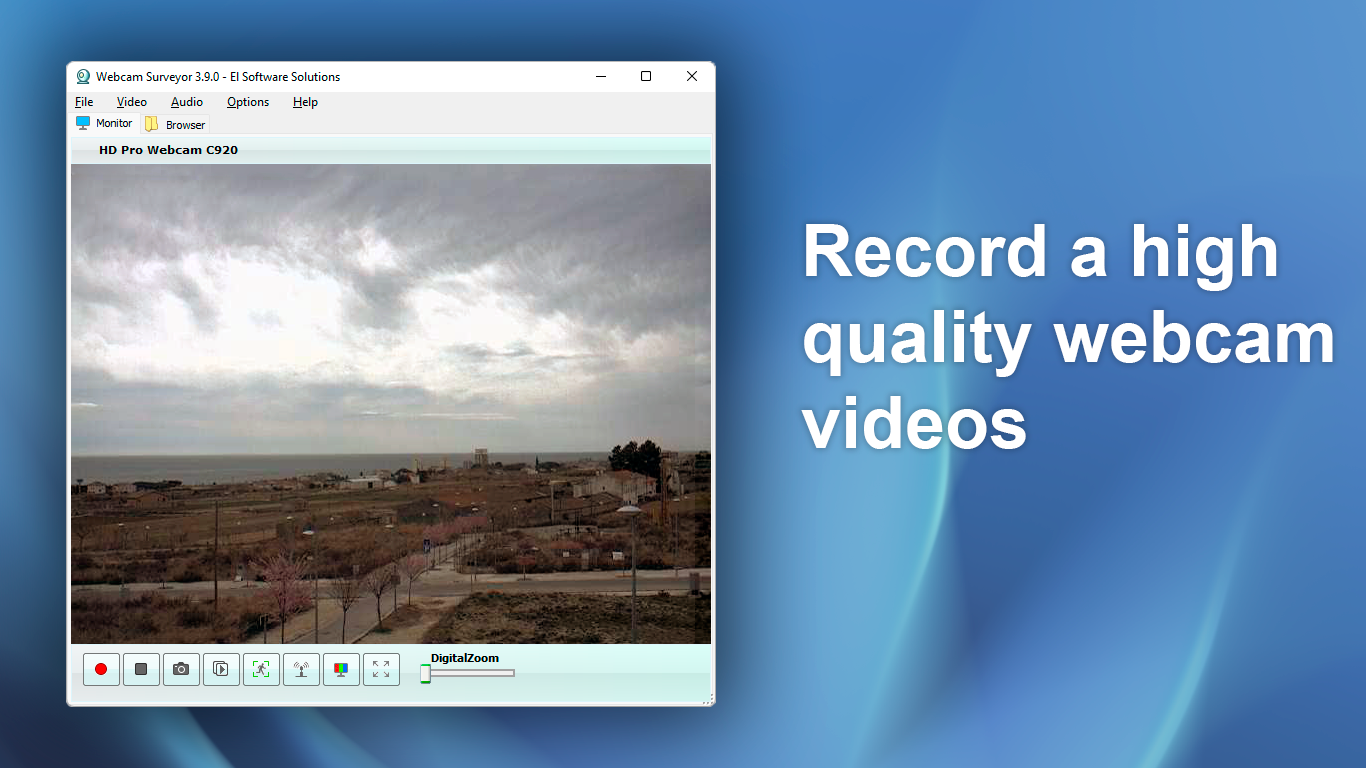
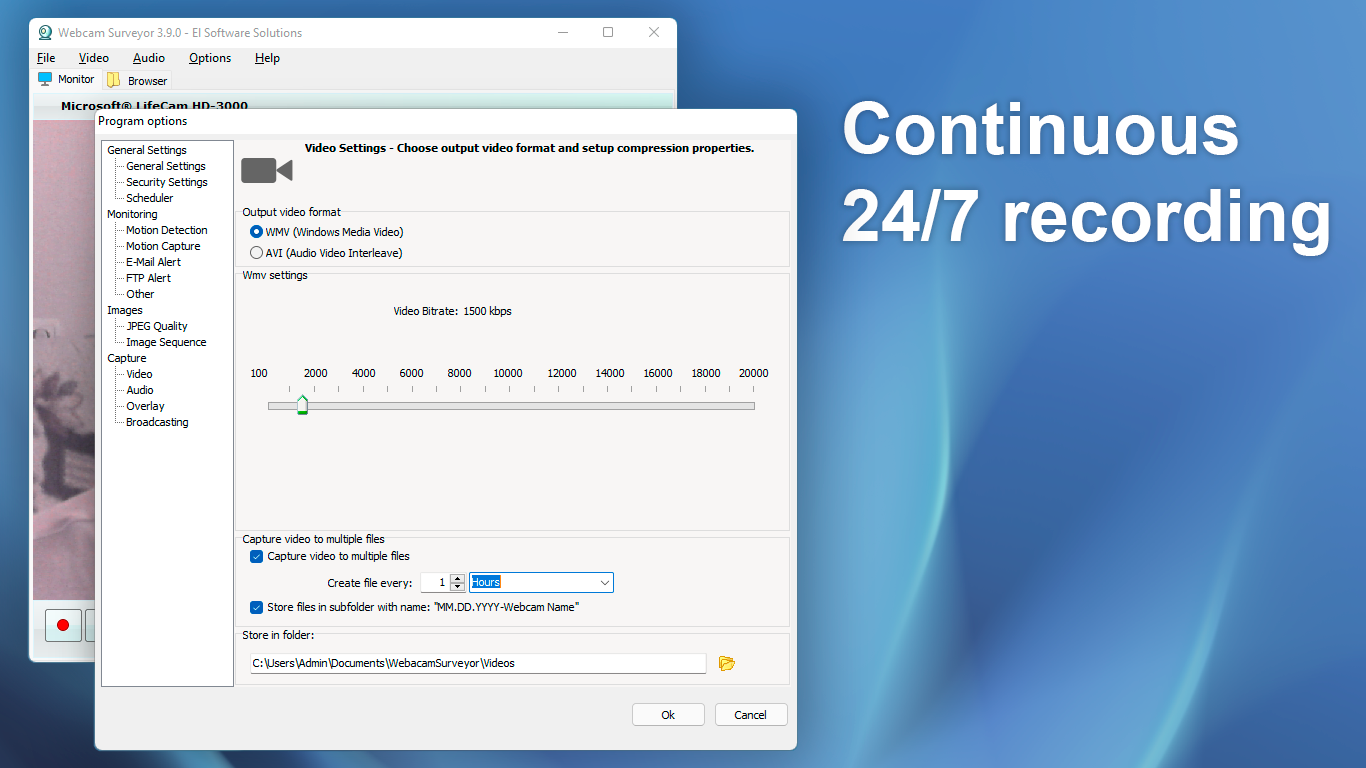
- Real-Time Video Monitoring and Recording: Capture high-quality footage directly from webcams or IP cameras with customizable recording schedules and quality settings.
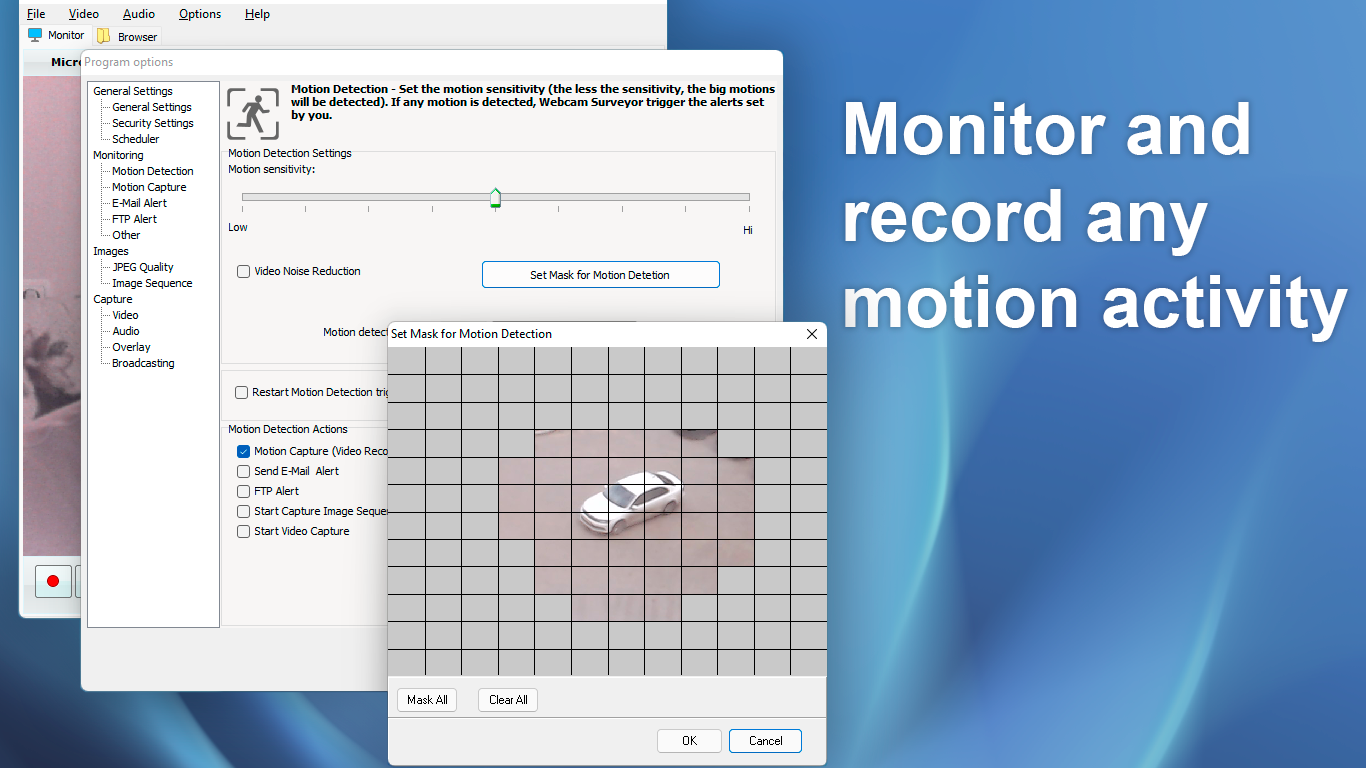
- Motion Detection and Alerts: Detect movement within the camera's view and trigger notifications or recordings, making it ideal for security purposes.
- Time-Lapse and Snapshot Capabilities: Create time-lapse videos or capture still images at defined intervals, suitable for monitoring slowly changing environments.
- Multi-Camera Support: Manage multiple live feeds simultaneously, providing a consolidated view of your surveillance setup.
The app caters mainly to security enthusiasts, small business owners, and individuals who need a straightforward yet effective tool for camera surveillance and analysis.
A Spark of Creativity in Surveillance: An Engaging Introduction
Imagine having a vigilant eye that never blinks—quiet, unobtrusive, yet alert at every movement—just like a faithful watchdog watching over your home or workspace. Webcam Surveyor sits at your fingertips, transforming your webcam into a smart security agent capable of recording, detecting activity, and alerting you in real-time. It's as if your computer becomes the nerve center of a personalized security system, offering peace of mind without complicated setups or expensive hardware.
Core Functionality that Steers Clear of the Crowd
Seamless Video Capture and Recording
This feature is the backbone of Webcam Surveyor. Setting up is straightforward—select your camera source, choose your preferred recording resolution, and hit start. The app efficiently manages high-quality video streams, storing files in conveniently accessible locations. It's akin to having a dedicated videographer working in the background, capturing every detail without any fuss or lag. Users appreciate the flexibility to schedule recordings, making it easy to automate surveillance during specific times of the day or night. Compared to other Photo & Video apps, Webcam Surveyor's focus on surveillance-specific features sets it apart, providing a specialized environment rather than just a basic recording tool.
Intelligent Motion Detection and Alerts
The most eye-catching feature is the app's advanced motion detection system. Unlike simplistic pixel-change detectors, Webcam Surveyor employs algorithms that differentiate between insignificant movements like swaying trees and genuine intrusions. When movement is detected, it can instantly trigger alerts—via email, on-screen notifications, or by starting an immediate recording. This level of intelligence makes it superior to many standard webcam apps, turning your setup into a proactive security guard rather than a passive recorder. Its easy-to-configure sensitivity settings mean even beginners can fine-tune detection zones without a steep learning curve.
Effortless User Experience and Unique Selling Points
The interface design captures a no-frills philosophy—clean, organized, and intuitive. Navigating between live feeds, recording options, and detection settings feels natural, as if the software anticipates your needs. Operating the app is smooth, with minimal lag and a gentle learning curve that welcomes newcomers. For users familiar with basic video monitoring tools, the multi-camera support and scheduled recording features are standout elements, making it feasible to oversee multiple locations simultaneously, from a single dashboard.
What makes Webcam Surveyor truly stand out among peers is its focus on surveillance-specific functionalities, especially the use of smart motion detection combined with straightforward recording options. Many similar tools are either overly complicated or lack reliable detection capability. Here, the app strikes a balance—offering professional-grade features in an accessible package.
Final Thoughts and Recommendations
All in all, Webcam Surveyor for Windows is a solid choice for anyone needing an effective and reliable webcam surveillance tool. Its special emphasis on motion detection, along with easy setup and multi-camera support, makes it ideal for users seeking a comprehensive monitoring solution without complicated hurdles. While it excels in security-oriented features, it remains user-friendly enough for novices to pick up and operate confidently. We recommend it for small-scale security setups, hobbyists wanting to tinker with camera feeds, or anyone looking for a dependable monitoring application.
Considering its strengths and straightforward design, this app is highly recommended for those who prioritize function and reliability over flashy bells and whistles. Whether for home security or small business surveillance, Webcam Surveyor is poised to be your silent guardian—just a click away from peace of mind.
Pros
- Intuitive User Interface
- Accurate Motion Detection
- Multiple Recording Options
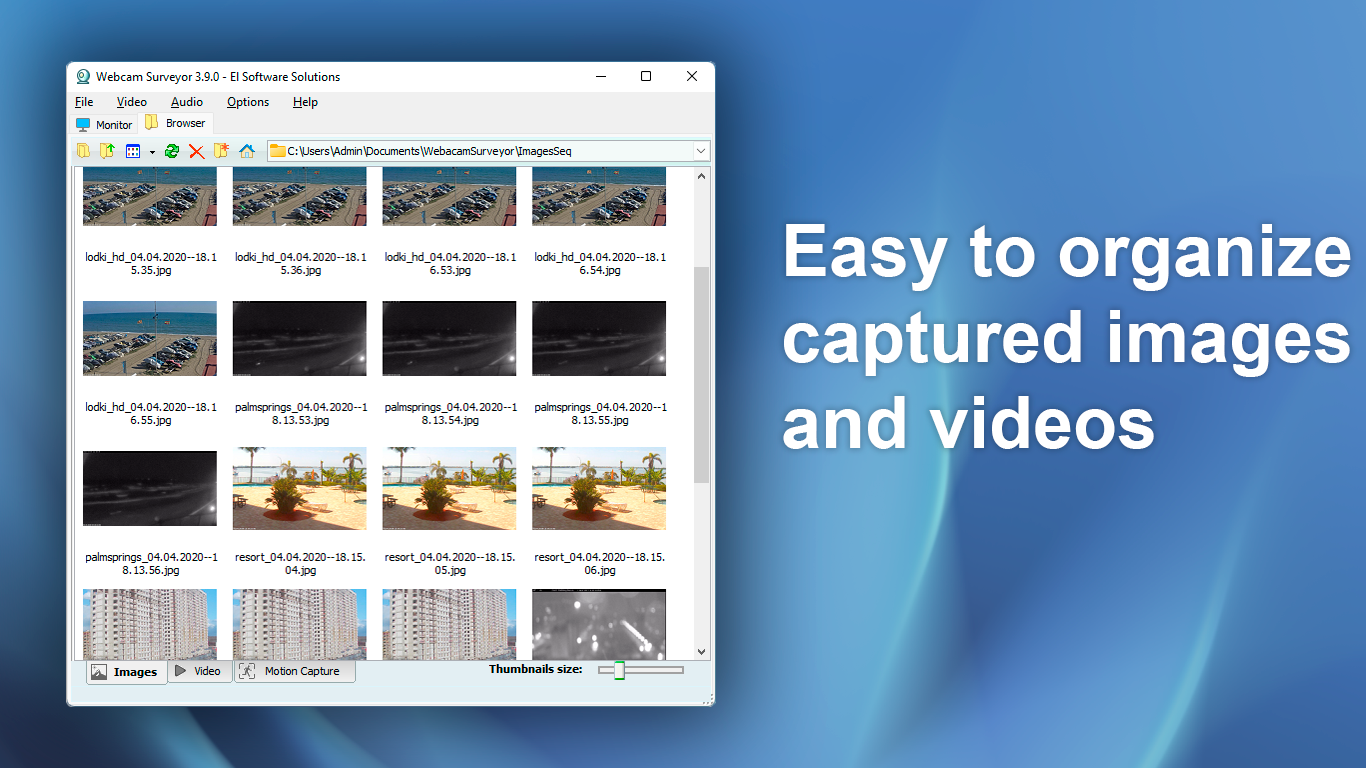
- Real-Time Preview and Playback
- Support for Various Webcam Models
Cons
- Limited Integration with Other Security Systems
- Occasional False Alarms in Low-Light Conditions
- High CPU Usage During Continuous Recording
- Basic Notification System
- Limited Support for Mobile Devices











