


- Category Productivity
- Developer Cisco Systems, Inc.
- Available on PC
- OS Windows 10 version 0.0 or higher
- Keyboard Integrated Keyboard
- Mouse Integrated Mouse
- Memory 2 GB
- languages Arabic, Bulgarian, Catalan, Chinese (Simplified) (China), Chinese (Simplified), Chinese (Traditional Chinese), Chinese (Traditional) (Hong Kong), Croatian, Croatian, Czech, Czech, Danish, Danish, Dutch, Dutch, Dutch (Belgium), English, English (United States), English (United Kingdom), French (Canada), French, German, German, Hebrew, Hebrew, Hungarian, Hungarian, Indonesian, Indonesian, Italian, Italian, Japanese, Japanese, Korean, Korean , Norwegian, Norwegian (Bokmål), Norwegian (Bokmål), Norwegian (Nynorsk), Polish, Polish , Portuguese (Brazil), Portuguese, Portuguese (Portugal), Romanian, Romanian, Russian, Russian, Russian (Ukraine), Serbian, Serbian (Latin, Serbia), Serbian (Latin), Spanish, Spanish (Spain), Spanish (Latin America), Swedish, Swedish, Turkish, Turkish, Ukrainian, Ukrainian
Webex for Windows: Seamless Virtual Collaboration at Your Fingertips
In a world increasingly reliant on remote teamwork, Webex for Windows stands out as a reliable and intuitive platform designed to elevate your virtual meetings and collaboration efforts. With its polished interface and robust features, it aims to streamline communication workflows for professionals across various industries.
Developed by Cisco Systems, Inc.: A Trusted Name in Connectivity
Created by Cisco Systems, Inc., a global leader in networking and communications technology, Webex for Windows benefits from Cisco's extensive experience in delivering enterprise-grade conferencing solutions. The app is published directly by Cisco, ensuring a high standard of quality and security.
Key Features That Drive Productivity
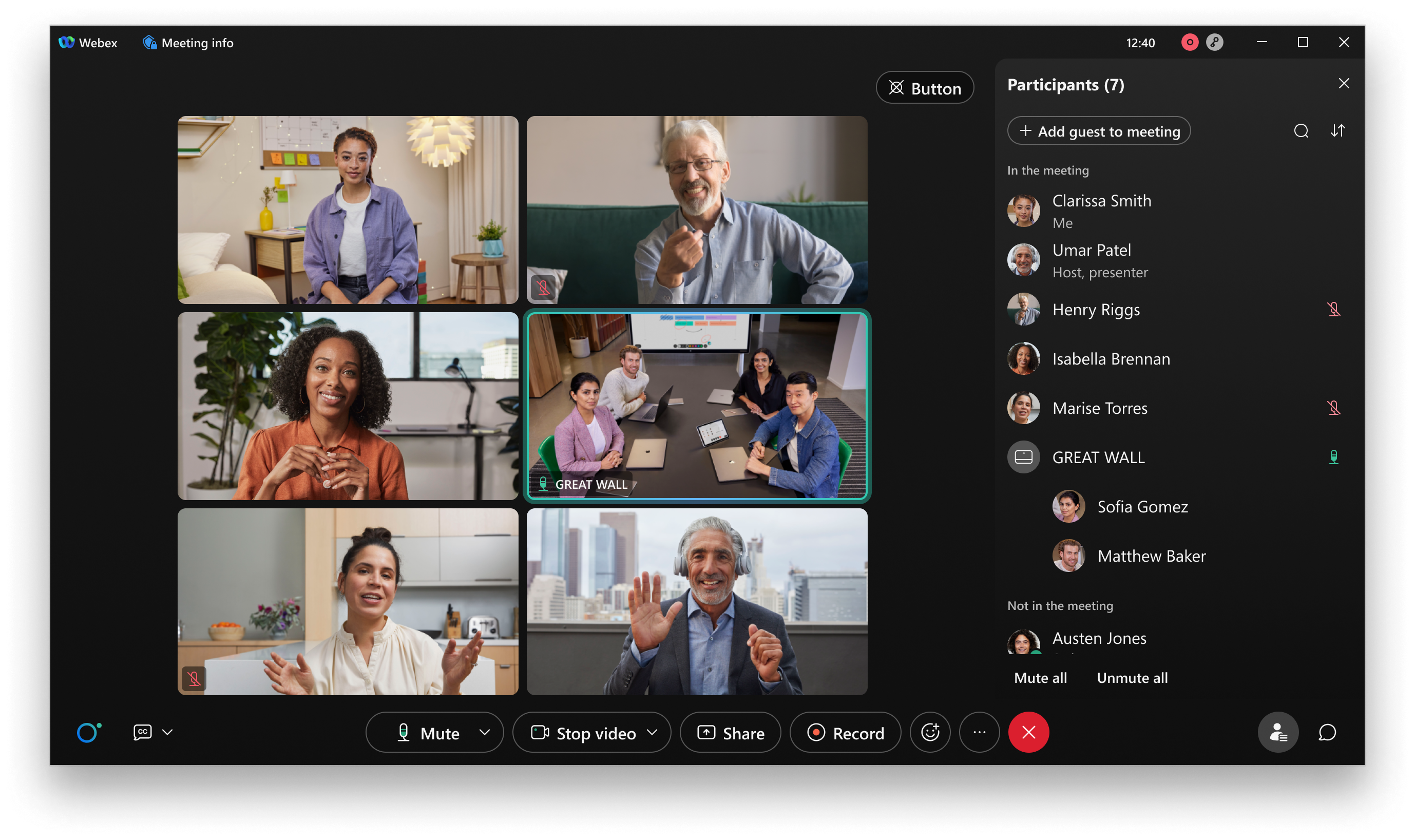
- High-Quality Video and Audio Conferencing: Provides crisp video streams and clear audio, even in bandwidth-constrained environments, facilitating effective communication.
- Intuitive Screen Sharing and Annotation: Simplifies sharing presentations and documents with real-time annotation tools, enhancing collaborative discussions.
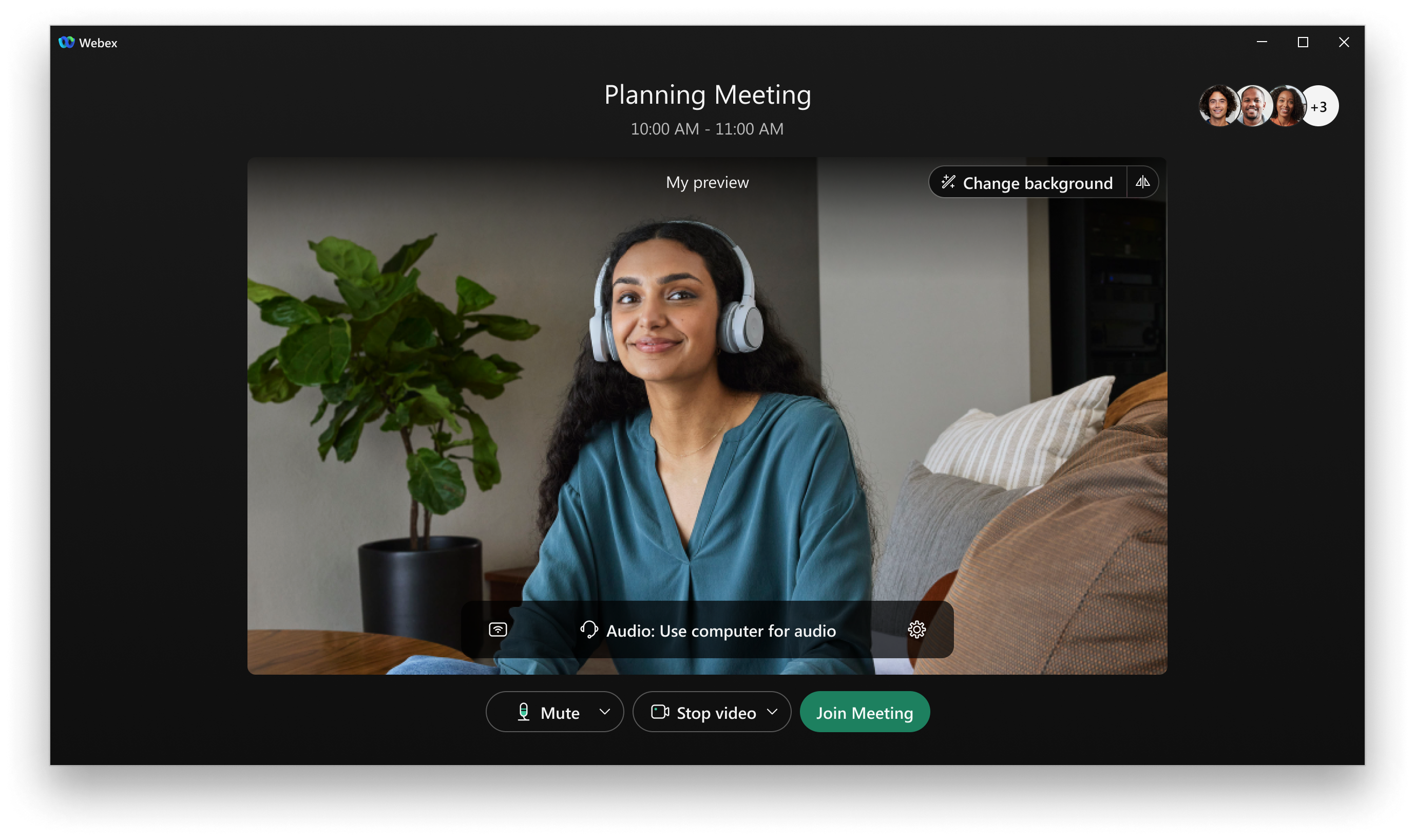
- Meeting Scheduling and Integration: Seamlessly integrates with popular calendar apps and offers easy meeting setup, reducing planning friction.
- Secure Meetings with End-to-End Encryption: Ensures privacy and data protection, a crucial aspect for corporate users handling sensitive information.
Engaging Opening: Why Webex for Windows Might Become Your New Best Friend
Imagine this: you're sitting at your desk, juggling multiple tasks, yet a crucial team meeting is about to start. With a few clicks on Webex for Windows, you're not just joining a meeting; you're stepping into a virtual conference room designed to feel natural, engaging, and distraction-free. Its sleek interface and thoughtfully designed features turn what used to be a stressful chore into a seamless experience—like having your dedicated high-tech boardroom right on your desktop.
Core Functionality: Smooth, Focused, and Intuitive User Experience
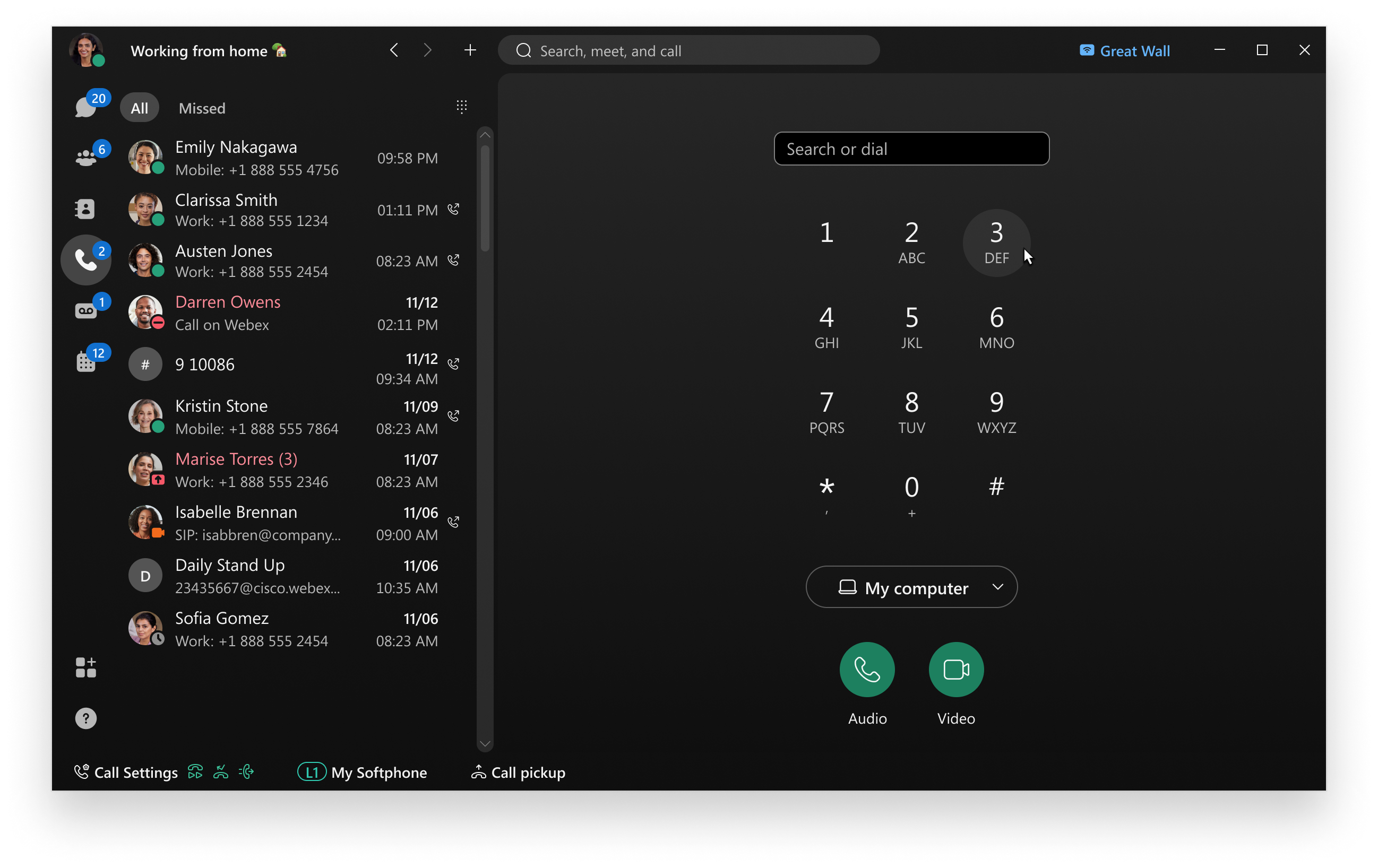
Webex's strong suit lies in its core conferencing features, delivered in a way that minimizes the typical cognitive load. Its interface is uncluttered, akin to a well-organized workspace, where key functions—mute, video on/off, share screen—are all within easy reach. Transitioning between views, sharing content, or marking up a document feels fluid, almost like turning a page in a familiar book, making it approachable even for first-time users.
Meeting Management and Workflow Integration: Reducing Cognitive Load While Boosting Efficiency
One standout aspect is how Webex integrates effortlessly with existing workflows. For example, it syncs with calendar apps like Outlook or Google Calendar, automatically importing scheduled meetings—no need to switch apps or manually copy links. During a meeting, the minimalistic design reduces information overload; users can focus on conversation rather than navigating complex menus. Its robust screen sharing and annotation tools eliminate the need for cumbersome external applications, streamlining collaborative tasks. Compared to feature-heavy competitors, Webex emphasizes clarity and ease of use, thereby reducing the cognitive effort required to participate actively in meetings.
Does Webex for Windows Live Up to Its Potential? Recommendations and Use Cases
Overall, Webex for Windows is highly recommended for professionals seeking a reliable, easy-to-use collaboration tool that integrates well into daily workflows. Its focus on reducing complexity while maintaining feature richness makes it suitable for corporate teams, educators, and remote project groups alike. Whether hosting a quick team sync or a large client presentation, its stability and security features instill confidence. For organizations already embedded within Cisco's ecosystem, it offers a natural extension to enterprise communication solutions.
In summary, Webex for Windows shines as a practical, user-centric conferencing app that balances the need for powerful features with an approachable design. Its standout qualities—especially the streamlined workflow integration and emphasis on reducing user cognitive load—set it apart from many competing platforms. For those prioritizing efficiency and clarity in their virtual meetings, a closer look at Webex would be a wise choice.
Pros
- User-friendly interface
- High-quality video and audio
- Strong security features
- Comprehensive collaboration tools
- Device compatibility
Cons
- Occasional connectivity issues
- Limited free meeting duration
- Mobile app performance varies
- Integration lacks some third-party apps
- Learning curve for advanced features











