

- Category Shopping
- Available on PC, Mobile, Surface Hub, HoloLens
- OS Windows 10 version 19003.0 or higher
- Keyboard Integrated Keyboard
- Mouse Integrated Mouse
- languages English (United States)
Introducing Whatnot for Windows: A New Player in Online Shopping
Whatnot for Windows is an innovative shopping app designed to streamline the way users discover, browse, and purchase a wide variety of products directly from their desktops. With its user-friendly interface and curated selections, it aims to bring the excitement of live auctions and social shopping to your Windows device.
About the Developer and Core Features
Developed by the team at Whatnot, a company known for revolutionizing live shopping experiences, this Windows application leverages their expertise to create a seamless online retail platform. The app boasts several key features:
- Curated Product Variety & Categorization – Organizes countless items across diverse categories, making browsing intuitive and engaging.
- Live Auction Integration – Hosts real-time bidding events, creating an interactive shopping environment reminiscent of classic markets.
- Transparent Pricing & Deals – Provides clear price listings and exclusive deals, helping users make informed purchasing decisions.
- Personalized Recommendations – Uses intelligent algorithms to suggest products tailored to user preferences, enhancing the shopping experience.
Targeted primarily at avid online shoppers, collectors, and bargain hunters, the app caters to those who enjoy dynamic shopping experiences combined with social interaction.
Immersive Shopping Experience with a Dash of Fun
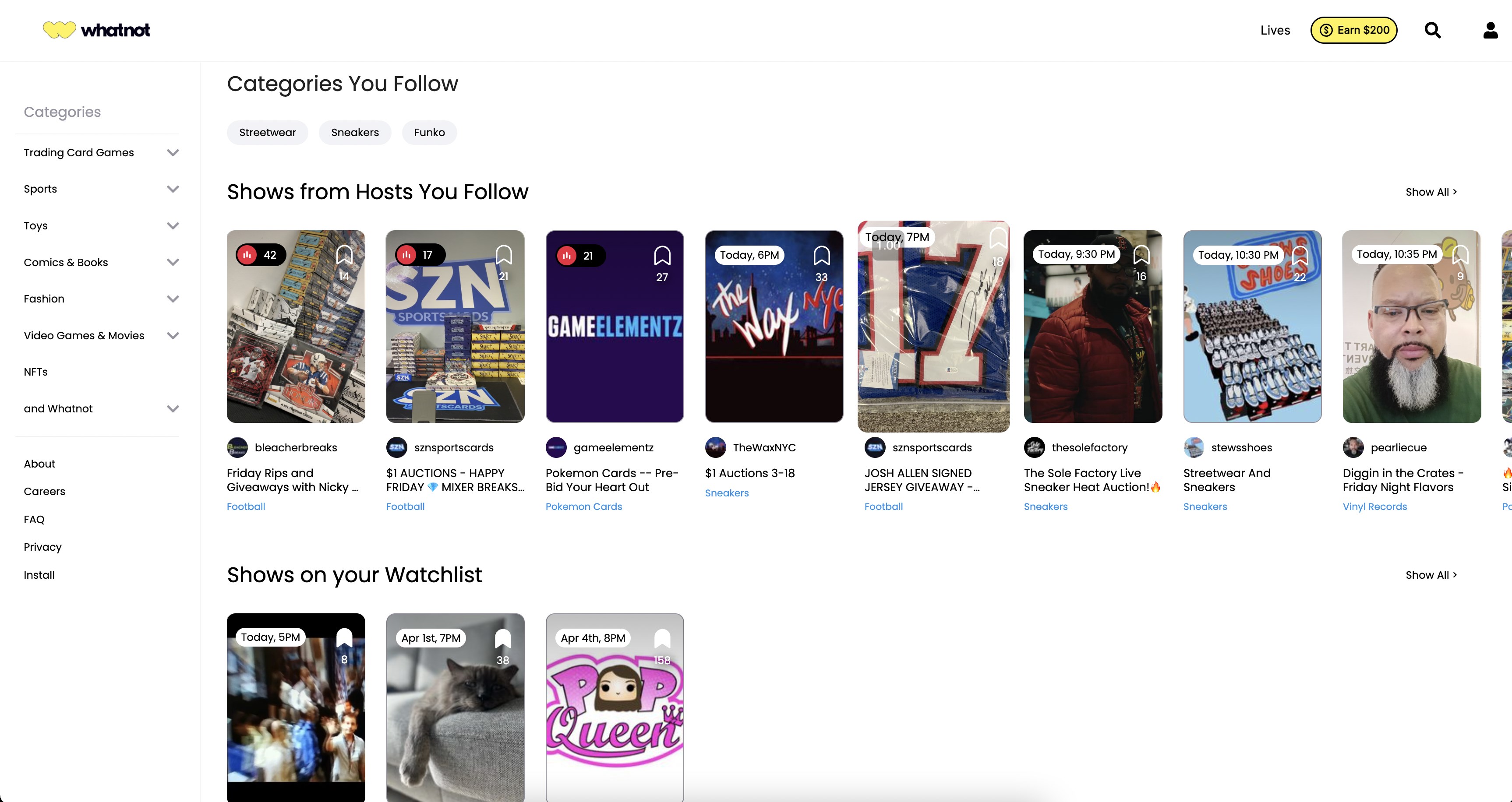
Stepping into Whatnot for Windows feels like entering a lively marketplace from the comfort of your own home. The app's bright, organized interface immediately invites exploration—think of it as strolling through a bustling bazaar where every stall is a well-curated shop. Navigating the platform is straightforward; even newcomers can swiftly find categories of interest or tune into live auctions for real-time excitement. The app's design strikes a fine balance between aesthetic appeal and practical usability, ensuring a smooth experience without overwhelming the user.
Dynamic Product Discovery & Categorization
The core strength of Whatnot lies in its extensive, well-organized product catalog. Whether you're after vintage collectibles, tech gadgets, fashion, or home decor, the app categorizes items meticulously, making discovery feel like flipping through the aisles of a favorite market. The intelligent categorization reduces search time and elevates user satisfaction, which sets it apart from simpler shopping apps that often lump everything under broad headings. This focus on product variety ensures that users can explore niche segments without feeling lost or overwhelmed.
Interactive Live Auctions – Bringing the Market to Your Screen
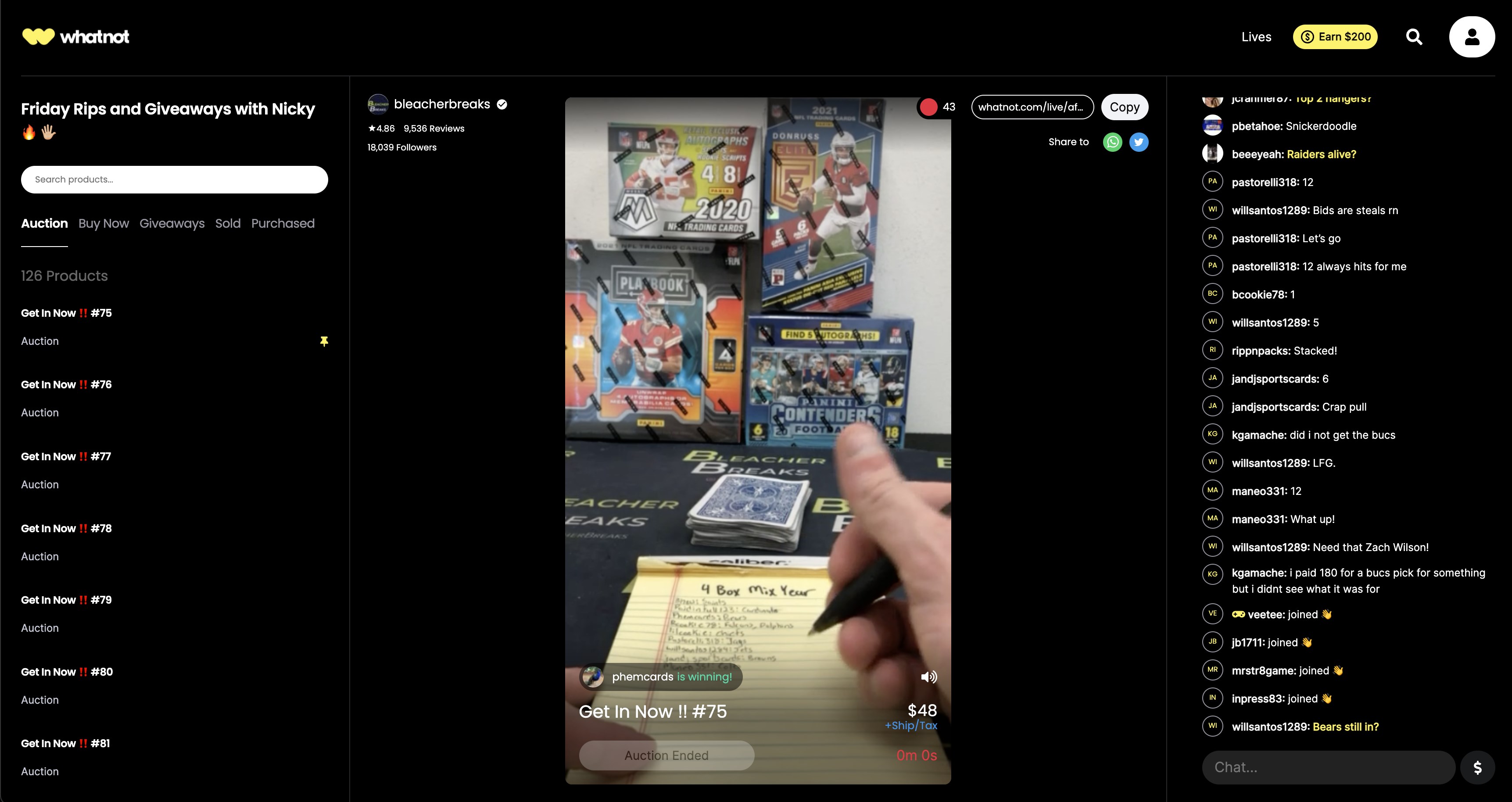
One of the standout features is the integrated live auction platform, which elevates shopping from a passive activity to an engaging event. Picture this: scrolling through listings suddenly turns into a lively auction with real-time bidding, chat interaction, and exclusive deals. This feature not only adds an element of excitement but also fosters a community feel, similar to attending a local flea market with friends. The app's smooth streaming ensures a lag-free experience, encouraging users to participate actively without frustration.
Pricing Transparency and Competitive Deals
Unlike many online marketplaces where prices can fluctuate or seem opaque, Whatnot emphasizes transparency. Clear price tags, bidding increments, and deal highlights help users understand exactly what they're paying for. The app also features recurring discounts and exclusive offers, making it easier for budget-conscious users to find value. This transparency builds trust and promotes repeat engagement—a crucial aspect in the crowded landscape of online shopping.
Comparing with Other Shopping Apps & Final Recommendations
When stacked against other shopping platforms like Amazon or eBay, Whatnot for Windows shines through its focus on community-driven purchasing and live interactions. Its categorization and curated selections help users navigate an otherwise overwhelming product universe, while the live auction feature injects excitement and social engagement. Furthermore, the transparent pricing and exclusive deals make it a unique contender for bargain hunters and collectors alike.
In terms of user experience, the app offers smooth navigation, quick learning curve, and visually pleasing design that caters to both casual shoppers and dedicated enthusiasts. Its primary strength lies in transforming routine browsing into an interactive event, making shopping not just a transaction but an experience.
Overall, I recommend Whatnot for Windows to anyone looking to add a layer of fun and community to their online shopping habits. Whether you're hunting for rare collectibles, shopping for gifts, or just enjoy lively real-time bidding, this app provides a fresh and engaging platform. For best results, new users should start with the categorized browsing feature to familiarize themselves with the extensive product range before jumping into live auctions. If you crave a more social and dynamic shopping journey, Whatnot for Windows is definitely worth a try.
Pros
- Intuitive User Interface
- Wide Selection of Content
- Seamless Payment Integration
- Regular Updates and Promotions
- Cross-Device Compatibility
Cons
- Occasional App Crashes
- Limited Offline Features
- Inconsistent Content Recommendations
- Search Functionality Needs Enhancement
- Limited Support for Older Devices