

- Category Business
- Available on PC, Mobile, Surface Hub, HoloLens
- OS Windows 10 version 17763.0 or higher
- Keyboard Integrated Keyboard
- Mouse Integrated Mouse
- languages English (United States)
Seamless Communication: An Introduction to Wi-Fi Calling for Windows
In an era where staying connected is more vital than ever, Wi-Fi Calling for Windows offers a practical solution for voice communication directly through your desktop, bypassing traditional cellular networks. Developed by Integrated Web Solutions, this app aims to bridge the gap between mobile connectivity and desktop convenience, making it a handy tool for professionals and everyday users alike.
About the Developer and Core Features
Who's Behind the Curtain?
Integrated Web Solutions is the developer behind Wi-Fi Calling for Windows, a company known for creating lightweight yet powerful communication tools designed to enhance productivity and connectivity across different platforms.
Key Highlights That Make This App Shine
- High-Quality Voice Calls Over Wi-Fi: Enables clear, stable voice calls directly from your Windows device without relying on cellular networks.
- Easy Integration with Windows Ecosystem: Seamlessly integrates with your existing Windows environment, providing smooth access alongside other productivity tools.
- Dual-Mode Operation: Supports both traditional VoIP calling and Wi-Fi-based calling, offering versatility based on your connectivity situation.
- Simple Setup and User Interface: Designed for ease of use, even for those less tech-savvy, with straightforward configuration steps.
An App That Feels Like a Digital Phone Booth
Imagine sitting at your workspace, calmly dialing a number and hearing the ring – but instead of reaching into your pocket for your phone, you're simply clicking on your desktop. Wi-Fi Calling for Windows transforms your computer into a reliable communication hub, particularly useful in scenarios like remote work, online meetings, or when your mobile signal is weak. The app's intuitive setup feels akin to unlocking a familiar, well-organized toolbox—ready to serve your calling needs with minimal fuss.
Delving Into the Core Functionalities
Crystal-Clear Voice Calls with Wi-Fi
The standout feature of Wi-Fi Calling for Windows is its ability to deliver high-quality voice calls over Wi-Fi networks. Whether you're in a dense apartment building or a remote countryside, if you have a stable Wi-Fi connection, your voice calls will sound crisp and clear, comparable to traditional cellular calls. This feature is especially beneficial in environments with poor cellular reception but good internet connectivity, like coffee shops or office spaces, transforming your Wi-Fi into a reliable telephony service.
Effortless User Experience and Interface
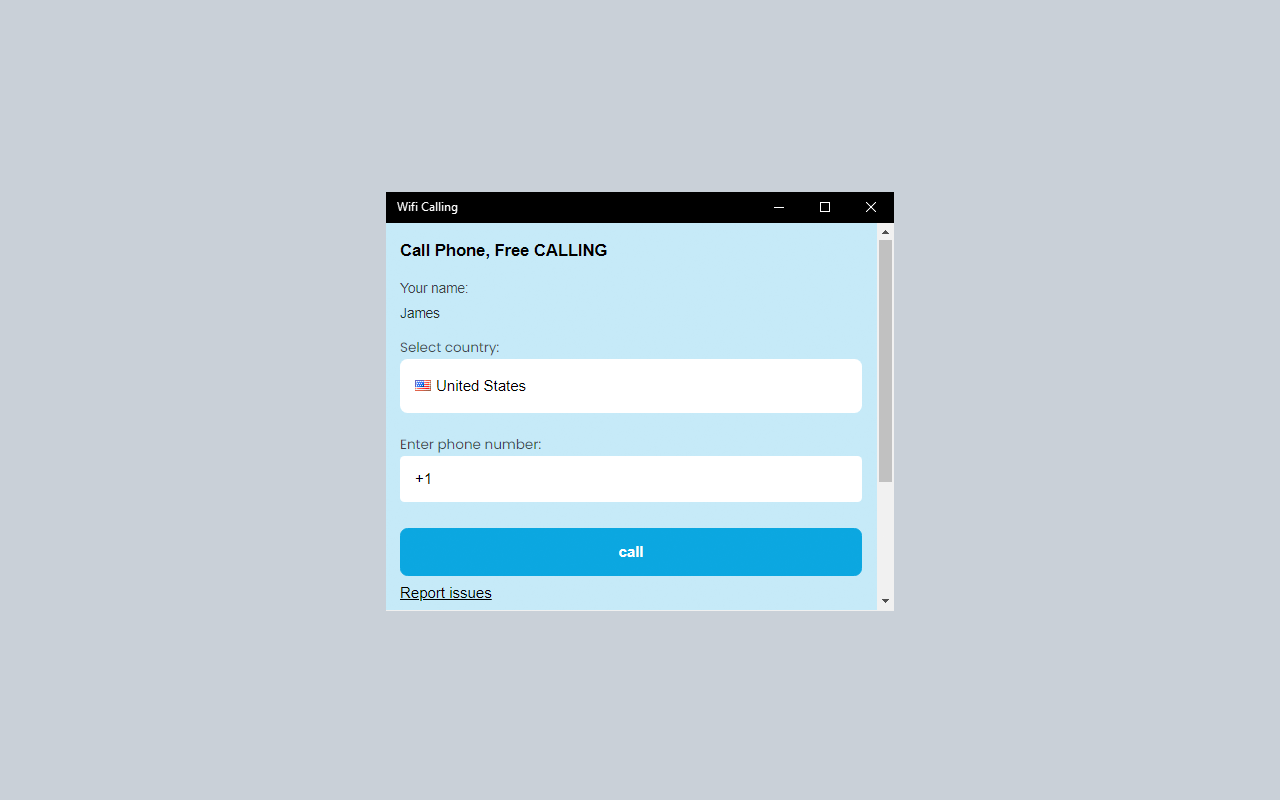
The app boasts a clean, minimalist interface that is both inviting and practical. Navigating through contacts, dialing, and managing calls feels smooth—almost like flipping through the pages of a well-organized digital address book. The learning curve is gentle; users familiar with basic instant messaging or calling apps will find this a breeze. Quick access buttons, contact sync, and straightforward settings contribute to a user experience that feels natural, reducing the mental load often associated with new communication tools.
Enhanced Collaboration and Task Management
While many VoIP applications focus solely on one-on-one calls, Wi-Fi Calling for Windows distinguishes itself by subtly integrating collaborative features that support multi-user conversations. Unlike typical Business apps that rely heavily on dedicated collaboration modules, this app shines in its ability to support calls directly tied to your workflow—perfect for small team meetings or client discussions. Its integration with Windows allows users to seamlessly switch between calls, text chats, or even share screens—though the latter is more limited. This focus on fluid communication and ease of use makes it a practical tool for professionals needing reliable voice calls without switching environments.
Who Would Benefit Most and Final Recommendation
All in all, Wi-Fi Calling for Windows is a solid, no-nonsense application that empowers users to stay connected via Wi-Fi with minimal setup effort. It is especially recommended for remote workers, freelancers, or professionals operating in areas with spotty cellular coverage but steady internet connections. Its clean interface, high call quality, and integration with Windows OS make it a reliable choice.
While it doesn't boast extravagant features like advanced conference management or messaging integrations, its core strengths lie in providing a simple, dependable calling experience over Wi-Fi—its most unique selling point. I'd rate it as a "recommended" app for users seeking an easy alternative to traditional mobile calls on their desktop. For those needing robust collaboration tools or extensive task management, exploring broader Unified Communications platforms might be necessary, but for straightforward Wi-Fi calling, this app does the job gracefully.
Pros
- Improves call quality in low coverage areas
- No additional charges for Wi-Fi calls
- Easy to set up within the Microsoft Store app
- Integrates smoothly with existing contacts and messaging apps
- Provides detailed usage logs for calling activities
Cons
- Limited availability in some regions
- Requires a stable Wi-Fi connection for optimal use
- Interface could be more user-friendly for new users
- Lacks advanced customization options for call preferences
- Occasional lag or delay during calls in high network traffic environments











