




- Category Personalization
- Available on PC
- OS Windows 10 version 14951.0 or higher
- languages English (United States)
Wildflowers for Windows: A Fresh Take on Desktop Personalization
Wildflowers for Windows is an innovative application designed to transform your desktop environment into a blooming garden filled with vibrant, animated wildflowers. With its intuitive features and customizable options, it aims to bring a touch of natural beauty and serenity to everyday computing.
Basic Information and Developer Insights
Developed by Microsoft Corporation, Wildflowers for Windows positions itself as a delightful tool for personalizing your Windows experience through dynamic floral visuals. Its primary features include customizable wildflower animations, seamless theme integration, and a user-friendly interface that makes personalization accessible even for those less tech-savvy. This app is primarily targeted at Windows users who appreciate beauty, tranquility, and a bit of nature-inspired elegance in their digital workspace.
Bright Beginnings: A Nature-Inspired Desktop Refresh
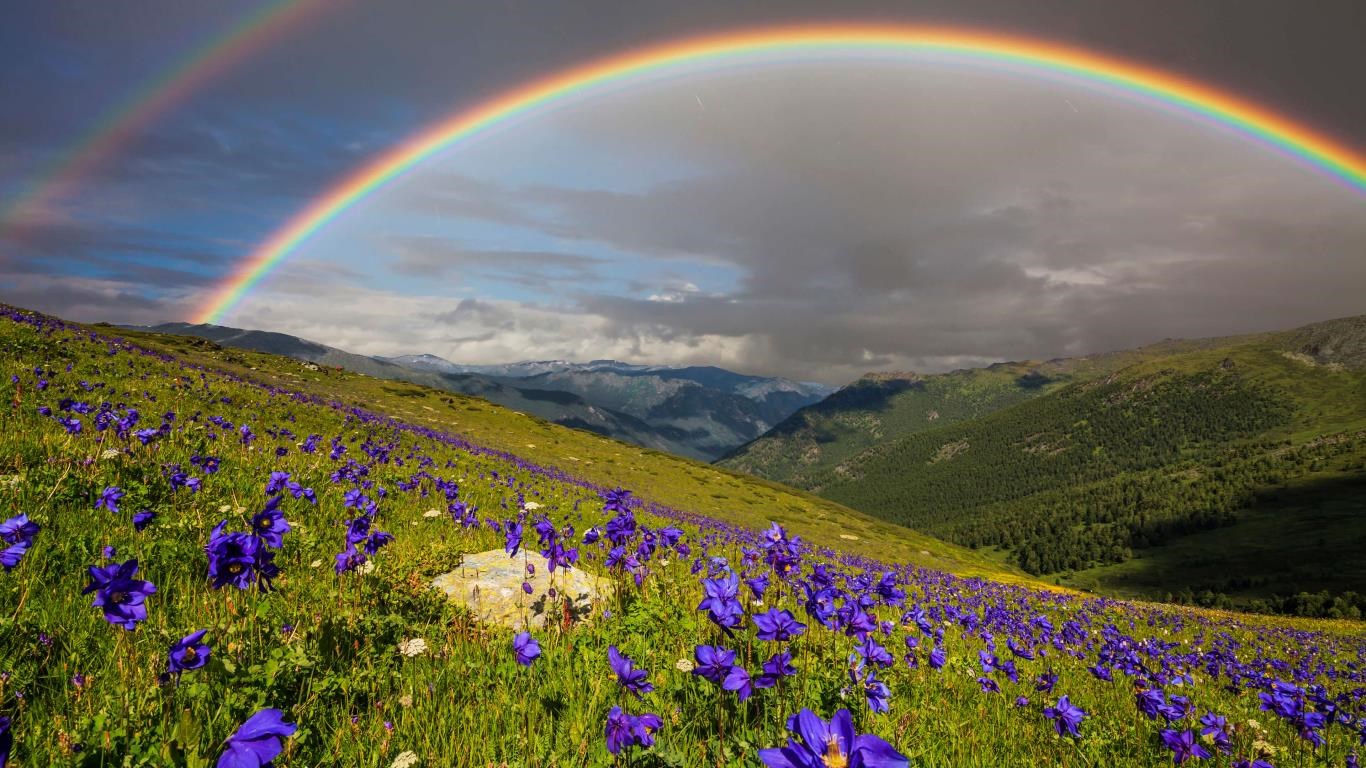
Imagine your screen as a small window into a peaceful meadow, where wildflowers sway gently in an imagined breeze—Wildflowers for Windows promises to bring this scene to your desktop. Unlike static wallpapers or simple animated backgrounds, this app offers a living, breathing floral display that reacts subtly to your interaction, offering a calming visual escape in the busy digital world. Whether you're working, browsing, or just relaxing, this app aims to elevate your environment with a touch of natural artistry.
Core Features Deep Dive
Vibrant Customization and Animation Options
The standout feature of Wildflowers is its extensive variety of wildflower species and animation styles. Users can select from dozens of flower types, each with unique movement patterns—imagine a lively meadow filled with daisies, poppies, and lavender, all gently swaying as if under a warm spring sun. The app allows for granular customization—adjusting bloom density, animation speed, and even the color palette—making each desktop truly unique. This versatility ensures that whether you prefer a subtle backdrop or a vivid floral forest, Wildflowers can cater to your aesthetic preferences.
Seamless Theme Compatibility and Integration
One of the app's most compelling aspects is its smooth integration with existing Windows themes. Unlike some apps that clash with system styles, Wildflowers adapt harmoniously, ensuring that icons, taskbars, and menus remain clear and unobstructed. The app also supports dynamic adjustments, so you can switch themes or color schemes without disrupting your floral display. This seamless blend creates a cohesive visual experience that feels natural rather than tacked-on—a critical aspect for users seeking elegance without chaos.
User Experience: Design, Flow, and Learning Curve
From the moment you launch Wildflowers, it's evident that user experience was a focal point. The interface is clean, with straightforward controls and neat organization—think of it as strolling through a well-tended garden. Navigating customization options feels intuitive, with real-time previews guiding your choices. Responsiveness is excellent; animations run smoothly even on mid-range hardware, and switching between modes is instantaneous. The learning curve is gentle, making it accessible enough for users of all levels, yet deep enough to satisfy those craving detailed tweaks.
What Sets Wildflowers Apart from Similar Apps?
Compared to other desktop personalization tools, Wildflowers shines in its rich variety of wildflower species and the natural dynamics of animations. Its adaptability to existing Windows themes ensures it complements your overall aesthetic rather than overpowering it. The ability to fine-tune bloom types, animation nuances, and color schemes provides a level of personalization that many apps only aspire to achieve. This attention to detail makes it a favorite among users seeking a harmonious balance between beauty and functionality.
Final Thoughts and Recommendations
Overall, Wildflowers for Windows offers a serene and customizable floral experience that stands out due to its realistic animations and seamless theme integration. It's especially recommended for users who seek a calming, nature-inspired aesthetic without sacrificing system performance or usability. Beginners will find it easy to set up and customize, while advanced users can dive into detailed adjustments for a truly personalized garden on their desktop.
If you enjoy turning your digital environment into a peaceful oasis, Wildflowers presents a refreshing and well-executed option. Just imagine your screen as a gentle floral breeze—refreshing, beautiful, and entirely personal.
Pros
- Beautiful and immersive art style
- Relaxing gameplay with exploration and light puzzle-solving
- Engaging storyline centered around friendship and nature
- User-friendly interface with intuitive controls
- Good performance with minimal lag on mid-range devices
Cons
- Limited gameplay variety
- Occasional minor bugs in interactions
- Lack of detailed tutorials for new players
- Limited customization options
- Requires constant internet connection for certain features











