
Frequently Asked Questions
How do I start playing Zoo Tycoon: Ultimate Animal Collection for the first time?
Download the app, complete the initial tutorial to learn controls, and then begin building your zoo with guided steps through the in-game menu.
Can I play Zoo Tycoon with friends online?
Yes, you can play multiplayer with up to four players via Xbox LIVE. Ensure your Windows 10 is version 10.0.16299 or higher for online multiplayer access.
How do I select and add different animals to my zoo?
Open the build menu, select 'Animals', browse almost 200 species, and click to add them to your zoo layout. Use filters for specific animal types or habitats.
What are the main features of Zoo Tycoon's environment customization?
Use the environment editor in the build menu to design habitats, add scenery, and customize backgrounds, creating a visually appealing zoo tailored to your style.
How do I upgrade or unlock new animals and features?
Progress through gameplay, complete challenges, or purchase expansions via the in-game store. Access the store through the main menu to explore options.
Are there in-app purchases or subscription options available?
Yes, some content and expansions are available for purchase within the app. Check the in-game store or settings > store for available options.
How can I manage my subscription or in-app purchases?
Go to Settings > Accounts > Subscriptions to view or manage your active subscriptions and in-app purchase settings on Windows 10.
What should I do if the app crashes or doesn't load properly?
Try restarting your device, ensure your Windows 10 version is 10.0.16299 or higher, and update the app via Microsoft Store for better stability.
Is there a way to reset my progress or start a new zoo?
Yes, select 'New Game' from the main menu to start fresh. Your existing progress remains unless you choose to delete or reset the save file.
Are there tutorials or guides to help new players understand game mechanics?
Yes, the app provides easy tutorials accessible through the initial setup and help menu, guiding you through building, managing, and customizing your zoo.
You May Like

Cozy Town: Build Explore Game
for Windows
4.8
FarmVille 2: Country Escape
for Windows
4.7
TriPeaks Solitaire Pro
for Windows
4.7
Unpacking
for Windows
4.6
Pyramid Solitaire Pro!!
for Windows
4.6
Cooking City: Panda House
for Windows
4.5
Disneyland Adventures
for Windows
4.5
Food Truck Chef™: Cooking Game
for Windows
4.4
Rush: A DisneyPixar Adventure
for Windows
4.4
Toca World Adventure
for Windows
4.2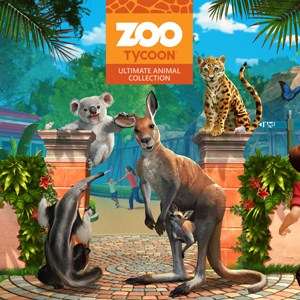
Zoo Tycoon: Ultimate Animal Collection
for Windows
4.2
Janes Farm
for Windows
4.2