

- Category Utilities & tools
- Developer Bytesweavers
- Available on PC
- OS Windows 10 version 17763.0 or higher
- Keyboard Integrated Keyboard
- Memory 4 GB
- languages English (United States)
Simplifying Digital Clutter: An In-Depth Review of AI File Organizer Pro for Windows
Imagine a messy closet filled with assorted files and folders—overwhelming, right? Now, picture a smart assistant that not only tidies up this chaos seamlessly but also keeps your most-used items within arm's reach. AI File Organizer Pro for Windows by Bytesweavers promises just that, transforming complicated file management into a streamlined, almost effortless task. Let's take a closer look at how this software can become your digital decluttering partner.
Key Information at a Glance
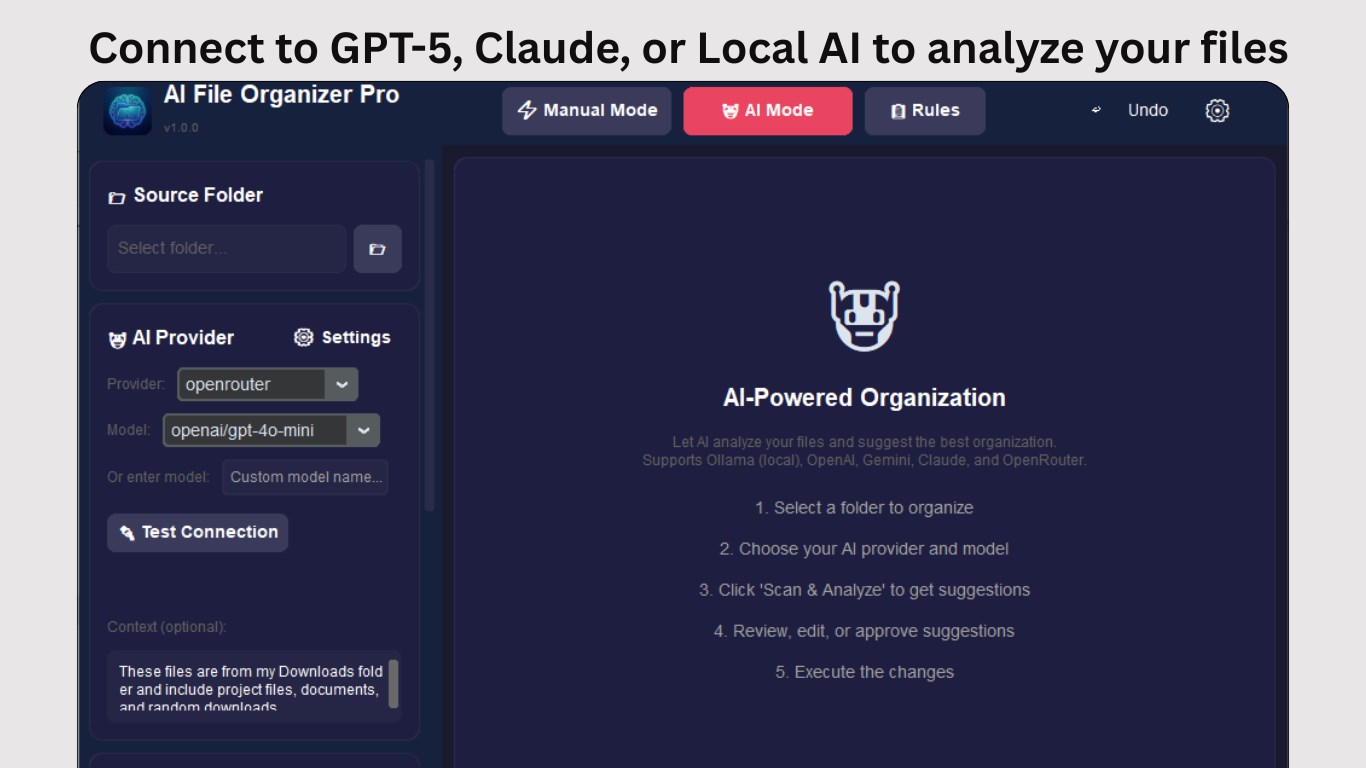
Positioned as an intelligent file management tool, AI File Organizer Pro helps users categorize, sort, and locate files rapidly. Developed by Bytesweavers, a team dedicated to innovative digital solutions, the app leverages artificial intelligence to automate and optimize your file organization process. Its primary features include automatic categorization based on file types and content, intelligent duplicate detection, and customizable organization rules. Targeted at busy professionals, students, and anyone overwhelmed by digital clutter, this app aims to save time and boost productivity through smarter file management.
Why This App Stands Out: An Engaging Overview
Think of AI File Organizer Pro as your digital valet—quietly working behind the scenes to ensure everything is neat, accessible, and ready when you need it. From the moment you start using this software, you'll notice how it transforms what could be a tedious chore into a satisfying housekeeping experience. Its intuitive interface and seamless operation make it feel less like an app and more like a helpful co-pilot navigating your digital landscape.
Core Features That Make a Difference
Smart Categorization and Auto-Organization
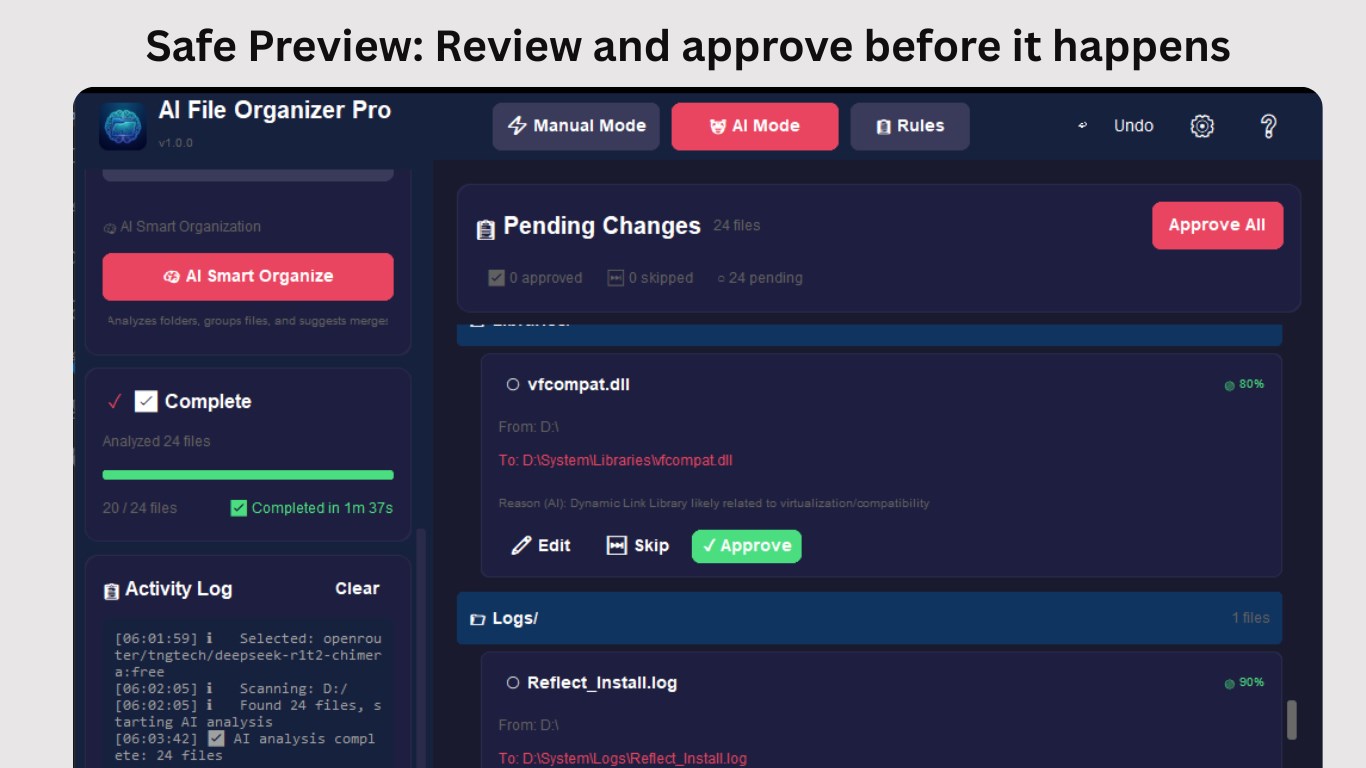
This feature is the heart of AI File Organizer Pro. Using advanced AI algorithms, it scans your folders and automatically classifies files into relevant categories—documents, images, videos, archives, and more. Imagine having your documents automatically sorted into “Work,” “Receipts,” or “Personal” folders without lifting a finger. It's like hiring a meticulous personal assistant who learns your habits over time, continuously refining the organization as your collection grows. This reduces the clutter and helps you find what you need in seconds.
Duplicate Detection and Cleanup
Ever found yourself drowning in multiple copies of the same file? This app's duplicate detection capability acts like a keen-eyed librarian, swiftly identifying redundant files scattered across your drives. Whether it's duplicated photos, repetitive documents, or unnecessary backups, the app groups and suggests deletions, freeing up precious storage space. This feature is especially beneficial for users dealing with massive data backups or photo libraries, ensuring your digital space stays optimized without manual labor.
Custom Rules and Advanced Sorting
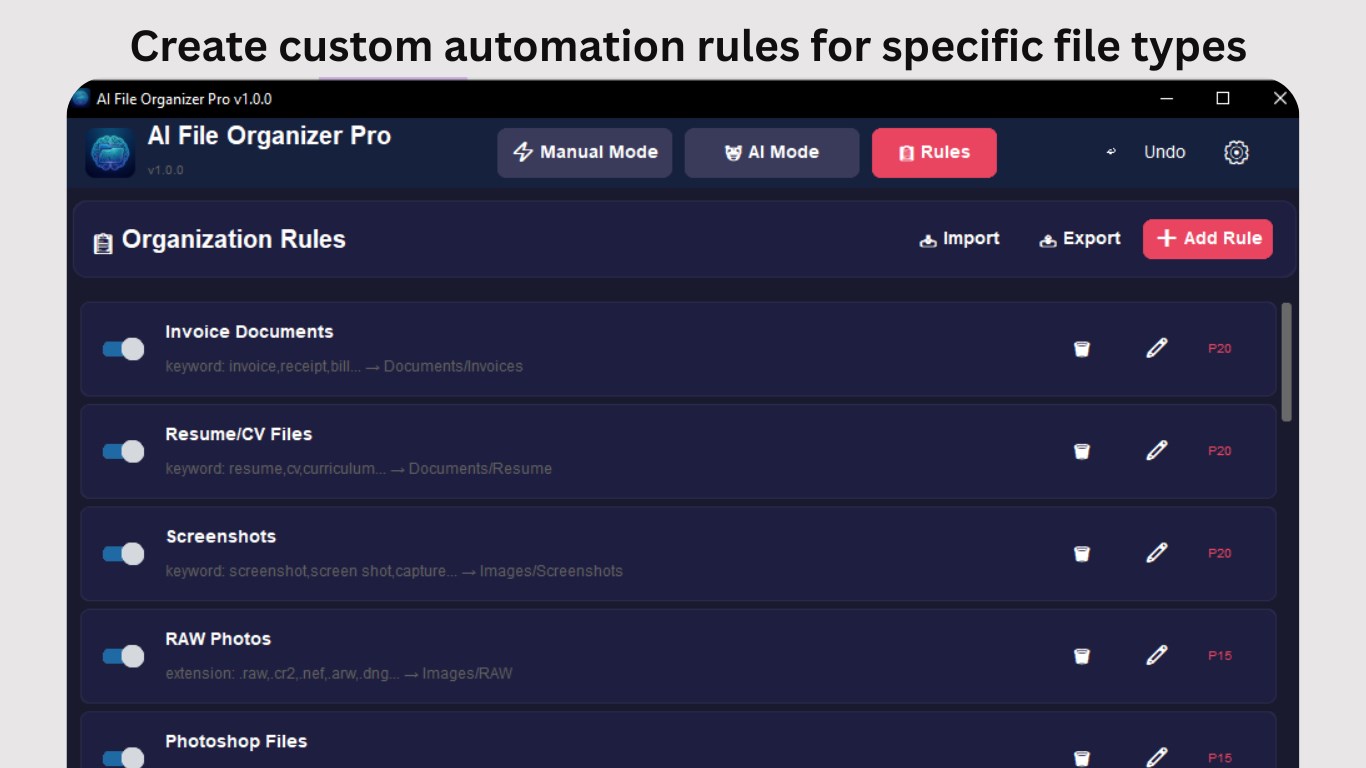
While automation is great, sometimes we like to tailor things to our unique workflow. AI File Organizer Pro offers customizable rules, allowing you to define sorting preferences based on filename patterns, date ranges, or specific directories. For example, you can set rules to automatically move all receipts from your downloads into a “Finance” folder every month. This combination of automation and customization makes the tool adaptable, fitting neatly into your personal or professional organizational style.
Design, Usability, and User Experience
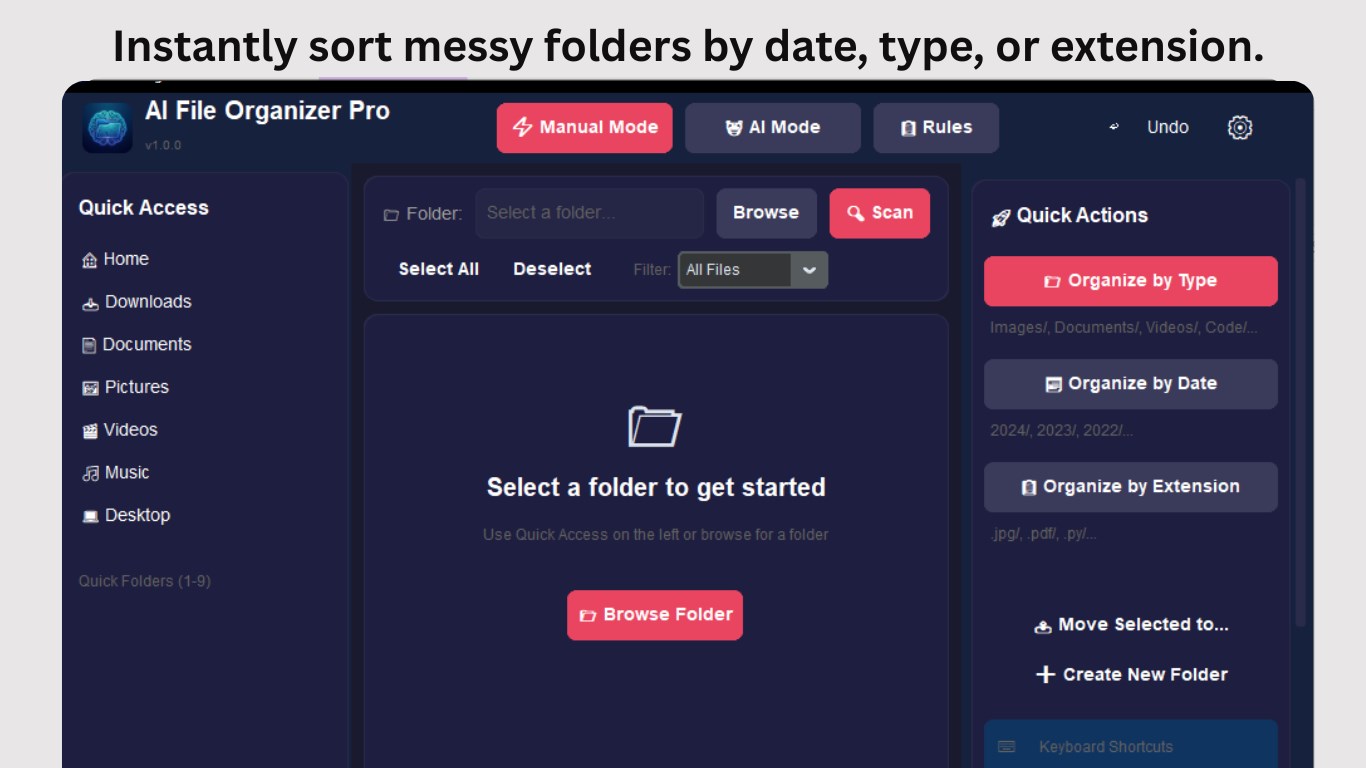
The interface is clean and thoughtfully designed, resembling a clutter-free desk that encourages productivity. Navigating through the menus feels intuitive—buttons are logically placed, and functions are straightforward. Despite its powerful features, the app maintains a gentle learning curve; you won't be overwhelmed by complexity. It's akin to learning a new recipe—initially slightly unfamiliar, but once you get the hang of it, it becomes second nature. The app's responsiveness is commendable; operations like scanning, sorting, and search happen swiftly, making the entire experience smooth and satisfying.
Unique Selling Points and Differentiation
What truly sets AI File Organizer Pro apart from other utilities is its intelligent automation driven by cutting-edge AI. Its ability to understand content and context—beyond just filename extensions—is a game-changer. For instance, it can differentiate between work documents and personal recipes within the same folder, sorting them accordingly without manual input. Additionally, its adaptive learning feature means it becomes more accurate and personalized over time. Unlike simpler file managers, which rely heavily on user input, this app actively reduces manual chores, making it suitable for users seeking a smart, hands-off solution.
Final Thoughts and Recommendations
All things considered, AI File Organizer Pro offers a practical and effective way to tame digital chaos. Its strongest features—the intelligent categorization and duplicate cleanup—are especially valuable, saving users significant time and effort. The app's friendly interface and adaptable rules cater to a broad audience, from tech-savvy professionals to casual users who just want an orderly desktop. I would recommend it to anyone looking to elevate their file management game without the hassle of manual sorting. As a reliable digital assistant, it earns a solid recommendation for users craving efficiency and smart organization. Remember, keeping your digital space tidy isn't just about aesthetics; it's about reclaiming your time and mental clarity—something this app promises to help with.
Pros
- Intelligent File Categorization
- User-Friendly Interface
- Multi-File Support
- Batch Processing Capabilities
- Customizable Organization Rules
Cons
- Limited Free Usage
- Occasional Misclassification
- Performance on Large Libraries
- Limited Cloud Integration
- Learning Curve for Advanced Features











