

- Category Utilities & tools
- Developer Adrián Guerra Marrero
- Available on Xbox console, PC, Mobile, Surface Hub, HoloLens
- OS Windows 11 version 26100.0 or higher
- DirectX Version 11
- Memory 1 GB
- languages English (United States)
Introduction: Unlocking Customization and Performance Control with AMD Control Panel
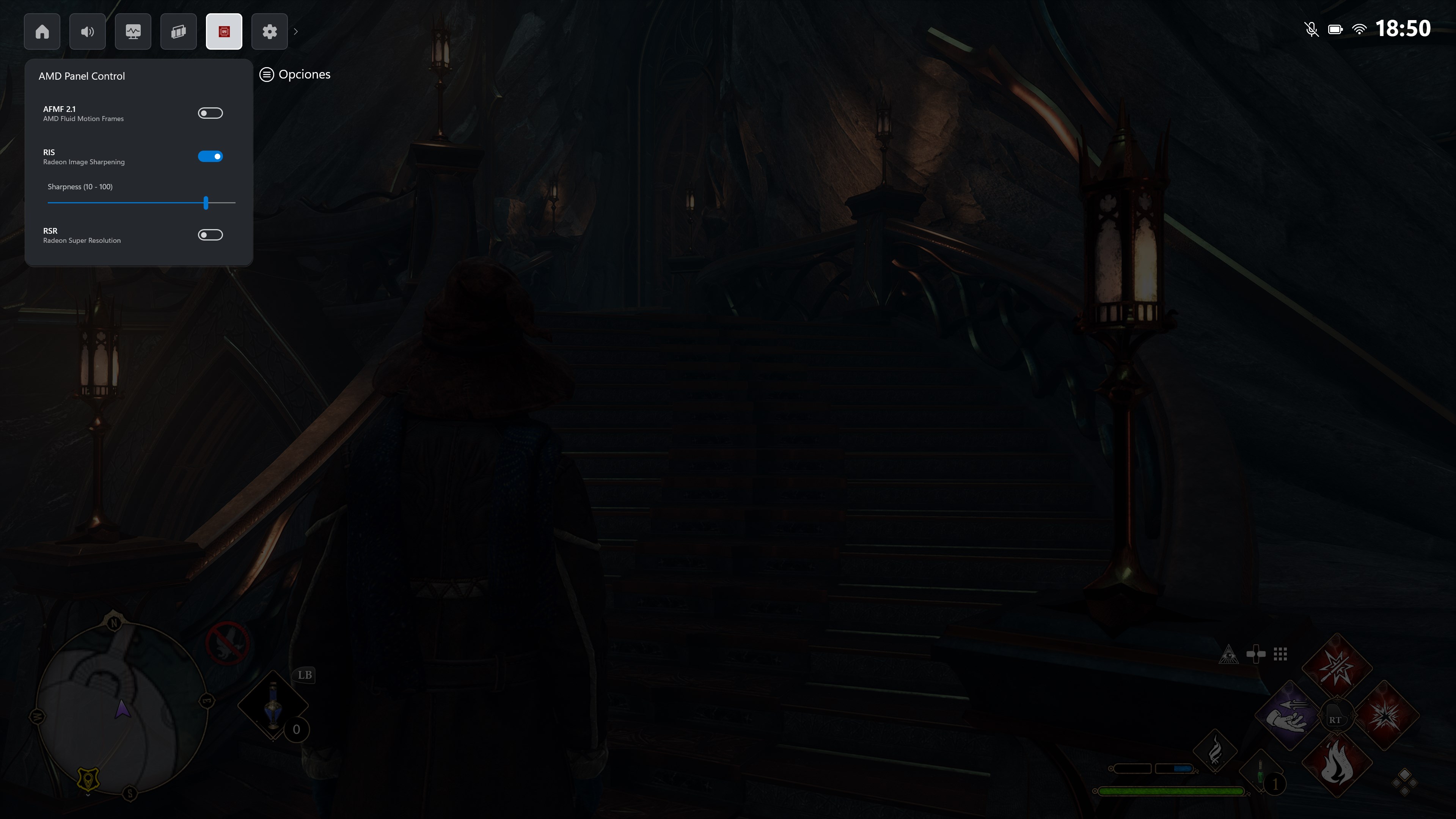
Imagine having a sleek command center right at your fingertips—a place where you can fine-tune your graphics settings, monitor performance, and optimize your gaming or creative experience without diving into complex menus. AMD Control Panel for Windows, developed by Adrián Guerra Marrero and published by AGMStudio, offers a streamlined way for AMD GPU users to manage their hardware with ease and precision. Whether you're an everyday gamer, a content creator, or a tech enthusiast, this app aims to bridge the gap between raw hardware capability and personalized user experience, all within a user-friendly interface.
Core Features That Elevate Your Experience
Intuitive Graphics Settings Customization
The AMD Control Panel shines brightest in its ability to let users seamlessly calibrate graphics parameters. From adjusting resolution settings, toggling anti-aliasing, to tweaking refresh rates, this tool provides granular control that rivals the complexity typically found in professional-grade software. Its straightforward sliders and toggle switches turn what might seem intimidating into an accessible playground for customization—think of it as a driver's dashboard, giving you control over your vehicle's performance without requiring a degree in automotive engineering.
Performance Monitoring and Optimization
Another standout feature is real-time monitoring. The app displays crucial data such as GPU usage, temperature, clock speeds, and frame rates within an elegant dashboard. This insight allows users to identify bottlenecks or overheating issues before they affect gameplay. Plus, some preset modes like “Gaming” or “Power Saving” enable quick toggles that optimize performance or efficiency based on your activity—think of it as a smart thermostat that finds the perfect balance for comfort and savings.
Easy Profile Management and Profiles Sharing
The tool's profile management system allows users to save multiple configurations tailored for different apps or games. Need a high-performance setting for your favorite shooter but a more power-efficient one for browsing? Just switch profiles with a click. Additionally, the app supports exporting and sharing profiles, which is perfect for tech enthusiasts who like to experiment and share setups—imagine passing around a perfectly tuned map for your friends to install and enjoy.
User Experience: Seamless, Friendly, and Learning-Friendly
The app's interface sports a clean, minimalist aesthetic reminiscent of a modern dashboard, making navigation smooth and intuitive. It's akin to cruising down a well-paved highway—everything is logically organized, so even newcomers can get comfortable within minutes. Operation feels snappy, with minimal lag when adjusting settings or toggling modes, thanks to optimized responsiveness. For those unfamiliar with GPU tweaking, the app includes helpful tooltips and a straightforward layout, reducing the typical learning curve associated with advanced graphics tools.
What Sets It Apart from Other Utilities & Tools?
Unlike many generic GPU utilities, AMD Control Panel offers a uniquely focused experience tailored specifically for AMD users, with a noticeably polished interface. Its standout feature is the real-time monitoring combined with instant profile switching—imagine being able to see your GPU's vitals while adjusting settings on the fly, akin to a pilot monitoring instruments during a flight. This level of integration fosters a more informed and hands-on approach to hardware management. Also, its lightweight design means it adds little overhead, a significant advantage over bulkier alternative tools that can bog down system resources.
Final Recommendations and Usage Tips
Overall, I would recommend AMD Control Panel for Windows to AMD GPU owners seeking a user-friendly, yet powerful tool to personalize and optimize their system. Beginners will appreciate the clear interface and guided adjustments, while seasoned users can benefit from its detailed monitoring and profile management features. For gamers looking to squeeze every ounce of performance while maintaining stability, this app is a handy addition to your toolkit. Just remember, as with any tweak tool, proceed with cautious adjustments—small changes can make a big difference.
Pros
- Intuitive user interface
- Enhanced graphics performance settings
- Automatic driver updates
- Support for multiple display configurations
- Power management options
Cons
- Occasional stability issues
- Limited customization for advanced users
- Slow driver update process
- Sparse documentation for troubleshooting
- Limited language support











