

- Category Utilities & tools
- Developer Kowloon
- Available on PC
- OS Windows 10 version 17763.0 or higher
- languages Chinese (Simplified), Chinese (Traditional), English (United States), Persian, Portuguese (Brazil), Russian, Spanish (Spain), Turkish
Introducing APK Installer for Windows: Your Gateway to Seamless Android App Management
If you've ever wanted to run Android apps smoothly on your Windows device, APK Installer for Windows by Kowloon offers a straightforward solution. Designed with simplicity and efficiency in mind, this app aims to bridge the gap between mobile and desktop experiences, making app installation and management hassle-free for users who want the best of both worlds.
Who's Behind the App?
The application is developed and published by Kowloon, a team dedicated to creating user-centric utilities that enhance the Windows experience. While Kowloon may not be a household name yet, their focus on delivering practical tools like APK Installer for Windows suggests they understand user needs deeply.
Core Features That Stand Out
- Direct APK Installation: Install Android APK files directly onto your Windows machine without needing complex emulators or extensive setup.
- User-Friendly Interface: An intuitive layout that simplifies navigating through APK files and managing installations, even for beginners.
- Batch Installation Support: Handle multiple APKs at once, saving time and effort—ideal for developers and power users.
- Integration with Windows System: Seamlessly integrates with Windows Explorer, allowing you to install APKs from contextual menus with just a few clicks.
Experience and Usability: A Closer Look
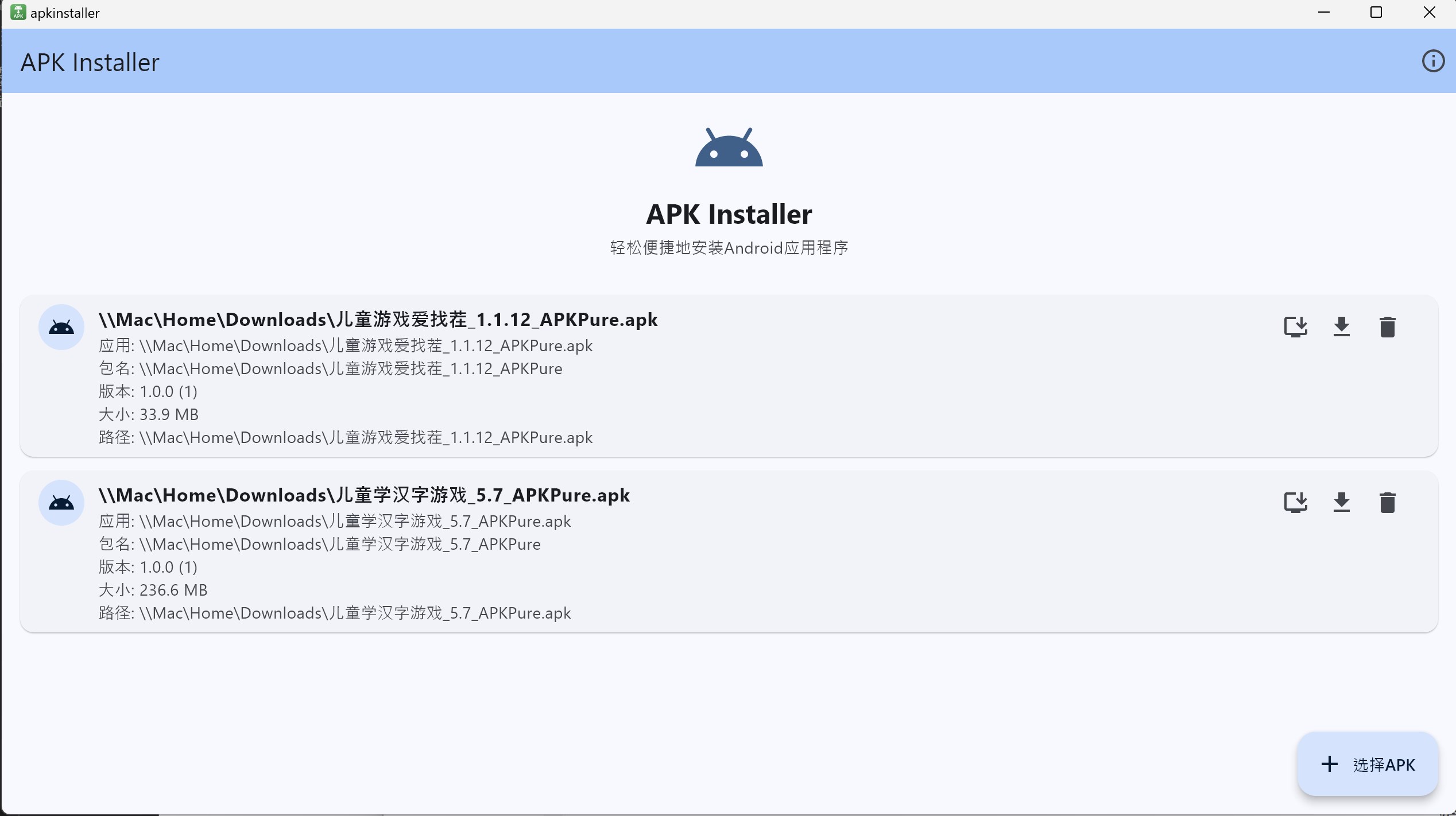
Jumping into APK Installer for Windows feels like discovering a new tool that's been tailor-made to feel natural. The initial interface greets you with a clean, organized layout that resembles a well-maintained workspace—no clutter, just your APK files and clear options. This design choice not only looks appealing but also makes the learning curve quite gentle. Even if you're new to app installation management, you'll find yourself navigating effortlessly within minutes.
Easy and Efficient APK Management
One of the app's standout features is its straightforward APK installation process. Simply drag and drop your APK files into the designated zone, or right-click and select “Install with APK Installer,” and your app begins its journey from local storage to your Windows environment. This process is quick and stable, with minimal lag—making it feel like you're performing a task you've done countless times before.
Additionally, the batch installation support is a real time-saver. Imagine preparing a suite of apps for testing or deployment; you can select multiple APK files and install them all in one go, without repetitive clicks. That's a significant productivity boost for developers and tech enthusiasts who manage multiple APKs regularly.
Interface and User Experience
The interface is refreshingly uncluttered, with clearly labeled buttons and straightforward workflows—like a well-organized toolbox. Users report that operations are smooth, with no noticeable crashes or delays, which is critical for maintaining confidence in the app's stability. The learning curve is gentle, and those with basic Windows skills will find themselves comfortably using advanced features quickly.
What Sets It Apart?
Compared to similar utilities in the same category, APK Installer for Windows's notable strength lies in its deep system integration. Unlike standalone emulators or APK managers that require separate environments, this app integrates with Windows's context menu, streamlining the entire installation process. It's like having a dedicated, specialized assistant ready to handle your APK files instantly. This feature reduces setup complexity and makes Android app management feel as natural as installing any other Windows program.
Would I Recommend It?
Considering its user-friendly design, efficient batch processing, and seamless Windows integration, APK Installer for Windows deserves a solid recommendation—especially for developers, testers, or adventurous users who frequently work with Android APKs on Windows. It's a practical, no-nonsense utility that simplifies a often cumbersome process.
While it may not replace full emulators like BlueStacks for high-performance Android gaming, it is an excellent lightweight alternative for app testing and quick installations. Use it as an added tool in your Windows arsenal to enhance productivity and streamline app management tasks.
Closing Thoughts: A Handy Companion for App Enthusiasts
All in all, APK Installer for Windows is like a well-organized garage where every tool has its place—making app installation a tidy, effortless experience. Its most attractive features—simple APK management and system-level integration—set it apart from similar utilities. If you frequently work with Android APKs on Windows and value simplicity plus efficiency, this app is worth giving a try. It's not just another utility; it's a step toward a more integrated, flexible app ecosystem on your desktop.
Pros
- User-Friendly Interface
- Fast Installation Process
- Supports Multiple APK Sources
- Built-in APK Management
- Regular Updates
Cons
- Limited Compatibility with Certain Devices
- Lacks Advanced Settings for Custom Installation
- Occasional Crashes During Use
- No Built-in Virus Scan for APK Files
- UI Customization Limited











