

- Category Utilities & tools
- Available on PC
- OS Windows 11 version 26100.0 or higher
- languages Arabic, Catalan, Chinese (Simplified), Chinese (Traditional), Chinese (Traditional, Hong Kong SAR), Croatian, Czech, Danish, Dutch, English (Australia), English (United Kingdom), English (United States), Finnish, French, French (Canada), German, Greek, Hebrew, Hindi, Hungarian, Indonesian, Italian, Japanese, Korean, Malay, Norwegian (Bokmål), Polish, Portuguese (Brazil), Portuguese (Portugal), Romanian, Russian, Slovak, Spanish, Spanish (Latin America), Swedish, Thai, Turkish, Ukrainian, Vietnamese
Apple Devices for Windows: Bridging Ecosystems with Elegance
Imagine seamlessly connecting your Apple devices to your Windows PC—this is exactly what Apple Devices for Windows aims to achieve, creating a smoother, more integrated experience for users caught between two worlds.
Basic Information: Your Gateway to Apple-Windows Harmony
Developed by Apple Inc., this application serves as a bridge, facilitating the connection between Apple devices like iPhones and Macs and Windows PCs. Its primary goals are to enable effortless device management, transfer files seamlessly, and foster an integrated environment across platforms, all within a single, user-friendly interface. Designed specifically for Windows users who own Apple hardware, this app appeals to professionals, enthusiasts, and casual users looking to optimize their Apple device usage without switching ecosystems.
Core Functionality Spotlight: Simplify Your Digital Life
1. Seamless Device Pairing and Management
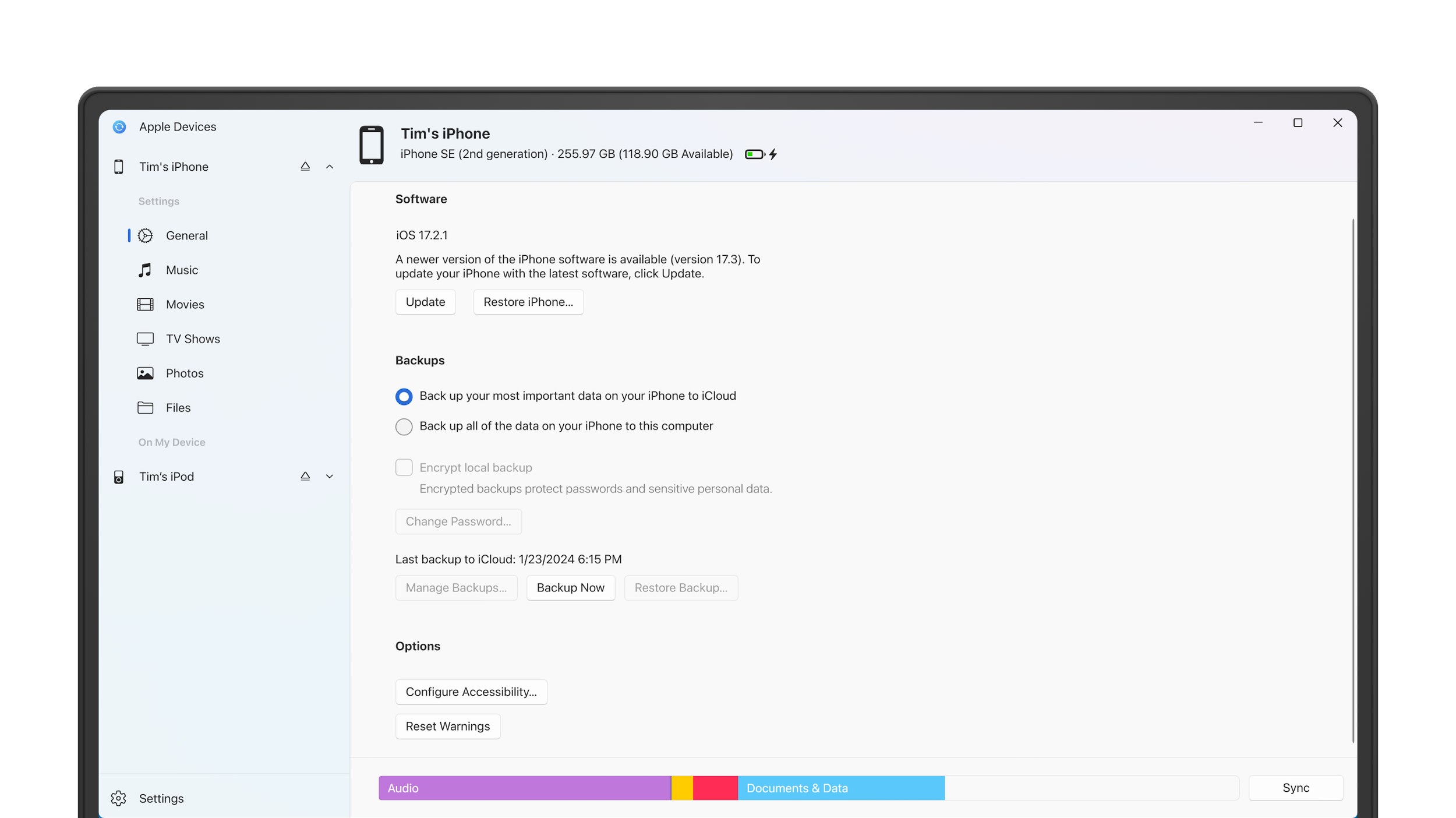
The standout feature is its ability to effortlessly pair Apple devices with Windows PCs. Imagine having your iPhone and Mac immediately recognizable on your Windows desktop, with options to access messages, notifications, or even control media. This connectivity feels almost magical—like having a second screen that communicates directly without complicated setups. It simplifies device management, allowing you to transfer photos, files, or even sync notifications without needing additional third-party software.
2. Cross-Platform File Transfer and Sharing
Transferring files between Apple and Windows devices traditionally involves multiple steps or clunky cloud-based uploads. Apple Devices for Windows streamlines this process with a straightforward, drag-and-drop interface. Whether you're moving a presentation from your Mac to your Windows laptop or sharing photos from your iPhone, this app provides a consistent, quick conduit—saving time and reducing frustration. Think of it as a digital valet, fetching and delivering your files with professionalism and ease.
3. Integrated Notifications and Device Control
Ever wanted to reply to an iMessage or see your calendar alerts from your desktop? This app integrates notifications from your Apple devices directly into your Windows environment, making your workflow more cohesive. Plus, it allows basic device control—play or pause music, take screenshots, or check battery status—turning your PC into a central hub for all your Apple device activities. This feature elevates user experience by creating a unified digital command center, reducing the need to switch devices constantly.
Design, Usability, and Unique Edges
The interface of Apple Devices for Windows strikes a balance between simplicity and functionality. It adopts a clean, modern aesthetic reminiscent of Apple's design ethos—minimalist, intuitive, and approachable. The layout is logically organized, with clear menus and straightforward controls that welcome even non-technical users into the ecosystem without a steep learning curve. Operations feel fluid and responsive, with minimal lag or glitches, affirming its role as a reliable utility.
Compared to other device management tools, this app's standout advantage lies in its tight integration with Apple's ecosystem, offering features like direct notification syncing and device control—things that competing utilities often lack or require complex configurations for. This deep integration saves users from juggling multiple apps and workflows, making it a smart, time-saving choice for those already invested in Apple's hardware but committed to upgrading their Windows experience.
Final Verdict: A Useful Companion for Apple-Windows Users
I'd recommend Apple Devices for Windows if you frequently switch between Apple hardware and a Windows environment—you'll find that it transforms what was once a disjointed experience into a near-seamless one. It's particularly beneficial for professionals in creative industries or anyone who values quick, reliable device management. While it's not a replacement for full-fledged device ecosystems, it excels as an easy-to-use utility that bridges the gap smartly and elegantly.
Pros
- Wide Selection of Apple Devices
- User-Friendly Interface
- Regular Price Updates
- Detailed Product Reviews
- Seamless Integration with Microsoft Store
Cons
- Limited Regional Availability
- Occasional Syncing Delays
- Basic Filtering Options
- Limited Customer Support Features
- Some Device Details are Generic











