
- Category Utilities & tools
- Available on PC, Mobile, Surface Hub, HoloLens
- OS Windows 10 version 14393.0 or higher
- languages English (United States)
An Elegant Solution for Sonos Users: Audio Manager for Sonos+ for Windows
If you're a dedicated Sonos enthusiast seeking a seamless way to manage your multi-room audio system, Audio Manager for Sonos+ offers a straightforward yet powerful toolset designed to elevate your listening experience. Crafted by WindyWarmStudio, this application aims to simplify control and customization for all levels of users, from tech-savvy audiophiles to casual listeners.
Basic Information: Connecting You with Sound
Audio Manager for Sonos+ is a Windows application developed by WindyWarmStudio that serves as an auxiliary control hub for Sonos systems. Its primary purpose is to streamline the management of multi-room audio, allowing users to easily switch zones, adjust volume, and customize settings without delving into the Sonos app's more complex interface.
- Main features highlight:
- Intuitive multi-room zone control with easy-to-navigate interface
- Quick access to playback controls and volume adjustments across all Sonos speakers
- Custom playlist and source management for personalized listening
- Device status monitoring and troubleshooting tools
- Target Audience: Home audio enthusiasts who own Sonos systems, tech hobbyists seeking enhanced control, and users looking for a more streamlined experience compared to native Sonos apps.
A User-Friendly Interface That Feels Like a Personal DJ
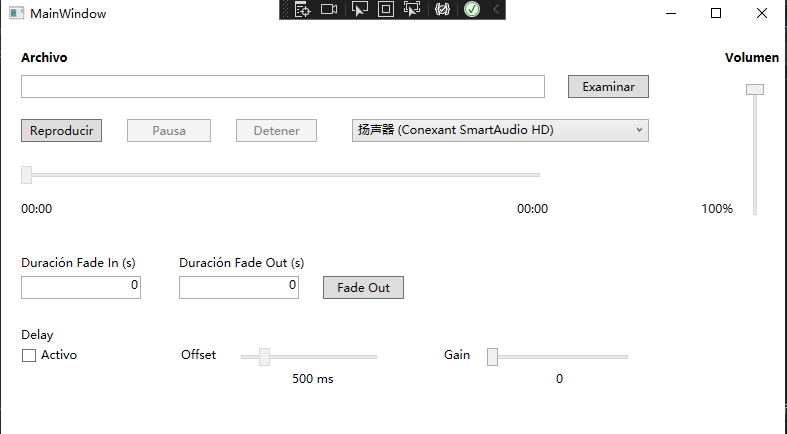
Imagine walking into your living room, hands full, yet effortlessly adjusting the volume or switching a playlist via a sleek desktop interface—that's the kind of folksy charm Audio Manager for Sonos+ brings to your daily routine. The app sports a clean, organized layout that groups your devices logically, with colorful icons and clear labels that make navigation feel less like deciphering a complex puzzle.
The responsiveness is commendable; actions like changing volumes or selecting different zones feel instantaneous, making it a reliable control point during your busy days. The learning curve is gentle—users familiar with basic audio management will find the workflow intuitive, while newcomers can gradually explore its features without much fuss.
Core Features that Set This App Apart
Zone Management and Multi-Room Synchronization
One of the app's standout features is its ability to effortlessly control multiple zones simultaneously or individually. Playing music across different rooms while fine-tuning volumes independently is a breeze. The visual representation of zones feels akin to managing a symphony, where each instrument (or in this case, speaker) can be adjusted in harmony or isolation. This direct control streamlines the experience, especially compared to the sometimes clunky native Sonos app.
Custom Playlists and Source Control
This app excels at offering quick access to preset playlists, radio stations, or streaming sources, allowing users to switch seamlessly without jumping through multiple menus. You can assign favorite playlists to specific rooms or control your music source with just a few clicks—akin to having a personalized DJ at your beck and call.
Device Monitoring and Troubleshooting
Beyond control, Audio Manager provides real-time status updates for each device. Whether a speaker is offline or experiencing connectivity issues, the app displays these insights transparently. This feature can save you time troubleshooting, especially in a busy household where multiple devices might encounter network hiccups.
Design, Usability, and Unique Selling Points
The interface's sleek design makes it feel like a companion instead of a cumbersome overlay. Its responsiveness and straightforward layout lower the barrier for users to adopt it as their core control tool. Unlike generic utility apps, this tool targets the specific ecosystem of Sonos devices, delivering tightly integrated features that genuinely improve the user experience.
What makes it particularly special is its focus on multi-zone management coupled with quick source switching—think of it as a conductor guiding an orchestra with precision and ease. This focus on simplifying complex multi-room audio configurations sets Audio Manager apart from other utility apps that often feel bloated or oversimplified.
Final Verdict: A Valuable Addition for Serious Sonos Users
For those deeply embedded in the Sonos ecosystem, Audio Manager for Sonos+ stands out as a practical, efficient, and easy-to-use tool. It doesn't aim to replace the native app but rather complements it by offering enhanced control and monitoring features that are straightforward and reliable. If you're after a more streamlined way to manage multi-room audio, give it a try and see how it transforms your daily listening experience. I'd recommend it to enthusiast households and anyone looking to bring a new level of convenience to their Sonos setup.
Pros
- Intuitive user interface
- Seamless Sonos integration
- Advanced audio management options
- Robust streaming compatibility
- Remote control functionality
Cons
- Occasional connectivity issues
- Limited customization options for notifications
- Battery optimization could be improved
- Minor lag in real-time controls
- Lack of detailed troubleshooting guides











