

- Category Utilities & tools
- Developer Auslogics Labs Pty Ltd
- Available on PC
- OS Windows 10 version 0.0 or higher
- languages English, French, German, Italian, Spanish, Japanese, Portuguese, Russian
Streamlined SSD Optimization with Auslogics SSD Optimizer for Windows
If you're looking to eke out every ounce of performance from your solid-state drive without diving into complex technical tweaks, Auslogics SSD Optimizer might just be your new best friend. Designed with simplicity and efficiency in mind, this tool promises to keep your SSD in top shape with minimal effort.
Who's Behind the Magic?
Developed and published by Auslogics Labs Pty Ltd, a reputable name in the realm of system utilities and optimization tools, this company has a track record of creating user-friendly and reliable software aimed at everyday computer users seeking to improve their system performance without the fuss.
Top Features That Make a Difference
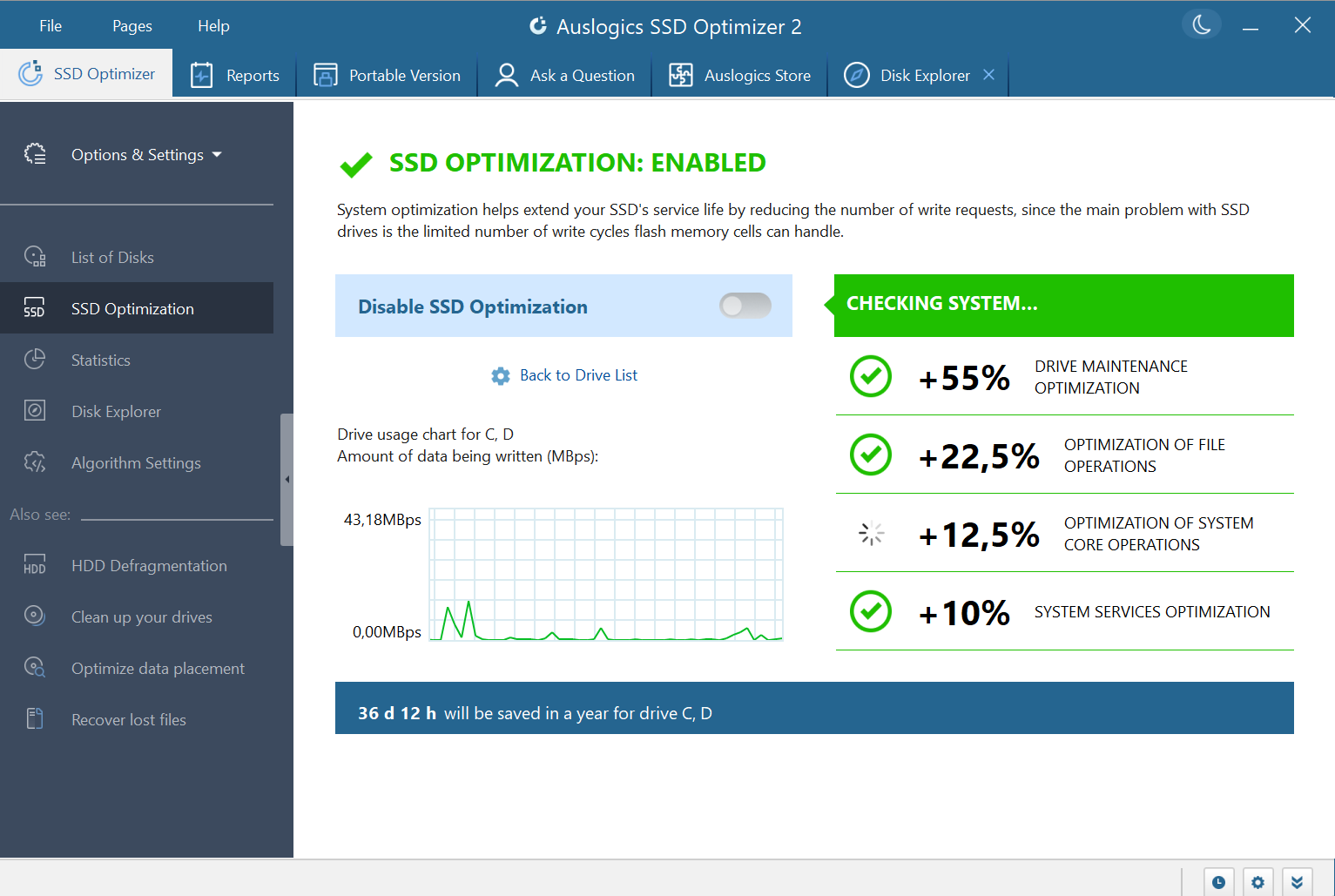
- Intelligent SSD Optimization: The app intelligently manages and optimizes your SSD's performance by clearing unnecessary files and managing disk health, helping to extend the lifespan of your drive.
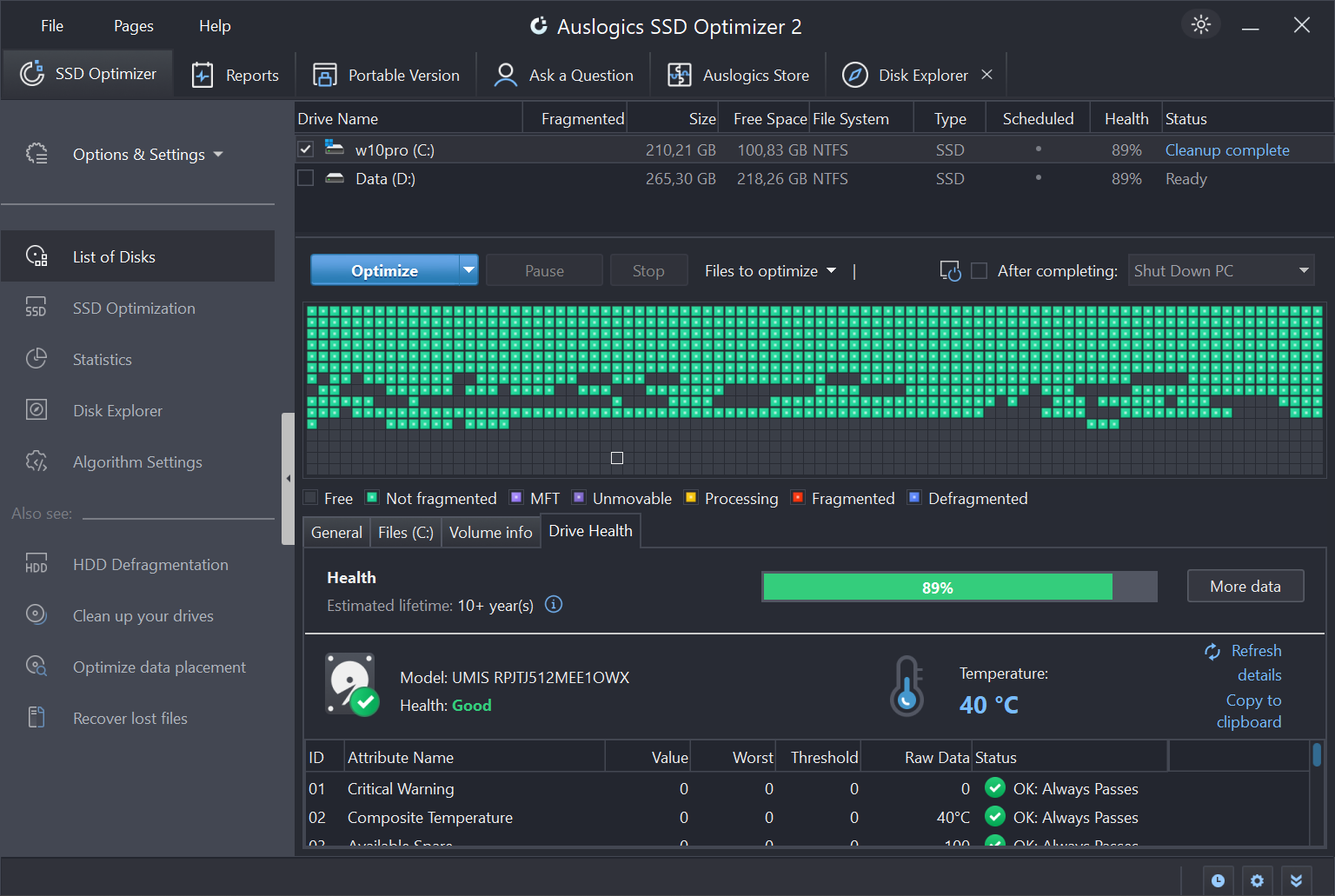
- Real-time Health Monitoring: It continuously keeps an eye on the health status of your SSD, alerting you to potential issues before they become critical, akin to a trusted mechanic giving your car regular check-ups.
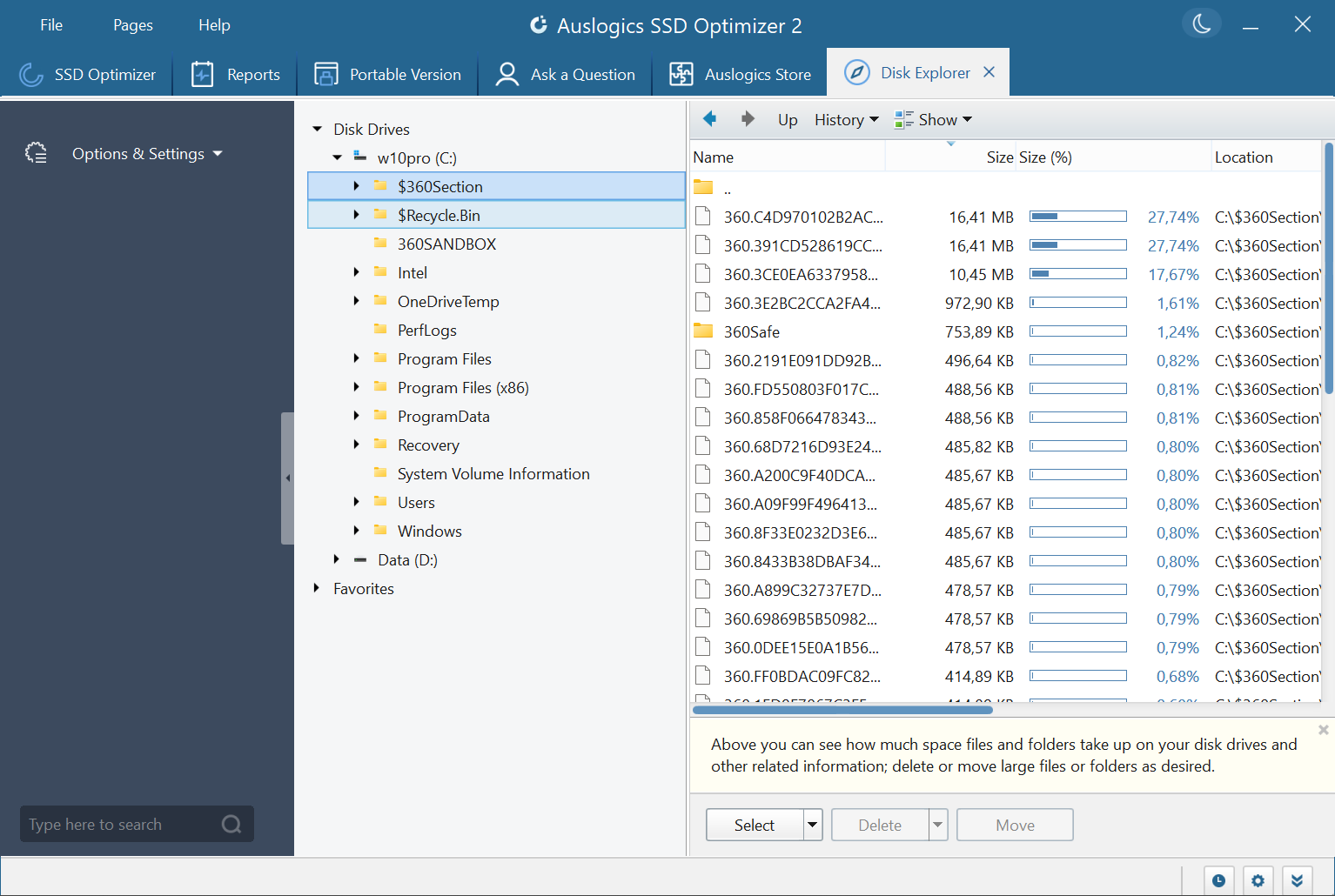
- Easy-to-Use Interface: With a clean, intuitive layout, even beginners can navigate the optimization process effortlessly—think of it as having a friendly assistant guiding you through maintenance steps with a click.
- Automatic Maintenance Schedules: The tool can set up automatic scans and maintenance routines, ensuring your SSD stays in peak condition without manual prompts.
A Fun and Functional User Experience
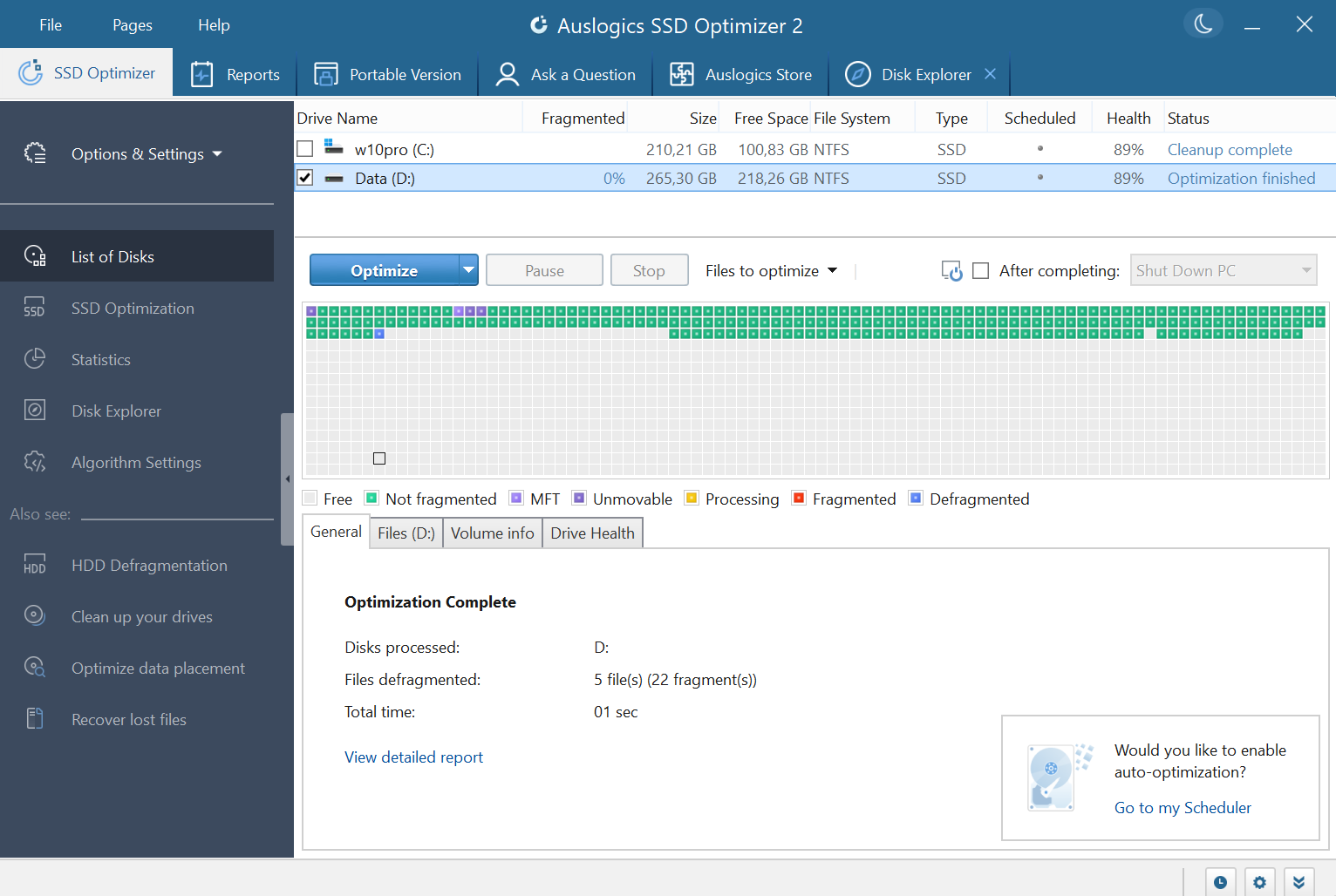
Starting up Auslogics SSD Optimizer feels like opening the dashboard of a well-designed dashboard—clear, organized, and accessible. The interface is sleek and straightforward, akin to a modern car's control panel—everything you need is just a click away. The operation is smooth; initiating an optimization or health check is instantaneous, with progress bars that keep you informed without feeling intrusive.
Core Functionality Deep Dive
Smart Optimization Process
One of the standout features of this tool is its smart optimization algorithm. Unlike generic cleaners that indiscriminately delete files, Auslogics SSD Optimizer focuses on managing SSD-specific operations like TRIM commands. This ensures that your drive's performance remains at its best over time, reducing write amplification and preserving speed. The process is transparent—users can see what's being optimized, making the experience trustable and reassuring.
Proactive Health Monitoring
Keeping your SSD healthy is like maintaining a cherished garden—regular attention prevents bigger issues down the line. This tool continuously monitors drive SMART data, temperature, and overall health, alerting you to potential problems early on. It's like having a vigilant gardener who spots pests before they ruin your plants. This proactive approach helps prolong your SSD's lifespan and prevents sudden failures.
Why It Stands Out Among Peers
Many SSD tools exist, but Auslogics SSD Optimizer emphasizes a blend of simplicity, tailored SSD management, and proactive health checking. Unlike some utilities that focus solely on cleaning or defragmenting (which isn't typically advised for SSDs), this app respects the nuances of solid-state drives, advocating for performance-preserving best practices built into its core. Its automatic maintenance scheduling also saves users from manual intervention, making system upkeep feel like a well-oiled routine rather than a chore.
Final Thoughts and Recommendations
Overall, Auslogics SSD Optimizer is a pragmatic tool designed for users who want to maintain their SSD's performance and health with minimal fuss. Its intelligent management features and real-time monitoring set it apart from more generic utilities. I'd recommend it for everyday users who prefer a straightforward, safe, and trustworthy utility to keep their laptops or desktops running smoothly.
While it may not replace comprehensive system optimization tools, it excels at one thing—preserving the health and speed of your SSD. If a hassle-free, targeted utility appeals to you, give it a try. For those who want a gentle digital health check-up rather than aggressive cleaning, this app is certainly worth adding to your toolkit.
Pros
- Effective SSD Optimization
- User-Friendly Interface
- Automatic Cleaning and Cleanup
- Real-Time Performance Monitoring
- One-Click Optimization
Cons
- Limited Advanced Features
- Occasional False Positives
- Dependence on User Settings
- No Free Drive Diagnostic Tools
- Potential Over-Optimization











