

- Category Utilities & tools
- Developer Shaz
- Available on PC, Mobile, Surface Hub, HoloLens
- OS Windows 10 version 17763.0 or higher
- languages English (United States)
Auto Clicker - Key presser for Windows: Simplifying Automation with Precision
If you're seeking a straightforward yet effective tool to automate repetitive tasks on Windows, Auto Clicker by Shaz offers a promising solution. Designed as a user-friendly utility, it aims to streamline your workflow, whether for gaming, data entry, or testing purposes. Let's delve into what makes this application stand out in the crowded landscape of automation tools.
Basic Information and Core Highlights
Developed by Shaz and published under ShazApp, Auto Clicker - Key presser for Windows is positioned as an easy-to-use automation utility that simplifies mouse and keyboard automation tasks. Its primary features include customizable click and keystroke automation, flexible scheduling, and minimalistic design—ideal for users who want quick setup and reliable performance. Its target audience spans gamers, testers, programmers, and busy professionals looking to optimize repetitive actions without complex scripting.
Vivid Introduction: Making Repetitive Actions Effortless
Imagine sitting comfortably at your desk, knowing that your most monotonous tasks—clicking buttons, pressing keys—are happening automatically, almost like having a diligent robotic assistant by your side. Whether you're grinding in your favorite game, testing software functionalities, or automating data entry, Auto Clicker feels like a trusty sidekick that turns drudgery into ease. Its unobtrusive interface ensures you spend less time figuring out how to set things up and more time enjoying the rewards of your automation. It's like having a reliable autopilot for your keyboard and mouse—simple, efficient, and surprisingly intuitive.
Core Functionality Breakdown
Customizable Click & Keystroke Automation
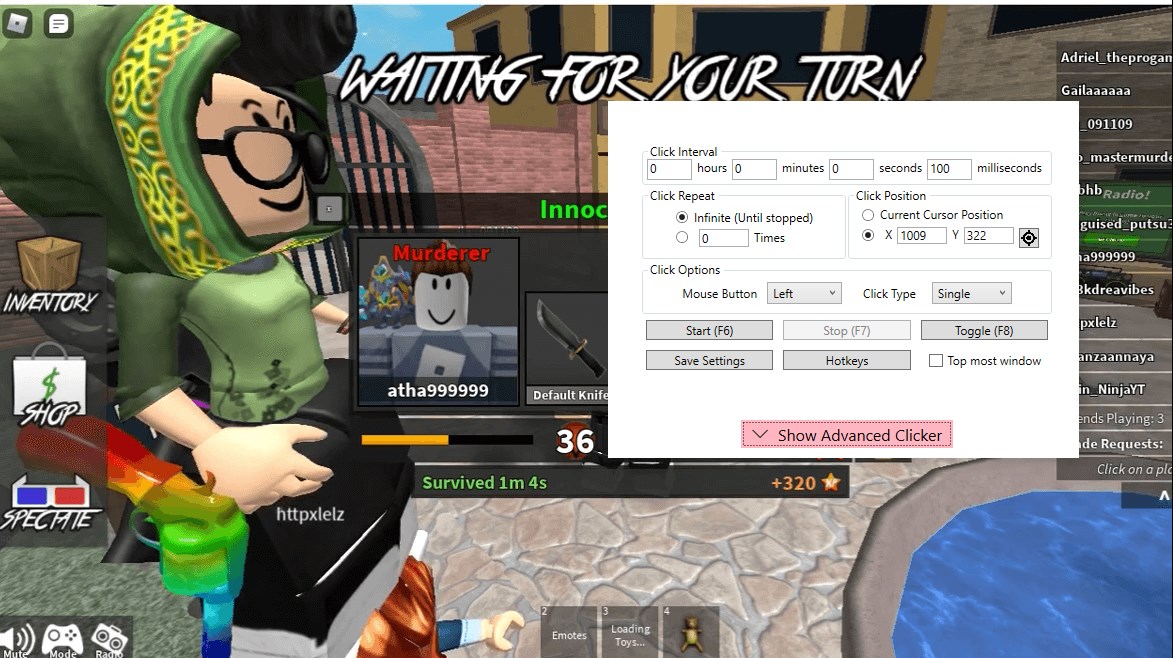
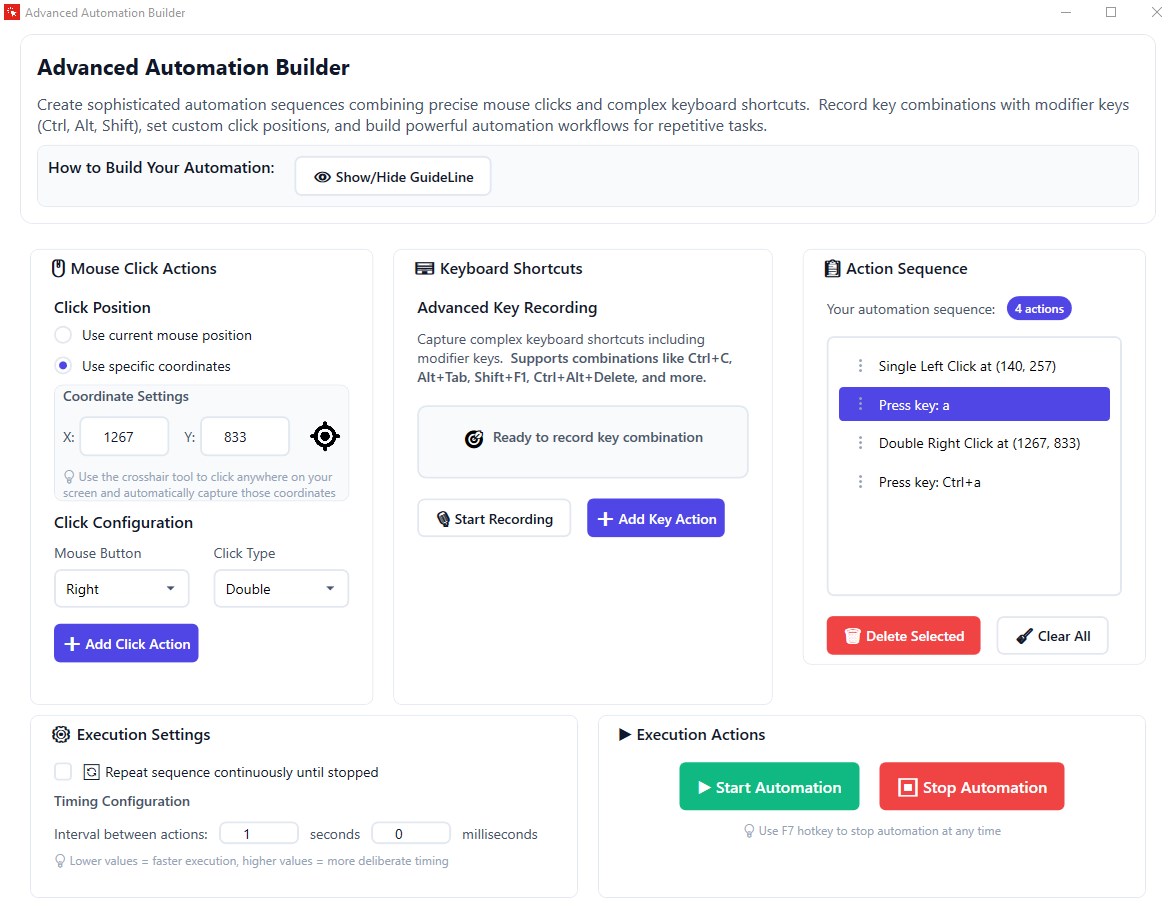
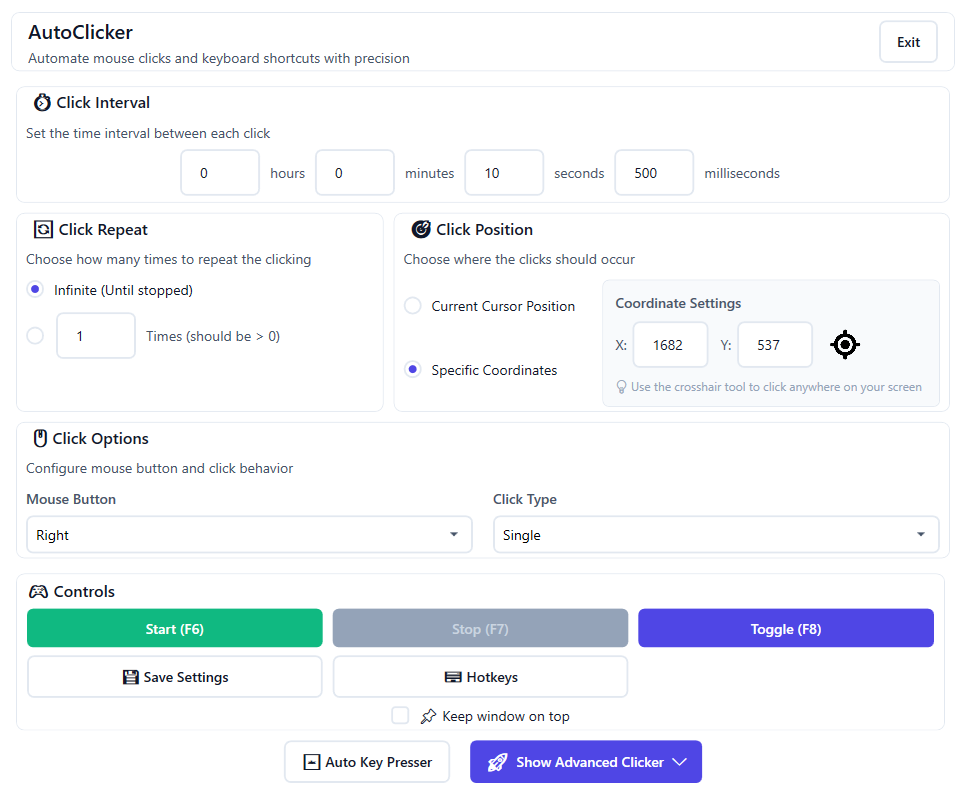
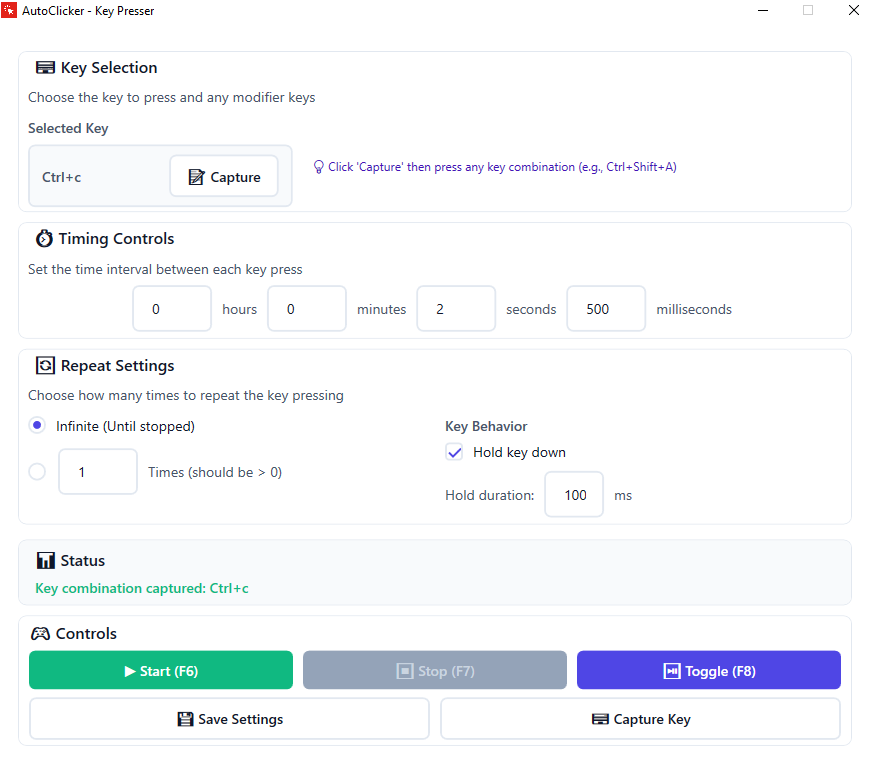
The heart of Auto Clicker lies in its ability to mimic precise mouse actions and keyboard presses. Users can configure specific click points, define click intervals, and set repeat counts—all accessible through a clean interface. The keystroke automation lets you assign sequences of key presses, enabling complex routines without scripting knowledge. This flexibility makes it suitable for diverse tasks—be it auto-farming in games or repetitive form filling.
Flexible Scheduling & Hotkey Support
Another standout feature is the app's support for hotkeys and scheduling. You can assign hotkeys to start, pause, or stop automation instantly, providing quick control during critical moments. Scheduling options let automation run at specified times, freeing you up for other work. These features integrate seamlessly, making the tool adaptable to various workflows without clutter or fuss.
Outstanding User Experience & Unique Advantages
The application's interface is streamlined—think of it as a minimalistic dashboard that provides all controls at your fingertips without overwhelming you. Operation is remarkably smooth; clicks and keystrokes are executed with minimal latency, thanks to optimized performance. Setup is straightforward—there's no steep learning curve, even for users new to automation tools. The app's unobtrusive design ensures it runs quietly in the background, which is ideal for gamers or multitaskers who prefer a clutter-free workspace.
Compared to other utility tools, Auto Clicker shines with its focus on simplicity and stability. While many automation tools require scripting or complex configurations, this app emphasizes quick setup and reliable execution. Its ability to precisely replicate user actions at configurable intervals and support for hotkeys makes it a useful tool for everyday automation needs. The standout feature is its balance of power and ease of use—making automation accessible without sacrificing customization.
Final Recommendation & Usage Tips
Overall, I would rate Auto Clicker by Shaz as a solid choice for users who want reliable, straightforward automation on Windows. It's particularly recommended for gamers looking to automate basic tasks or professionals who prefer a no-fuss tool. While it may lack some advanced scripting features found in more complex automation software, its strength lies in its efficiency and user-centric design.
If you're new to automation or need a tool to handle simple, repetitive actions without diving into scripting, this application is a strong candidate. Just make sure to use it responsibly—especially when automating tasks in environments with anti-cheat measures or productivity policies. For those seeking a lightweight, dependable solution that feels like having a virtual assistant, Auto Clicker is worth trying out.
Pros
- User-Friendly Interface
- Customizable Click Settings
- Lightweight and Fast
- Supports Hotkeys
- Compatibility
Cons
- Limited Advanced Features
- No Pause/Resume Button
- Basic Customization Options
- Potential Detection by Anti-Cheat Systems
- Lack of Official Support or Documentation











