

- Category Utilities & tools
- Available on PC
- OS Windows 10 version 0.0 or higher
- Keyboard Integrated Keyboard
- Mouse Integrated Mouse
- languages English
Efficient Automation at Your Fingertips: An In-Depth Review of Auto Clicker Software for Windows
In a world where time is money, automating repetitive tasks can be a real game-changer. Auto Clicker Software for Windows by MurGoo.com offers a solution that promises to ease those monotonous clicks and keystrokes, letting users focus on the more creative side of their digital activities. Whether you're a gamer aiming to streamline in-game actions or a programmer automating testing sequences, this app aims to be your trusty sidekick. But does it deliver on its promises? Let's dive into what makes this tool stand out and where it might fall short.
Simplified Automation for Everyone
At its core, this auto clicker is designed to make repetitive clicking effortless, doing the hard work so you don't have to. Developed by MurGoo.com, a company known for user-friendly utility tools, the application caters to a broad audience—from casual users to productivity aficionados. Its main features include customizable click intervals, multiple click points, and the ability to automate sequences with ease, making it a versatile tool for various use cases. Whether you're farming resources in a game, filling out forms repeatedly, or running automated tests, this app aims to be versatile without requiring extensive configuration.
Unpacking the Core Features: Flexibility and Precision
Customizable Click Automation
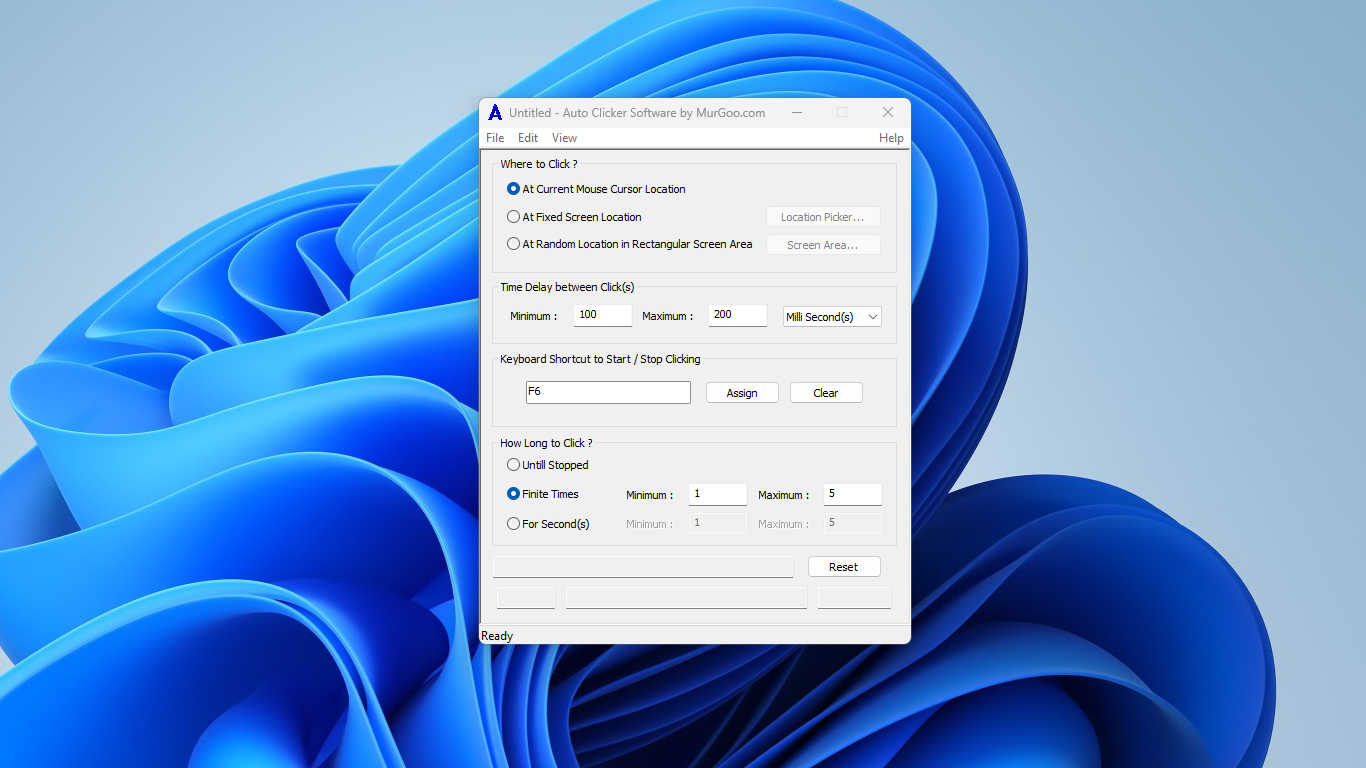
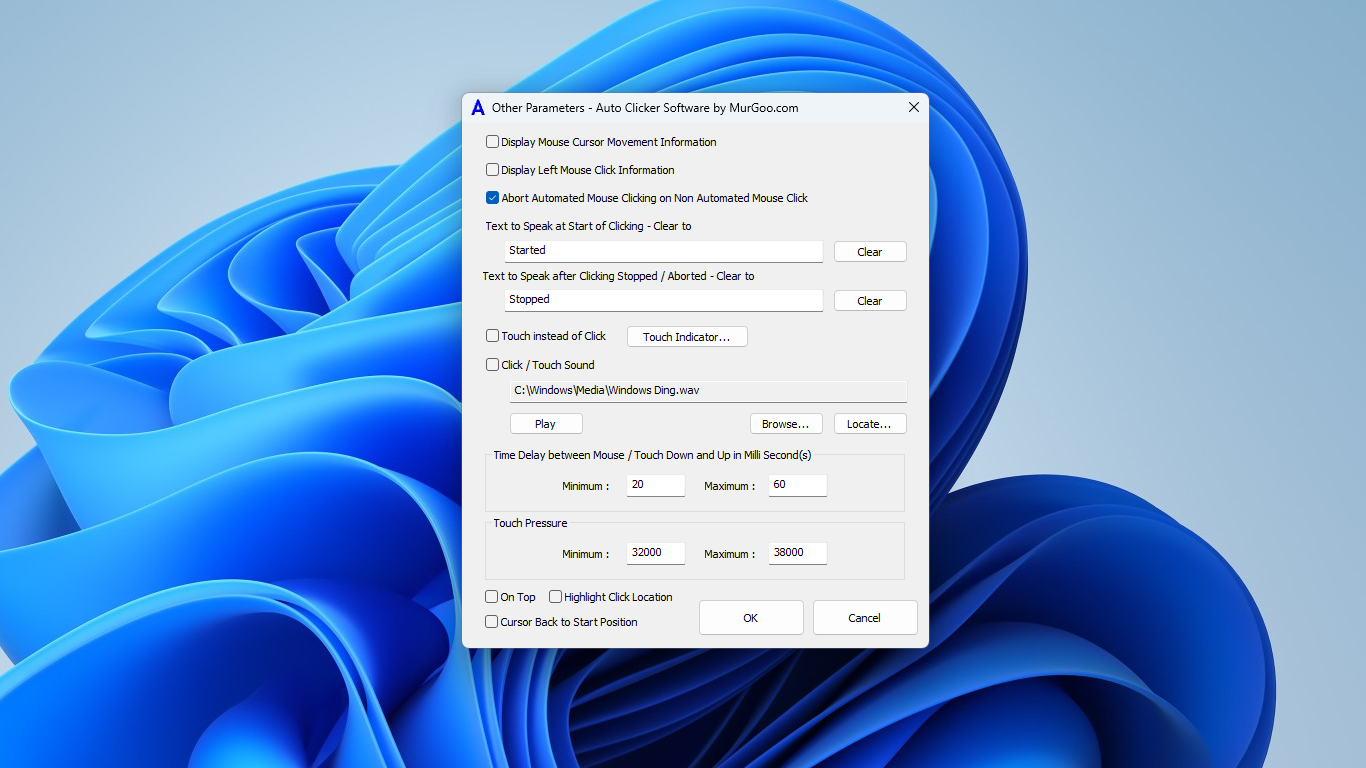
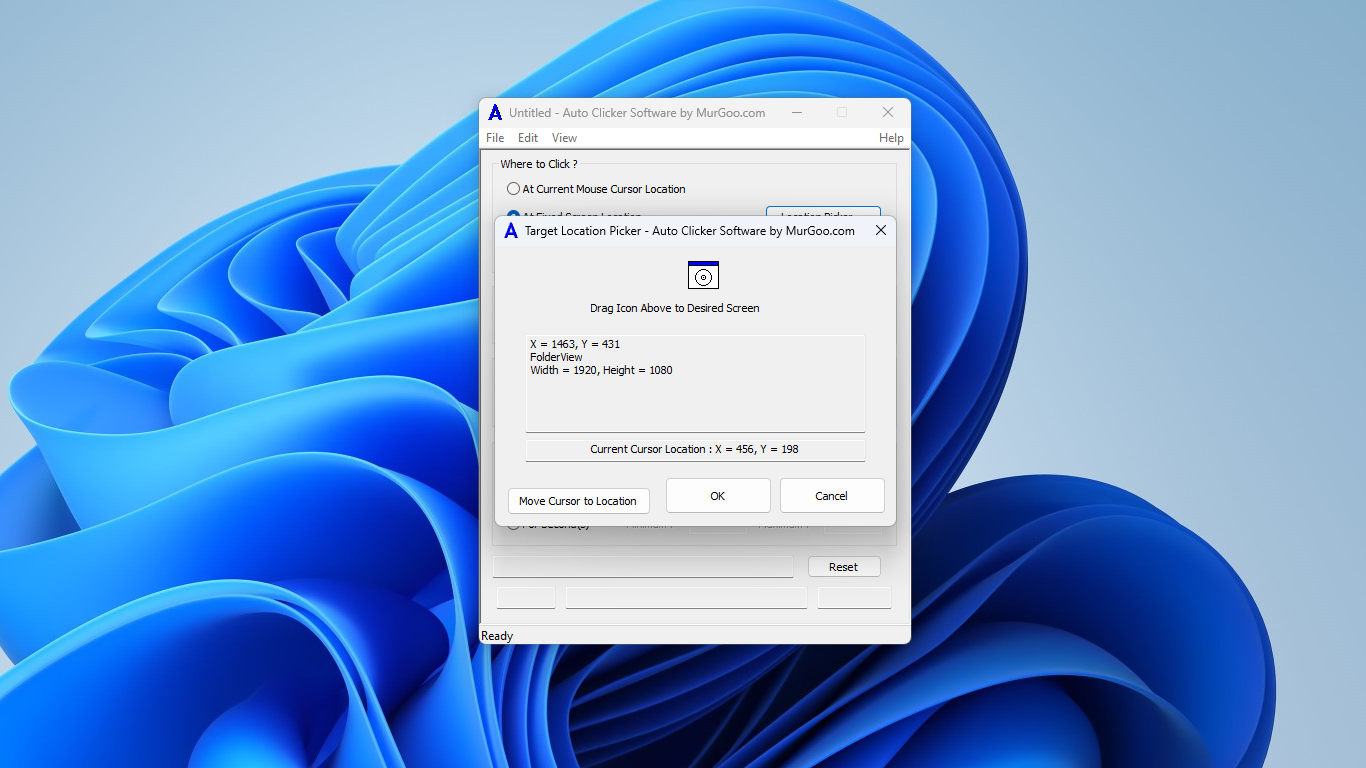
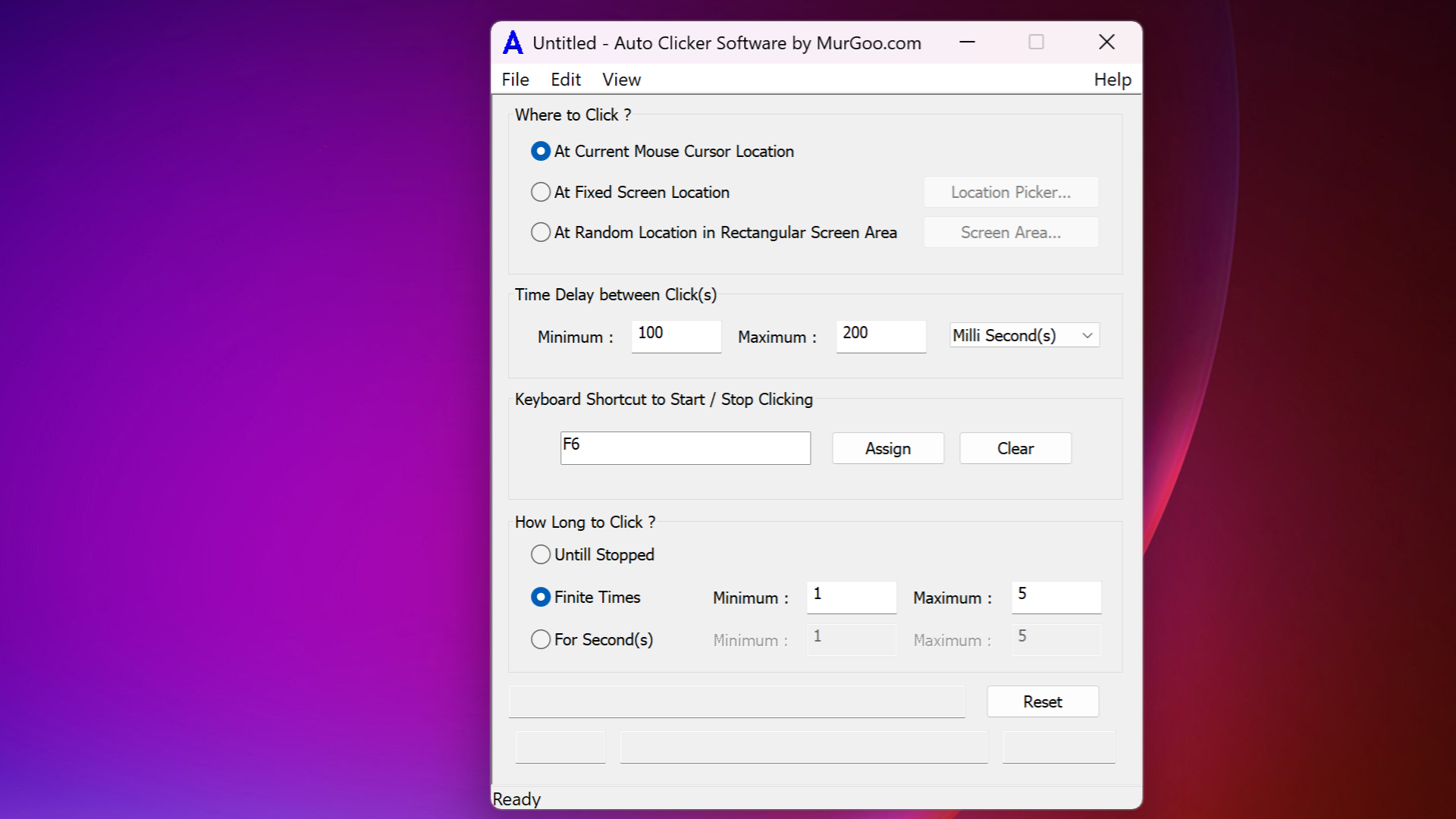
The standout feature here is the highly customizable click automation. Users can set specific locations on the screen to target, along with adjustable intervals between clicks— from rapid-fire to deliberate pacing. Imagine setting up a robotic arm to perform precise movements without even needing to code. This level of control allows for nuanced automation, ensuring the app adapts perfectly to different tasks. The interface simplifies this process, making it accessible even for beginners, without sacrificing depth for advanced users.
Multiple Presets and Hotkeys for Quick Activation
Another notable feature is the ability to create multiple presets, which can be activated instantly using hotkeys. This is particularly useful in scenarios like gaming or testing, where switching between different automation routines on the fly is necessary. The responsive hotkey system is intuitive, reducing the friction often encountered in other tools that require navigating through complex menus or configurations. This makes the app feel more like a lightweight companion than a bulky utility.
Seamless User Experience and Unique Selling Points
The user interface adopts a clean, straightforward design that resembles a minimalist control panel—akin to the dashboard of a well-kept vehicle. Navigating through settings is intuitive, and the app responds smoothly to inputs, with little lag or delay, which is crucial for precise automation. The learning curve is gentle; even first-time users can get their automation routines running with minimal setup time.
One of the app's most distinctive advantages over similar utilities lies in its stability and reliability. Unlike some auto clickers that may crash or lose settings unexpectedly, MurGoo's solution maintains consistent performance during extended use. Moreover, its ability to run discreetly without noticeable CPU spikes ensures your system remains responsive, a feature often overlooked in comparable applications.
Additionally, its flexibility stands out. You can automate not only elementary clicking tasks but also complex sequences by combining simple actions, making it a potent tool for both basic automation and more elaborate scripting. This flexibility, combined with its user-friendly design, sets it apart from more cumbersome or overly simplistic alternatives.
Is it Worth a Try? Our Recommendation
Given its balance of ease-of-use, reliability, and intelligent features, I would confidently recommend Auto Clicker Software for Windows, especially for users new to automation or those seeking a lightweight yet powerful tool. It's suitable for casual purposes, like gaming, as well as more professional tasks, such as repetitive testing or data entry automation. However, advanced users seeking highly customizable, script-based automation may find it somewhat limiting compared to more sophisticated solutions.
For most everyday automation needs, this app offers a practical, straightforward solution. As always, use automation responsibly, ensuring compliance with the terms of service of any platform or application you interact with. Overall, MurGoo's auto clicker is a reliable utility that provides most of what you need to automate daily repetitive tasks efficiently, making it a worthy addition to your digital toolkit.
Pros
- User-Friendly Interface
- High Customizability
- Lightweight and Fast
- Free Trial Available
- Supports Multiple Automation Scripts
Cons
- Limited Advanced Features
- Basic Customization Options
- No Built-in Hotkey Support
- Lack of Multi-language Support
- Minor Stability Issues on Some Systems











