


- Category Utilities & tools
- Available on PC, Mobile, Surface Hub, HoloLens
- OS Windows 10 version 14393.0 or higher
- languages English (United States)
Auto Key Presser - Auto Clicker for Windows: An Efficient Tool for Automation Enthusiasts
Auto Key Presser by Huada Studio stands out as a straightforward yet powerful automation utility designed to streamline repetitive keyboard and mouse tasks on Windows. Whether you're gaming, testing, or automating routine workflows, this app aims to simplify your automation needs with its intuitive approach.
What makes this app unique?
At its core, Auto Key Presser offers a user-friendly interface combined with robust automation features that cater to both casual and more dedicated users. Its simplicity does not compromise functionality, allowing quick setup and reliable performance across diverse scenarios.
User-Centric Design and Ease of Use
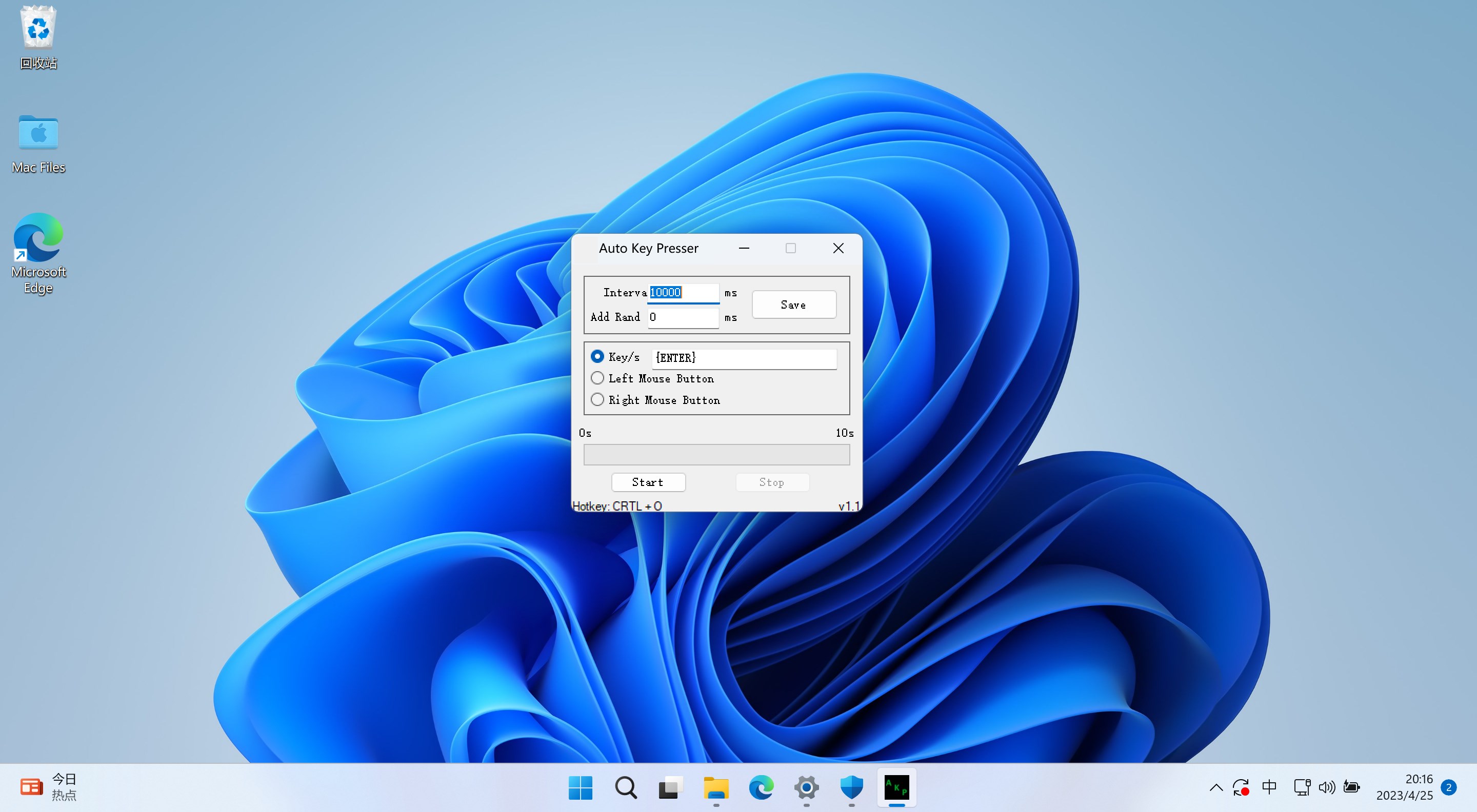
The interface of Auto Key Presser resembles a well-organized control panel, reminiscent of a cockpit ready for takeoff, yet surprisingly accessible for newcomers. The layout is clean, with clearly labeled options that guide users smoothly through setup and execution. The app's responsiveness is noteworthy; commands are executed with minimal lag, which is especially crucial during tasks like gaming or detailed testing. For those new to automation tools, the learning curve is gentle—most features can be mastered within minutes, making it less daunting compared to complex scripting approaches.
Core Features That Pack a Punch
- One-Click Automation Setup: Easily configure repetitive keystrokes or mouse clicks with simple controls. This feature is perfect for users seeking quick automation without needing scripting knowledge. The app allows setting specific intervals, patterns, and repetitions, making it highly customizable.
- Multi-Function Support: Apart from basic key presses and mouse clicks, Auto Key Presser supports advanced actions such as hotkeys, pause/resume options, and conditional scripts. This versatility ensures it can adapt from simple tasks like auto-typing to more complex sequences required during gaming or testing procedures.
- Multiple Presets and Profiles: Users can save different automation profiles tailored to specific tasks, enabling fast switching without reconfiguration. Imagine creating distinct profiles for different games or software workflows—this greatly enhances productivity and convenience.
Distinctive Advantages Over Similar Utilities
Compared to other tools in the same category, Auto Key Presser excels in its balance between simplicity and functionality. While many automation apps lean heavily on scripting languages or overly complicated interfaces, Huada Studio's offering strikes a remarkable balance. Its standout feature is the straightforward configuration process—users do not need programming skills to set up complex sequences. Additionally, the app's stability and responsiveness are noteworthy, especially during prolonged use, which is often a weak point in cheaper alternatives. Moreover, its ability to handle multiple profiles simultaneously and easily toggle between them is a significant edge, especially for users managing various tasks or game macros.
Final Verdict and Recommendations
Overall, Auto Key Presser emerges as a practical, reliable automation tool that caters well to users looking for efficiency without a steep learning curve. Its most compelling aspects—the one-click setup and multi-profile support—make it particularly appealing for gamers, testers, or anyone needing quick, repeatable actions. For users who prefer a simple, no-fuss software that 'just works,' this application deserves a spot in their toolkit.
While it might lack the extensive scripting capabilities of more advanced automation suites, its strength lies in ease of use and stability. I recommend it for casual automation tasks, game macros, or routine testing workflows, especially for those who want a dependable tool without diving into complex programming.
Pros
- User-friendly interface
- High customization options
- Reliable auto-clicking
- Lightweight application
- Free to use
Cons
- Limited advanced scripting capabilities
- Occasional lag during extensive automation
- No macOS or Linux support
- Minimal user manual or tutorials
- Potential conflicts with security software











