

- Category Utilities & tools
- Available on PC
- OS Windows 10 version 18362.0 or higher
- languages English
An Introduction to Automatic Keyboard Typer
Imagine having a reliable virtual assistant that can effortlessly mimic your keystrokes, saving you time and effort during repetitive tasks. Automatic Keyboard Typer for Windows by EvlarSoft LLC steps into this role, offering a streamlined way to automate keyboard input with precision and ease. Whether you're automating data entry, game macros, or repetitive commands, this tool promises to be a handy addition to your software arsenal.
Key Features Brighten Up Automation Tasks
Seamless Automation of Repetitive Keystrokes
The core strength of Automatic Keyboard Typer lies in its ability to imitate keystrokes convincingly, allowing users to record a sequence of keyboard actions and replay them flawlessly. This feature is particularly valuable for tasks like filling out forms, gaming macros, or quick commands, making previously manual tasks effortless. Its precision ensures that even complex sequences are handled smoothly, reducing errors caused by fatigue or oversight.
Customization and Flexible Playback Options
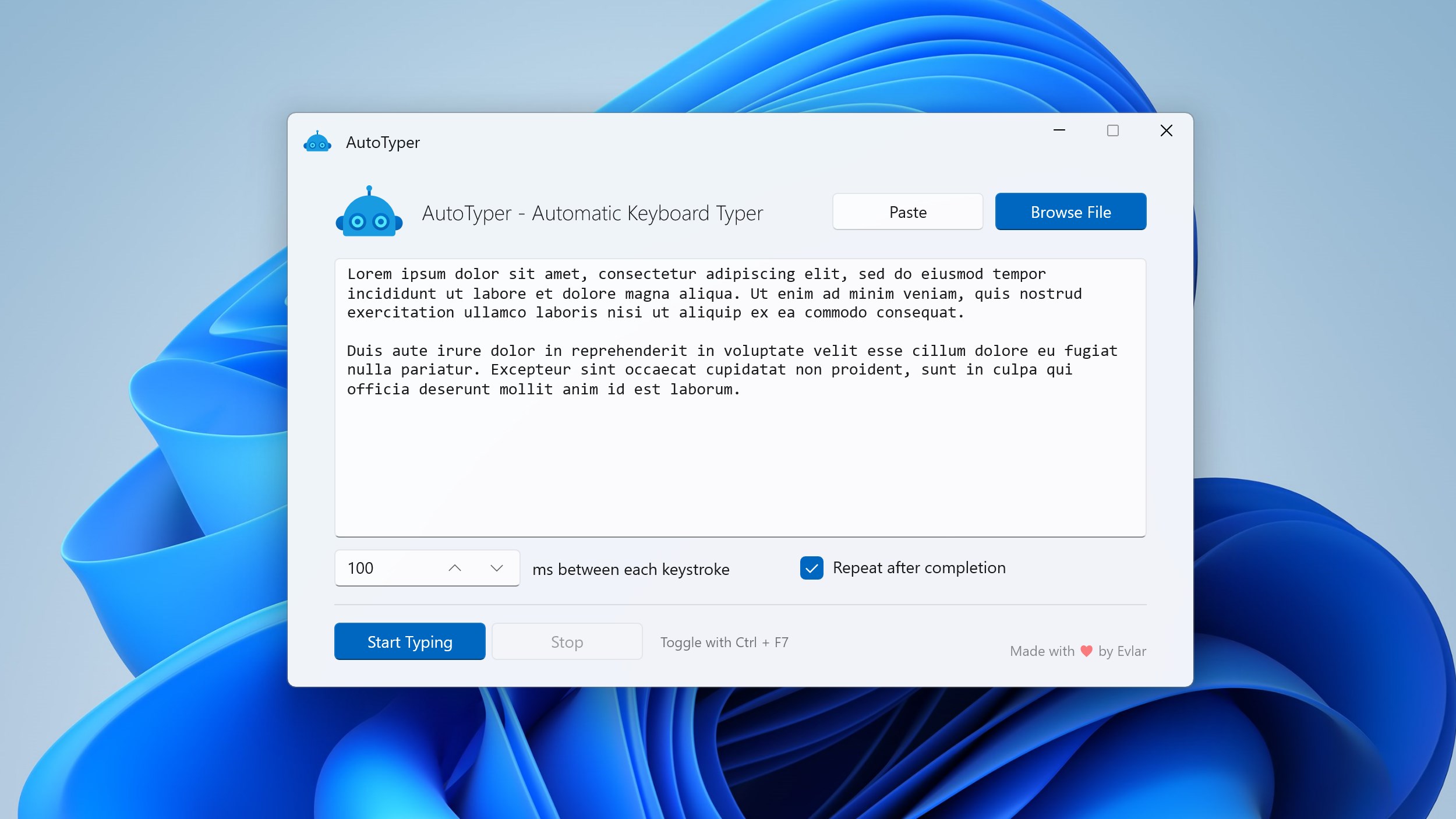
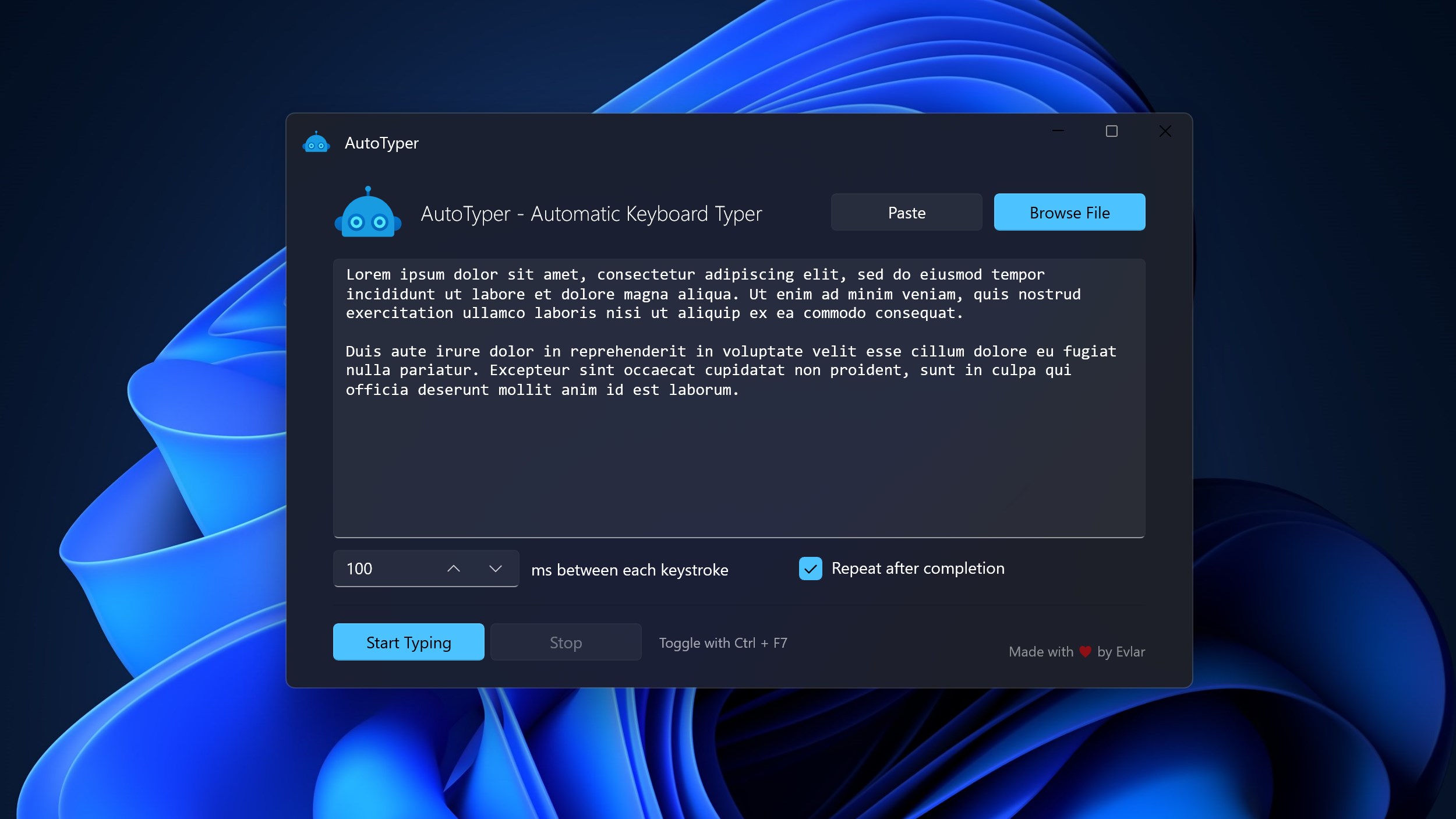
Beyond simple replay, the app offers flexible controls such as adjustable delays between keystrokes, loop modes, and conditional triggers. This customization gives users the freedom to tailor automation to specific workflows, whether they need a one-time macro or ongoing automation. The ability to specify timings adds a layer of control, ensuring scripts run exactly as intended—helpful for tasks sensitive to timing or system response.
User-Friendly Interface & Minimal Learning Curve
The interface presents itself as clean and intuitive, with straightforward options to record, edit, and execute macros. Its design feels like a well-organized toolbox — accessible even for newcomers without prior scripting experience. The software's simplicity allows users to begin automating tasks quickly, while advanced options cater to those seeking more detailed customization.
Evaluating the User Experience: Smooth, Practical, and Approachable
From the moment you launch Automatic Keyboard Typer, it feels like sitting down with a friendly, competent assistant. The layout guides you intuitively through recording keystrokes, editing sequences, and setting playback parameters. During testing, the responsiveness was impressive; commands executed in real-time without lag or stutter, ensuring a smooth automation process akin to a well-rehearsed dance. The learning curve is gentle—most users can get up and running within minutes, making this tool accessible without sacrificing functionality.
Compared to other utilities — such as AutoHotkey or similar macro tools — Automatic Keyboard Typer distinguishes itself with its dedicated focus on keyboard automation and its simplified interface. Automation scripts are easier to create and manage, especially for those who might find scripting languages intimidating. It doesn't require programming skills, which makes it less intimidating for casual users or professionals seeking quick solutions.
Unique Selling Points: Why It Stands Out
The most compelling aspect of Automatic Keyboard Typer is its user-centric design tailored specifically for keyboard automation. Its ability to easily record and replay sequences without scripting knowledge sets it apart. Additionally, the adjustable delay feature is a clever touch — imagine orchestrating a symphony of keystrokes with precise timing, perfect for scenarios demanding high accuracy or custom pacing.
This focus on simplicity combined with reliable performance makes it more than just another macro app; it's a practical, accessible tool crafted for everyday automation needs, free from the overhead of complex setup processes that other utilities often require.
Final Verdict & Recommendations
Automatic Keyboard Typer earns a solid recommendation for users who need a straightforward tool to automate keyboard input without the complexity of scripting. It's suited for professionals, gamers, students, or anyone seeking to reduce repetitive manual effort with minimal fuss. For those comfortable with more advanced automation, it may serve as a quick starting point or supplementary tool, though it may lack some customization depth found in more advanced scripting solutions.
In summary, if you're after an intuitive, reliable application that simplifies keyboard macro creation, this tool is worth trying. Its particular strengths lie in its simplicity and effective replay capabilities—making repetitive tasks feel like a breeze rather than a chore. Just think of it as your personal virtual monkey, diligently typing away while you relax or focus on more creative pursuits.
Pros
- Automates repetitive typing tasks efficiently
- User-friendly interface
- Customizable hotkeys
- Supports various keyboard layouts
- Lightweight application
Cons
- Limited macro complexity
- Occasional lag during rapid typing
- Lacks cloud synchronization
- Minimal customer support options
- Compatibility primarily tested on Windows 10/11











