
- Category Utilities & tools
- Available on PC
- OS Windows 10 version 17763.0 or higher
- languages English (United States)
Introduction to Bootable USB Creator for Windows
Imagine you're embarking on a tech adventure: creating a bootable USB drive is akin to preparing a reliable backpack filled with all your essential tools before heading into uncharted territories. The Bootable USB Creator for Windows, developed by CoderLearn, promises to simplify this crucial step, making it accessible for both tech novices and seasoned IT professionals. This utility helps you swiftly transform USB drives into bootable media, perfect for system installations, troubleshooting, or recovery operations. Its blend of user-friendliness and robust features makes it a noteworthy tool in the realm of system utilities available on the Microsoft Store.
Key Features That Make a Difference
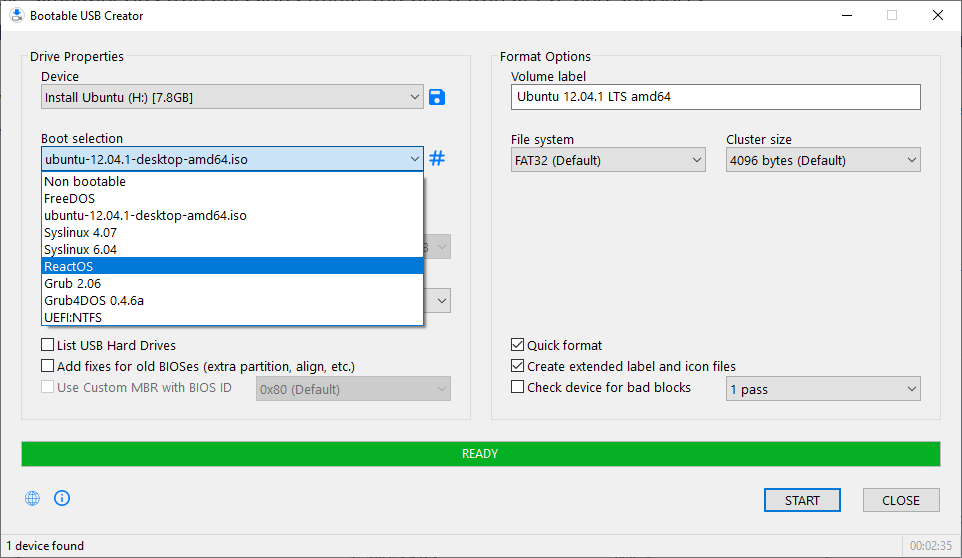
First off, the app's core promise is to turn your USB drives into bootable devices effortlessly — no more complicated command-line procedures or juggling multiple software. Instead, it offers a clean, straightforward process that even beginners can navigate. Secondly, the software supports a broad range of ISO files, encompassing Windows, Linux, and other custom images, ensuring versatility for various tasks. Lastly, its fast and reliable process minimizes waiting times and errors, giving users peace of mind when creating critical boot media. These standout features address common pain points faced by users trying to prepare bootable drives, making the process smoother and less intimidating.
Design, Usability, and User Experience
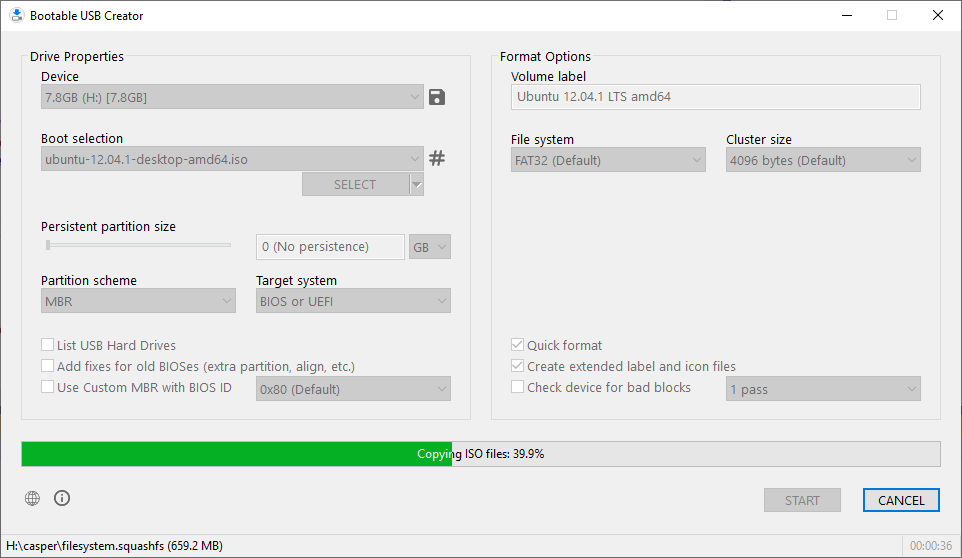
The interface of Bootable USB Creator is like a well-organized toolbox — clear, uncluttered, and easy to navigate. It adopts a modern look with intuitive buttons and straightforward prompts, reducing the learning curve to mere minutes. As you proceed through the steps, the software guides you seamlessly from selecting your ISO to choosing your USB drive and starting the creation process. Operation feels fluid; the app responds promptly without lags or crashes, instilling confidence even in less experienced users.
One aspect worth highlighting is its minimalistic approach—less clutter, more action. This simplicity translates to a shorter learning curve, meaning users can get their bootable media ready in just a few clicks. Its wizard-like process carefully guides users through each step, ensuring no detail is overlooked, whether you're a tech newbie or an experienced technician. The overall experience is one of efficiency and clarity, reducing frustration and making the process almost enjoyable.
What Sets It Apart from Other Tools
While many utilities promise bootable USB creation, CoderLearn's offering stands out with its emphasis on simplicity combined with robust support. Unlike some competitors that bombard users with confusing options or require complex configurations, this app focuses on “just works” usability. Its support for multiple ISO formats and seamless integration with various USB drives provides a level of flexibility that's often missing in more rigid tools. Additionally, the software's lightweight design ensures it doesn't overburden your system, making it suitable even for outdated hardware.
Another unique aspect is its focus on stability and accuracy. Creating bootable drives is a task where errors can lead to failed installations or corrupted media, but this app's reliability minimizes such risks through verification steps post-creation. Its continuous updates and minimal bloat make it a practical keeper in any technician's toolkit.
Final Thoughts and Recommendations
Overall, Bootable USB Creator for Windows is a dependable choice for anyone needing to prepare bootable drives without fuss. Its blend of user-centric design, versatility, and reliable performance makes it more than just a utility — it's a trustworthy companion for system projects. I'd particularly recommend it for IT technicians, tech enthusiasts, and casual users who want to avoid the hassle of complex setups. If you're looking for a straightforward, efficient, and stable tool to create bootable USB drives, this application deserves a place in your software arsenal. While it may not boast flashy marketing, its understated power and ease of use make it a program you can rely on confidently every time.
Pros
- User-friendly interface
- Supports multiple ISO formats
- Fast creation process
- Built-in verification
- Free to use
Cons
- Limited customization options
- Occasional compatibility issues with newer USB drives
- No built-in support for creating persistent USBs
- Limited instructional guidance
- Occasional bugs during updates











