

- Category Utilities & tools
- Available on PC
- OS Windows 11 version 22621.0 or higher
- languages Chinese (Simplified), Chinese (Traditional), Czech, Danish, Dutch, English (United States), Finnish, French, German, Indonesian, Italian, Japanese, Korean , Norwegian (Bokmål), Polish , Portuguese (Brazil), Russian, Spanish, Swedish, Thai, Turkish, Ukrainian
Introducing Canon Print Assistant for Windows: Your Reliable Printing Companion
Canon Print Assistant for Windows is a streamlined application designed to simplify the printing process for Canon printer users, making it easier to manage jobs directly from your desktop. Developed by Canon Inc., this utility offers an intuitive interface aimed at enhancing productivity while ensuring print quality and ease of use. Whether you're a casual user or a professional needing reliable printing capabilities, this app aims to serve a broad spectrum of Canon printer owners.
Key Features That Set It Apart
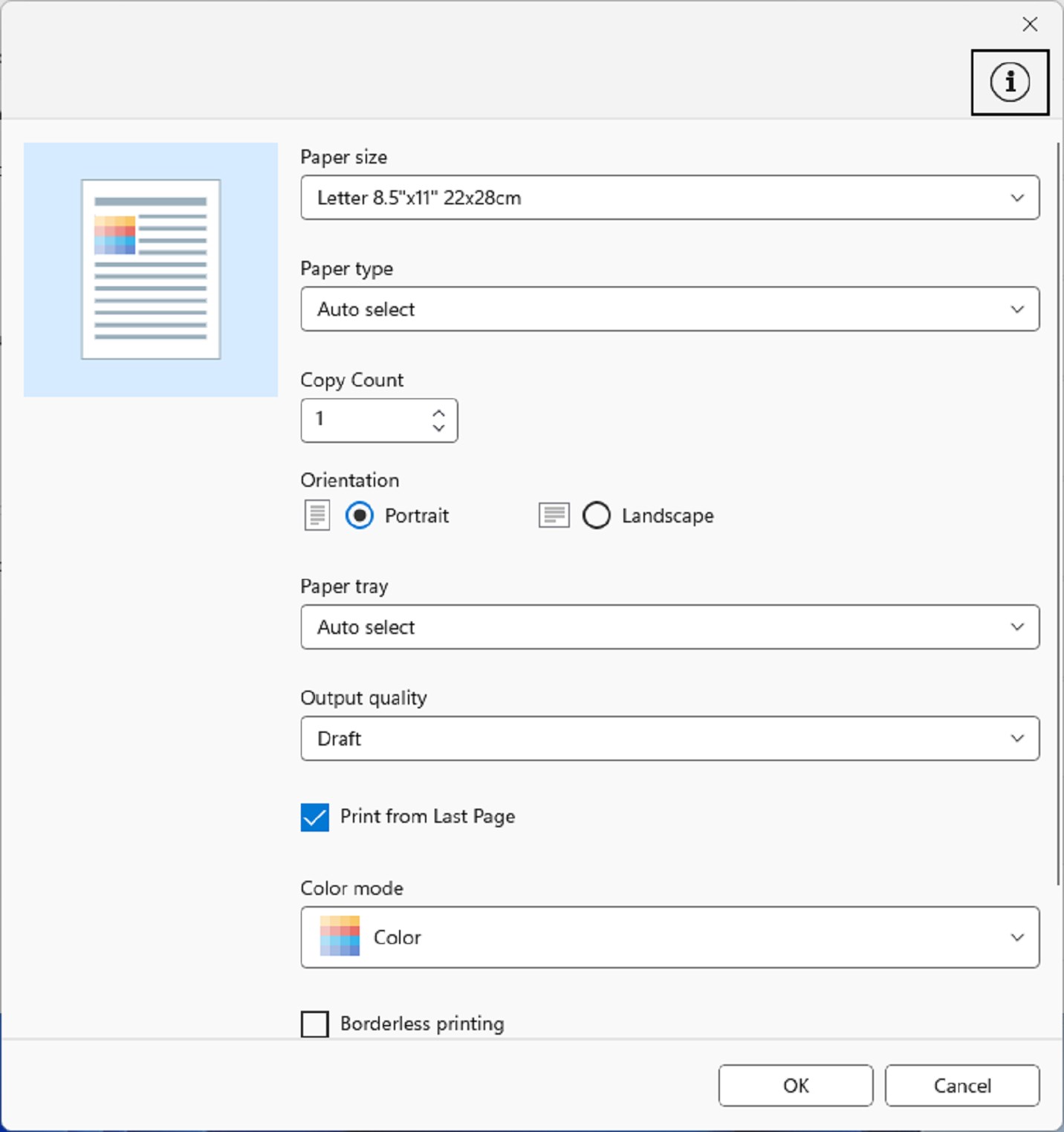
First, the app provides seamless printer management—allowing users to easily select, configure, and monitor their Canon printers without navigating cluttered driver menus. Second, it offers advanced print settings right within a clean interface, including paper size, quality, and layout adjustments, consolidating multiple configurations into one straightforward tool. Lastly, the app supports quick access to helpful resources, like troubleshooting guides and driver updates, ensuring users always have support at their fingertips.
Streamlined Interface & User Experience
The Canon Print Assistant blends simplicity with functionality, displaying a clean, modern interface that feels more like an intuitive dashboard than a complex utility. Navigating through options is a breeze; the design minimizes clutter while automatically detecting available printers on your network or device. The learning curve is gentle—most users will find themselves up and running within minutes. The app's responsive feel and logical layout make managing print jobs surprisingly enjoyable, turning what could be a tedious process into a smooth experience—think of it as a well-organized control panel for your print universe.
Advanced Print Management & Customization
The standout feature of Canon Print Assistant lies in its flexible print management options. Unlike typical utility tools, which often limit users to basic job submission, this app allows fine-tuning of print parameters before sending jobs to the printer. You can select specific paper sizes, adjust print quality, toggle color profiles, and even save custom presets for recurring jobs. These options are presented clearly and accessibly, making complex settings less intimidating. This focus on tailored print configurations is especially valuable for professionals or those who demand precise control over their outputs. For example, photographers preparing high-resolution prints or offices managing varied document types will appreciate this level of customization.
Unique Advantages & Differentiation
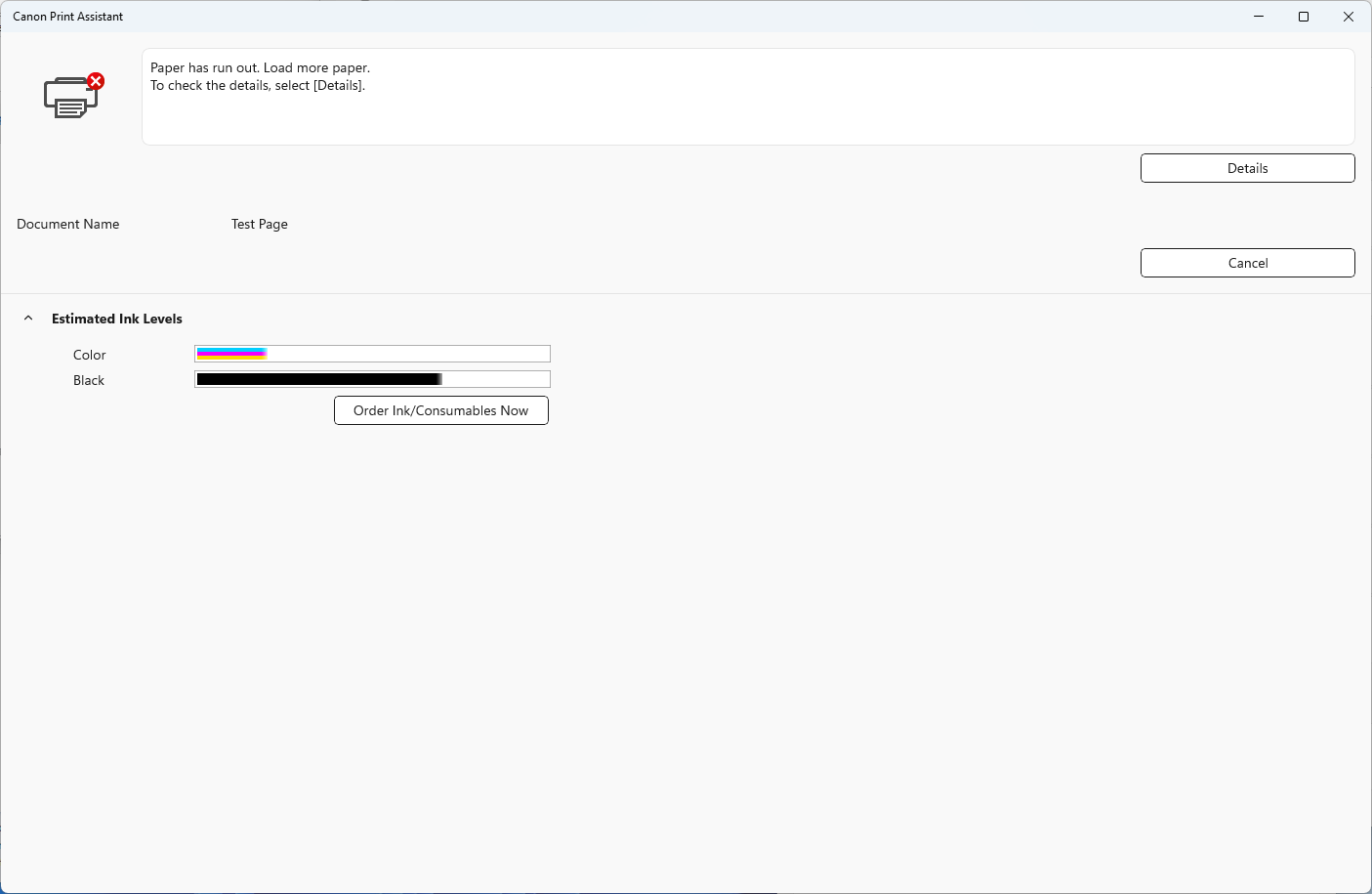
What truly makes Canon Print Assistant unique is its dedicated focus on Canon hardware within a single, cohesive app. While some utilities bundle multiple functions or rely on generic drivers, this app emphasizes compatibility, stability, and features optimized for Canon printers. Its ability to directly integrate with Canon's ecosystem reduces potential conflicts and streamlines workflows—think of it as a devoted tailor for your Canon device, ensuring every detail fits perfectly. Additionally, it offers features like quick ink level checks and easy driver updates, which are often scattered or hidden behind other software. This specialization positions it as a definitive companion for Canon printer users seeking both simplicity and control.
Final Verdict: A Solid, User-Friendly Tool for Canon Printer Owners
I would recommend Canon Print Assistant for Windows to anyone who owns a Canon printer and wants a more straightforward way to manage printing tasks. Its intuitive interface, combined with advanced customization options, makes it a standout among utility tools. While it doesn't reinvent printing—an inherently straightforward process—it enhances the experience by providing focused, reliable, and branded support. If you often find yourself juggling printer settings or need quick access to maintenance features, this app can become an invaluable part of your workflow. Overall, it feels like having a helpful, tech-savvy assistant right on your desktop—trustworthy, efficient, and easy to use.
Pros
- User-Friendly Interface
- Wide Compatibility
- Easy Remote Printing
- Print Quality Calibration
- Secure Printing Options
Cons
- Limited Features on Certain Devices
- Occasional Connectivity Issues
- Slow Response Times
- Limited Customization Options
- Inconsistent App Updates











