
- Category Utilities & tools
- Available on PC
- OS Windows 10 version 17763.0 or higher
- Memory 4 GB
- languages English (United States)
Introducing Console Remote: Your Gateway to Effortless Windows Gaming
Console Remote is a sleek, innovative app designed to bridge the gap between your gaming console and Windows PC, allowing you to seamlessly stream and play games on your Windows device with ease.
Who's Behind the Curtain?
Developed by Leo.D, a dedicated team with a passion for bridging gaming ecosystems, Console Remote exemplifies a focused approach to enhancing user experience and connectivity within the gaming world.
Top Highlights of Console Remote
- Wireless Game Streaming: Effortlessly stream games from your console to your Windows PC, reducing the need for multiple screens or complex setups.
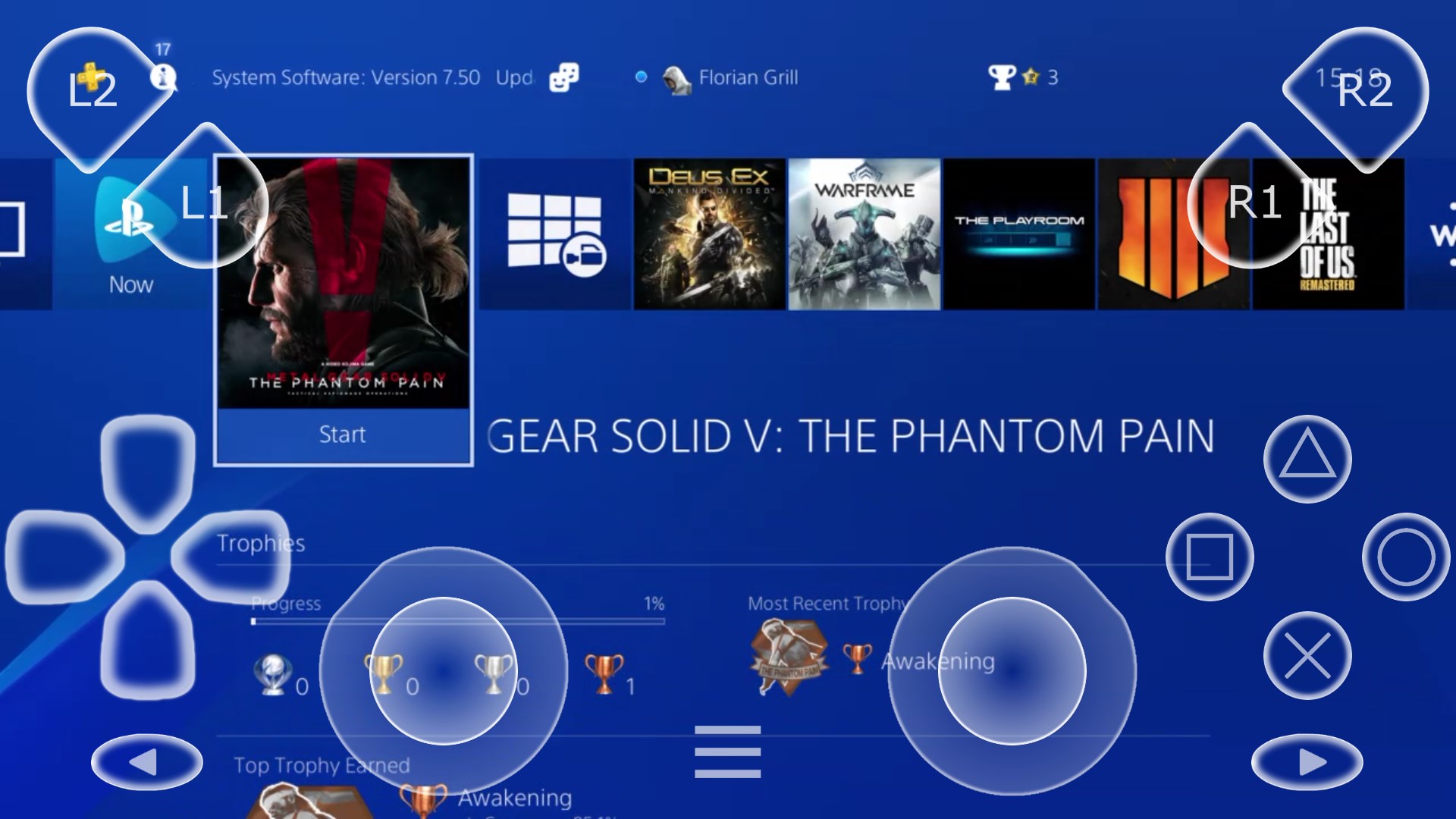
- Intuitive Remote Control: Use your Windows device as a fully functional remote, with customizable controls tailored for various games and applications.
- Cross-Platform Compatibility: Supports multiple consoles and Windows versions, ensuring versatility and broad usability.
- Easy Setup & Management: Minimal configuration required, with straightforward connection procedures to get you gaming faster.
Embarking on the Gaming Journey with Console Remote
Imagine sitting comfortably in your favorite armchair, a game-loading in the background, while your PC transforms into a wireless gaming hub — that's the promise Console Remote brings to your fingertips. Its interface is like a well-organized control panel, giving you quick access to streaming, control customization, and connection management. The app's design strikes a balance between functional clarity and modern aesthetics, making it inviting even for those new to gaming tech.
Streamlining Gameplay: Core Functionality Breakdowns
The first major core feature is its wireless streaming capability. Unlike traditional wired setups or bulky remote controls, Console Remote utilizes your Wi-Fi network to transmit gameplay from your console to your PC. This means you can enjoy the comfort of your sofa without sacrificing the responsive control necessary for fast-paced games. The stream quality maintains high fidelity, with minimal lag—think of it as having your console's power directly broadcasted to your device without wires tangling around your legs.
Secondly, the app's remote control feature is surprisingly versatile. It turns your Windows device into a customizable gamepad, offering a variety of preset configurations or the option to tailor controls specifically for your game. Whether you're navigating menus or performing complex in-game moves, the control layout adapts smoothly to your needs, turning your phone or tablet into a portable control center.
The third core element is its seamless connection management. Setting up the app is straightforward—simply pair your console and PC over your local network, and the app guides you through the process with clear instructions. Once connected, switching between gaming modes is fluid, and the app automatically detects new devices, minimizing downtime and technical frustrations.
First Impressions and User Experience
Using Console Remote is akin to discovering a secret passage in your favorite game: once you get the hang of it, everything flows naturally. The interface is intuitively designed, making navigation feel like flipping through well-placed pages of a storybook. Responsiveness is commendable; tapping the remote controls or adjusting streaming settings yields instant results, keeping the gameplay feeling fluid and immersive.
Learning curve? Gentle as a Sunday morning. For users familiar with remote control apps or streaming utilities, setup is quick and hassle-free. For newcomers, the guided process demystifies the initial connection, with online tips and straightforward options easing you into its capabilities.
Unique Selling Points: Standing Out in a Crowd
Compared to other gaming utilities, Console Remote's highlight is its ability to combine wireless streaming with a customizable remote experience while maintaining easy setup and broad compatibility. Unlike simpler apps limited to either streaming or remote control, Console Remote integrates both functions into a cohesive package, making it particularly appealing to casual gamers and tech enthusiasts alike.
Another standout feature is its focus on user-friendliness; it's designed not just for tech-savvy players but for anyone who wants a straightforward way to enhance their gaming environment without wrestling with complicated configurations.
Final Verdict: To Try or Not to Try?
In summary, Console Remote by Leo.D emerges as a practical, well-rounded utility that smartly addresses key pain points of traditional gaming setups. Its most compelling features—wireless streaming and customizable remote controls—set it apart from many competitors. For gamers seeking a hassle-free way to enjoy console games on their Windows device, this app offers a promising solution that's both accessible and reliable.
While it may not replace high-end gaming rigs or professional streaming setups, it's a delightful addition for casual gaming, family fun, or quick demonstrations. I recommend giving it a try if you're craving more flexibility and comfort in your gaming sessions. Just ensure your Wi-Fi network is robust enough to handle the streaming demands, and you'll be set for hours of enjoyable play.
Pros
- Seamless remote gameplay
- Supports a wide range of games
- Easy setup process
- High video quality options
- Free to use with Xbox consoles
Cons
- Requires strong network connection
- Limited to Xbox ecosystem
- Compatibility issues with some Windows versions
- Occasional connection drops
- Interface can be basic











