

- Category Utilities & tools
- Available on PC
- OS Windows 10 version 16299.0 or higher
- languages English (United States)
Introducing Controller X for Windows: A Versatile Gamepad Companion
Controller X for Windows is a compact yet powerful application designed to enhance your gaming experience by optimizing controller compatibility and customization on Windows PCs. Developed by Mersad.M, this app aims to bridge the gap between various controllers and your favorite games, delivering a smoother and more tailored gaming session.
About the Developer and Main Features
Developed by Mersad.M, Controller X for Windows manifests a dedicated effort to streamline controller management. Its key features include flexible button remapping, profile management for different games, and customizable input settings — all accessible through an intuitive interface.
This app caters primarily to gamers seeking to fine-tune their controller experience, whether they use Xbox controllers, third-party gamepads, or other peripherals. Casual gamers, streamers, and game developers aiming for input consistency are the main target audiences.
A Fun and Smooth Ride: An Enthusiast's Perspective
Imagine settling into your gaming chair after a long day, ready to dive into your favorite game, only to realize your controller's quirks are spoiling the fun. Controller X steps in as a trusty co-pilot, making every button press feel just right. Its straightforward design and responsiveness make it feel less like a tool and more like an extension of your own reflexes. Whether you're battling it out in a shooter or navigating intricate puzzles, this app ensures your controller is speaking the same language as your game.
Core Functionality 1: Seamless Button Remapping
One of Controller X's standout features is its ability to effortlessly remap buttons to suit your preferences. Want a joystick to function as a macro for special moves? Or perhaps you need to swap trigger functions? The app provides a user-friendly interface where customization feels more like doodling than coding. This flexibility is especially valuable for gamers with special needs or those playing games with complex control schemes. Unlike generic remapping tools, Controller X offers profile-specific settings, allowing you to switch between different configurations rapidly, akin to flipping through your playlist.
Core Functionality 2: Profile Management and Customization
The second major highlight is the profile management system. Think of profiles as different outfits for your controller, each tailored for specific games or playstyles. Need a distinct setup for racing games versus first-person shooters? Just create and save profiles, then toggle between them with a click. This feature makes switching contexts seamless and helps prevent confusion during multiplayer sessions. The intuitive interface minimizes the learning curve, making it accessible even for newcomers to controller customization.
Design, Usability, and Differentiators
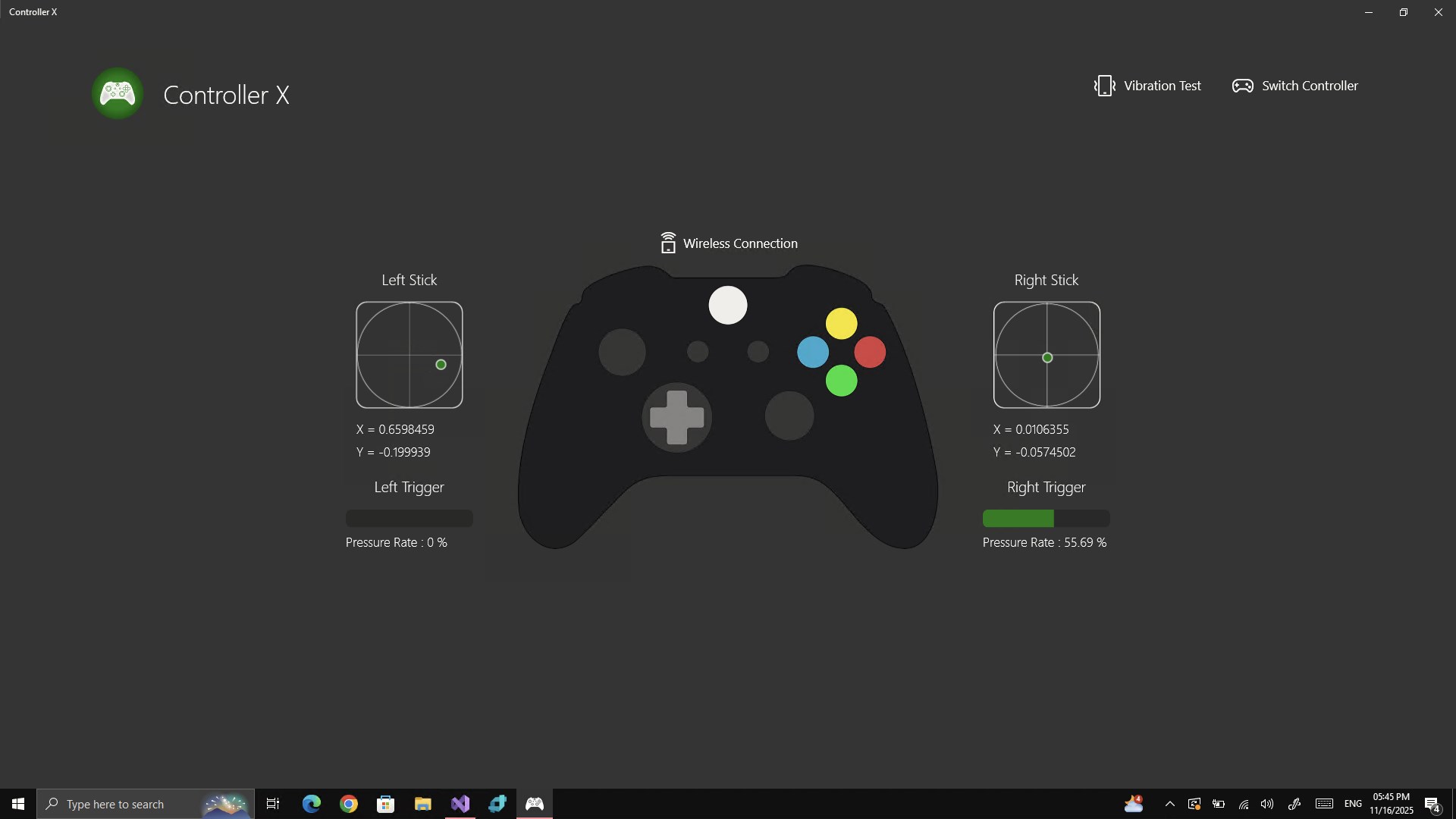
Controller X excels in its clean, user-centric interface. The layout feels like a well-organized toolbox — everything in its place, easy to find. Responsiveness is impressive; changes are reflected quickly without lag, ensuring a smooth setup process. Its learning curve is gentle enough for novice users while providing depth for aficionados who want precise control. The app's stability minimizes crashes, so you're not left troubleshooting mid-game.
What truly sets Controller X apart from similar utilities is its bespoke profile management combined with detailed input customizations. Many utilities offer basic remapping, but few provide the nuanced, game-specific profiles that switch seamlessly. Think of it as having multiple controllers in one, adapting on the fly. This feature is especially advantageous for gamers who juggle various titles and prefer tailored settings without constant manual adjustments.
Recommendation and Usage Tips
Overall, Controller X for Windows earns a solid recommendation for anyone looking to optimize their controller experience. Its standout features — especially profile management and customizable remapping — make it a valuable tool for both casual and dedicated gamers. For best results, spend some time setting up personalized profiles for your most-played games. This investment will pay off in smoother gameplay and fewer frustrations.
If you're someone who frequently switches between different games or has specific accessibility needs, Controller X is particularly worth exploring. Its straightforward interface and reliable performance make it a practical add-on rather than a complex hurdle. As with any utility, ensure you keep the app updated to benefit from ongoing improvements and bug fixes.
In summary, Controller X is like having a talented personal assistant for your gaming controllers — attentive, customizable, and easy to use. It's a smart choice for anyone wishing to elevate their game with tailored input settings without the hassle of complicated software.
Pros
- Intuitive interface
- Wide controller compatibility
- Customizable profiles
- Low latency response
- Regular updates
Cons
- Occasional connection issues
- Limited customization options
- Requires latest Windows updates
- Some minor UI glitches
- Limited support for non-Xbox controllers











