
- Category Utilities & tools
- Available on PC, Mobile, Surface Hub, HoloLens
- OS Windows 11 version 26100.0 or higher
- Keyboard Integrated Keyboard
- Mouse Integrated Mouse
- languages Chinese (Simplified), Chinese (Traditional), Dutch, English (United States), French, German, Portuguese, Russian, Spanish, Ukrainian
Introducing CPU Check for Windows: Your Handy Hardware Detective
If you're someone who loves tinkering with your PC or simply wants to ensure your system performs at its peak, CPU Check for Windows by Stefan vd is like having a knowledgeable tech buddy right at your fingertips. This straightforward app provides vital insights into your CPU, helping you diagnose issues and optimize performance without the fuss.
Unpacking the Core Features: What Makes CPU Check Stand Out?
1. Detailed CPU Diagnostics at a Glance
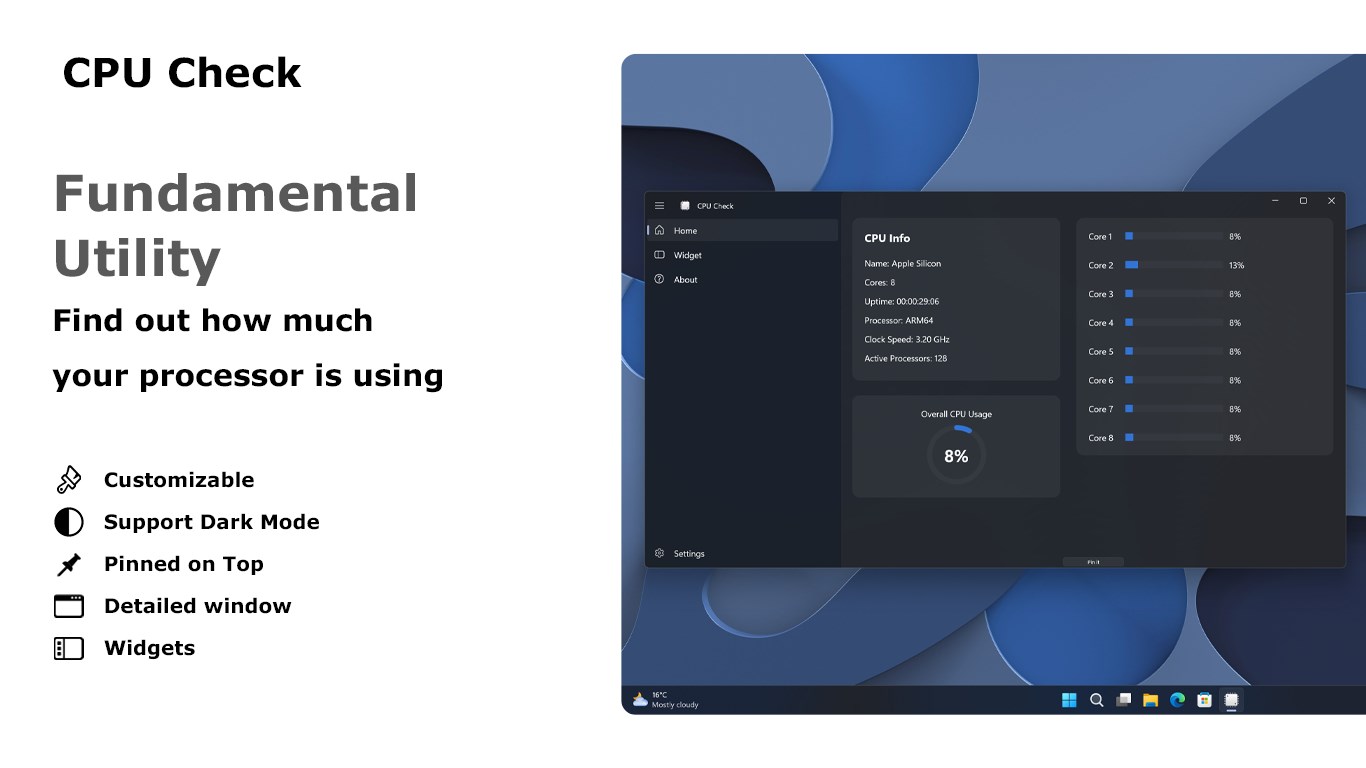
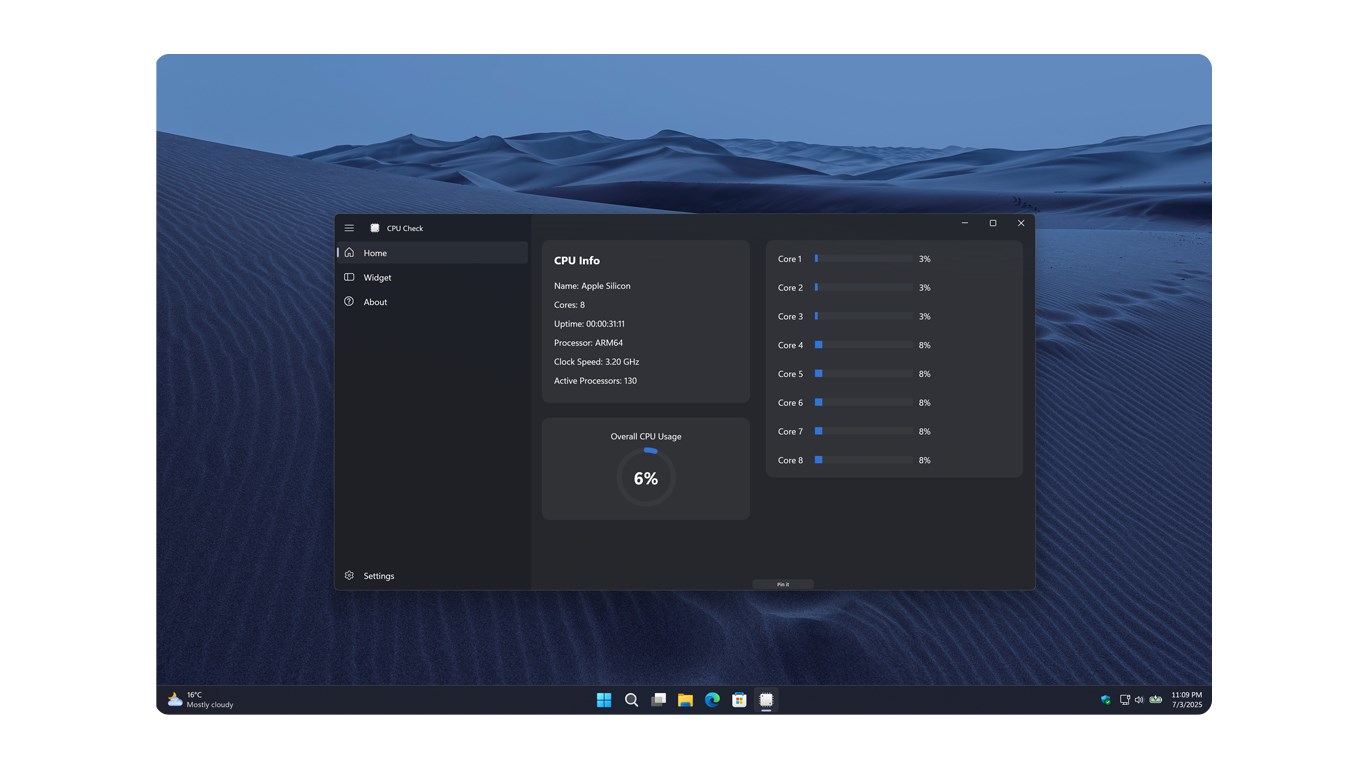
Imagine having a magnifying glass that instantly reveals every detail about your processor—its model, clock speed, number of cores, thermal status, and more. CPU Check offers comprehensive diagnostic reports that are easy to interpret, demystifying what's happening inside your machine. This feature is particularly useful when troubleshooting performance drops or verifying hardware specifications during upgrades.
2. Real-Time Monitoring & Performance Metrics
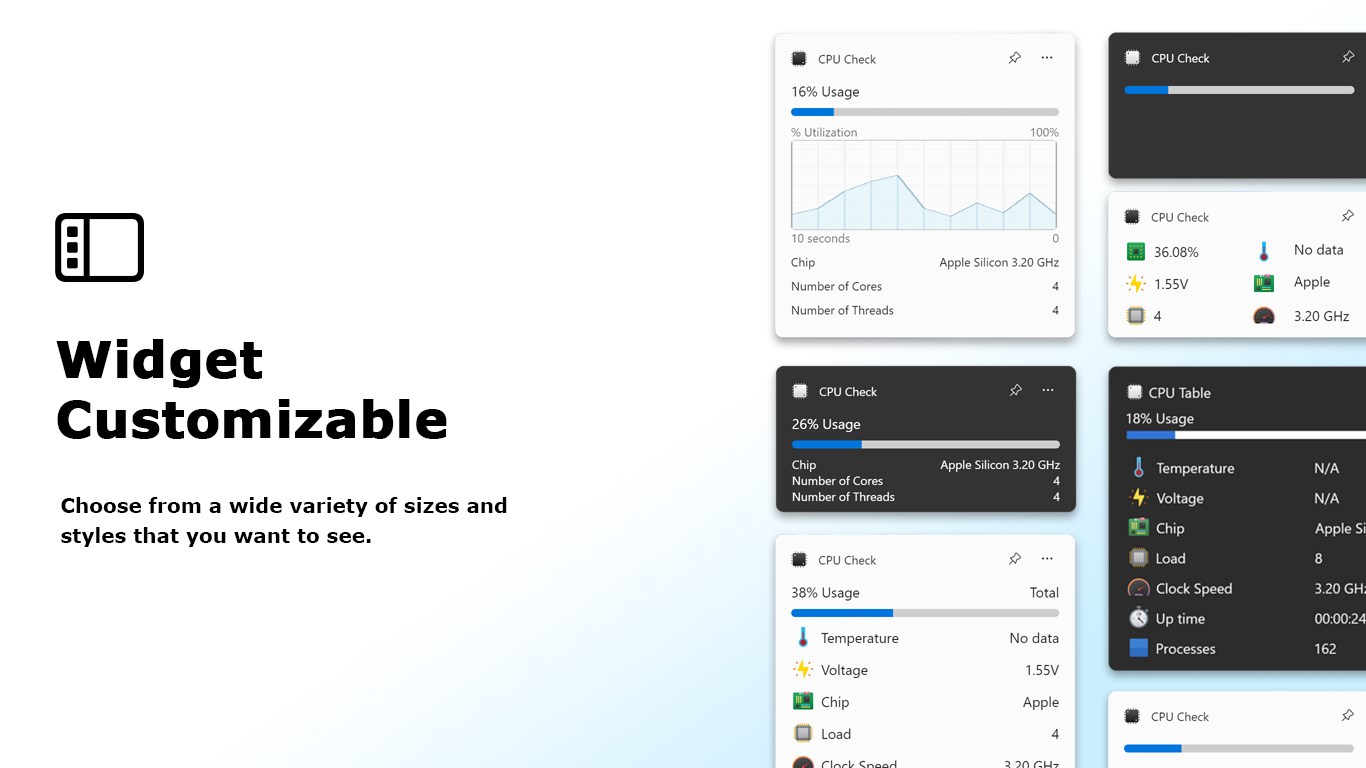
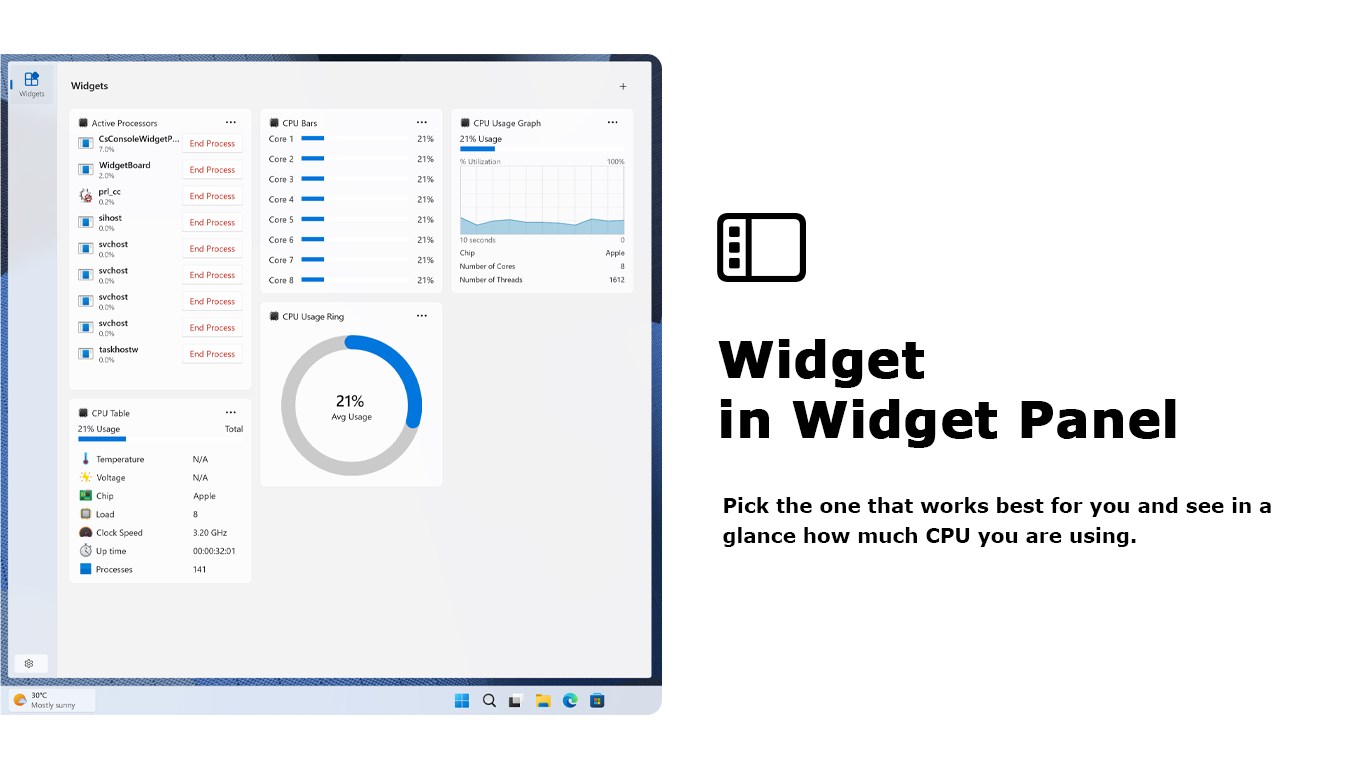
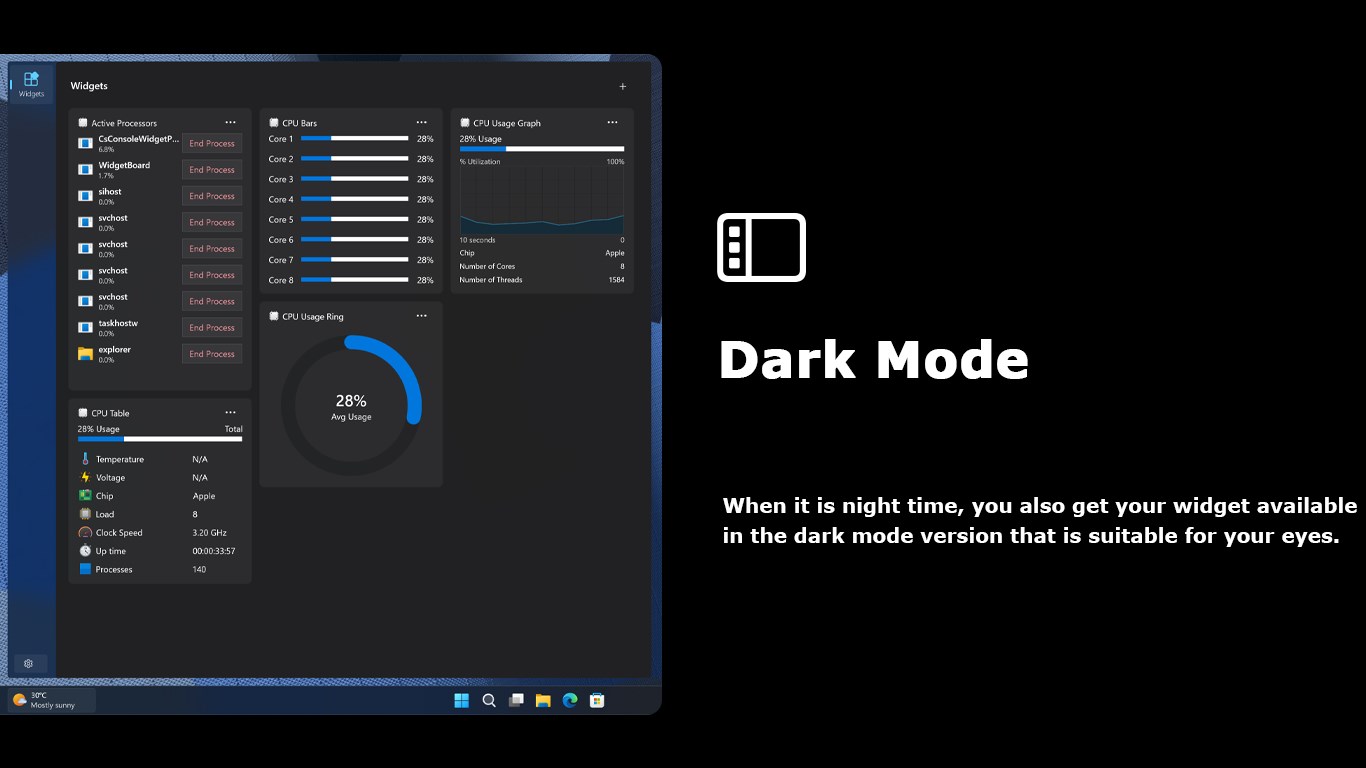
Think of this as your system's health monitor—displaying real-time data such as CPU usage, temperature, and voltage without overwhelming you with technical clutter. Whether you're gaming, rendering videos, or just browsing, keeping an eye on these metrics can help prevent overheating or overloading, maintaining stability and longevity. The app provides intuitive visuals that make it simple even for non-experts to understand system behavior during various activities.
3. Hardware Compatibility & System Scan
Beyond just reading CPU specs, this app performs quick scans to check overall system compatibility, alerting you to potential issues before they turn into costly repairs. It's like having a pre-flight checklist to ensure your hardware aligns well and runs smoothly with your installed software or upcoming upgrades. This proactive approach saves time and gives peace of mind before venturing into resource-intensive tasks.
User Experience: Friendly, Fluid, and Accessible
From the moment you launch CPU Check, its clean, minimalistic interface greets you like an organized workspace—smooth, intuitive, and clutter-free. Navigating through different sections feels natural, akin to flipping through the pages of a well-designed magazine. The app's responsiveness is notably crisp, with real-time data updating without lag, making it a reliable companion during intensive use.
Learning curves are gentle here—think of it as a friendly guide rather than a steep mountain. The layout and terminology are straightforward, so even first-time users can quickly grasp how to interpret the diagnostics and monitoring data. This ease of use ensures the app is accessible for both tech veterans and newcomers alike.
What Sets CPU Check Apart? The Unique Edge
Compared to other system utility tools, CPU Check's standout feature is its focus on delivering detailed yet digestible CPU diagnostics combined with real-time performance monitoring—all within a lightweight, non-intrusive package. Its dedicated emphasis on CPU health, coupled with accurate system compatibility checks, makes it exceptionally suited for users who want to keep an eye on their processor without wading through dense technical menus.
Furthermore, Stefan vd's app distinguishes itself by maintaining a simple interface that doesn't sacrifice depth for clarity. Unlike bulky utilities laden with unnecessary options, CPU Check provides precisely what most users need—clear insights and real-time data—avoiding information overload and making it an effective troubleshooting and monitoring tool.
Final Verdict: A Reliable Tool for Both Enthusiasts and Everyday Users
If you're seeking a straightforward, reliable app to monitor your CPU and diagnose hardware issues, CPU Check for Windows is worth trying. It's particularly beneficial for users performing system upgrades, troubleshooting performance dips, or simply wanting to keep tabs on their PC's "vital signs." Given its balance of depth, usability, and lightweight design, I'd recommend this app as a solid addition to your toolkit.
While it may not replace more comprehensive system utilities for advanced users, its focused functionality makes it a fantastic choice for those who desire a quick, accurate snapshot of their processor's health and performance.
Pros
- Accurate CPU Detection
- User-Friendly Interface
- Lightweight Application
- Quick Scan Process
- Additional Details
Cons
- Limited Functionality
- No Compatibility Checks
- No Export or Save Option
- Potential for Inaccuracy with Older Hardware
- Lacks Compatibility with Non-Windows Platforms











