
- Category Utilities & tools
- Developer Crystal Dew World
- Available on PC
- OS Windows 10 version 0.0 or higher
- Keyboard Integrated Keyboard
- Mouse Integrated Mouse
- languages English, Japanese
An In-Depth Look at CrystalDiskInfo for Windows
If you're the kind of user who's ever worried about the health of your trusty SSD or HDD—say, wondering whether those ominous slowdowns signal a looming failure—then CrystalDiskInfo is like having a reliable health check-up for your drives. This free utility by Crystal Dew World provides detailed insights into your storage devices, ensuring you're always in the know about their status. Think of it as a vital signs monitor for your computer's backbone.
Who's Behind the Magic?
Crystal Dew World, an established developer known for creating straightforward yet powerful tools, is behind CrystalDiskInfo. With a focus on storage device diagnostics, their suite of utilities aims to empower users—from novices to tech enthusiasts—with easy-to-understand data and actionable insights.
Top Highlights and Main Features
- Comprehensive Drive Monitoring: Keeps real-time tabs on temperature, health status, SMART attributes, and errors, giving you a complete snapshot at a glance.
- Dark and Light Mode Interface: A sleek, customizable UI that's both visually appealing and easy on the eyes, suitable for all working environments.
- Portable Version Available: No installation needed—just download and run, perfect for quick checks or use across multiple systems.
- Alert System: Sends warnings when critical thresholds are crossed, helping prevent data loss or hardware failures.
Jumping Into the Details: Why CrystalDiskInfo Stands Out
Imagine your hard drive as the heart of your PC—pumping data relentlessly but silently, until it suddenly isn't. CrystalDiskInfo steps in as your digital cardiologist, diagnosing issues long before they become emergencies. It's a utility that balances depth of information with user-friendliness, making it accessible without sacrificing technical accuracy.
Real-Time Monitoring and Health Assessment
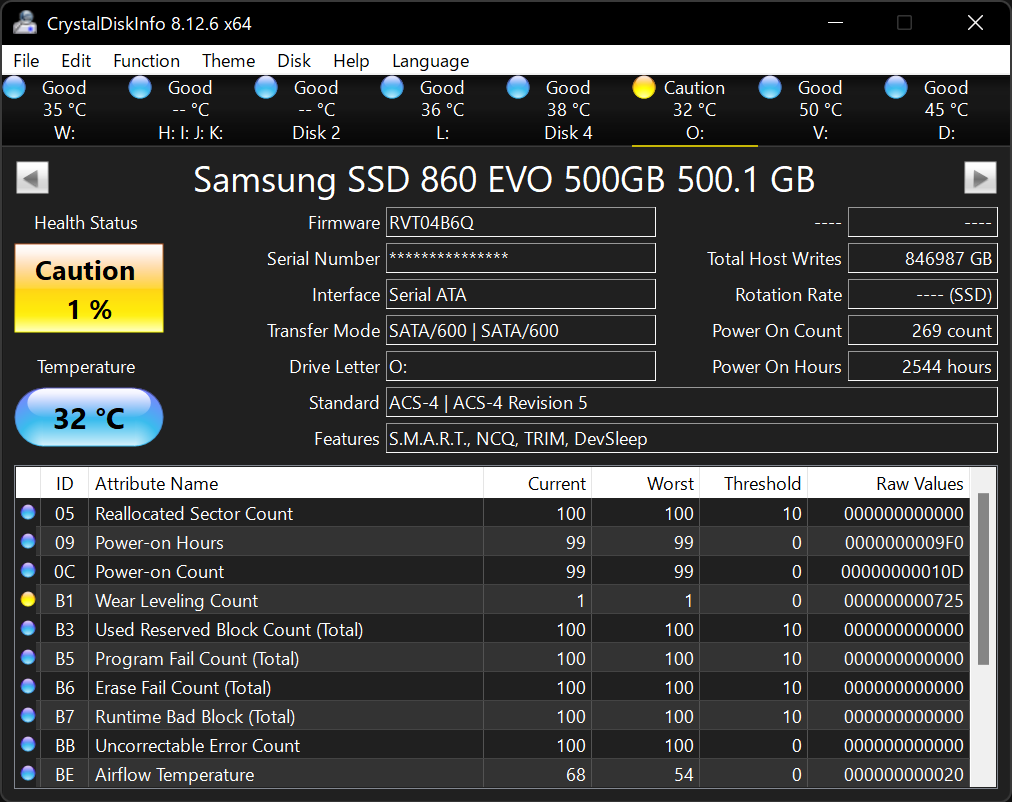
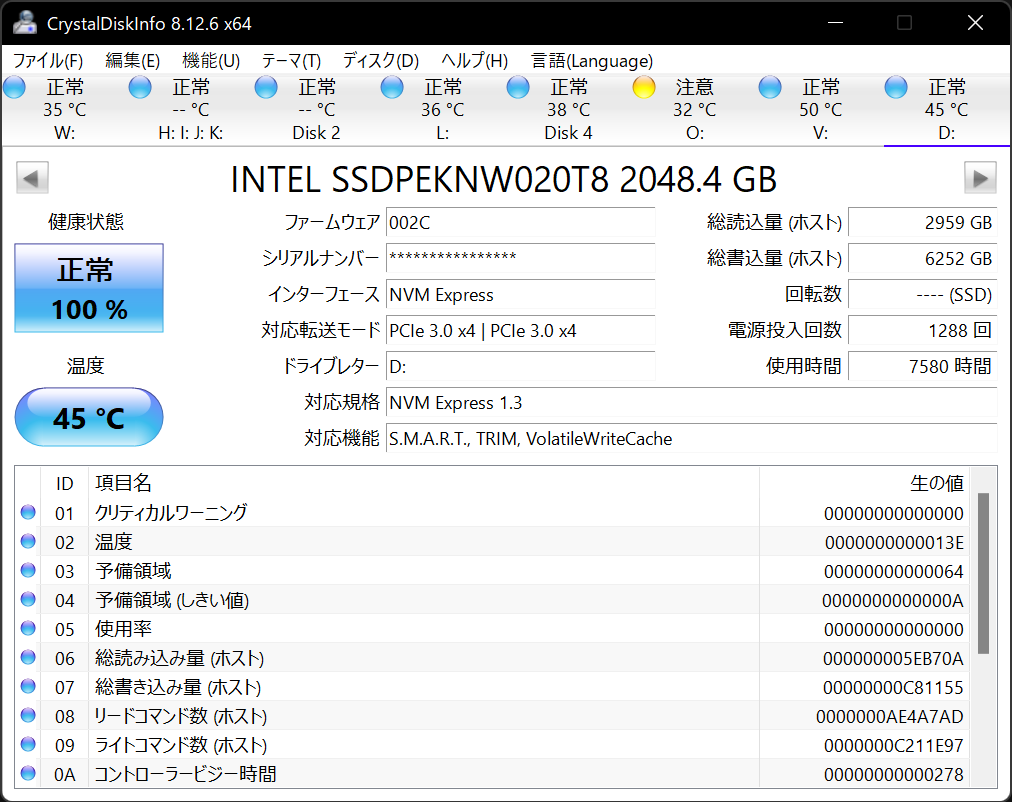
The core of CrystalDiskInfo is its ability to read the SMART data from your drives—a standard for predicting drive failures. When you open the app, you're greeted with a clear interface that displays temperature, operational status, and overall health indicators like "Good" or "Warning." This feature is particularly valuable for users who rely heavily on solid-state drives or traditional HDDs; it acts as a safeguard, allowing preventative measures before issues escalate. Unlike some utilities that bury SMART details in menus, CrystalDiskInfo presents this information front and center, making it accessible even for those new to drive diagnostics.
Intuitive User Interface with Customization
The interface is thoughtfully designed, with a clean layout reminiscent of a dashboard. The dark mode, akin to a night-sky theme, not only looks modern but also reduces eye strain during long monitoring sessions. Navigation is straightforward—clicks lead you seamlessly from overview to detailed attributes, and you don't need prior experience to understand what's going on. The application's responsiveness is smooth, with instant updates as data fluctuates, creating a real-time monitoring experience akin to watching your drive's vital signs dance.
Unique Features: Beyond Basic Drive Checks
What sets CrystalDiskInfo apart from many competitors is its focus on transparency and simplicity. Unlike tools that bombard users with technical jargon, this utility translates complex SMART data into easy-to-digest terms. Its alert system can notify you via pop-ups or system tray notifications if potential issues arise—adding a layer of proactive defense. Additionally, the portable version is a real boon; imagine being able to carry this handy doctor in your USB stick, ready to diagnose drives on any Windows machine without installation, a feature that makes it stand out in multi-device environments.
Final Verdict: A Solid Recommendation for Drive Health Enthusiasts
All things considered, CrystalDiskInfo offers a reliable, user-friendly way to keep tabs on your storage devices. Its most compelling feature—the real-time SMART monitoring combined with clear, customizable visuals—makes it an invaluable tool for anyone serious about hardware health. While it may lack some advanced predictive analytics found in premium tools, its simplicity and dedicated focus on core functionality make it a standout choice. For everyday users and tech aficionados alike, I'd recommend giving this utility a try—think of it as your drive's personal health sentinel, always watching over your data integrity.
Pros
- Comprehensive SSD and HDD health monitoring
- Real-time temperature readings
- User-friendly interface with intuitive layout
- Supports a wide range of storage devices
- Regular updates for improved accuracy and features
Cons
- Limited alert notifications for critical issues
- Occasional false positives on drive health status
- No advanced analytics for predicting drive failure trends
- User interface could be more customizable
- Some features require technical knowledge to interpret











