

- Category Utilities & tools
- Available on PC
- OS Windows 10 version 18987.0 or higher
- Keyboard Integrated Keyboard
- Memory 1 GB
- Mouse Not specified
- languages Arabic, Bulgarian, Chinese (Simplified), Chinese (Traditional), Croatian, Czech, Danish, Dutch, English (United Kingdom), English (United States), Estonian, Finnish, French, French (Canada), German, Greek, Hebrew, Hungarian, Italian, Japanese, Korean , Latvian, Lithuanian, Norwegian (Bokmål), Polish , Portuguese (Brazil), Portuguese (Portugal), Romanian, Russian, Serbian (Latin, Serbia), Slovak, Slovenian (Slovenia), Spanish (Mexico), Spanish (Spain), Swedish, Thai, Turkish, Ukrainian
An Insightful Tool for Windows Diagnostics: Diagnostic Data Viewer
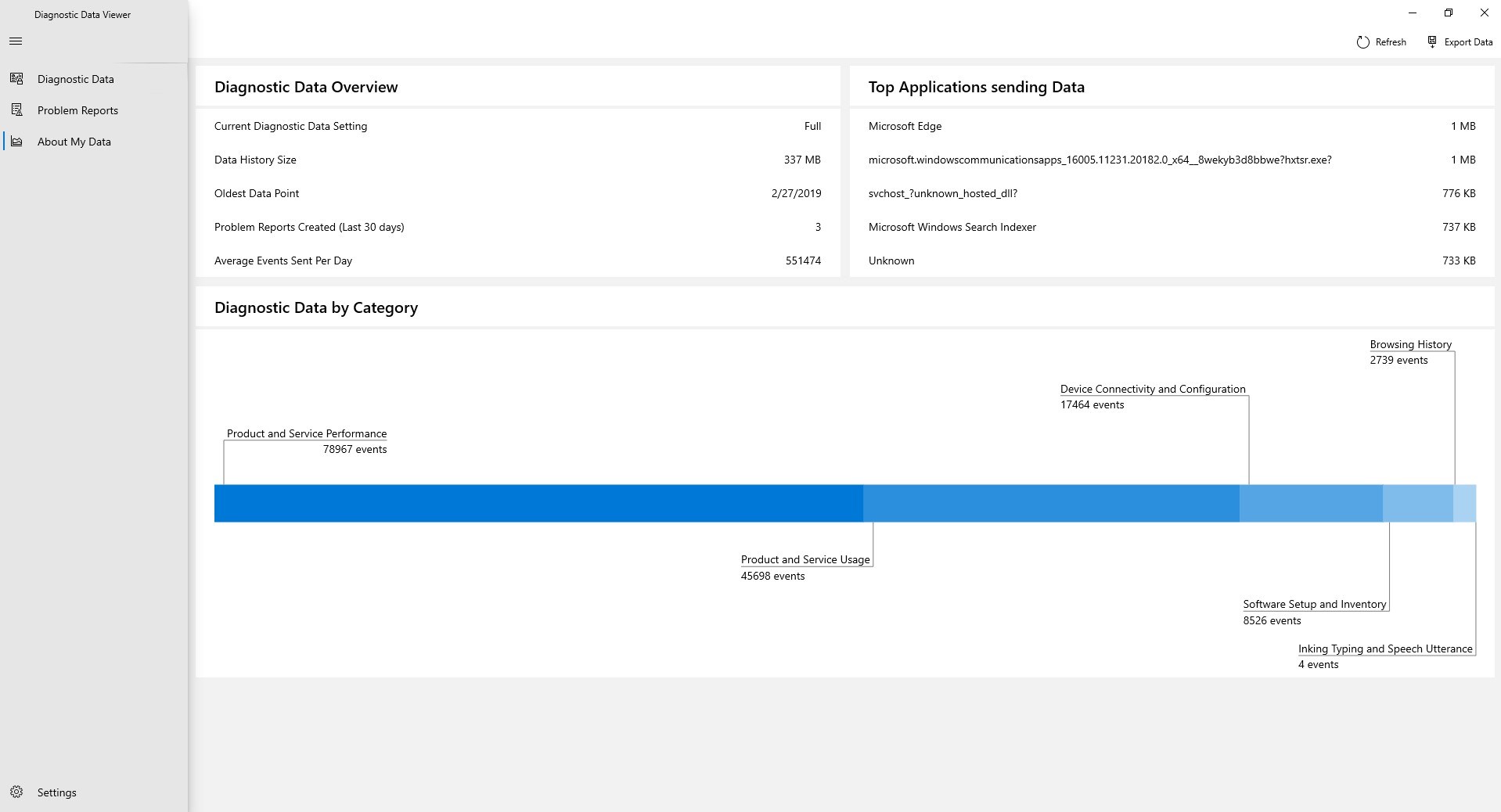
If you've ever been frustrated by the tangled web of system diagnostics or wondered what exactly your Windows machine is buzzing about behind the scenes, the Diagnostic Data Viewer for Windows comes as a breath of fresh air. Think of it as a detailed backstage pass, giving you transparent insights into your device's operational data, all bundled within a sleek and user-friendly interface. This application is especially handy for power users, IT professionals, or anyone keen on understanding their system more intimately without wading through technical jargon or countless logs.
About the Application
Microsoft's Diagnostic Data Viewer is a specialized utility designed to present diagnostic data collected from Windows in an accessible manner. Developed by Microsoft Corporation, the app aims to bridge the gap between complex system telemetry and user understanding, making technical data more approachable for everyday users and tech enthusiasts alike.
- Main Features Highlight:
- Clear, categorized display of diagnostic data collected by Windows, enabling in-depth understanding.
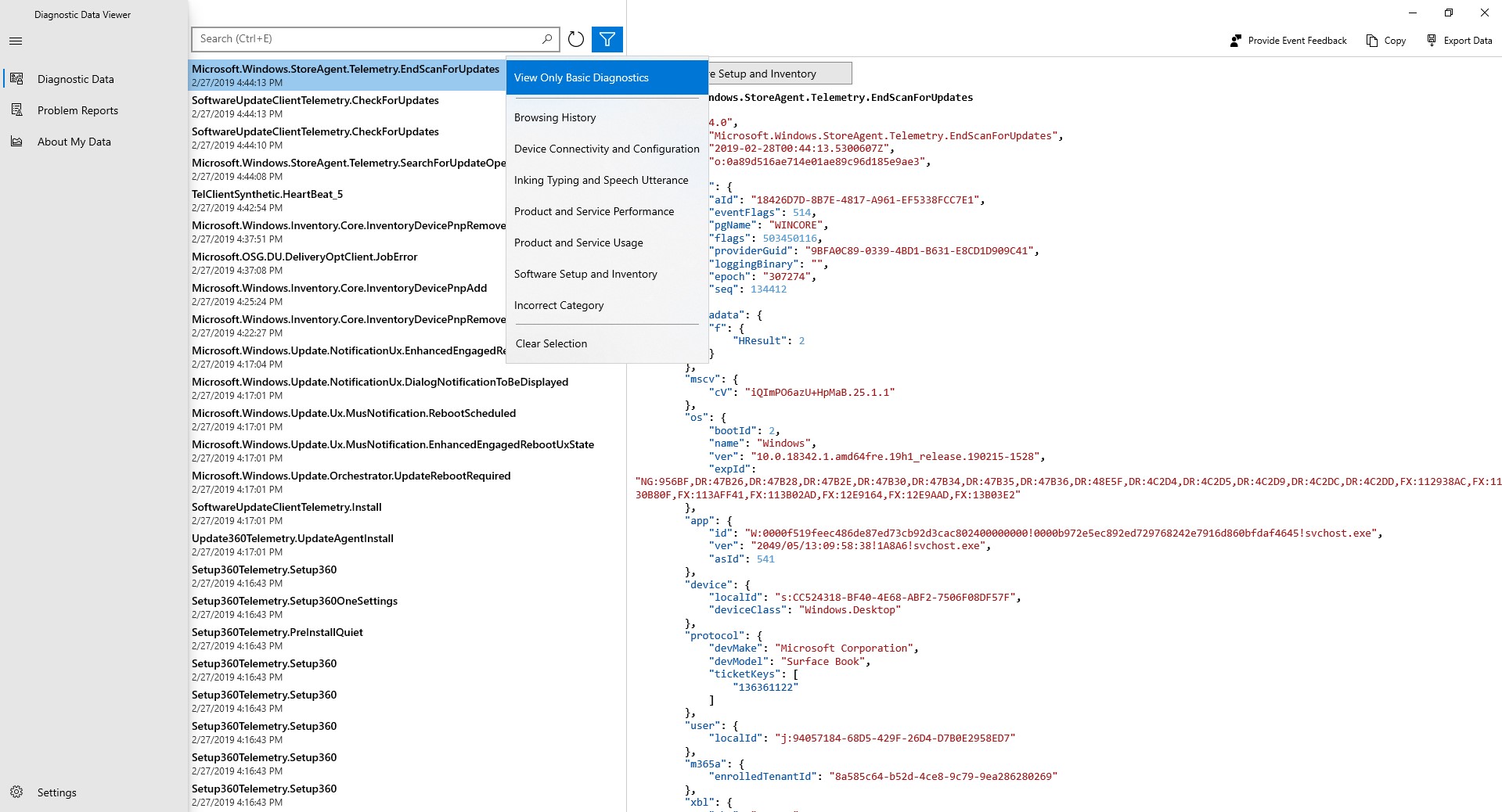
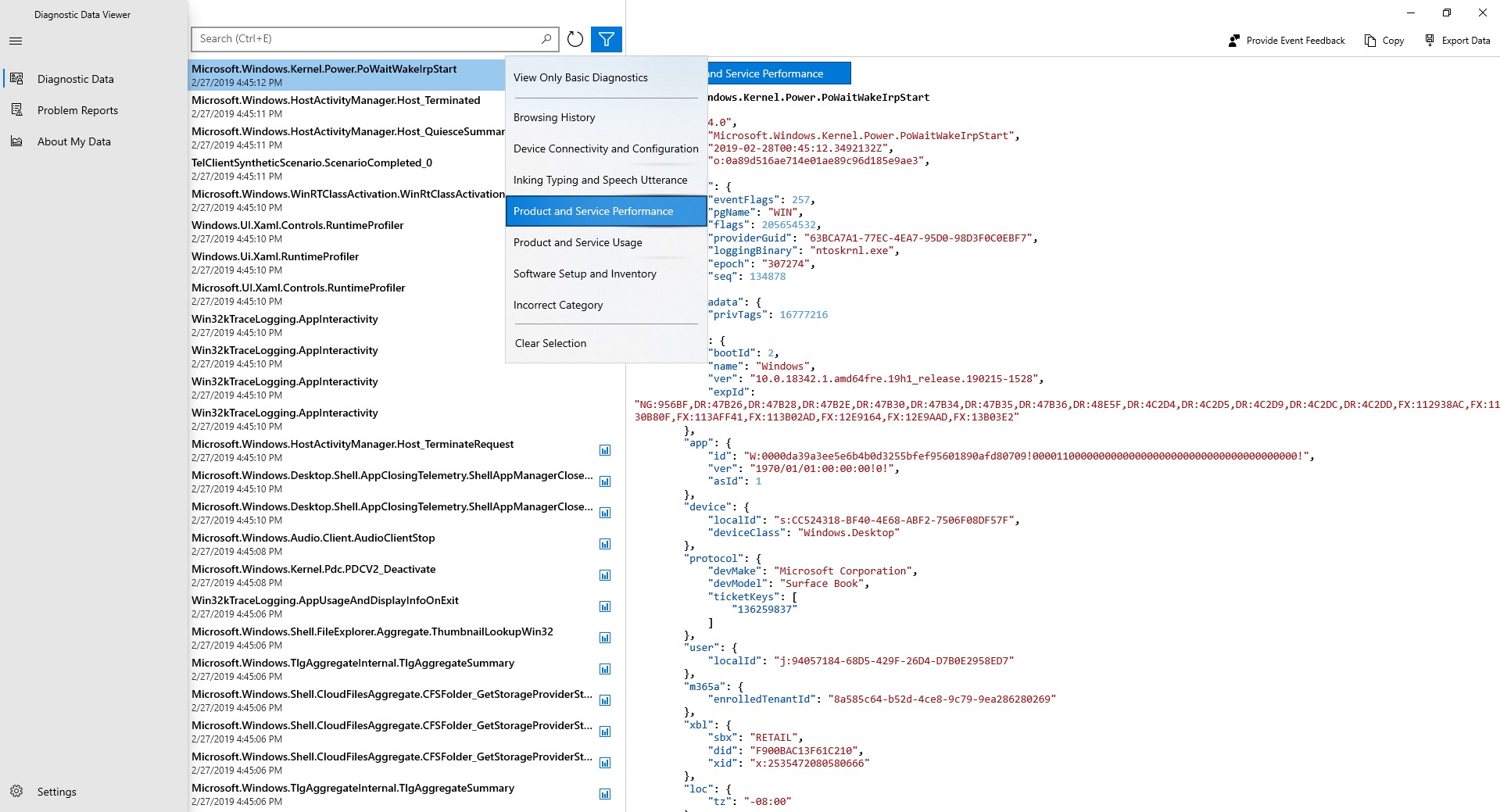
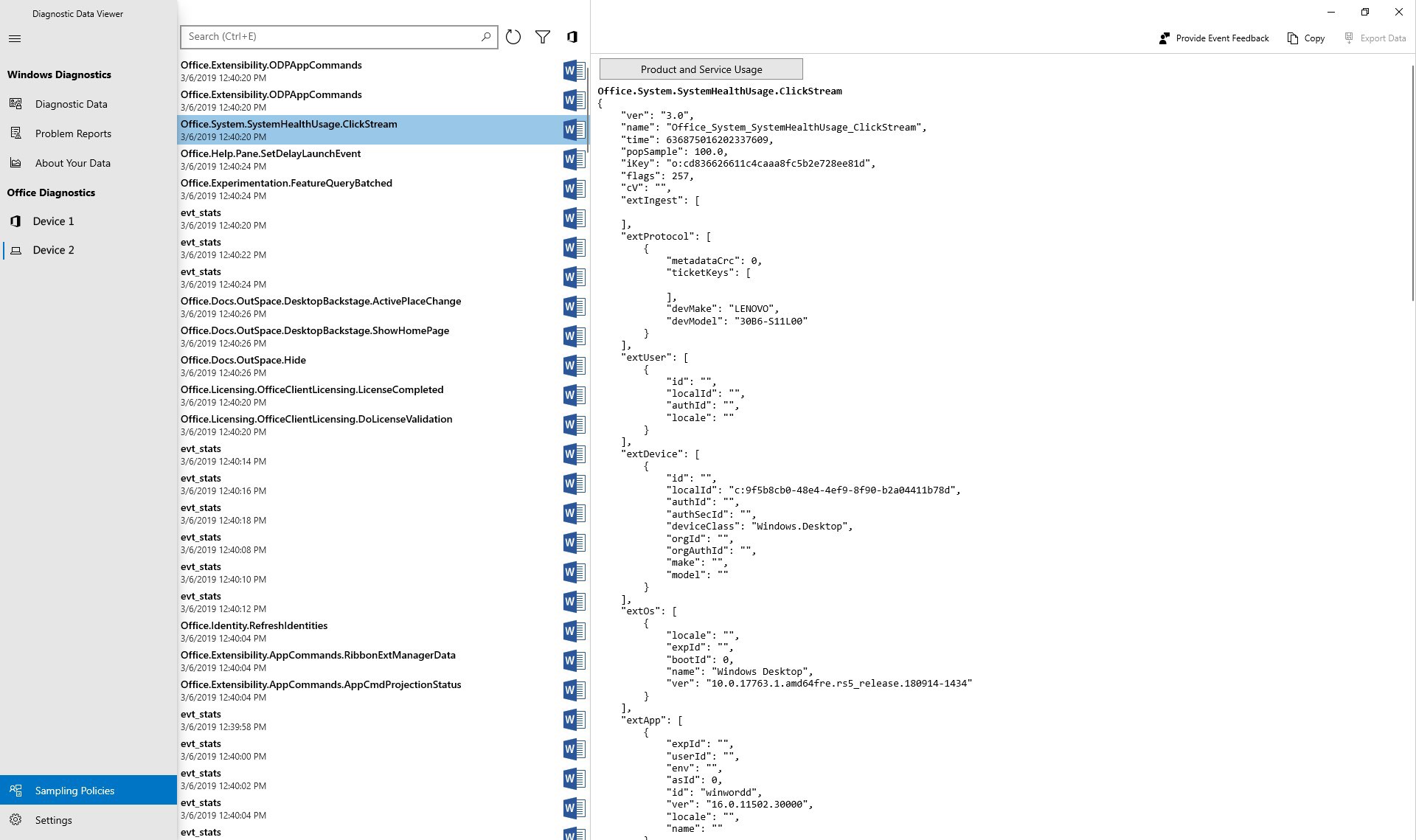
- Easy filtering and searching options to pinpoint specific data points quickly.
- Transparency controls, allowing users to see exactly what telemetry data is being recorded and shared.
- Integration with Windows settings for seamless user experience.
- Target Audience: Tech-savvy Windows users, IT support staff, cybersecurity enthusiasts, and those interested in system transparency and privacy.
Discovering the Diagnostic Data Viewer: A Closer Look
Imagine opening a window into the heartbeat of your Windows machine—complex data rendered comprehensible and even fascinating. The Diagnostic Data Viewer is designed with both the curious and the meticulous in mind. Let's embark on an exploration of its core functionalities and user experience.
In-Depth Data Inspection Made Simple
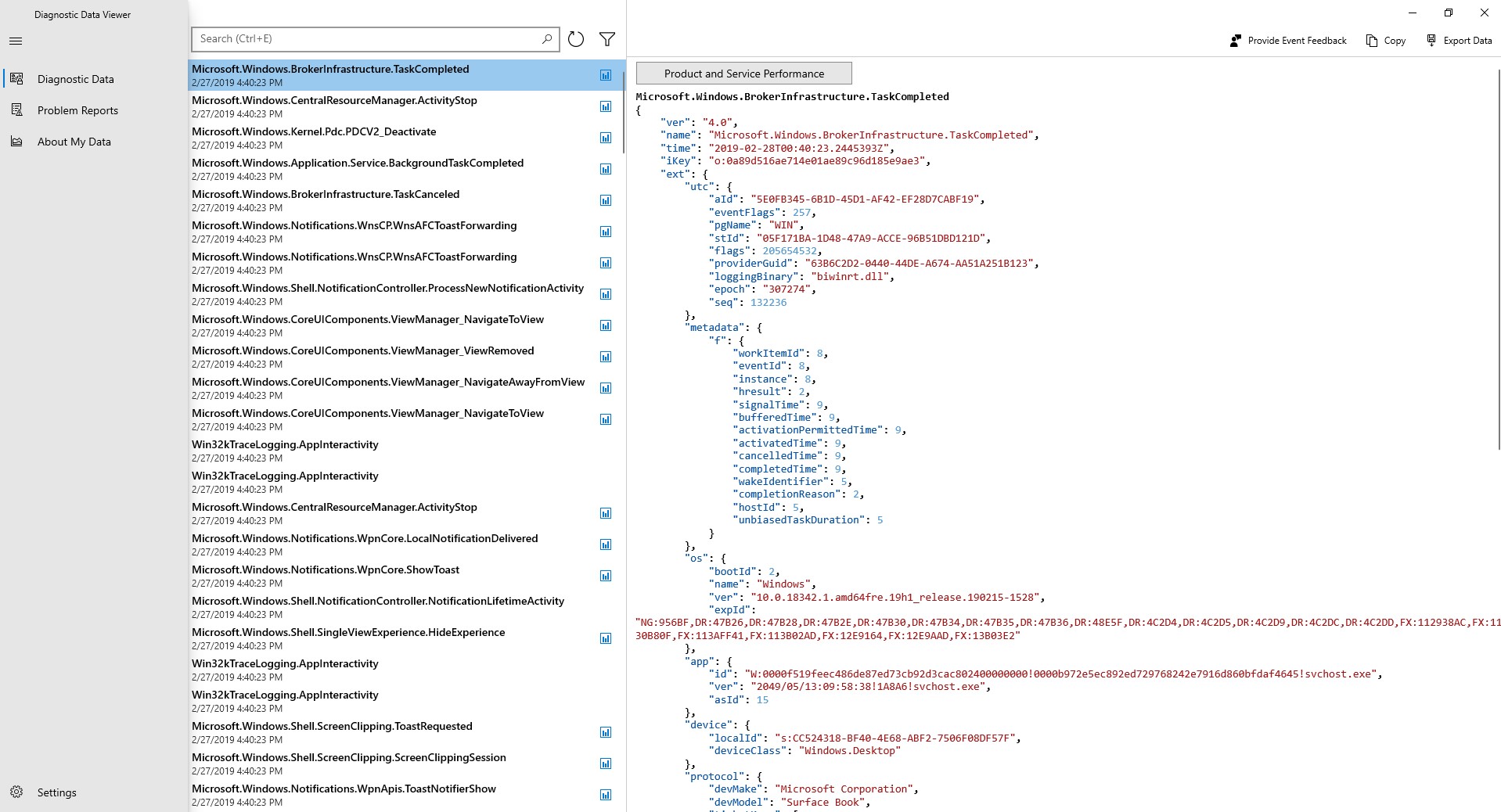
One of the standout features of this app is its ability to organize diagnostic information into structured categories such as "Device," "Software," "Security," and more. Each category functions like a dedicated room with its own set of documents—except here, the documents are snippets of data about your system's health and activity. Users can click through these to see detailed reports, logs, or specific telemetry points. This modular organization turns what was once a confusing jumble of text into a navigable, almost story-like presentation of your device's operational story.
Filtering and Search – Your Data Detective
This app empowers users to become detectives. Need to find entries related to Wi-Fi issues? Or perhaps data connected to recent software updates? The search bar and filter options act like a magnifying glass and a sieve—quickly narrowing down vast datasets to bite-sized, relevant insights. It's like having a seasoned technician guiding you through your diagnostics, but with the comfort of doing it yourself.
User Interface and Experience
The app sports a clean, modern interface that's intuitively laid out—think of it as a well-organized laboratory with labeled drawers and clear signage. Navigating between categories and data points feels seamless, with minimal loading delays that keep you engaged rather than frustrated. The learning curve is gentle; even those new to diagnostic data can get a foothold in a matter of minutes. The app's responsiveness and clarity make it a pleasure to use, much like flipping through an interactive scrapbook rather than decoding a wall of technical logs.
What Sets It Apart? The Unique Advantages
While there are other utilities that offer diagnostics or system information, the Diagnostic Data Viewer stands out primarily because of its commitment to transparency and user empowerment. Unlike generic system info tools that display basic specs, this app dives deep into the telemetry data—yet packages it in an accessible way. Its ability to show exactly what data Windows collects and share—coupled with detailed filtering—gives users more control and understanding of their privacy footprint. Additionally, tight integration with Windows settings reduces the hassle of switching between multiple apps or menus, making it a streamlined, all-in-one experience.
Recommend or Not? Usage Tips
Considering its focused functionality, I'd rate this tool as highly recommended for those interested in system transparency or troubleshooting. It's especially useful if you're comfortable with technical details and prefer inspecting diagnostics directly rather than relying solely on third-party tools or summaries. For everyday users concerned with privacy, it offers a straightforward way to see what's being shared and adjust settings accordingly.
However, for users seeking a more automated or beginner-friendly health check tool, this app might feel a bit detailed or dense initially. In such cases, pairing it with simpler system overview tools might be beneficial.
In conclusion, Diagnostic Data Viewer provides a clear, detailed window into your Windows system's diagnostics—a tool that feels more like a trusted ally than a distant gadget. It's perfect for those who value transparency, control, and deep insights, making it a noteworthy addition to any power user's toolkit.
Pros
- User-friendly interface
- Comprehensive data overview
- Real-time data viewing
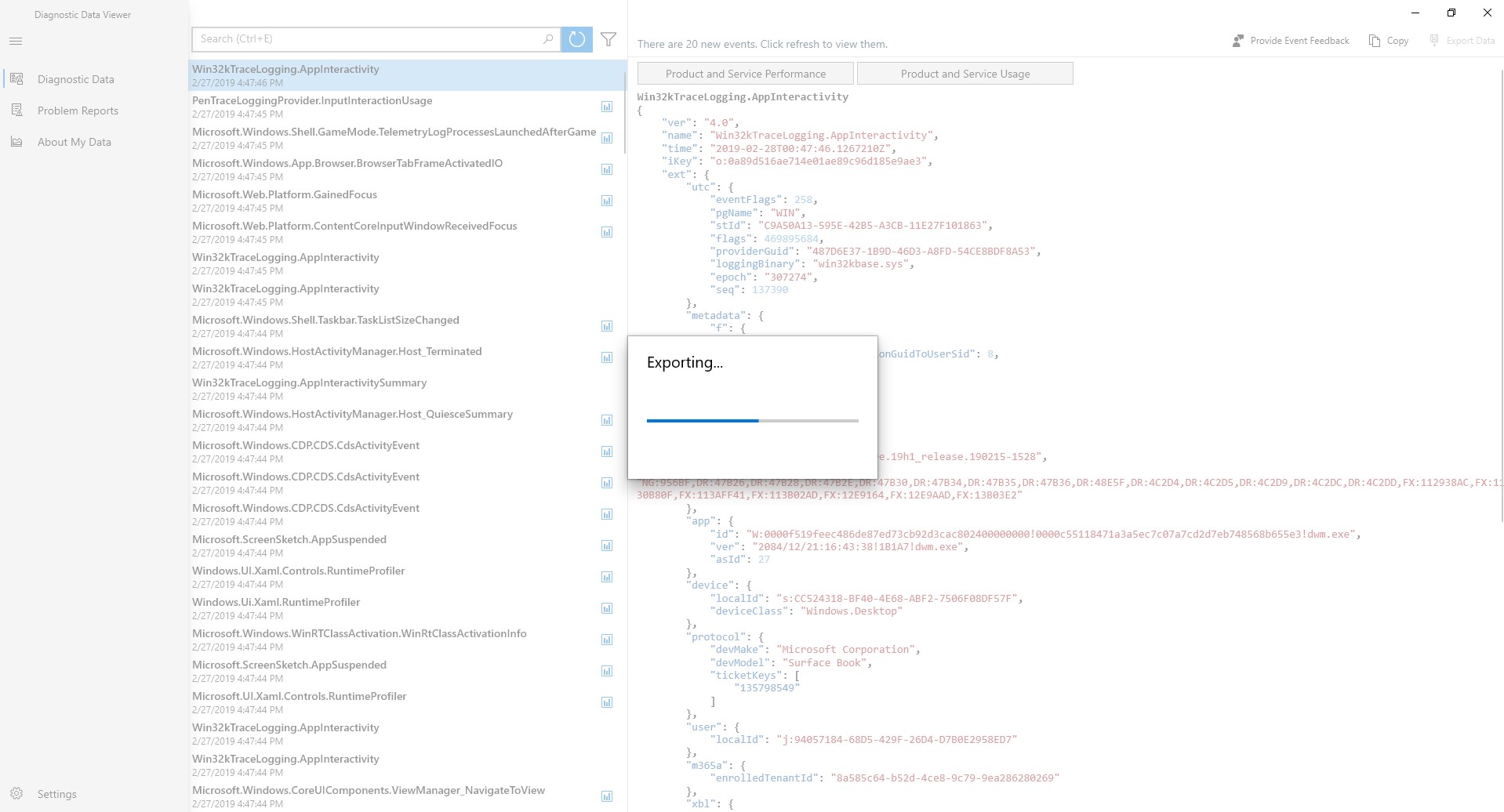
- Data export feature
- Integration with Windows systems
Cons
- Limited data filtering options
- Occasional slow performance with large data sets
- Lack of detailed explanations for some data points
- No customization options for view layouts
- Minimal troubleshooting assistance within the app











