
- Category Utilities & tools
- Available on PC
- OS Windows 10 version 17763.0 or higher
- languages English (United States)
Introducing Doc Scan PDF Scanner for Windows: Your Handy Digital Notepad
If you've ever found yourself juggling sticky notes or struggling to digitize a handful of papers before they fly away, then Doc Scan PDF Scanner for Windows is about to become your new best friend. Designed to turn your cluttered paper world into clean, organized digital files, this app offers a streamlined way to scan, save, and manage PDFs effortlessly. Whether you're a student, a professional, or someone who simply hates paper chaos, this tool aims to simplify your document handling process with a user-friendly approach.
Who's Behind the Magic? The Developer and Core Strengths
Developed by Better App, a team dedicated to creating practical and efficient digital tools, Doc Scan PDF Scanner taps into the growing need for quick, reliable document digitization. Their focus is on delivering an easy-to-use scanning experience that combines core functionalities with a smooth user interface. The app's main highlights include automatic edge detection, high-quality image enhancement, and seamless PDF creation. It's designed with everyday users in mind—students, office workers, or anyone who needs a fast, reliable scanning solution without the hassle of bulky hardware or complicated software.
Unpacking the App's Core Features: Clarity and Convenience
Smart and Precise Scanning Capabilities
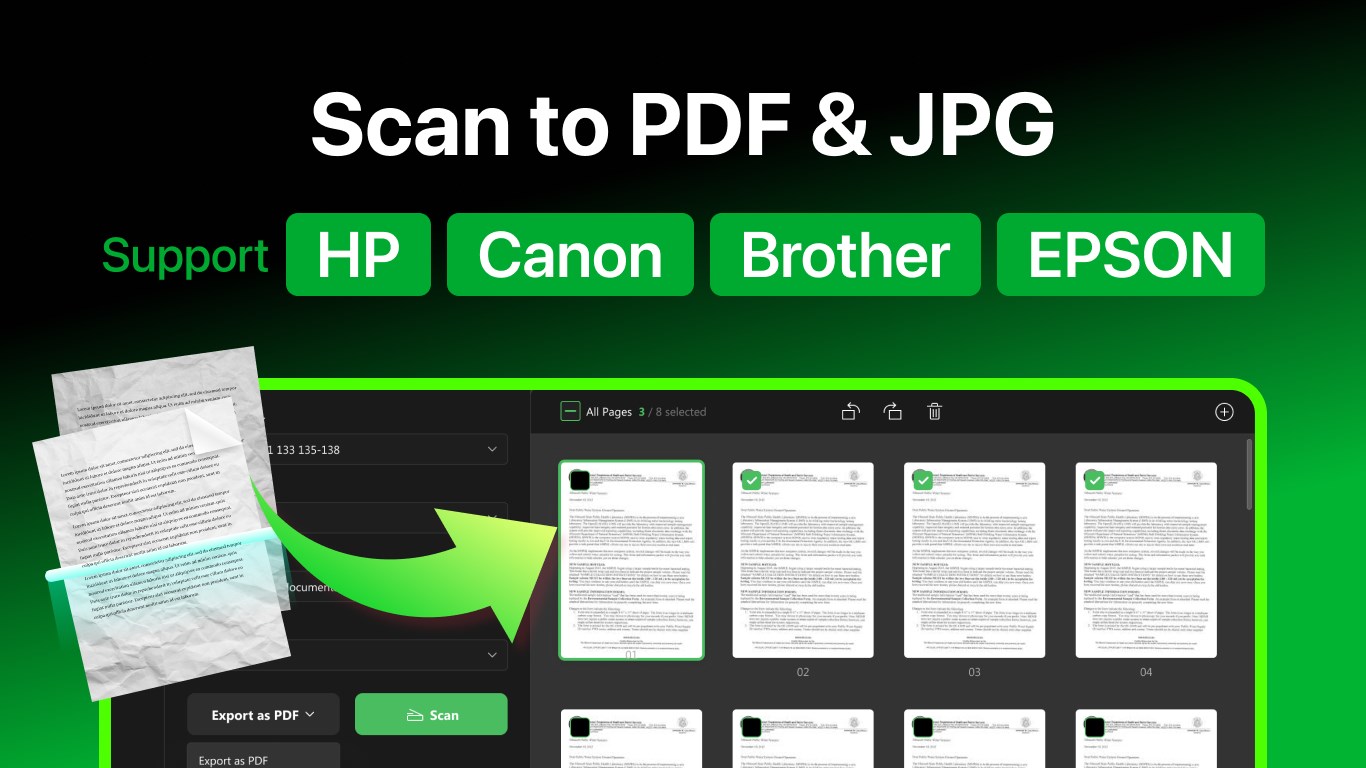
The app's standout feature is its intelligent scanning engine, which automatically detects document edges, cropping, and enhancing images to produce clear, professional-looking PDFs. It's like having a diligent assistant who folds and organizes your papers perfectly every time. The automatic adjustments minimize the need for manual editing, making the scanning process quick and satisfying. Plus, the app's ability to handle various document types—receipts, handwritten notes, official forms—adds to its versatility.
Efficient PDF Management and Sharing
Once scanned, documents are instantly converted into high-quality PDFs, with options for saving locally or sharing directly via email or cloud services. This seamless transition from scan to share simplifies workflow—think of it as a digital conveyor belt that moves your documents efficiently from paper to email inbox or cloud storage in just a few taps. The app also supports batch scans, allowing users to digitize multiple pages automatically, saving time and effort for larger projects.
User Interface and Experience: Simple, Elegant, and Intuitive
The interface strikes a balance between simplicity and functionality—no cluttered menus, just clear buttons and straightforward workflows. Navigating the app feels almost instinctive; the learning curve is gentle, making it accessible even to less tech-savvy users. The app's design employs soft colors and minimalistic icons that are easy on the eyes, encouraging extended use without fatigue. Overall, the operation is smooth, with real-time preview features that let users verify the scans immediately before saving or sharing.
What Sets It Apart in a Crowded Market?
While many scanner apps are available, Doc Scan PDF Scanner distinguishes itself primarily through its intelligent edge detection and automatic image enhancement—features that save users from tedious manual cropping and editing. Unlike some competitors that rely on manual adjustments, this app's automation ensures crisp, clear results with minimal effort. Moreover, its batch scanning feature can process multiple pages in one go, making it ideal for digitizing large documents efficiently. These innovations turn a potentially tedious task into a simple, almost enjoyable activity, providing real value for everyday users.
Final Thoughts: Is It Worth a Try?
Considering its straightforward interface, robust core features, and focus on automation, Doc Scan PDF Scanner for Windows is a practical choice for anyone who needs quick and reliable document digitization. It's especially recommended for users seeking an app that combines intelligent scanning with ease of use—perfect for busy professionals or students looking to stay organized. While it may lack some advanced editing features found in higher-end scanner apps, its core strengths lie in delivering high-quality PDFs swiftly and effortlessly.
Overall, I'd rate this app as a solid 4 out of 5 stars. It's not just another scanning tool; it's a friendly assistant that helps you manage your documents more efficiently. If you value simplicity paired with intelligent automation, give it a shot—you might find your paper chaos turning into digital calm in no time.
Pros
- High-quality document scanning
- Automatic perspective correction
- OCR text recognition feature
- User-friendly interface
- Multiple export options
Cons
- Limited editing tools
- Occasional recognition errors in complex layouts
- No batch processing for multiple documents
- Some features require a subscription
- Limited annotation options











