
- Category Utilities & tools
- Developer Wide Angle Software Ltd
- Available on PC
- OS Windows 10 version 17763.0 or higher
- Keyboard Not specified
- Mouse Not specified
- languages Croatian, Dutch, English, English (United States), French, German, Hindi, Italian, Japanese, Portuguese, Spanish
A Practical Companion for Managing Your Android Data on Windows
If you've ever wished for a straightforward way to transfer and access your Android files directly on your Windows PC without resorting to clunky cables or complex sync tools, Droid Transfer for Windows steps up as an appealing solution. Designed with simplicity and efficiency in mind, this app promises to bridge your Android device and Windows environment seamlessly, making data management less of a chore.
About the Developer and Core Features
Developed by Wide Angle Software Ltd., a reputable name in device management tools, Droid Transfer for Windows aims to streamline the process of transferring files, viewing messages, and managing media from Android devices. The core features include:
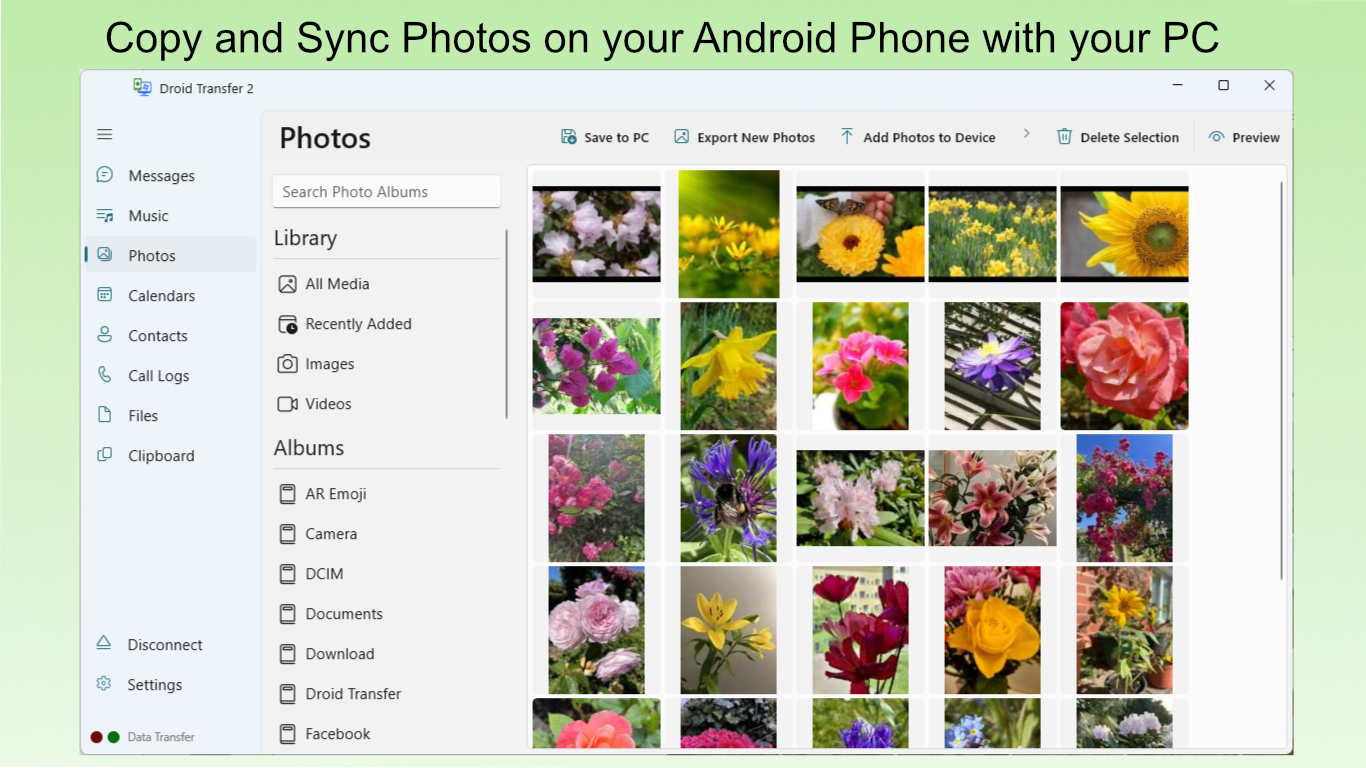
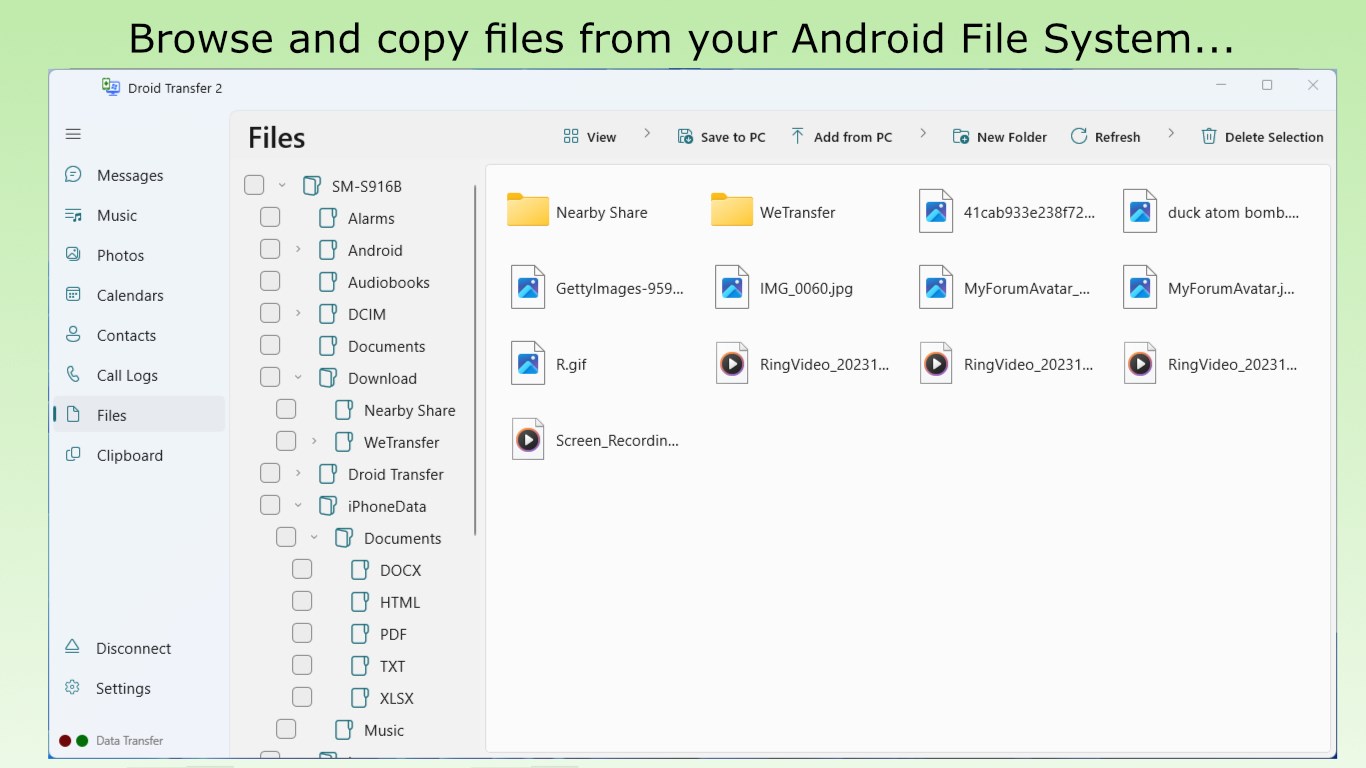
- File Transfer and Backup: Easily copy music, photos, contacts, and other files between your Android device and PC, facilitating quick backups or data sharing.
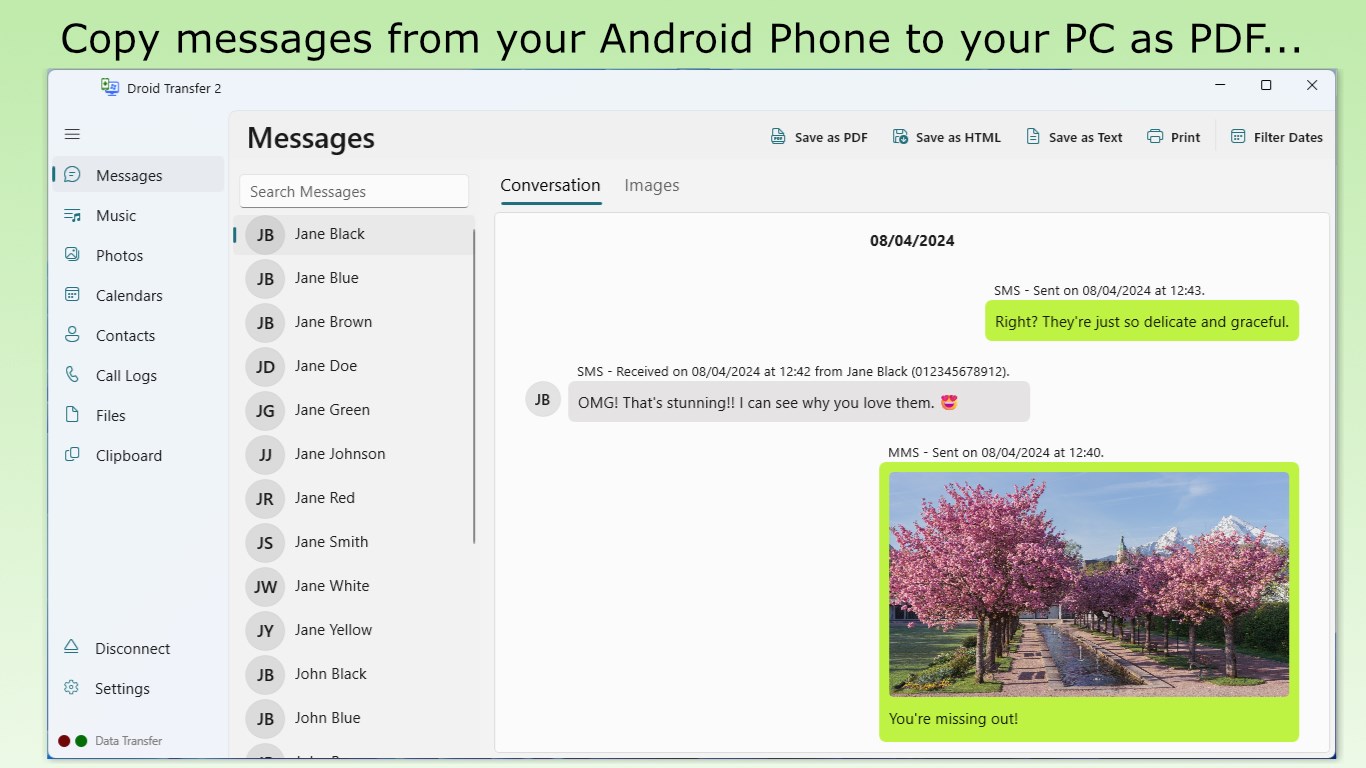
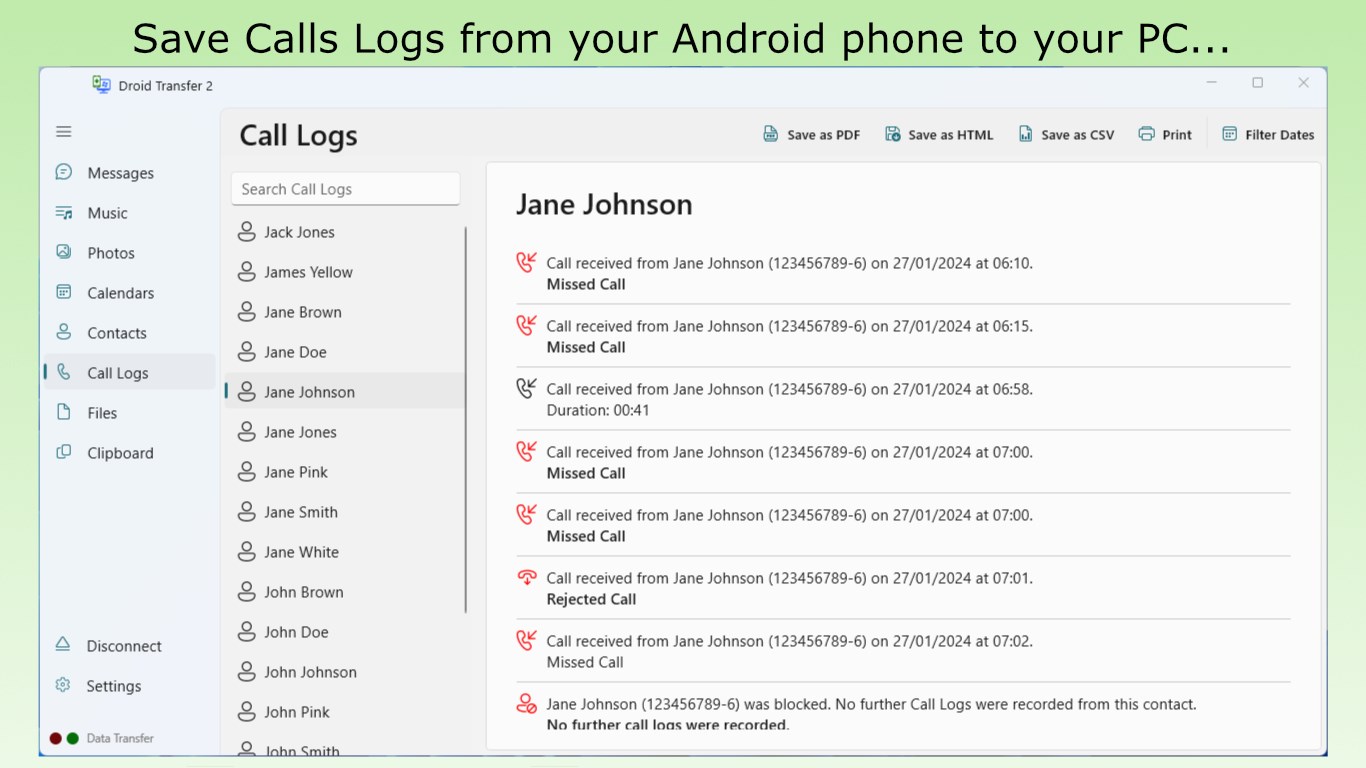
- Message and Call History Access: View and save your SMS, MMS, and call logs directly on your Windows PC, providing an organized way to review communication history.
- Media Management: Manage your media library by browsing and transferring music and videos with a user-friendly interface.
- Wireless Connectivity: Connect via Wi-Fi, removing the hassle of cables while maintaining a stable and quick transfer process.
Targeted mainly at Android users who want a reliable, no-fuss solution for data transfer and management, Droid Transfer combines ease of use with robust functionality suitable for both tech-savvy users and casual smartphone owners.
Engaging the User: A Friendly Look at Droid Transfer
Imagine sitting comfortably at your desk, your Android phone resting nearby. You want to grab some photos or save those important messages but dread the tangled mess of cables or the daunting task of navigating multiple apps. That's where Droid Transfer emerges like a thoughtful helper—efficient, approachable, and just a click away. Its user-friendly design welcomes new users without sacrificing the versatility seasoned tech enthusiasts crave.
Intuitive Interface and User Experience
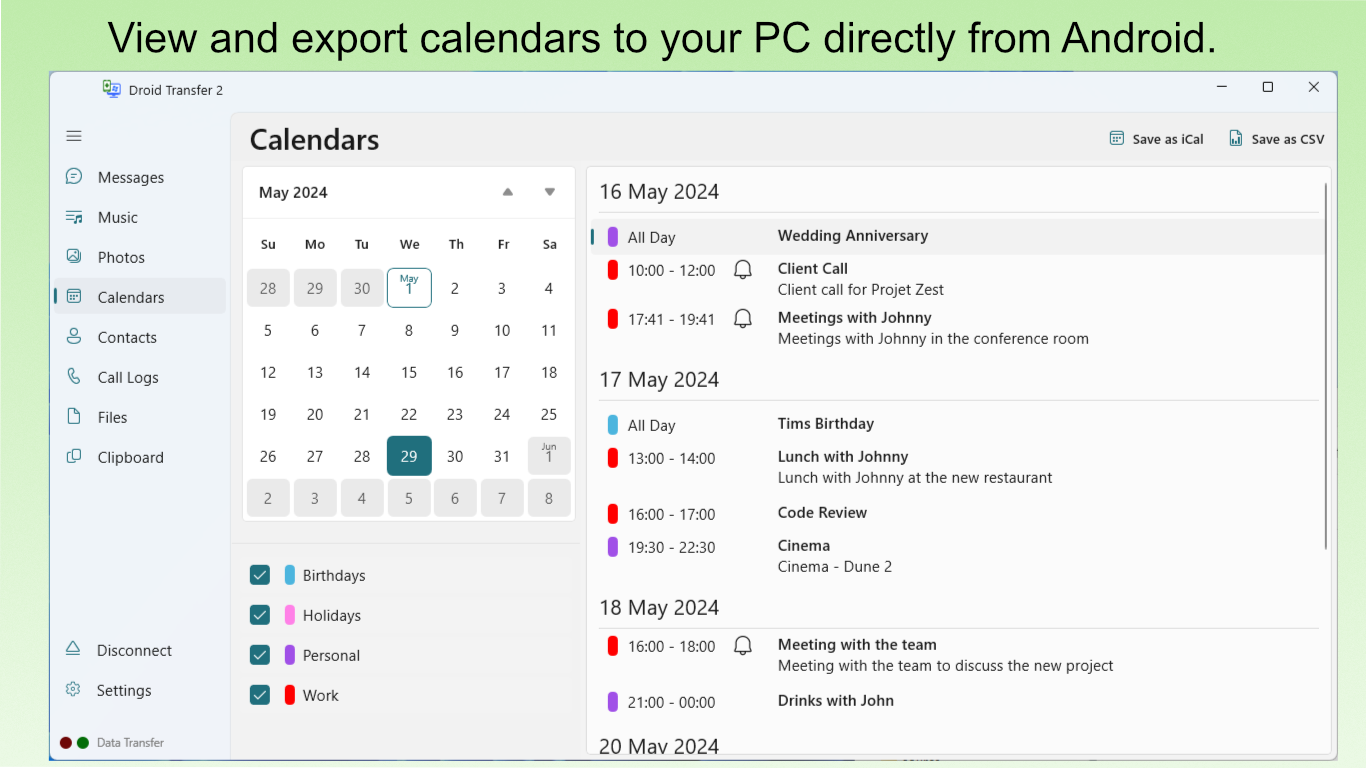
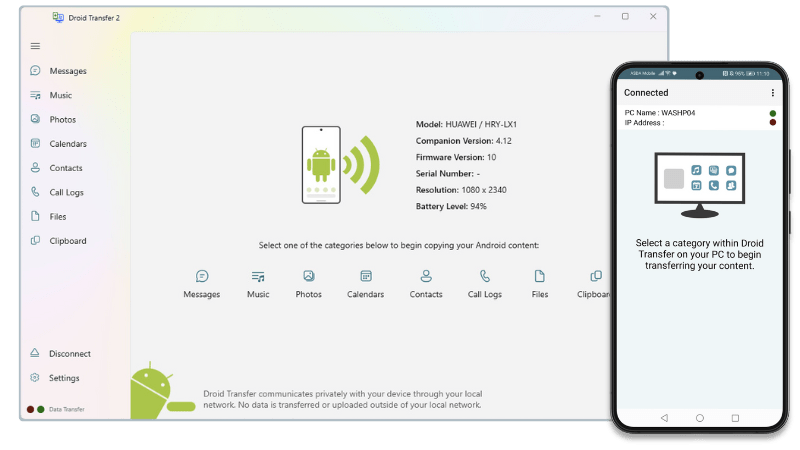
The app boasts a clean, straightforward interface that resembles a well-organized digital workspace. On launch, users are greeted with a clear dashboard offering easy navigation between file transfer, messaging, and media management sections. The layout feels natural, akin to flipping through the pages of a familiar notebook. The connection process, especially via Wi-Fi, is simplified with clear instructions, minimizing the usual confusion around device pairing. Once connected, the data browsing experience is smooth, with rapid loading times and minimal lag. For newcomers, the learning curve is gentle—think of it as reading a familiar map rather than deciphering a foreign language.
Core Functions in Detail
Seamless Data Transfer and Backup
This feature stands as the heart of Droid Transfer. Whether you're copying photos for a vacation album or backing up contacts before a device reset, the transfer process is straightforward. The app detects your device wirelessly—eliminating the clutter of cables—and provides organized categories to select files efficiently. The transfer speed feels optimized, capable of handling large media libraries without crashing or slowing down, which makes it feel reliable and robust.
Messaging and Call Log Management
Imagine having your entire communication log at your fingertips—Droid Transfer makes this possible by presenting SMS, MMS, and call history in an accessible format. You can browse, search, and export these logs to your PC for safekeeping or further processing. This feature particularly shines for users wanting to archive or analyze their messaging habits without resorting to cumbersome third-party apps that often require rooting or complex setup.
Media Management's Hidden Gem
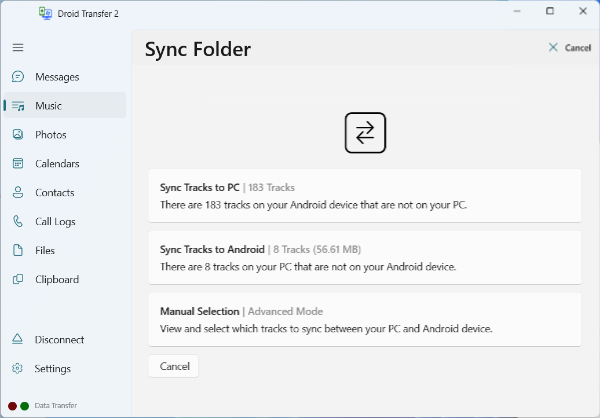
Managing music and videos becomes a breeze with Droid Transfer. Its interface resembles a well-organized media library, letting users preview and select files with ease. Unlike archaic file explorers, this module visually distinguishes media types, making navigation intuitive. The wireless transfer capability means you can update playlists or backup media effortlessly, making it ideal for users constantly updating their collections.
What Sets Droid Transfer Apart?
While many file transfer tools focus solely on basic synchronization, Droid Transfer emphasizes a comprehensive management experience that integrates messaging and call log access. Its standout feature is the seamless wireless connection, which simplifies the user experience—no more fiddling with USB drivers or cumbersome cables. Additionally, its focus on clarity and ease of use makes it suitable for diverse user groups, setting it apart from more complex or feature-heavy utilities that often intimidate the average user.
Final Recommendation and Usage Tips
Overall, Droid Transfer for Windows earns a solid recommendation as a practical and user-friendly tool for managing Android data. It's particularly well-suited for users seeking a simple, reliable method to transfer files and view communication logs without wrestling with technical hurdles. For best results, ensure your device and PC are on the same Wi-Fi network, and explore its backup features regularly to keep your data safe. While it may not replace dedicated backup solutions for extensive media libraries or professional workflows, for everyday use, Droid Transfer hits a pleasing sweet spot of functionality and convenience.
Pros
- User-friendly interface
- Fast transfer speeds
- Supports multiple file types
- Cross-platform compatibility
- No need for internet connection
Cons
- Limited free features
- Initial setup can be complex
- Occasional connectivity issues
- Preview features are somewhat basic
- Lack of detailed instructions within the app











